
BSIDE Dual Channel Oscilloscope Multimeter
BSIDE 3-in-1 Handheld Oscilloscope Multimeter User Manual
Model: Dual Channel Oscilloscope Multimeter | Brand: BSIDE
1. Introduction
The BSIDE 3-in-1 Handheld Oscilloscope Multimeter is a versatile instrument combining the functionalities of a digital multimeter, an oscilloscope, and a signal generator. Designed for a wide range of applications, including automotive diagnostics, electronics testing, and general electrical measurements, this device offers high precision and ease of use.
Key features include:
- 3-IN-1 Design: Functions as a digital multimeter, oscilloscope, and signal generator.
- Dual Channels 25MHz Bandwidth: Features 25MHz bandwidth and 208MSa/s sampling rate with 128kb record depth.
- 3.98" TFT LCD: Ultra-large color screen for enhanced readability in various lighting conditions.
- Full-Viewing Display: 480*320 screen resolution provides clear test results from any angle.
- Flexible AC Current Clamp Measurement: Accurately measures flexible AC current up to 6000A (clamp not included).
2. What's in the Box
Upon unboxing, please verify that all the following components are included:
- 1 x Handheld Oscilloscope Multimeter
- 1 x Oscilloscope Probe
- 1 x BNC to Double-Headed Alligator Clip Test Leads
- 1 x Test Leads
- 1 x Thermocouple
- 1 x Carrying Case
- 1 x Charging Cable
- 8 x Marker Rings
- 1 x Adjustment Tool
- 2 x IC Test Protection Caps
- 1 x User Manual (this document)
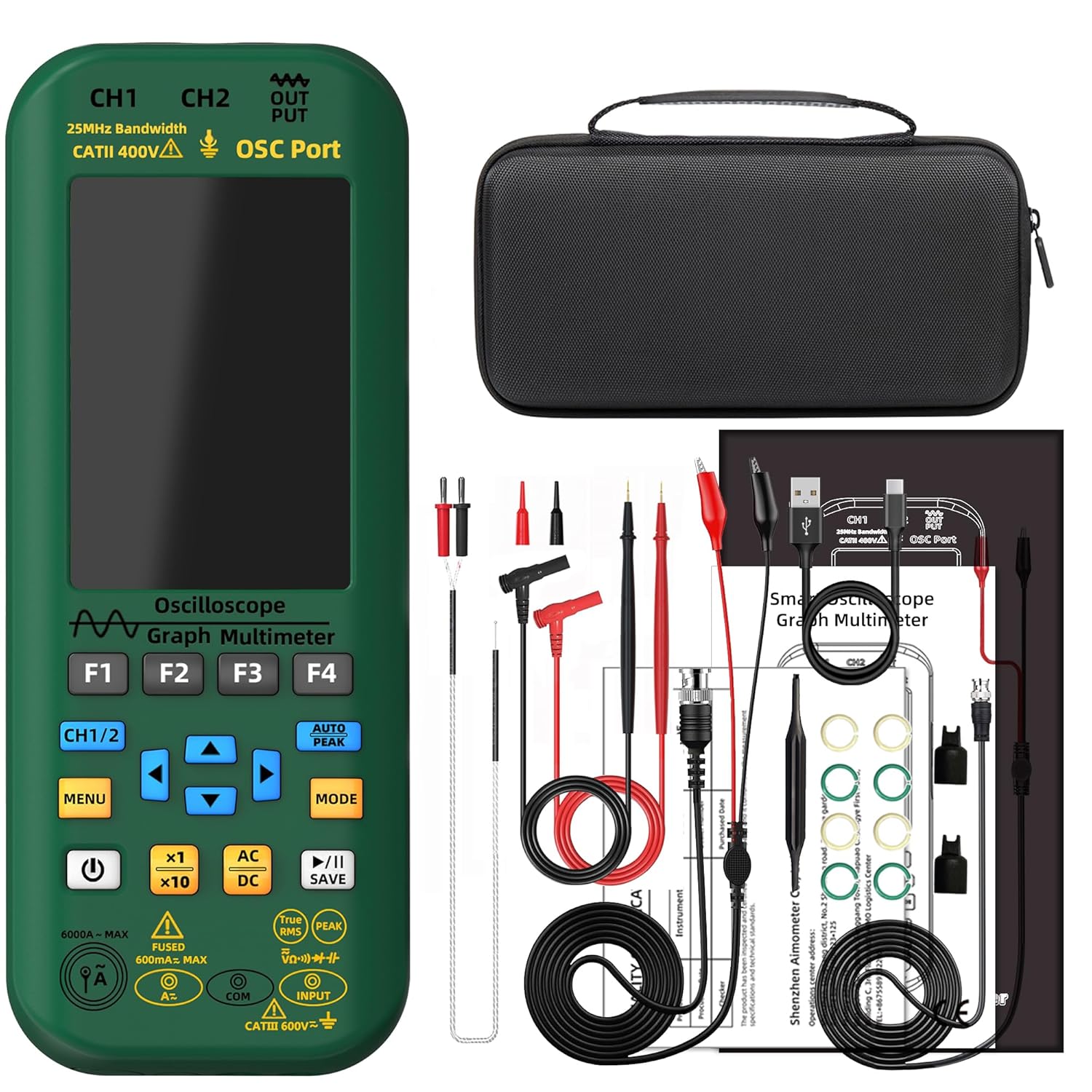
Figure 2.1: All components included in the product package.
3. Setup
Before first use, ensure the device is fully charged. Connect the provided charging cable to the device and a suitable USB power source.
3.1 Connecting Probes
The device features dedicated ports for oscilloscope probes (CH1, CH2, OSC Port) and multimeter test leads (Input, COM). Ensure correct connection for accurate measurements.

Figure 3.1: Overview of the device and its various connection points.

Figure 3.2: Detail of CH1, CH2, and DDS output ports.
4. Operating Instructions
The BSIDE O7 offers three primary modes: Oscilloscope, Multimeter, and DDS Generator. Use the 'MODE' button to switch between these functions.
4.1 Multimeter Function
To use the multimeter, select the appropriate measurement type (DC Voltage, AC Voltage, Resistance, Capacitance, Diode, Continuity, etc.) using the function buttons. Connect the test leads to the 'Input' and 'COM' ports. The large TFT LCD provides clear readings.
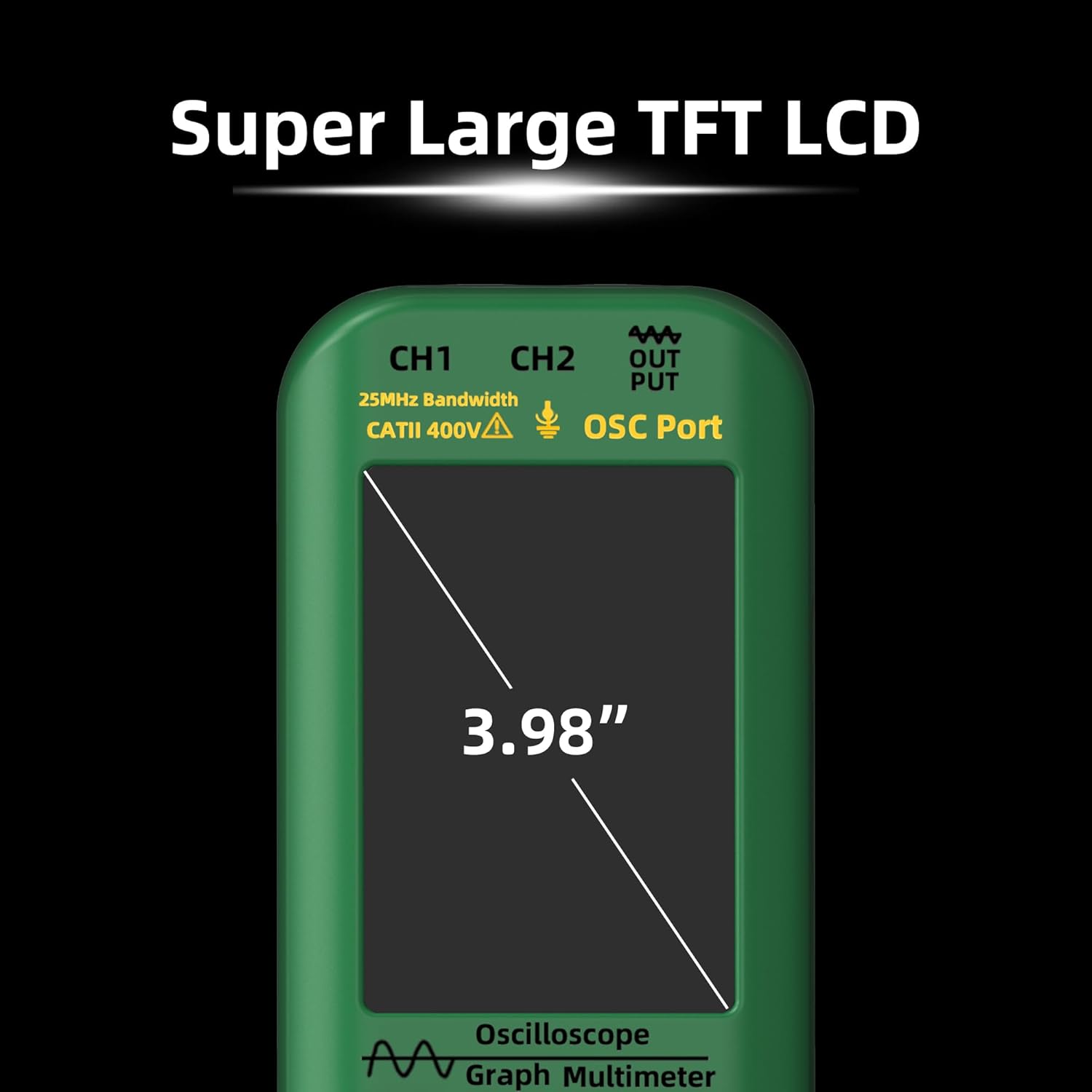
Figure 4.1: The 3.98" TFT LCD provides a clear display for all measurements.
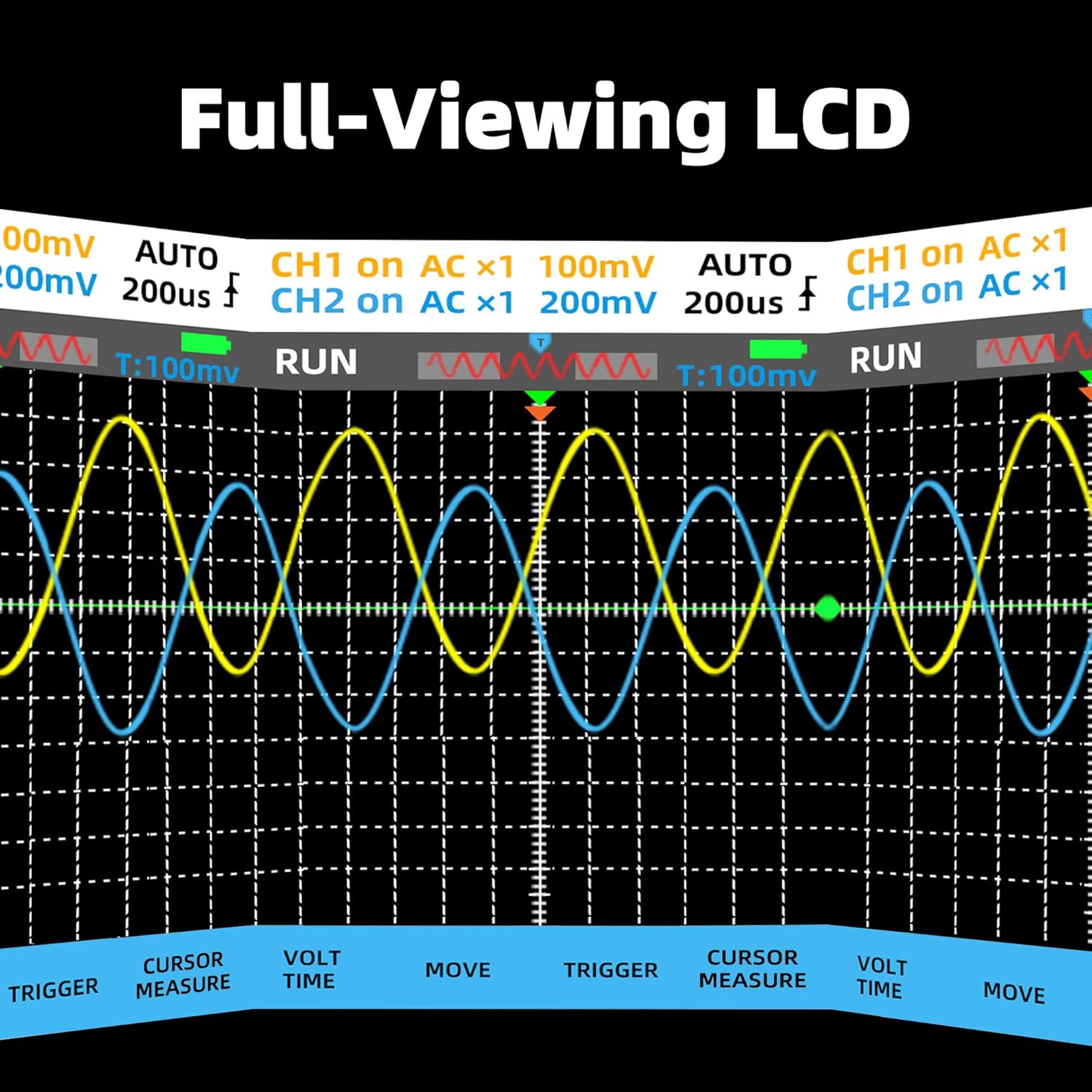
Figure 4.2: The full-viewing LCD ensures readability from various angles.
4.2 Oscilloscope Function
Connect the oscilloscope probe to either CH1 or CH2. Adjust the vertical sensitivity (V/div) and horizontal time base (s/div) as needed. The device supports dual-channel waveform display and various trigger modes.
Video 4.1: Demonstration of the dual-channel oscilloscope function, showing waveform display and measurement capabilities.
4.3 DDS Generator Function
The DDS (Direct Digital Synthesis) generator can output various waveforms including sine, square, triangle, full wave, half wave, sawtooth, and DC waves. Adjust frequency and amplitude using the device's controls. The output is available via the 'OSC Port'.

Figure 4.3: The device integrates Multimeter, DDS Generator, and Oscilloscope functions.
5. Specifications
| Feature | Specification |
|---|---|
| MAX Display | 6000 counts |
| Bandwidth | 25MHz |
| Channels | 2 |
| Real-time sample rate | 208MSa/s |
| Input Impedance | 1MΩ, @16pf |
| Maximum input voltage | 300V (DC+AC peak) |
| Horizontal SEC range | 100ns/div - 20s/div |
| Vertical sensitivity | 20mV/div - 100V/div |
| DC voltage | 60mV, 600mV, 6V, 60V, 600V, 1000V |
| AC voltage | 60mV, 600mV, 6V, 60V, 600V, 750V |
| DC current | 60mA, 600mA |
| AC current | 60mA, 600mA |
| Flexible AC Current | 600A, 6000A |
| Resistance | 600Ω, 6kΩ, 60KΩ, 600KΩ, 6MΩ, 60MΩ |
| Capacitance | 999.9nF, 9.999µF, 999.9µF, 99.99mF |
| Temperature | -20℃ to 1000℃ / -4℉ to 1832℉ |
| Diode | Yes |
| Continuity | Yes |
| Output Waveforms | Sine, square, triangle, full wave, half wave, sawtooth, DC wave |
| Frequency range (DDS) | 0-2MHz |
| Output Amplitude (DDS) | 0.1-3V |
| Square Wave Duty Cycle | 1%-99% |
| Power | 2* Rechargeable Li-ion battery (5000mAh) |
| Size | 216.6 x 84.5 x 36 mm |
| Weight | 384g |

Figure 5.1: The device is powered by a high-capacity 5000mAh rechargeable battery.
6. Maintenance
To ensure the longevity and optimal performance of your BSIDE 3-in-1 Handheld Oscilloscope Multimeter, follow these maintenance guidelines:
- Cleaning: Use a soft, dry cloth to clean the device. Do not use abrasive cleaners or solvents.
- Storage: Store the device in its carrying case in a cool, dry place away from direct sunlight and extreme temperatures.
- Battery Care: Recharge the battery regularly, even if the device is not in frequent use, to maintain battery health. Avoid fully discharging the battery for extended periods.
- Probe Care: Inspect probes and test leads for damage before each use. Replace any damaged accessories immediately.

Figure 6.1: The durable soft silicone case provides military-grade protection for the device.
7. Troubleshooting
If you encounter issues with your device, refer to the following common problems and solutions:
| Problem | Possible Cause / Solution |
|---|---|
| Device does not power on. | Battery may be depleted. Connect the charging cable and allow it to charge for at least 30 minutes before attempting to power on again. |
| Inaccurate readings in multimeter mode. | Ensure test leads are correctly connected to the 'Input' and 'COM' ports. Verify the correct measurement function is selected. Check for damaged test leads. |
| No waveform displayed in oscilloscope mode. | Check if the oscilloscope probe is securely connected to CH1 or CH2. Adjust the vertical sensitivity (V/div) and horizontal time base (s/div) settings. Ensure the signal source is active. |
| DDS output is not as expected. | Verify the correct waveform type, frequency, and amplitude settings. Ensure the output is connected to the 'OSC Port'. |
For issues not listed here, please contact customer support.
8. Warranty and Support
This product comes with a standard manufacturer's warranty. Please refer to the warranty card included in your package for specific terms and conditions. For technical support, troubleshooting assistance, or warranty claims, please contact BSIDE customer service through their official website or the contact information provided in your product documentation.

Figure 8.1: The device is suitable for various applications, including automotive maintenance, and can export data to a computer.
Related documentsDual Channel Oscilloscope Multimeter


Ask a question about this manual
Ask about setup, troubleshooting, compatibility, parts, safety, or missing instructions. Manuals+ will review the question and use this page’s manual context to help answer it.