
Kidde 21033081
Kidde SMACFEX 120V Hardwired Smoke Alarm User Manual
Model: 21033081
Introduction
The Kidde SMACFEX (Model 21033081) is a premium 120V hardwired smoke alarm with battery backup, designed to provide continuous protection against fast-flaming fires. This manual provides essential information for the proper installation, operation, and maintenance of your smoke alarm to ensure optimal performance and safety.
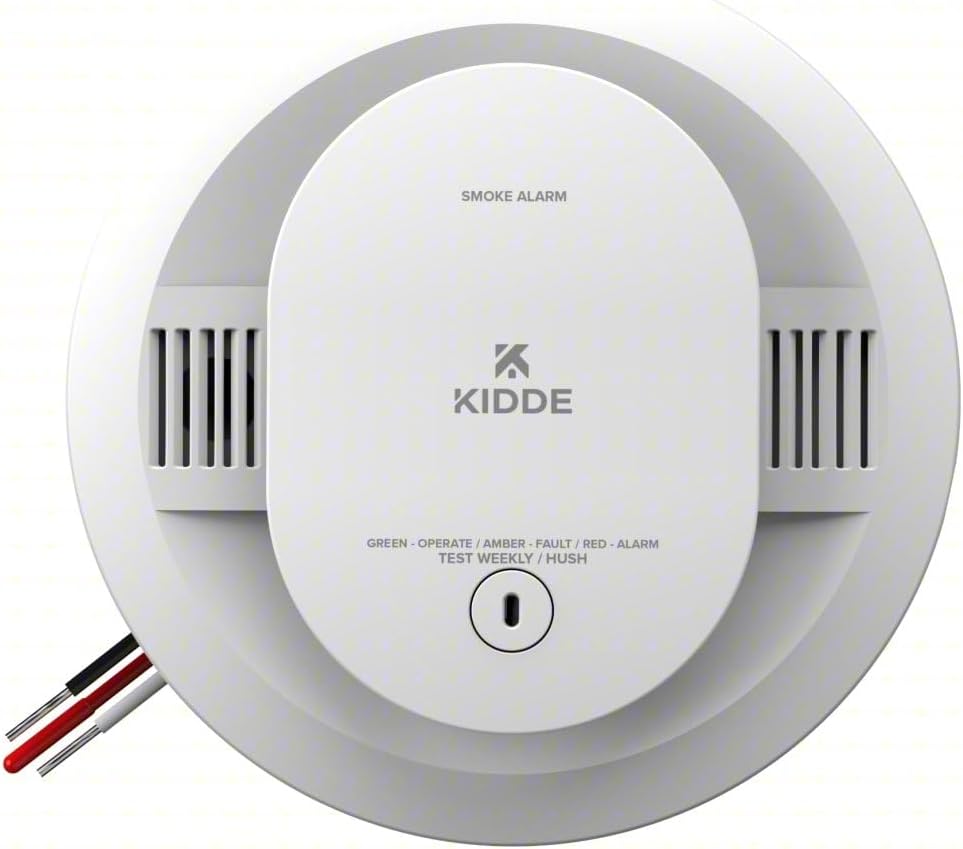
Front view of the Kidde SMACFEX 120V Hardwired Smoke Alarm, highlighting the test/hush button and LED indicators.
Safety Information
Please read and understand all instructions before installing and operating your smoke alarm. Failure to do so may result in improper operation and void the warranty. This device is designed to detect smoke; it cannot prevent a fire. Regular testing and maintenance are crucial.
- Do not paint the alarm.
- Do not block the alarm's vents.
- Test the alarm weekly.
- Replace the battery annually or when the low battery warning sounds.
Package Contents
Verify that all items are present before beginning installation:
- Kidde SMACFEX 120V Hardwired Smoke Alarm Unit
- Mounting Bracket
- Wiring Harness
- 9V Battery (pre-installed or included)
- Mounting Screws and Wall Anchors
Setup and Installation
This smoke alarm is designed for hardwired installation into a 120V AC circuit, with a 9V battery for backup power during outages. Installation should be performed by a qualified electrician or in accordance with local electrical codes.
Choosing a Location
Install smoke alarms on every level of your home, inside each sleeping area, and in the hallway outside each sleeping area. Avoid installing in kitchens, bathrooms, or garages where steam, cooking fumes, or exhaust can cause nuisance alarms.
Wiring Instructions
- Turn off power: Before beginning, ensure the power to the circuit you are working on is turned off at the main fuse or circuit breaker panel.
- Connect wiring harness: Connect the smoke alarm's wiring harness to your household wiring. Match the black wire to the hot wire, the white wire to the neutral wire, and the red wire (if present) to the interconnect wire for multi-alarm systems.
- Secure mounting bracket: Attach the mounting bracket to the electrical box using the provided screws.
The mounting bracket and the smoke alarm unit, ready for installation.
- Install battery: Open the front-load battery door and insert the 9V battery, ensuring correct polarity. Close the battery door.
- Attach alarm to bracket: Align the alarm with the mounting bracket and twist clockwise until it clicks securely into place.

A person installing the Kidde smoke alarm on a ceiling using the easy twist-and-click mounting bracket.
- Restore power: Turn the power back on at the main fuse or circuit breaker panel. The green LED should illuminate, indicating AC power.
- Test the alarm: Press and hold the Test/Hush button until the alarm sounds. This confirms proper operation.
Operating Instructions
LED Indicators
The smoke alarm features LED indicators to provide visual status updates:
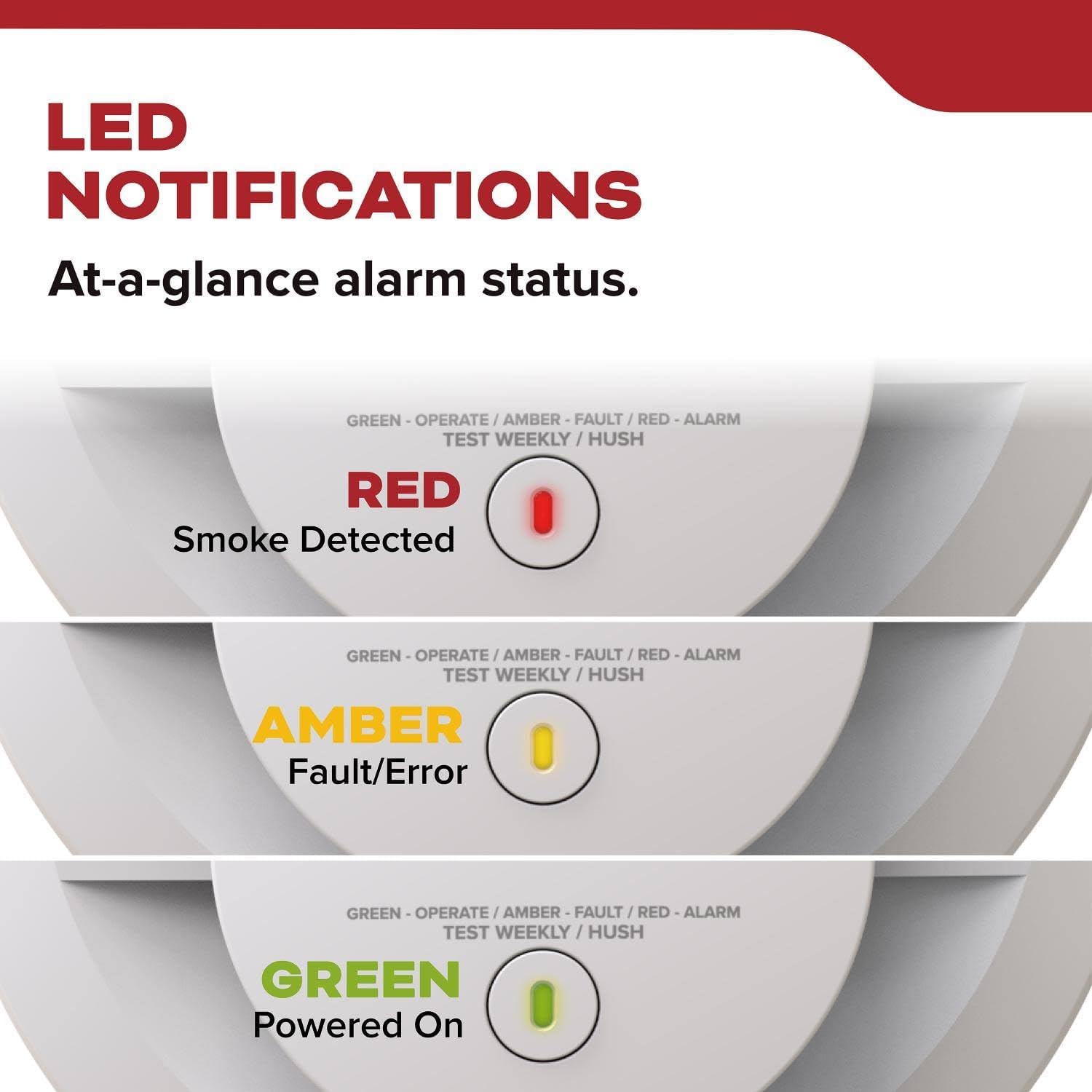
- Green LED: Indicates AC power is present and the unit is operating normally.
- Amber LED: Indicates a fault or error condition. Refer to the troubleshooting section.
- Red LED: Flashes during an alarm condition (smoke detected).

Visual representation of the LED indicators for different alarm statuses.
Test/Hush Button
- Test: Press and hold the button for a few seconds until the alarm sounds. Release the button. The alarm should stop sounding. Test weekly.
- Hush: If a nuisance alarm occurs (e.g., from cooking smoke), press the button to temporarily silence the alarm for approximately 10 minutes. The alarm will automatically reset after this period if the smoke has cleared.
Interconnectivity
This alarm can connect with up to 24 compatible Kidde devices (smoke, CO, and heat alarms). When one interconnected alarm sounds, all connected alarms will sound, providing an early warning throughout your home.
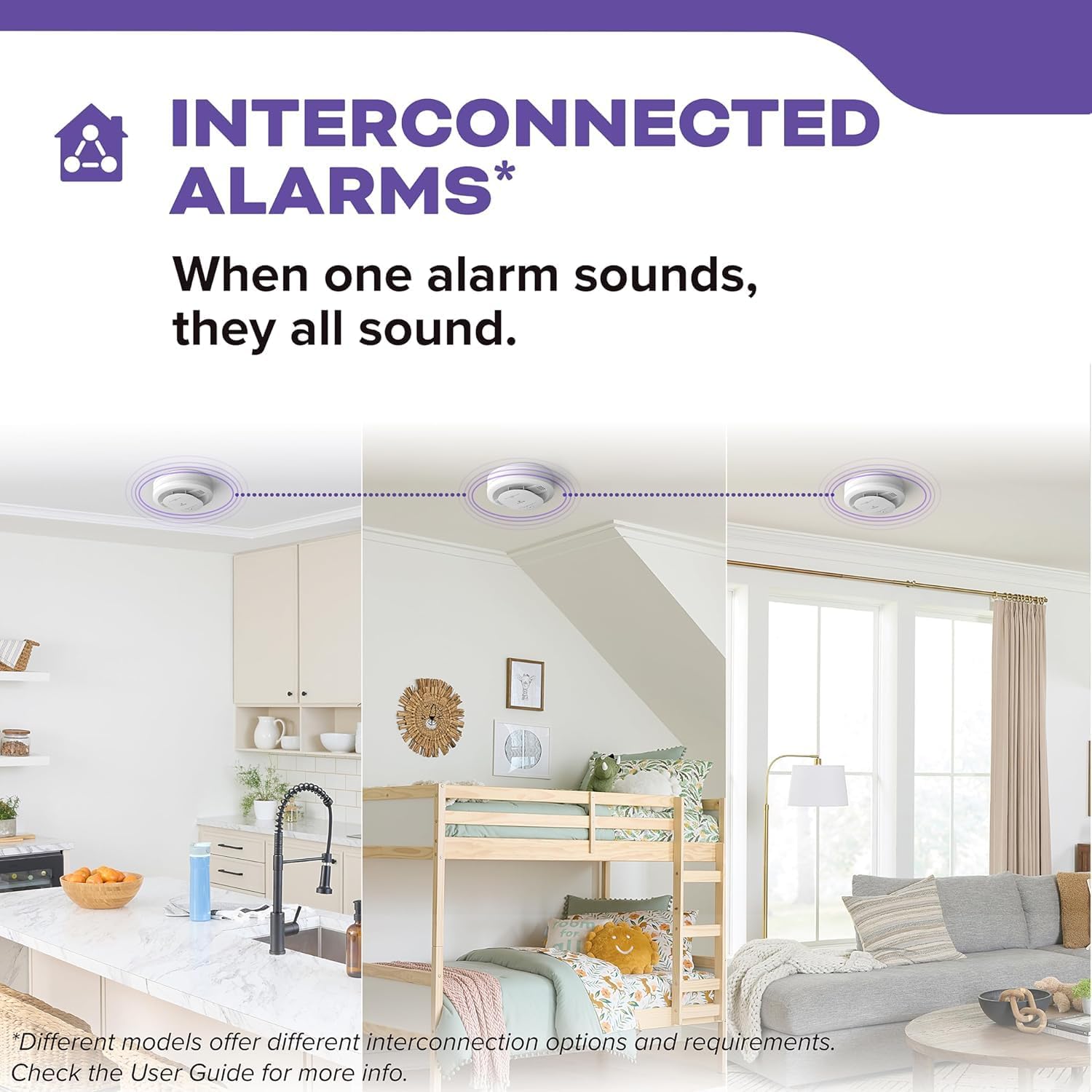
Illustration of interconnected alarms sounding simultaneously across different rooms.
Reduced Nuisance Alarms
The advanced ionization sensor is designed to quickly detect fast-flaming fires while also helping to reduce nuisance alarms often caused by everyday activities like cooking or steam.

The alarm's ability to reduce false alarms from common household activities like toasting.
Maintenance
Battery Replacement
The 9V battery provides backup power during outages. Replace the battery annually or immediately when the alarm chirps approximately once every 30-40 seconds, indicating a low battery. The front-load battery door allows for easy replacement without removing the unit from the ceiling.
Cleaning Your Alarm
Clean your smoke alarm at least once a month. Use a soft brush or a vacuum cleaner with a soft brush attachment to remove dust and debris from the alarm's vents. Do not use cleaning solvents or spray directly onto the alarm.
Testing Your Alarm
Test your smoke alarm weekly by pressing and holding the Test/Hush button until the alarm sounds. This ensures the alarm's electronics, battery, and horn are working correctly.
Troubleshooting
| Problem | Possible Cause | Solution |
|---|---|---|
| Alarm chirps every 30-40 seconds | Low battery | Replace the 9V battery. |
| Alarm sounds intermittently or for no apparent reason | Nuisance alarm (steam, cooking fumes, dust) | Press the Hush button. Clean the alarm. Relocate if nuisance alarms persist. |
| Alarm does not sound when tested | No power, dead battery, or faulty unit | Check AC power. Replace battery. If still not working, replace the unit. |
| Amber LED is on or flashing | Fault or error condition | Clean the alarm. If the fault persists, replace the unit. |
Specifications
| Feature | Detail |
|---|---|
| Model Number | 21033081 |
| Power Source | 120V AC, 60Hz with 9V Battery Backup |
| Sensor Type | Ionization |
| Interconnect | Up to 24 Kidde devices |
| Dimensions | 5"W x 5"H x 2"D (approx.) |
| Weight | 0.86 Pounds (approx. 13.8 ounces) |
| Color | White |
| Material | Plastic |
| Operating Temperature | 40°F (4.4°C) to 100°F (37.8°C) |
| Humidity Range | 10-95% relative humidity, non-condensing |
Warranty and Support
Kidde smoke alarms are designed for years of reliable service. For specific warranty details, please refer to the documentation included with your product packaging or visit the official Kidde website. For technical support or further assistance, please contact Kidde customer service.
You can visit the official Kidde store on Amazon for more products and information: Kidde Store
Related documents21033081


Ask a question about this manual
Ask about setup, troubleshooting, compatibility, parts, safety, or missing instructions. Manuals+ will review the question and use this page’s manual context to help answer it.