Introduction
This manual provides instructions for the setup, operation, and maintenance of your Paladone PlayStation DualSense Controller Digital Alarm Clock. This device combines a digital alarm clock with a night light function, designed for ease of use and to complement gaming-themed environments.
What's in the Box
- Paladone PlayStation DualSense Controller Digital Alarm Clock
- Instruction Manual (this document)
Note: 3x AA batteries are required and not included.
Setup
1. Battery Installation
- Locate the battery compartment on the underside of the alarm clock.
- Open the battery compartment cover.
- Insert 3x AA batteries, ensuring correct polarity (+/-).
- Close the battery compartment cover securely.
2. Initial Time Setting
Upon battery installation, the display will illuminate. Follow the operating instructions to set the current time.

Image: The PlayStation DualSense Controller Digital Alarm Clock displaying the time.
Operating Instructions
Setting the Time
- Press and hold the TIME SET button (usually marked with a clock icon) until the hour digits begin to flash.
- Use the + and - buttons to adjust the hour. Pay attention to AM/PM indicators if present.
- Press the TIME SET button again to move to the minute digits.
- Use the + and - buttons to adjust the minutes.
- Press the TIME SET button one last time to confirm and exit time setting mode.
Setting the Alarm
- Press and hold the ALARM SET button (usually marked with an alarm icon) until the alarm hour digits begin to flash.
- Use the + and - buttons to adjust the alarm hour.
- Press the ALARM SET button again to move to the alarm minute digits.
- Use the + and - buttons to adjust the alarm minutes.
- Press the ALARM SET button one last time to confirm and exit alarm setting mode.
- To activate or deactivate the alarm, press the ALARM ON/OFF button (may be the same as ALARM SET or a separate button). An alarm icon will appear on the display when active.
Using the Night Light Function
The PlayStation DualSense controller replica on top of the clock functions as a night light.
- To activate the night light, gently tap the controller.
- To deactivate the night light, tap the controller again.
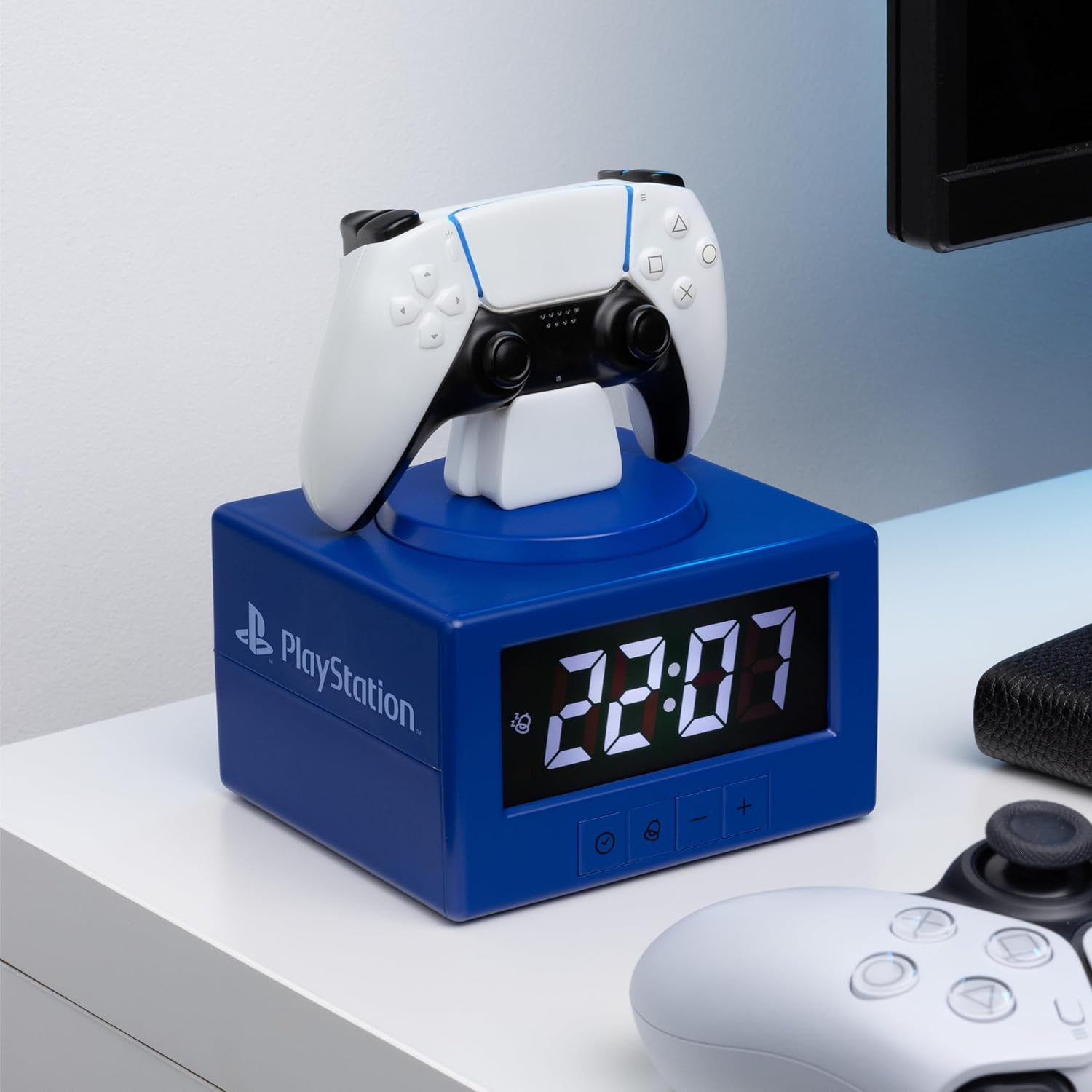
Image: The alarm clock with the DualSense controller glowing as a night light.
Maintenance
- Cleaning: Wipe the clock with a soft, dry cloth. Do not use abrasive cleaners or solvents.
- Battery Replacement: Replace batteries when the display dims or functions become unreliable. Always replace all three AA batteries at the same time.
- Storage: If storing for an extended period, remove the batteries to prevent leakage.
Troubleshooting
| Problem | Solution |
|---|---|
| Clock display is dim or blank. | Replace the 3x AA batteries. Ensure batteries are inserted with correct polarity. |
| Alarm does not sound. | Ensure the alarm is activated (alarm icon visible on display). Verify the alarm time is set correctly. |
| Night light does not turn on. | Ensure batteries are fresh. Gently tap the controller to activate. |
| Time or alarm settings reset unexpectedly. | This may indicate low battery power. Replace batteries. |
Specifications
- Brand: Paladone
- Model Number: PP13475PS
- Display Type: Digital
- Special Features: Alarm, Night Mode
- Product Dimensions: 4.92"W x 7.09"H
- Power Source: Battery Powered (3 AA batteries, not included)
- Material: Plastic
- Item Weight: 8.8 ounces (0.25 Kilograms)
- Indoor/Outdoor Usage: Indoor
Warranty and Support
For warranty information and customer support, please refer to the official Paladone website or contact your retailer. Keep your proof of purchase for any warranty claims.
For additional assistance, visit the Paladone Store on Amazon.


