
HUAWEI 55020EKY
HUAWEI Band 10 Smartwatch User Manual
Model: 55020EKY
1. Introduction
The HUAWEI Band 10 is an advanced smart band designed to enhance your daily life through comprehensive health and fitness monitoring. Featuring a sleek aluminum alloy case, a vibrant display, and a long-lasting battery, it offers insights into your sleep, heart rate, SpO2, and supports a wide range of sports activities. This manual provides essential information for setting up, operating, maintaining, and troubleshooting your device.

Figure 1.1: HUAWEI Band 10 Smartwatch (Purple)
2. What's in the Box
- 1 x HUAWEI Band 10 Smartwatch
- 1 x Charging Cable
- 1 x User Guide & Safety Information & Warranty Card
3. Getting Started (Setup)
3.1 Charging the Device
Before first use, fully charge your HUAWEI Band 10. Connect the charging cable to the charging port on the back of the band and to a USB power adapter. A full charge typically takes about 45 minutes. A 5-minute charge can provide up to 2 days of usage.

Figure 3.1: Charging the HUAWEI Band 10
3.2 Downloading and Installing the HUAWEI Health App
The HUAWEI Health App is required to set up and manage your Band 10. Scan the QR code in the included User Guide or search for "HUAWEI Health" in your device's app store (Google Play Store for Android, Apple App Store for iOS).

Figure 3.2: HUAWEI Health App
3.3 Pairing with Your Smartphone
- Ensure Bluetooth is enabled on your smartphone.
- Open the HUAWEI Health App and follow the on-screen instructions to add a new device.
- Select "HUAWEI Band 10" from the list of available devices.
- Confirm the pairing request on both your smartphone and the Band 10.
System Requirements: iOS 13 and above (iPhone users), Android 9 or later (Android users).
4. Operating Your HUAWEI Band 10
4.1 Design and Comfort
The HUAWEI Band 10 features an ultra-thin design at 8.99 mm and weighs just 15g, ensuring comfortable all-day wearing. Its streamlined metallic design and skin-friendly fluoroelastomer strap contribute to a lightweight feel.

Figure 4.1: Slim and Lightweight Design
4.2 Battery Life
The Band 10 offers robust battery performance. With typical use, you can expect up to 8 days of battery life, extending to up to 14 days with light usage.
4.3 Fitness Monitoring
Powered by an advanced 9-axis sensor and AI-enhanced stroke identification technology, the Band 10 provides comprehensive data for 100 sports modes. This includes ultra-accurate swimming data, with 95% accuracy guaranteed and 5 ATM water resistance.
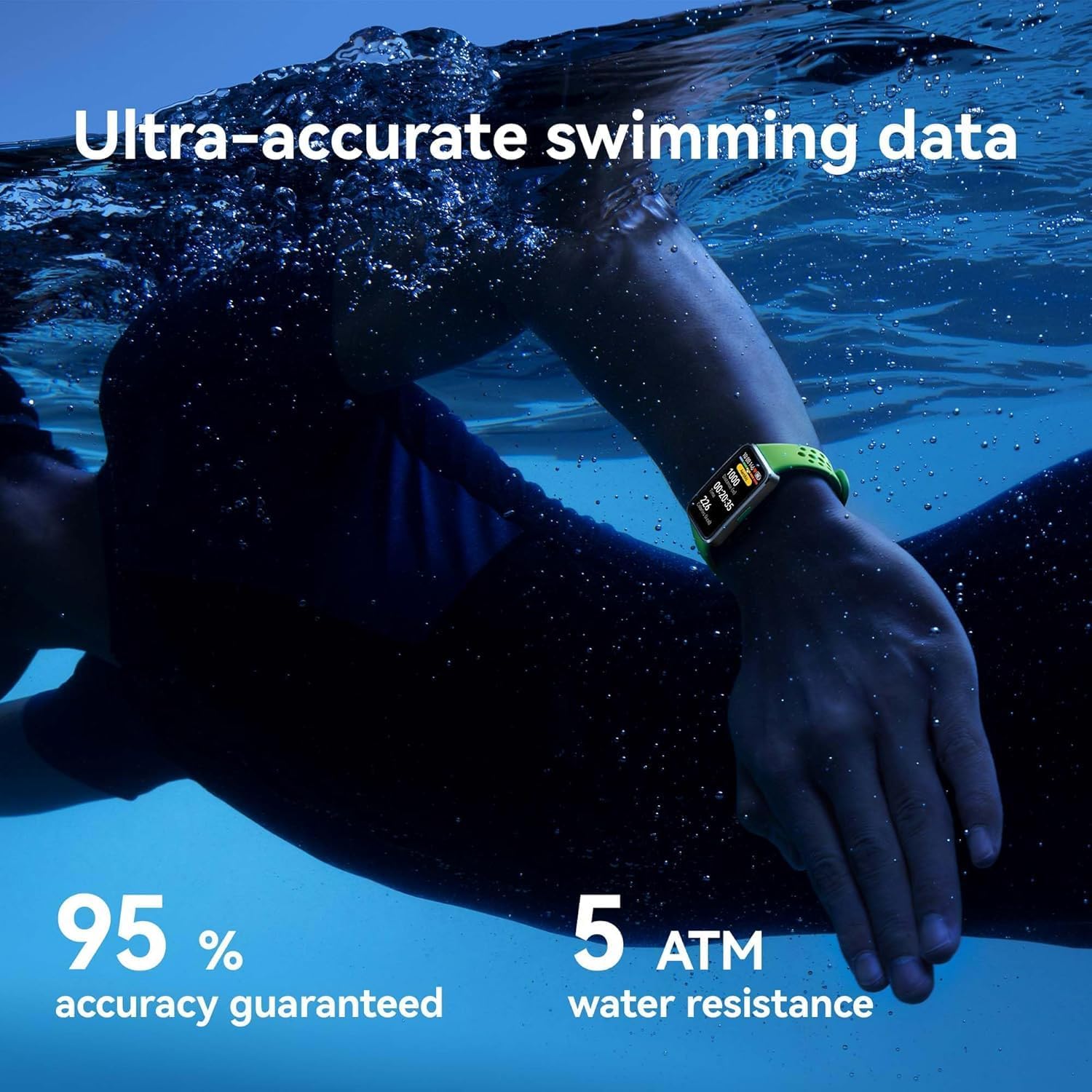
Figure 4.2: Swimming Data Tracking
4.4 Health Monitoring
- Pro-Level Sleep Analysis: The smart band tracks your heart rate, SpO2, respiratory rate, and abnormal breathing during sleep. It provides high-level insights on sleep duration, quality rating, deep sleep ratio, and more.
- Heart Rate and SpO2 Monitoring: Monitor your heart rate and blood oxygen saturation (SpO2) directly from your wrist.
- Women's Health Features: Access a wealth of features dedicated to women's health, including cycle tracking.

Figure 4.3: Sleep Analysis and Insights

Figure 4.4: Heart Rate, SpO2, and Women's Health
5. Maintenance
5.1 Cleaning Your Device
Regularly clean your HUAWEI Band 10 and its strap to prevent skin irritation and maintain performance. Use a soft, damp cloth to wipe the device. Avoid using harsh chemicals or abrasive materials.
5.2 Water Resistance
The device is rated 5 ATM for water resistance, meaning it can withstand pressures equivalent to a depth of 50 meters. It is suitable for shallow-water activities like swimming in a pool or ocean. However, it is not suitable for scuba diving, waterskiing, or other activities involving high-velocity water or submersion below shallow depth.
5.3 Software Updates
Keep your HUAWEI Health App and Band 10 firmware updated to ensure optimal performance and access to the latest features. Check for updates regularly within the HUAWEI Health App.
6. Troubleshooting
- Device not turning on: Ensure the device is fully charged. Connect it to the charging cable and a power source.
- Cannot pair with smartphone: Make sure Bluetooth is enabled on your phone and the Band 10 is within range. Restart both devices and try pairing again. Ensure the HUAWEI Health App is updated.
- Inaccurate data: Ensure the band is worn correctly, snug but not too tight, on your wrist. Clean the sensors on the back of the device.
- Short battery life: Reduce screen brightness, disable unnecessary notifications, and limit continuous heart rate monitoring if not needed.
7. Specifications
| Feature | Detail |
|---|---|
| Model Number | 55020EKY |
| Dimensions | 43.45 × 24.86 × 8.99 mm (1.69 x 1.18 x 0.96 inches) |
| Weight | 15g (0.494 ounces) |
| Screen Size | 1.47 Inches |
| Memory Storage Capacity | 4 GB |
| Operating System | HarmonyOS |
| Battery Capacity | 180 Milliamp Hours |
| Connectivity | Bluetooth |
| Water Resistance | 5 ATM |
| Special Features | Water resistant, Activity Tracker, Alarm Clock, Built-in GPS |
8. Warranty and Support
Your HUAWEI Band 10 comes with a limited warranty. Please refer to the included Warranty Card for detailed terms and conditions. For technical support, product inquiries, or service, please visit the official HUAWEI support website or contact their customer service.
Online Support: consumer.huawei.com/en/support/
Related documents55020EKY


Ask a question about this manual
Ask about setup, troubleshooting, compatibility, parts, safety, or missing instructions. Manuals+ will review the question and use this page’s manual context to help answer it.