
1. Introduction
This user manual provides essential information for the safe and efficient operation of your ROPVACNIC Robot Vacuum Cleaner A1. Please read this manual thoroughly before using the product and retain it for future reference. The ROPVACNIC A1 is designed to automate floor cleaning, featuring powerful suction and multiple control options for various floor types.

The ROPVACNIC A1 is a robotic vacuum cleaner equipped with 3000Pa cyclone suction, suitable for cleaning dust, pet hair, crumbs, and debris from hard floors and low-pile carpets. It offers smart control via an app, voice commands (Alexa, Google Assistant), and a remote control.
2. Product Overview
2.1 Components
The ROPVACNIC A1 package includes the following components:
- ROPVACNIC Robot A1
- Charging Base
- Power Adapter
- Remote Control
- Spare HEPA Filter
- Self Cleaning Tool
- 600ML Large Dust Box (pre-installed or separate)
- 4 Spare Side Brushes
- Product User Manual (this document)
- App Instruction Guide

2.2 Key Features
- Powerful Suction: 3000Pa cyclone cleaning system for effective debris removal.
- Smart Control: Compatible with ROPVACNIC Smart App, Amazon Alexa, and Google Assistant for voice commands. Includes a dedicated remote control.
- Low Profile Design: Measures 2.99 inches in height, allowing it to clean under furniture.
- Pet Hair Optimized: Features a no-entanglement design and dual rotating side brushes to efficiently collect pet hair.
- Large Dust Box: 600ML capacity to hold more debris.
- Scheduled Cleaning: Set cleaning schedules via the app.
- Automatic Recharging: The robot automatically returns to its charging base when the battery is low.
- Multiple Cleaning Modes: Auto, Spot, Edge, Schedule, Manual, and Zigzag cleaning modes.
- Efficient Filtration: Multi-layer optimized high-efficiency filtration system.
3. Setup
3.1 Charging Base Placement
Place the charging base against a wall in an open area, ensuring there are no obstacles within 1 meter (3 feet) to the front and 0.5 meters (1.5 feet) to the sides. Connect the power adapter to the charging base and plug it into a wall outlet. Ensure the charging base is powered on.
3.2 Initial Charge
Place the robot vacuum onto the charging base. Ensure the charging contacts on the robot align with those on the base. The indicator light on the robot will show charging status. For first-time use, fully charge the robot for at least 6 hours.

3.3 App Connection
To utilize smart features, connect your ROPVACNIC A1 to the companion app:
- Refer to the 'App Instruction Guide' included in the package for detailed steps.
- Download the "ROPVACNIC Smart" app from your device's app market or scan the QR code provided in the App Instruction Guide.
- Turn on the robot via the power button located on its side.
- Long press the power button and the home button simultaneously for 5 seconds until the green light blinks.
- Connect your smartphone to a 2.4GHz Wi-Fi network.
- Open the ROPVACNIC Smart app and follow the on-screen instructions to add your A1 robot vacuum.

4. Operating Instructions
4.1 Cleaning Modes
The ROPVACNIC A1 offers six cleaning modes to suit different cleaning needs:
- Auto Cleaning Mode: The robot automatically cleans with optimized paths based on environmental conditions. This is the default and most common cleaning mode.

Figure 4.1: Auto Cleaning Mode. - Spot Cleaning Mode: The robot performs a thorough cleaning of a specific area, suitable for concentrated dirt or spills.

Figure 4.2: Spot Cleaning Mode. - Edge Cleaning Mode: The robot focuses on cleaning along walls and corners, where dust and debris often accumulate.

Figure 4.3: Edge Cleaning Mode. - Scheduled Cleaning: Set specific times for the robot to automatically start cleaning via the ROPVACNIC Smart App.

Figure 4.4: Scheduled Cleaning Task. - Manual Control: Use the app or remote control to manually direct the robot's movement for targeted cleaning.

Figure 4.5: Manual Control (Pin and Go). - Zigzag Cleaning: This mode needs to be activated directly on the robotic vacuum cleaner itself. Refer to the robot's physical controls for activation.
4.2 Control Methods
The ROPVACNIC A1 can be controlled using the following methods:
- ROPVACNIC Smart App: Provides full control over cleaning modes, scheduling, real-time status monitoring, and more. Available for smartphones.

Figure 4.6: Intelligent App Control. - Voice Control: Integrate with Amazon Alexa or Google Assistant for hands-free operation. Simply use voice commands like "Alexa, turn on vacuum cleaner."
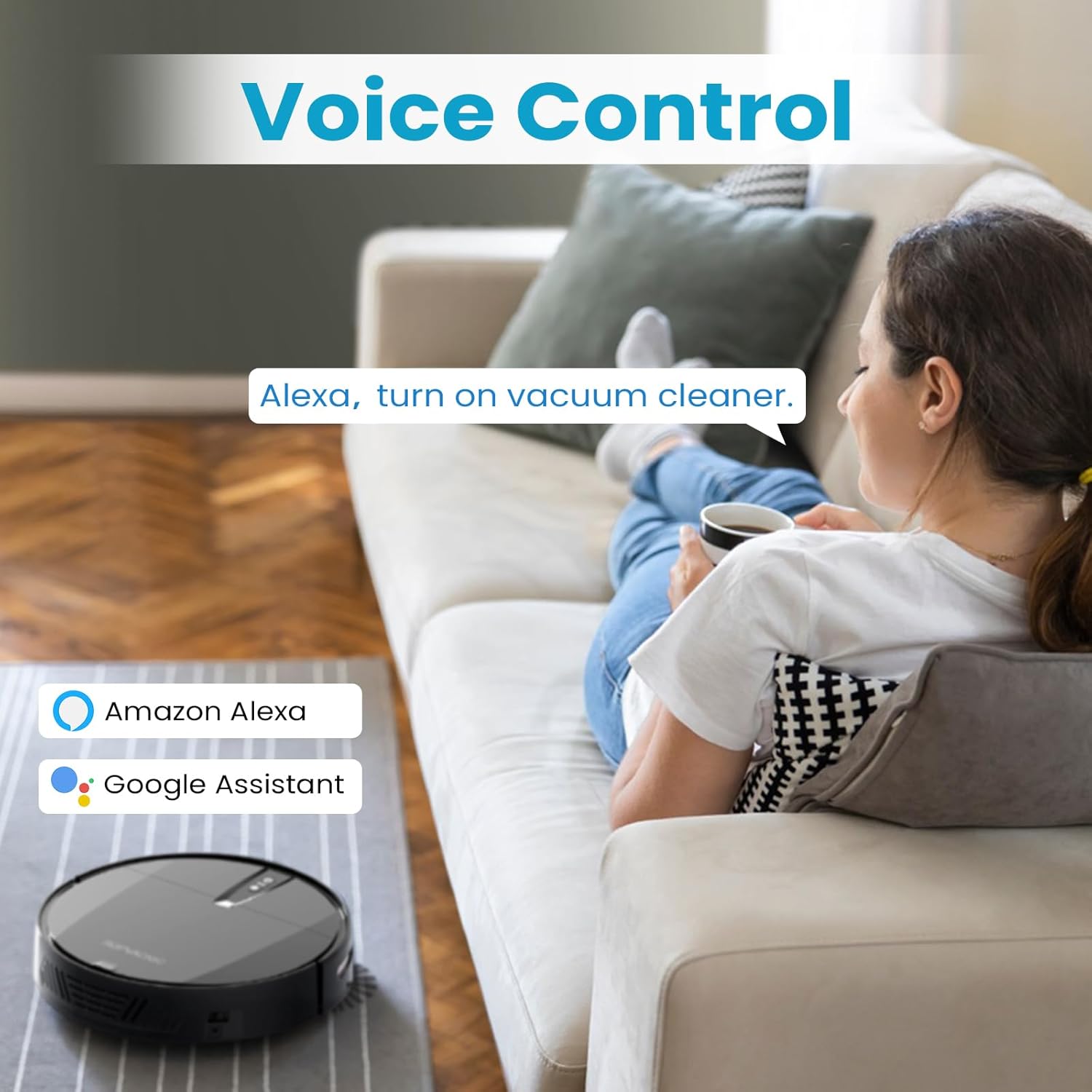
Figure 4.7: Voice Control with Alexa or Google Assistant. - Remote Control: A dedicated remote control is included for direct operation without needing a smartphone or internet connection. Ideal for quick starts and basic controls.

Figure 4.8: Remote Control for easy operation.
5. Maintenance
Regular maintenance ensures optimal performance and extends the lifespan of your ROPVACNIC A1.
5.1 Dust Box and Filter Cleaning
The 600ML dust box should be emptied after each cleaning cycle, especially if you have pets. The multi-layer optimized high-efficiency filter should be cleaned regularly using the provided cleaning tool. Replace the filter every 3-6 months, or as needed, depending on usage.

5.2 Side Brush Maintenance
Inspect the side brushes regularly for tangled hair or debris. Use the cleaning tool to remove any obstructions. Replace worn or damaged side brushes with the spare brushes provided.
5.3 Main Brush (No-Entanglement Design)
The ROPVACNIC A1 features a no-entanglement design, reducing the need for frequent cleaning of the main brush, especially for pet hair. However, occasional inspection and cleaning are recommended.

6. Troubleshooting
If you encounter issues with your ROPVACNIC A1, refer to the following common problems and solutions:
- Robot does not turn on: Ensure the robot is fully charged. Place it on the charging base and verify the charging indicator light.
- Robot does not charge: Check if the power adapter is securely connected to the charging base and the wall outlet. Ensure the charging contacts on the robot and base are clean and free of debris.
- Robot cannot connect to Wi-Fi/App:
- Ensure your Wi-Fi network is 2.4GHz. The robot does not support 5GHz networks.
- Verify that the robot's Wi-Fi indicator light is blinking green during the connection process. If there is no blinking yellow light option as some apps might suggest, proceed with the green light indication.
- Restart your Wi-Fi router and the robot.
- Ensure your phone is connected to the same 2.4GHz Wi-Fi network.
- Robot gets stuck frequently: Clear obstacles, loose cables, and thick rugs from the cleaning path. The robot's low profile (2.99 inches) allows it to clean under most furniture, but very low clearances may still cause issues.
- Reduced suction power: Empty the dust box and clean the filter. Check for any blockages in the suction inlet.
- Robot does not return to charging base: Ensure the charging base is placed in an open area with sufficient clearance. Check if the charging base is powered on.
For further assistance, consult the 'Product User Manual' and 'App Instruction Guide' provided in the package, or contact ROPVACNIC customer support.
7. Specifications
| Brand | ROPVACNIC |
| Model Name | A1 |
| Special Feature | Vacuums |
| Color | Matte Black |
| Product Dimensions | 13"L x 13"W x 2.99"H |
| Included Components | Battery, Charging Base, Remote Control, Power Adapter, Self Cleaning Tool, 600ML Dust Box, 4 Spare Side Brushes, Spare HEPA Filter, User Manual, App Instruction Guide |
| Filter Type | Multi-layer Optimized High-Efficiency Filtration |
| Battery Life | 100 minutes |
| Voltage | 7.4 Volts |
| Capacity (Dust Box) | 600 Milliliters |
| Power Source | Battery Powered |
| Batteries Included | Yes (1 D battery required, included) |
| Control Method | App, Remote, Touch, Voice |
| Compatible Devices | Alexa, Google Assistant, Remote Control, Smartphones |
| Form Factor | Round |
| UPC | 795847975603 |
| Item Weight | 4 pounds |
| Manufacturer | ROPVACNIC |
| ASIN | B0DWFLKV1 |
8. Warranty and Support
Your ROPVACNIC Robot Vacuum Cleaner A1 is covered by a return policy allowing for refund or replacement within 30 days of purchase. Additionally, extended protection plans are available for purchase:
- 2-Year Protection Plan
- 3-Year Protection Plan
- Complete Protect (monthly plan covering eligible past and future purchases)
For warranty claims, technical support, or any product-related inquiries, please contact ROPVACNIC customer service through the contact information provided in your product packaging or on the official ROPVACNIC website.


