Introduction
Thank you for choosing the Redkey S100 Cordless Pool Vacuum Robot. This manual provides essential information for the safe and efficient operation, maintenance, and troubleshooting of your new pool cleaner. Please read this manual thoroughly before first use and retain it for future reference.

Image: The Redkey S100 Cordless Pool Vacuum Robot, a compact and efficient device designed for pool cleaning.
Package Contents
Ensure all items are present and in good condition upon unpacking:
- 1 × Redkey S100 Pool Cleaner Robot
- 1 × Reusable Filter
- 1 × Charger
- 1 × Retrieval Hook
- 2 × Scrub Pads
- 1 × Detailed User Manual (this document)

Image: A visual representation of all components included in the Redkey S100 package, including the robot, filter, charger, retrieval hook, scrub pads, and user manual.
Setup
- Charging the Battery: Before first use, fully charge the robot's 5200mAh Lithium-Ion battery. Connect the charger to the robot and a power outlet. A full charge takes approximately 3-4 hours and provides up to 130 minutes of runtime. The robot features a 12.8 Volts battery.
- Attaching Scrub Pads: Ensure the two scrub pads are securely attached to the underside of the robot. These pads assist in cleaning the pool surface.
- Pre-Cleaning Pool: For optimal performance, remove large debris such as leaves or twigs from the pool surface before operating the robot.

Image: The Redkey S100 robot connected to its charger, indicating the charging process. A full charge provides 130 minutes of operation.
Operating Instructions
- Powering On: Locate the power button on the robot. Press it to turn the unit on. The robot is designed for instant start and zero effort operation.
- Submerging the Robot: Gently submerge the Redkey S100 into your pool. The cleaning process will automatically begin once it is fully submerged.
- Cleaning Coverage: The robot is equipped with powerful dual-drive motors and dual water intakes for thorough and quick cleaning. It is suitable for flat pools up to 1100 sq.ft (e.g., 33' round or 40'x20' rectangular) and can handle slopes up to 18 degrees. It utilizes smart route mapping for efficient coverage.
- Self-Parking Feature: When the battery runs low, the robot will automatically stop near the pool edge. This "Self-Parking Tech" makes retrieval convenient.
- Retrieval: Use the included retrieval hook to easily pull the robot out of the water without needing to get wet.

Image: A hand pressing the power button on the Redkey S100, demonstrating its simple, cordless activation.

Image: The Redkey S100 operating in a pool, highlighting its dual-drive motors and the 180µm ultra-fine filter tray that captures microscopic debris.
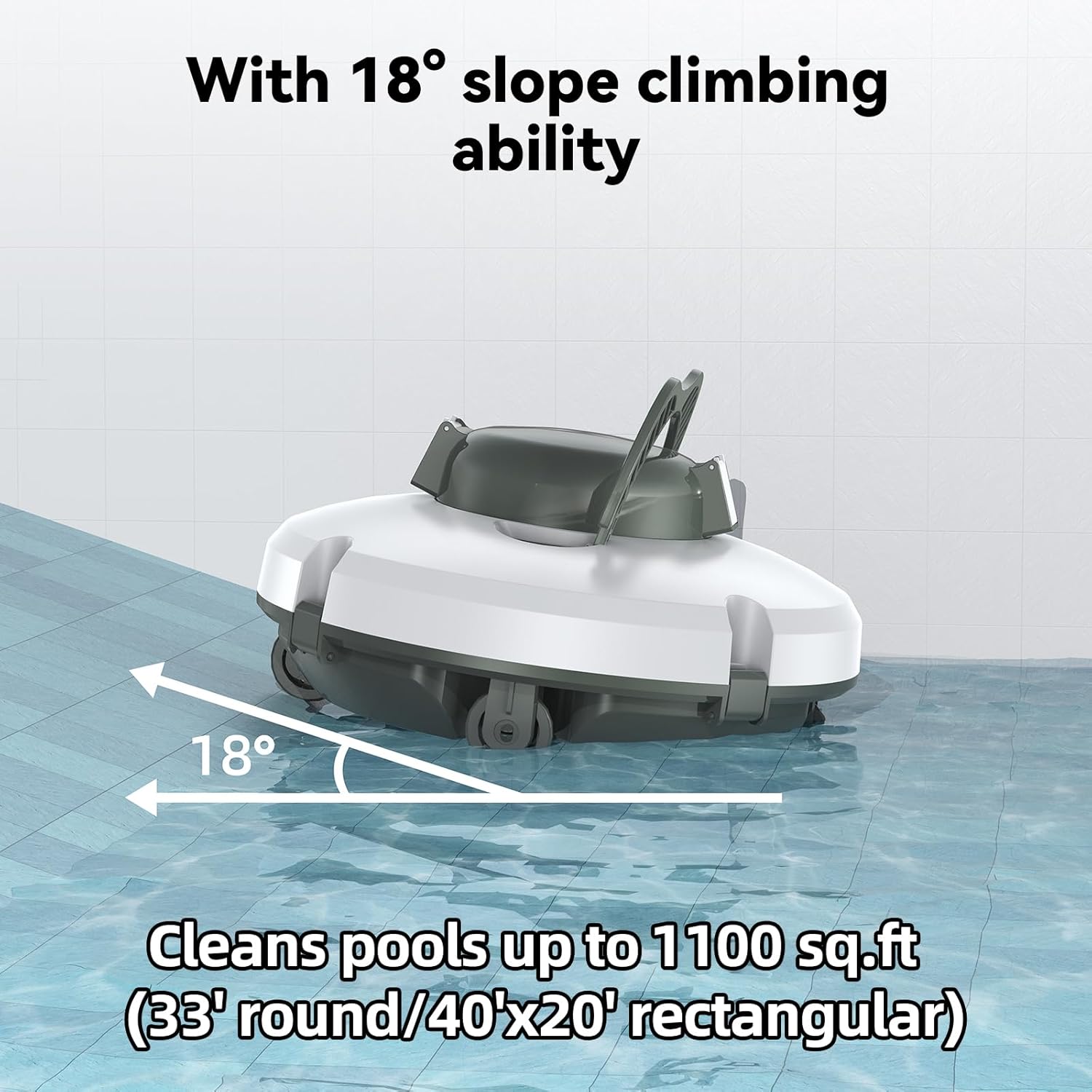
Image: The Redkey S100 demonstrating its ability to climb slopes up to 18 degrees, suitable for various pool bottom contours.

Image: The Redkey S100 self-parking near the pool edge and being retrieved using the included hook, illustrating the ease of use.
Maintenance
- Filter Cleaning: The 180µm ultra-fine filter captures microscopic debris. After each cleaning cycle, remove the reusable filter and rinse it thoroughly with clean water. Ensure all debris, including sand particles, is removed.
- Scrub Pad Inspection: Periodically inspect the scrub pads for wear and tear. Replace them if they show significant damage to maintain cleaning efficiency.
- Robot Exterior Cleaning: Wipe down the exterior of the robot with a soft, damp cloth after use to remove any residue. Do not use harsh chemicals.
- Storage: When not in use for extended periods, store the Redkey S100 in a cool, dry place, away from direct sunlight and extreme temperatures. Ensure the battery is partially charged (around 50%) before storage to prolong its lifespan.
Troubleshooting
This section addresses common issues you might encounter with your Redkey S100 Pool Vacuum Robot.
| Problem | Possible Cause | Solution |
|---|---|---|
| Robot does not turn on. | Battery is depleted or not charged. | Charge the robot for 3-4 hours until fully charged. |
| Robot stops prematurely. | Low battery or filter is clogged. | Recharge the battery. Clean the filter thoroughly. |
| Poor cleaning performance. | Filter is clogged or scrub pads are worn. | Clean the filter. Inspect and replace scrub pads if necessary. Ensure pool is free of large debris before operation. |
| Robot does not move or moves erratically. | Obstruction in motors or wheels. | Remove the robot from the water and check for any debris or obstructions around the wheels and dual-drive motors. |
Specifications
| Feature | Detail |
|---|---|
| Model Number | S100-CA |
| Brand | Redkey |
| Product Dimensions | 34 x 18 x 35.5 cm |
| Item Weight | 4 kg |
| Material | Plastic |
| Colour | White |
| Power Source | Battery Powered |
| Battery Type | Lithium-Ion (12V) |
| Battery Capacity | 5200mAh |
| Battery Energy Content | 57.72 Watt Hours |
| Charging Time | Approx. 4 Hours |
| Runtime | Up to 130 Minutes |
| Max. Pool Area | 1100 sq.ft |
| Max. Climbing Angle | 18 Degrees |
| Filter Type | 180µm Ultra-fine Filter Tray |
| Control Method | Touch |
| Special Features | Self-Parking Technology, Dual Powerful Motors, Dual Large Suction Ports, Auto-Steering Tech, Smart Route Mapping |
Warranty and Support
For warranty information and technical support, please contact Redkey customer service. You can reach them via email at after-sales@redroadglobal.com.
Please have your model number (S100-CA) and purchase details ready when contacting support.


