
isinwheel V10
isinwheel V10 Electric Skateboard User Manual
Model: V10
Brand: isinwheel
1. Introduction
This manual provides essential information for the safe and effective use of your isinwheel V10 Electric Skateboard. Please read this manual thoroughly before operating the skateboard to ensure proper function, safety, and longevity of the product. Retain this manual for future reference.
2. Safety Information
WARNING: Electric skateboarding can be dangerous. Always wear appropriate safety gear, including a helmet, knee pads, elbow pads, and wrist guards. Ride within your skill level and be aware of your surroundings.
- Always wear a helmet and other protective gear.
- Do not ride in traffic or on busy roads.
- Avoid riding in wet conditions, on slippery surfaces, or over obstacles. While the V10 has an IP54 waterproof rating, it is not designed for submersion or heavy rain.
- Maintain a safe distance from pedestrians and other vehicles.
- Familiarize yourself with local laws and regulations regarding electric skateboards.
- The isinwheel V10 is UL2272 certified, indicating compliance with electrical safety standards.
- Recommended age range for riders is 14 years and older.
3. Product Overview
The isinwheel V10 is an electric longboard designed for both on-road and off-road use, featuring a powerful motor, extended range, and durable construction.
3.1. Main Components

- Deck: Constructed from 8-ply maple, 1 layer of bamboo, and 1 layer of fiberglass for enhanced strength and durability.
- Motors: Equipped with a 3000W brushless motor system for powerful acceleration and high top speeds.
- Wheels: Features 6-inch outer honeycomb rubber off-road wheels suitable for various terrains.
- Battery: High-capacity lithium-ion battery integrated into the deck.
- Remote Control: Handheld remote for controlling speed, braking, and monitoring battery level and riding mode.
- Ambient Lights: Integrated LED lights for improved visibility and customizable lighting options.
3.2. Motor System

The V10 utilizes a 3000W brushless motor, providing robust power for rapid acceleration and maintaining high speeds. This motor design contributes to the skateboard's efficiency and performance across different riding conditions.
3.3. Deck Construction

The skateboard's deck is engineered with multiple layers, including 8-ply maple, a layer of bamboo, and a layer of fiberglass. This composite structure ensures a balance of lightweight design, strength, and flexibility, crucial for handling diverse terrains and high-speed maneuvers.
3.4. Off-Road Wheels

The V10 is equipped with 6-inch outer honeycomb rubber off-road wheels. These wheels are designed to provide superior grip and shock absorption, making the skateboard suitable for both smooth urban environments and challenging off-road trails.
3.5. Remote Control

The ergonomic handheld remote control allows for precise command over the skateboard. It displays critical information including current speed, battery status, and selected riding mode, ensuring the rider is always informed.
3.6. Ambient Lighting

Integrated LED lights provide ambient illumination, increasing rider visibility during night rides and adding a customizable aesthetic element to the skateboard.
4. Setup
4.1. Unboxing and Inspection
- Carefully remove the skateboard and all accessories from the packaging.
- Inspect the skateboard for any signs of damage during transit. Contact customer support immediately if any issues are found.
- Verify that all included components are present: skateboard, remote control, charger, and user manual.
4.2. Initial Charging
- Before first use, fully charge the skateboard's battery.
- Connect the charger to the charging port on the skateboard and then to a power outlet.
- The charging indicator light on the charger will typically change color (e.g., red to green) when charging is complete.
- Do not overcharge the battery. Disconnect the charger once the battery is full.
4.3. Remote Control Pairing
- Ensure both the skateboard and the remote control are powered off.
- Turn on the skateboard.
- Turn on the remote control.
- Follow the specific pairing instructions provided with your remote control. Typically, this involves holding a pairing button on the remote until it connects with the skateboard. The remote's display will confirm a successful connection.
5. Operating Instructions
5.1. Powering On/Off
- To power on the skateboard, press and hold the power button on the deck until the indicator lights illuminate.
- To power off, press and hold the power button again until the lights turn off.
- Power on the remote control using its dedicated power button.
5.2. Speed Modes

The isinwheel V10 offers four adjustable speed modes, allowing riders to select a setting appropriate for their skill level and riding environment. These modes can be adjusted via the remote control.
- Mode 1: Lowest speed, suitable for beginners or crowded areas.
- Mode 2: Moderate speed, for comfortable cruising.
- Mode 3: Higher speed, for experienced riders.
- Mode 4: Maximum speed (up to 32 mph / 52 km/h), with increased starting power, for advanced riders in open areas.
Always start in the lowest speed mode and gradually increase as you become comfortable with the skateboard's performance.
5.3. Acceleration and Braking
- Use the throttle on the remote control to accelerate. Apply gentle pressure initially to avoid sudden movements.
- Use the brake lever/button on the remote control to slow down or stop. The V10 features a robust braking system for responsive stopping.
- Practice accelerating and braking in a safe, open area before riding in more challenging environments.
5.4. Riding on Various Terrains

The V10's 6-inch off-road wheels and powerful motor allow it to traverse various terrains, including paved roads, dirt paths, and grass. It can also handle inclines up to 25 degrees.
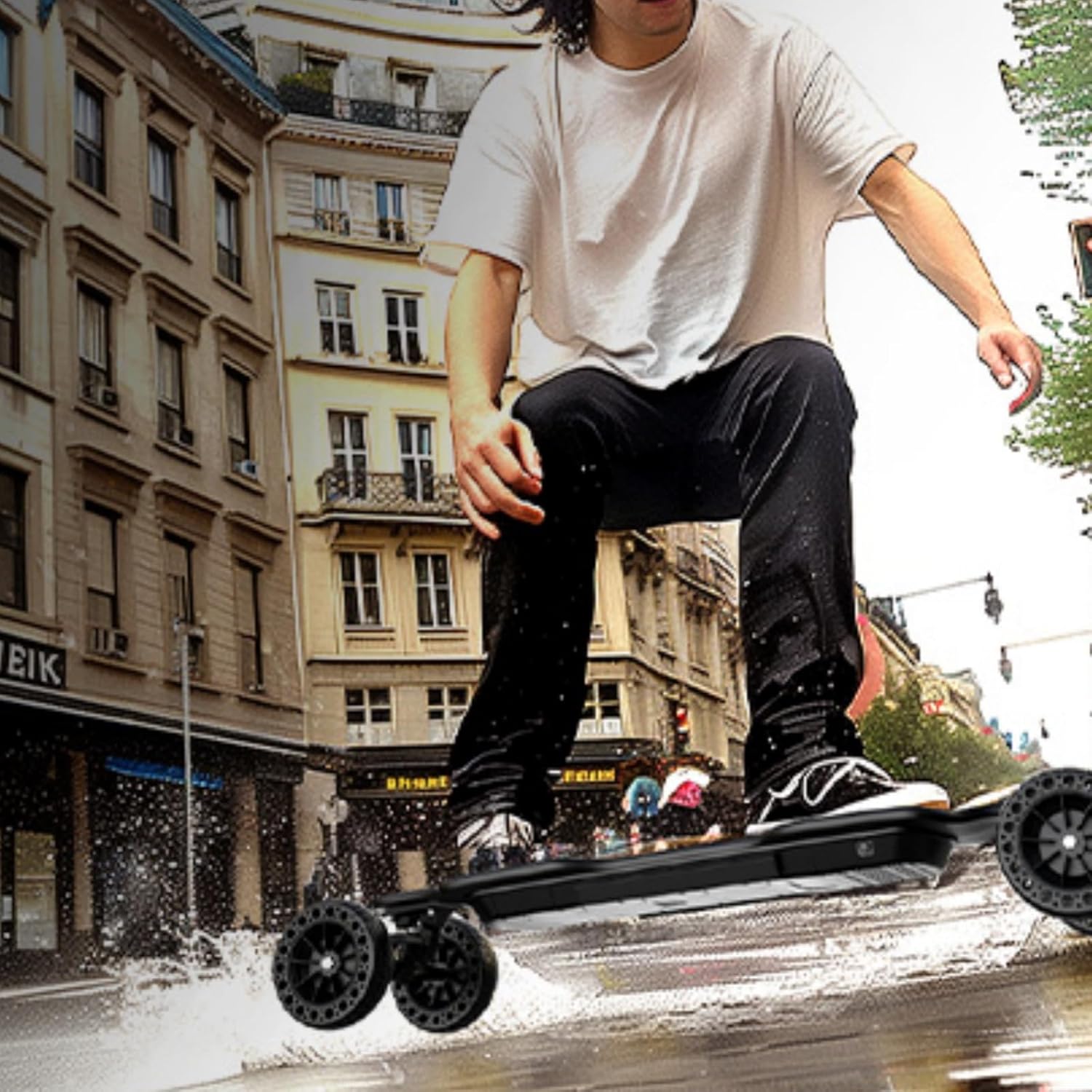
The IP54 waterproof rating provides protection against splashes and dust. However, avoid riding in heavy rain or submerging the skateboard in water to prevent damage to electronic components.
6. Maintenance
6.1. Cleaning
- Wipe the skateboard clean with a damp cloth after each use.
- Avoid using high-pressure water jets or harsh chemicals, as these can damage electronic components or the deck finish.
- Ensure the charging port is free of dirt and debris.
6.2. Battery Care
- Charge the battery regularly, even if the skateboard is not in use, to maintain battery health.
- Store the skateboard in a cool, dry place, away from direct sunlight and extreme temperatures.
- If storing for an extended period, ensure the battery is charged to approximately 50-70% capacity.
6.3. Wheel and Belt Inspection
- Regularly inspect the wheels for wear, cracks, or embedded debris.
- Check the motor belts for tension and signs of wear. Loose or damaged belts can affect performance and safety.
- Ensure all nuts and bolts are securely tightened before each ride.
7. Troubleshooting
| Problem | Possible Cause | Solution |
|---|---|---|
| Skateboard does not power on. | Low or depleted battery. | Charge the skateboard fully. |
| Remote control not connecting. | Not paired or out of range. | Ensure both devices are on and within range. Re-pair the remote if necessary (refer to Section 4.3). |
| Reduced range or power. | Battery degradation, riding conditions (hills, heavy rider), or incorrect speed mode. | Ensure battery is fully charged. Ride in lower speed modes or on flatter terrain. Consider battery replacement if degradation is significant. |
| Unusual noises from motors. | Debris in motors or loose belts. | Inspect motors for foreign objects. Check belt tension and adjust if loose. |
| Sudden power cuts during ride. | Remote signal interference or motor/battery issue. | Ensure remote has fresh batteries. Avoid areas with strong electromagnetic interference. If problem persists, contact customer support. |
8. Specifications
| Feature | Detail |
|---|---|
| Model Name | V10 |
| Brand | isinwheel |
| Motor Power | 3000W Brushless |
| Top Speed | Up to 32 mph (52 km/h) |
| Max Range | Up to 28 miles (45 km) |
| Waterproof Rating | IP54 |
| Deck Material | 8-ply Maple Wood, 1-ply Bamboo, 1-ply Fiberglass |
| Deck Length | 37 Inches |
| Deck Width | 9.8 Inches |
| Wheel Size | 6 Inches |
| Wheel Material | Rubber (Honeycomb Off-Road) |
| Durometer Hardness | 80A |
| Skill Level | Advanced |
| Age Range | 14+ |
| Certifications | UL2272 |
| Included Components | Skateboard, Remote Control |
9. Warranty and Support
9.1. Product Warranty
The isinwheel V10 Electric Skateboard comes with a 365-day warranty. This warranty covers manufacturing defects and issues with components such as the battery or motors. For warranty claims, please retain your proof of purchase.
9.2. Customer Support
For any questions, technical assistance, or warranty inquiries, please contact isinwheel customer service. Support is available 24/7/365.
Contact information can typically be found on the official isinwheel website or through your purchase platform.
Ask a question about this manual
Ask about setup, troubleshooting, compatibility, parts, safety, or missing instructions. Manuals+ will review the question and use this page’s manual context to help answer it.