
DOOGEE BLADEGTPLAY
DOOGEE Blade GT Play 5G Rugged Smartphone User Manual
Model: BLADEGTPLAY | Brand: DOOGEE
Introduction
The DOOGEE Blade GT Play is a robust 5G rugged smartphone designed for durability and high performance. It features a MediaTek Dimensity 7025 octa-core processor, a vibrant 6.72-inch FHD+ 120Hz display, and a long-lasting 5800mAh battery. This device is built to withstand challenging environments while offering advanced features like a 50MP AI camera, customizable RGB LED lighting, and secure biometric unlocks. Its ultra-slim and lightweight design ensures comfortable handling without compromising on ruggedness.
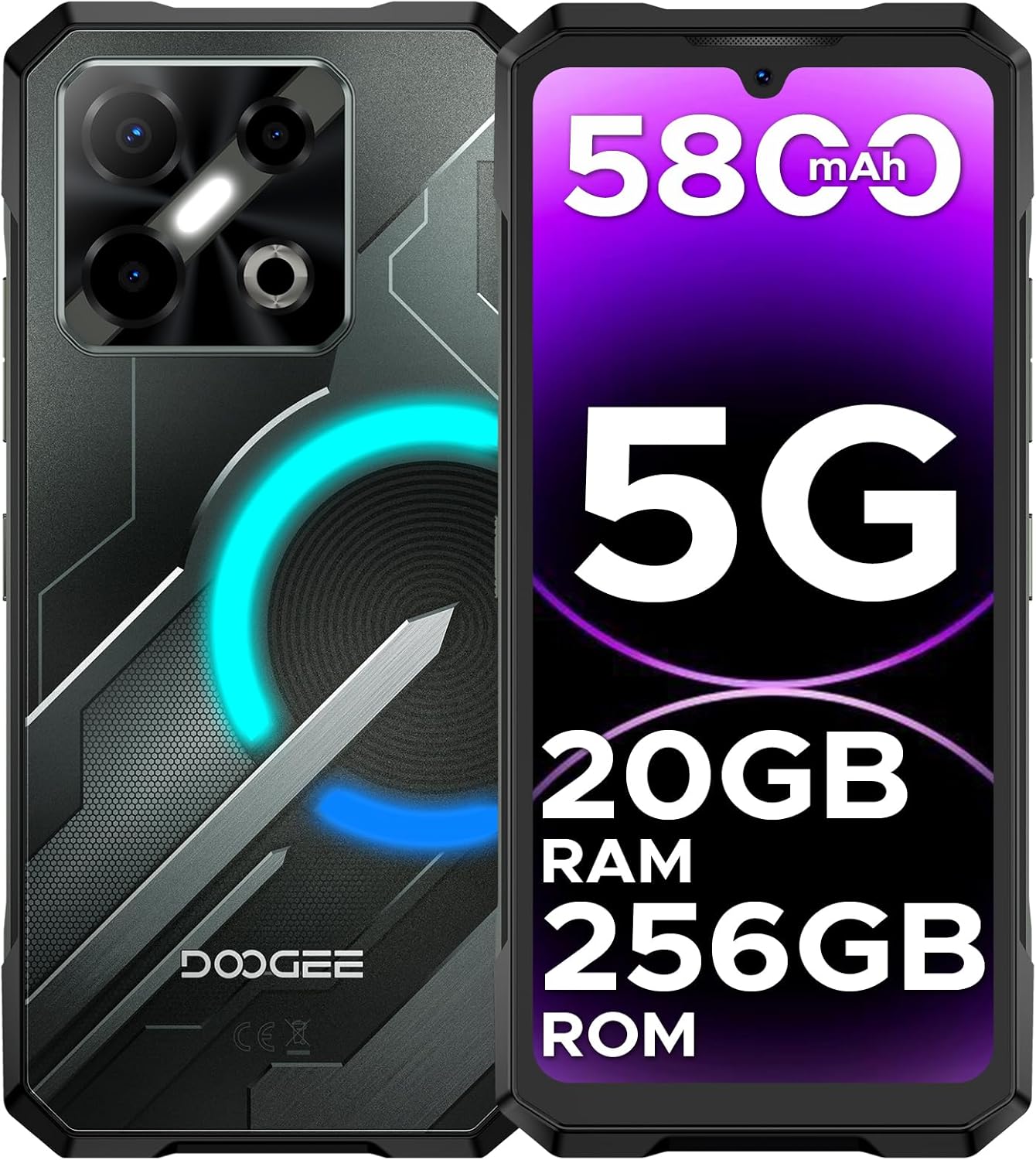
Image: Front and back view of the DOOGEE Blade GT Play 5G Rugged Smartphone, showcasing its design and key specifications like 5800mAh battery, 5G connectivity, 20GB RAM, and 256GB ROM.
Setup Guide
1. Package Contents
Before you begin, please verify that all items are present in the package:
- 1 x DOOGEE Blade GT Play Rugged Smartphone
- 1 x Type-C USB Cable
- 1 x 18W Charger
- 1 x User Manual
- 1 x Warranty Card
- 1 x Anti-Explosion Film (Screen Protector)
- 1 x Phone Case
- 1 x Packing Box

Image: All items included in the DOOGEE Blade GT Play retail package, neatly laid out.
2. Charging the Device
For optimal performance, fully charge your DOOGEE Blade GT Play before first use. Use the provided Type-C USB cable and 18W charger.
- Connect the Type-C end of the USB cable to the phone's charging port.
- Connect the USB-A end of the cable to the 18W charger.
- Plug the charger into a power outlet.
- The charging indicator on the screen will show the charging status.
The 5800mAh battery supports 18W fast charging, reducing charging time significantly.

Image: The DOOGEE Blade GT Play connected to its 18W fast charger, displaying the charging progress on screen.
3. SIM Card and TF Card Installation
The device supports dual SIM cards and a TF (microSD) card for expandable storage up to 2TB.
- Locate the SIM card tray on the side of the phone.
- Use the provided SIM ejector tool to open the tray.
- Carefully place your Nano-SIM cards and/or TF card into the designated slots on the tray. Ensure the gold contacts are facing down.
- Gently push the tray back into the phone until it clicks into place.

Image: Illustration of the dual SIM/TF card slot and the phone's NFC capability.
Operating Instructions
1. Display and Navigation
The DOOGEE Blade GT Play features a 6.72-inch FHD+ IPS display with a 120Hz refresh rate, providing smooth and vibrant visuals. The resolution is 1080x2400 pixels.

Image: The phone's 6.72-inch FHD+ 120Hz IPS display, highlighting its smooth visual capabilities.
Navigate the device using standard Android gestures and on-screen controls. The touchscreen is highly responsive.
2. Performance and Storage
Powered by the MediaTek Dimensity 7025 octa-core processor, the phone offers robust performance for multitasking, gaming, and demanding applications. It comes with 20GB of RAM (8GB physical + 12GB extended) and 256GB of internal storage, expandable up to 2TB via a TF card (sold separately).

Image: Visual representation of the Dimensity 7025 5G Octa-Core Processor and the phone's 8GB RAM (12GB extended) and 256GB ROM (2TB expandable) storage.
3. Camera Features
The DOOGEE Blade GT Play is equipped with a versatile camera system:
- Main Camera: 50MP AI main camera for high-resolution photos.
- Macro Lens: 2MP macro camera for detailed close-up shots.
- Front Camera: 16MP front camera with AI beauty features for selfies.
Advanced AI tools such as AI Erase and Background Replacement are available to enhance your photography. Various camera modes like Night Mode, Beauty Mode, Time-lapse, and Portrait Mode are supported.

Image: Details of the 50MP main camera, 16MP front camera, and 2MP macro camera, along with examples of photos taken in different scenarios.
4. RGB LED Light Effect
The phone features customizable RGB LED lighting on the back with 8 modes and 3 flashing styles that sync with music and notifications. This adds a personalized visual element to your device.
- Customization: Adjust colors and patterns via the Cyber Aura app.
- Notification Sync: Lights can indicate calls, messages, and other notifications.
- Music Sync: Visualizes audio playback with dynamic lighting.
- Gaming Effects: Enhances the gaming experience with responsive lighting.

Image: The DOOGEE Blade GT Play showcasing its customizable RGB lighting on the back, with examples of different color combinations and notification types.
5. Security and Connectivity
The device offers multiple security and connectivity options:
- Fingerprint ID: Side-mounted fingerprint sensor for quick and secure unlocking.
- Face Unlock: Convenient face recognition for unlocking the device.
- NFC: Supports Near Field Communication for mobile payments (e.g., Google Pay) and data exchange.
- GPS: Integrated GPS, GLONASS, Galileo, and Beidou for reliable navigation.
- Wi-Fi: Dual-band Wi-Fi (2.4/5GHz) for fast internet connectivity.
- Bluetooth: Bluetooth 5.2 for connecting wireless accessories.
- Operating System: Runs on Android 14, offering enhanced security features like App Cloning, Anti-Peeping, Anti-theft Alarm, and Fingerprint App Lock.

Image: Screenshots demonstrating Android 14 features such as App Cloning, Anti-Peeping, Anti-theft Alarm, and Fingerprint App Lock.
Maintenance and Durability
The DOOGEE Blade GT Play is engineered for extreme durability, making it suitable for rugged environments. It features a robust construction with a four-corner tire-style design and reinforced rubber for superior protection.
- IP68/IP69K Certified: Provides excellent resistance against dust, dirt, and water immersion.
- MIL-STD-810G Certified: Meets military-grade standards for shock, vibration, and extreme temperatures.
- Drop-Proof: Designed to withstand accidental drops and impacts.

Image: The phone's slim 10.5mm profile alongside icons representing its IP68/IP69K waterproof and MIL-STD-810H military-grade certifications.

Image: The DOOGEE Blade GT Play shown in various outdoor settings, illustrating its dust-proof and waterproof features.
General Care:
- Clean the device regularly with a soft, damp cloth.
- Avoid exposing the device to extreme temperatures for prolonged periods.
- Ensure all port covers are securely closed to maintain water and dust resistance.
Troubleshooting
| Problem | Possible Cause | Solution |
|---|---|---|
| Device does not power on. | Low battery; software crash. | Charge the device for at least 30 minutes. Press and hold the power button for 10-15 seconds to force restart. |
| Poor network signal. | Out of network coverage; incorrect SIM card installation. | Move to an area with better coverage. Reinsert the SIM card correctly. Check network settings. |
| Apps are slow or crashing. | Too many apps running in background; insufficient storage. | Close unnecessary background apps. Clear app cache. Free up storage space. Restart the phone. |
| Battery drains quickly. | High screen brightness; background app usage; excessive RGB lighting. | Adjust screen brightness. Disable unused features (Wi-Fi, Bluetooth, GPS). Limit background app refresh. Adjust RGB lighting settings. |
| Fingerprint sensor not working. | Finger dirty/wet; sensor dirty; software glitch. | Ensure finger and sensor are clean and dry. Re-register fingerprint. Restart the device. |
Specifications
| Feature | Detail |
|---|---|
| Model Name | BLADEGTPLAY |
| Operating System | Android 14 |
| Processor | MediaTek Dimensity 7025 Octa-Core (2.5 GHz) |
| RAM | 20 GB (8GB physical + 12GB extended) |
| Internal Storage | 256 GB |
| Expandable Storage | Up to 2 TB via TF card (sold separately) |
| Display Size | 6.72 Inches |
| Display Resolution | 1080 x 2400 (FHD+) |
| Refresh Rate | 120 Hz |
| Main Camera | 50 MP AI Main Camera |
| Macro Camera | 2 MP |
| Front Camera | 16 MP |
| Battery Capacity | 5800 mAh |
| Charging | 18W Fast Charging (Type-C) |
| Dimensions | 7 x 3 x 0.4 inches (10.5mm thickness) |
| Weight | 1.17 pounds (approx. 260g) |
| Durability | IP68/IP69K Waterproof & Dustproof, MIL-STD-810G Certified |
| Connectivity | 5G, Dual SIM, Wi-Fi (2.4/5GHz), Bluetooth 5.2, NFC, GPS (GPS, GLONASS, Galileo, Beidou) |
| Special Features | RGB LED Light Effect, Fingerprint ID, Face Unlock, Android 14 security features |
Warranty and Support
For warranty information and technical support, please refer to the Warranty Card included in your package or visit the official DOOGEE website. You can also contact DOOGEE customer service for assistance with product inquiries or issues.
Manufacturer: DOOGEE
Date First Available: February 7, 2025
For online support and resources, please visit the DOOGEE Store on Amazon.
Related documentsBLADEGTPLAY


Ask a question about this manual
Ask about setup, troubleshooting, compatibility, parts, safety, or missing instructions. Manuals+ will review the question and use this page’s manual context to help answer it.