1. Introduction
Thank you for choosing the Air Flow Portable Tire Inflator, Model YX1715. This compact and versatile device is designed to provide convenient and efficient inflation for various items, including car, motorcycle, and bicycle tires, as well as sports balls. Featuring a digital pressure gauge, LED light, and an automatic shut-off function, it ensures precise and safe inflation. Please read this manual thoroughly before use to ensure proper operation and to maximize the product's lifespan.
2. Package Contents
Upon unpacking, please verify that all the following items are included:
- 1x Air Flow Portable Tire Inflator (Model YX1715)
- 1x Air Hose with Schrader Valve Connector
- 1x General Nozzle Cone
- 1x Needle Adapter (for balls)
- 1x Presta Adapter (for bicycle tires)
- 1x USB-C Charging Cable
- 1x Carrying Case
- 1x User Manual

Image: The Air Flow Portable Tire Inflator shown with its complete set of accessories, including various nozzles, charging cable, and carrying case.
Video: An unboxing demonstration of the Air Flow Portable Tire Inflator, showcasing all items included in the package.
3. Setup and Charging
3.1 Initial Charge
Before first use, fully charge the device. Connect the provided USB-C charging cable to the inflator and a suitable USB power source (e.g., wall adapter, car charger, power bank). The display will indicate charging status.
3.2 Power Bank Functionality
The inflator can also function as a power bank. Connect your mobile device or other digital product to the USB-A port on the inflator using a compatible cable to charge it.

Image: Illustration of the Air Flow Portable Tire Inflator being charged via USB-C and also used to charge a mobile phone via its USB-A port.
4. Operating Instructions
4.1 Powering On/Off
Press and hold the power button (⏻) to turn the device on or off. The digital display will illuminate upon activation.
4.2 Understanding the Display and Controls
The large 3-inch LCD touch screen displays real-time tire pressure, target pressure, battery indicator, and selected mode. Use the touch controls for navigation and settings.

Image: A detailed view of the inflator's digital display, highlighting the real tire pressure value, target pressure, and battery indicator.
Video: A brief overview demonstrating the display and how to switch between different inflation modes on the Air Flow Portable Tire Inflator.
4.3 Selecting Inflation Modes
Press the mode button (⟳) to cycle through the preset inflation modes:
- Car Mode: Default setting for car tires (e.g., 2.5 BAR / 36 PSI).
- Motorcycle Mode: Optimized for motorcycle tires (e.g., 2.5 BAR / 36 PSI).
- Bicycle Mode: For bicycle tires (e.g., 40 PSI).
- Ball Mode: For sports balls (e.g., 8 PSI).
- Custom Mode: Allows manual setting of pressure from 3-150 PSI.

Image: Visual representation of the various inflation modes available on the device, including car, bike, bicycle, ball, and custom settings.
4.4 Setting Target Pressure
Once a mode is selected, use the plus (+) and minus (-) buttons to adjust the desired target pressure. The device supports a maximum pressure of 150 PSI.
4.5 Connecting to Item for Inflation
- Screw the air hose onto the inflator's output port.
- Attach the appropriate nozzle adapter (Schrader, Presta, Needle) to the air hose, if necessary.
- Connect the hose to the valve stem of the item to be inflated. Ensure a secure connection to prevent air leakage.

Image: A step-by-step guide illustrating how to connect the inflator to a car tire valve, including starting the car and selecting the correct mode.
4.6 Starting and Stopping Inflation
Press the power button (⏻) to begin inflation. The device will automatically stop once the preset target pressure is reached. To manually stop inflation, press the power button again.
4.7 LED Light Functions
The inflator is equipped with a 300 Lumen LED light for visibility in low-light conditions. Press the light button (☀) to cycle through the following modes:
- White Lighting: Standard flashlight mode.
- White Strobe: Flashing white light for increased visibility.
- Red/Blue SOS: Emergency signal light.

Image: The inflator demonstrating its multi-purpose features, including the three LED light modes (white, strobe, SOS) and its ability to charge a mobile phone.
5. Performance Overview
The Air Flow Portable Tire Inflator delivers a peak pressure of 150 PSI and an air flow rate of 32 L/min, ensuring efficient inflation. Typical inflation times are:
- Car Tires: 6-8 minutes for full inflation.
- Motorcycle Tires: 2 minutes.
- Bicycle Tires: 55 seconds.
- Sports Balls: 45 seconds.
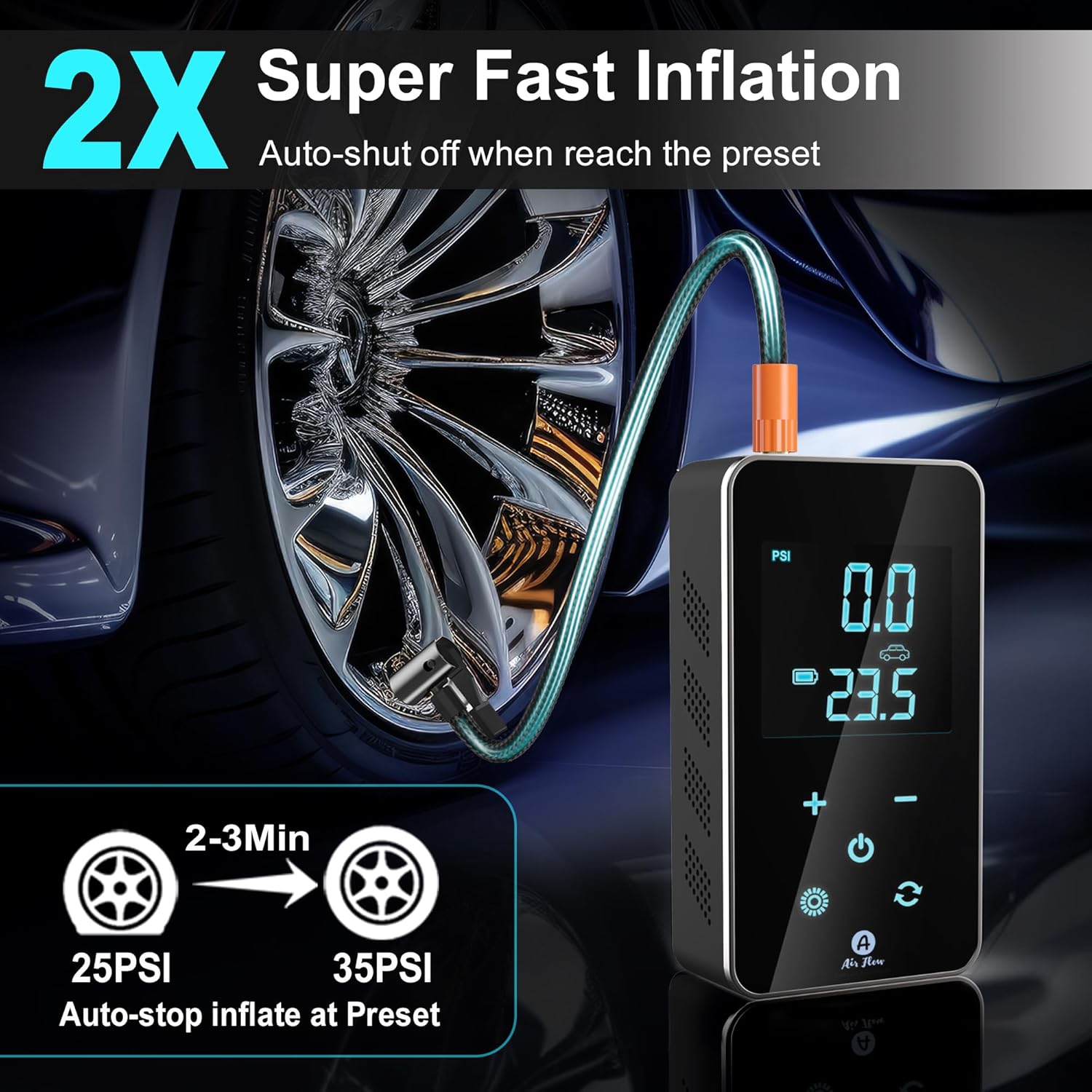
Image: The Air Flow inflator connected to a car tire, demonstrating its fast inflation capability with an auto-shut off feature.

Image: The inflator highlighting its 18000mAh battery, capable of multiple inflations for various items like bicycles, motorcycles, cars, and balls.
5.1 Portability
Weighing just 450g and with dimensions of 13.5 x 4.6 x 9 cm, this inflator is designed for maximum portability. Its compact size allows it to fit easily into bags, bike racks, backpacks, or car glove compartments, making it ideal for travel and emergencies.

Image: The inflator shown in various scenarios, emphasizing its compact size (smaller than a mobile phone) and ease of carrying in a backpack, car console, or glove compartment.
6. Maintenance
To ensure the longevity and optimal performance of your Air Flow Portable Tire Inflator, follow these maintenance guidelines:
- Cleaning: Wipe the device with a soft, dry cloth. Do not use harsh chemicals or abrasive cleaners.
- Storage: Store the inflator in its carrying case in a cool, dry place, away from direct sunlight and extreme temperatures.
- Battery Care: For optimal battery life, charge the device fully at least once every three months, even if not in regular use.
- Hose and Adapters: Inspect the air hose and adapters regularly for any signs of wear or damage. Replace if necessary to ensure a secure seal during inflation.
7. Troubleshooting
If you encounter issues with your Air Flow Portable Tire Inflator, refer to the following common problems and solutions:
7.1 Displaying BAR instead of PSI
Some modes, particularly for motorcycles and cars, may default to displaying pressure in BAR units. To ensure PSI is displayed, select the 'Ball Mode' or 'Custom Mode' which typically defaults to PSI. If you need to switch units, consult the full user manual for specific instructions on unit conversion or display settings, as this functionality may vary.
7.2 Slow Inflation or Device Not Reaching Target Pressure
- Check Battery Level: Ensure the device is fully charged. Low battery can affect performance.
- Secure Connection: Verify that the air hose and nozzle adapter are securely attached to both the inflator and the item's valve stem to prevent air leaks.
- Correct Mode: Ensure the correct inflation mode is selected for the item (e.g., Car Mode for car tires).
- Overheating: If the device has been running for an extended period, it may temporarily shut off to prevent overheating. Allow it to cool down before resuming use.
- Item Size: This inflator is designed for standard car tires, motorcycle tires, bicycle tires, and balls. For very large or heavy-duty vehicle tires, inflation time will be longer, and multiple charging cycles may be required.
7.3 Device Not Turning On
- Charge Battery: The battery may be completely depleted. Connect the device to a power source and allow it to charge for at least 30 minutes before attempting to power it on again.
- Power Button: Ensure you are pressing and holding the power button for a few seconds, not just a quick tap.
8. Specifications
| Feature | Specification |
|---|---|
| Brand | Air Flow |
| Model Number | YX1715 |
| UPC | 198715685121 |
| Voltage | 12 Volts |
| Power Source | Battery Powered |
| Max Pressure | 150 PSI |
| Air Flow Rate | 32 L/min |
| Noise Level | 10 Decibels |
| Item Weight | 1.41 pounds (approx. 640g) |
| Package Dimensions | 8.23 x 6.02 x 3.31 inches (approx. 20.9 x 15.3 x 8.4 cm) |
| LED Light Output | 300 Lumens |
| Batteries Required? | No (Internal rechargeable battery) |
| Included Components | 15 Inch Inflatable Hose, Fleece Storage Bag, Inflatable Protector, Rubber Dignity Adapter, Swimming Ring Adapter, Ball Pin Adapter, American Air Nozzle Adapter, USB Charging Cable |
9. Warranty and Support
9.1 Return Policy
You may return many items purchased within 30 days following delivery. This voluntary 30-day return guarantee does not affect your legal right of withdrawal in any way.
9.2 Customer Service
Air Flow is committed to providing excellent customer service. If you have any inquiries or encounter issues with your product, please do not hesitate to reach out to us. Our customer support team is available 24/7/365 to provide practical solutions and assistance.