
1. Important Safety Instructions
Please read and understand all instructions before assembly and use. Keep this manual for future reference.
- Always assemble according to the provided instructions.
- Secure noise-reducing rubber stoppers firmly to prevent slats from moving.
- Do not exceed the weight capacity of 350 lbs for the Queen size loft bed.
- Keep sharp edges away from children and pets.
- Always supervise children when using the loft bed.
- Ensure all connections are tight before use. Periodically check and re-tighten all bolts and screws.
- Use only the mattress size specified for this bed to prevent entrapment or falls.
- Do not attach or hang items on any part of the loft bed that are not designed for use with the bed.
2. Product Overview
The Bellemave Queen Loft Bed is designed to maximize space in your room, offering a comfortable sleeping area above a functional workspace and storage solutions. This sturdy metal loft bed includes a built-in desk, storage stairs, a wardrobe, RGB LED lighting, and a convenient charging station.
Key Features:
- Sturdy Metal Construction: Made of heavy-duty metal for durability and rust-proof use. Features noise-reducing rubber stoppers for a quiet sleep.
- Safety Certified: Certified by Children's Product Certificate (CPC) with full-length guardrails and handrails on storage stairs.
- Integrated Workspace: L-shaped desk with a built-in charging station (USB ports and 2 outlets).
- RGB LED Lighting: Backlit LED lights with 16 color options, adjustable brightness, and remote control.
- Ample Storage: Step-style stairs with storage compartments and a wardrobe with a hanging rod. Stairs can be fitted on the left or right side.
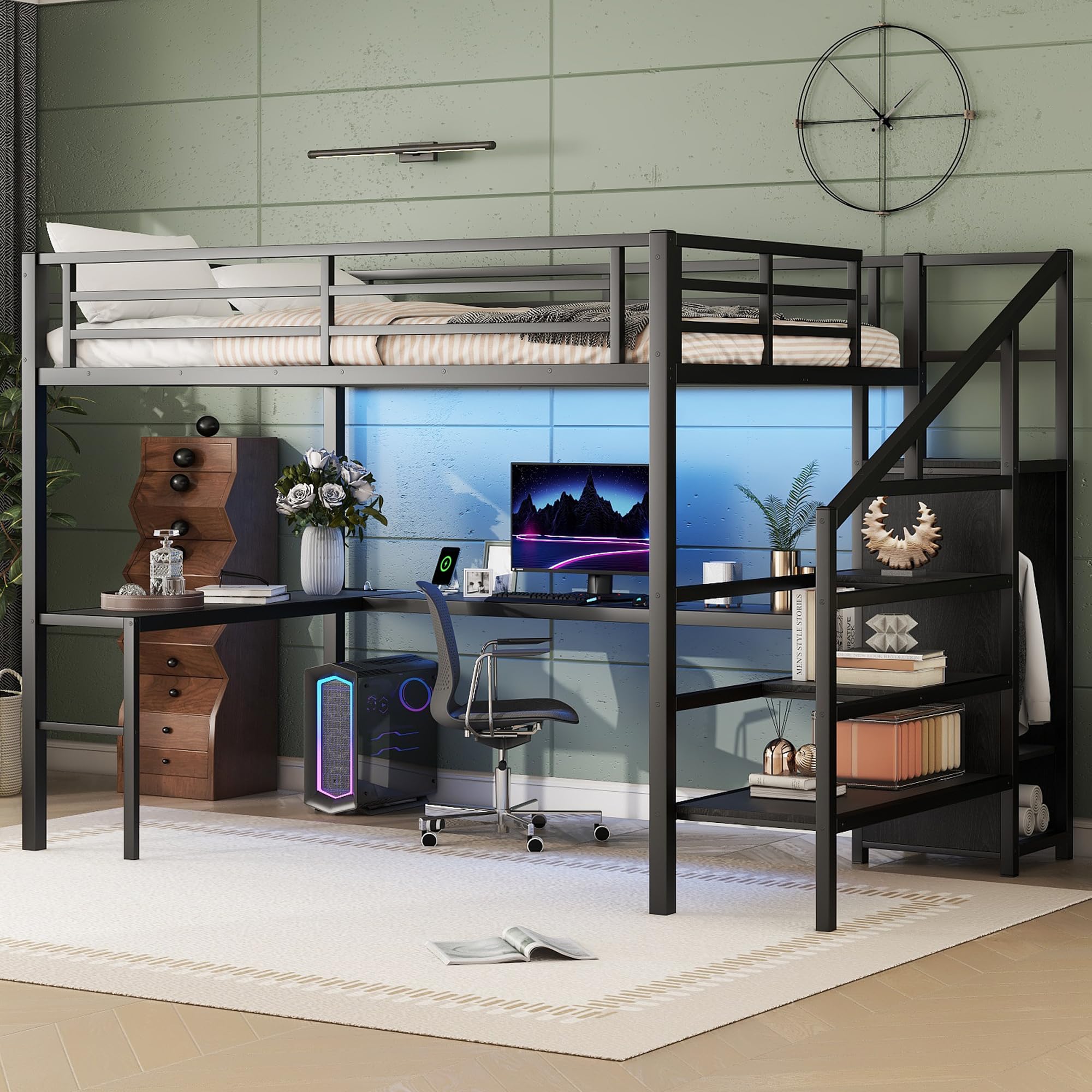
Figure 2.1: Overview of the Bellemave Queen Loft Bed, showcasing the bed, desk, and storage stairs.
3. Setup and Assembly
Your Bellemave Queen Loft Bed comes in two boxes and includes a clear, detailed assembly instruction guide with all necessary tools. Please follow the step-by-step instructions provided in the included manual for proper assembly.
Assembly Tips:
- Unpack all components and verify against the parts list in your assembly guide.
- Assemble on a soft, clean surface to prevent scratching.
- Do not fully tighten bolts until all components are loosely assembled.
- The storage stairs can be installed on either the left or right side of the bed frame, depending on your room layout.
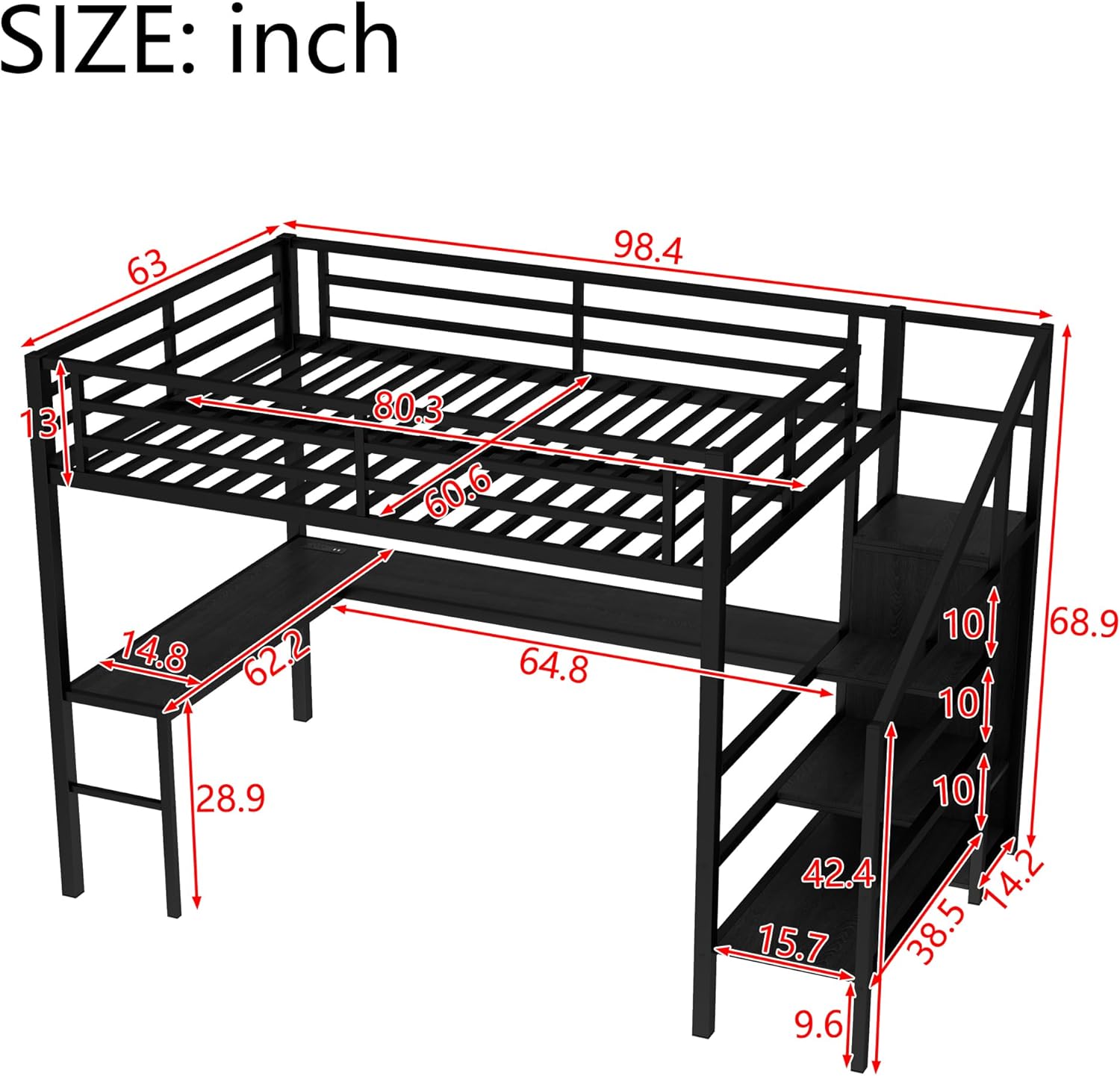
Figure 3.1: Assembled loft bed with desk and storage, ready for use.

Figure 3.2: Illustration of the heavy-duty metal frame and secure connections for stability.
4. Operating Instructions
4.1 RGB LED Light Operation
The RGB LED lights are located on the back of the L-shaped desk area. Use the provided remote control to manage the lighting features.
- Power On/Off: Press the power button on the remote.
- Color Selection: Choose from 16 color options using the color buttons on the remote.
- Brightness Adjustment: Use the brightness up/down buttons to adjust the light intensity.
- Mode Selection: Cycle through various lighting modes (e.g., flash, strobe, fade, smooth) using the mode buttons.
4.2 Charging Station Usage
The L-shaped desk is equipped with a charging station that includes USB ports and standard power outlets.
- Ensure the bed's power cord is properly plugged into a wall outlet.
- Connect your devices to the USB ports or power outlets as needed.
- Avoid overloading the charging station with too many high-power devices simultaneously.

Figure 4.1: Close-up of the integrated charging station and the remote for RGB LED lights.

Figure 4.2: The desk area with RGB LED lighting and charging station in operation.
5. Maintenance
Regular maintenance will help prolong the life and appearance of your loft bed.
- Cleaning: Wipe down metal surfaces with a soft, damp cloth. Avoid abrasive cleaners or harsh chemicals that may damage the finish.
- Fasteners: Periodically check all bolts, screws, and connections to ensure they are tight. Re-tighten as necessary to maintain stability and prevent wobbling or squeaking.
- LED Lights: If the LED lights stop working, check the power connection and the remote control battery.
- Charging Station: Ensure the power cord is securely plugged in. If issues persist, consult a qualified electrician.
6. Troubleshooting
If you encounter any issues with your Bellemave Queen Loft Bed, please refer to the following common troubleshooting steps:
- Bed Wobbles or Squeaks: This is often due to loose connections. Re-check and tighten all bolts and screws. Ensure the bed is placed on a level surface.
- LED Lights Not Functioning: Verify that the power adapter for the LED lights is securely plugged into both the bed and a working wall outlet. Check the remote control battery and replace if necessary.
- Charging Station Not Working: Confirm that the bed's main power cord is plugged into a functional wall outlet. Test the outlets with another device to ensure the wall outlet is working.
- Missing Parts: If you find any parts missing during assembly, please contact customer support immediately with your product model number and a description of the missing part.
7. Specifications
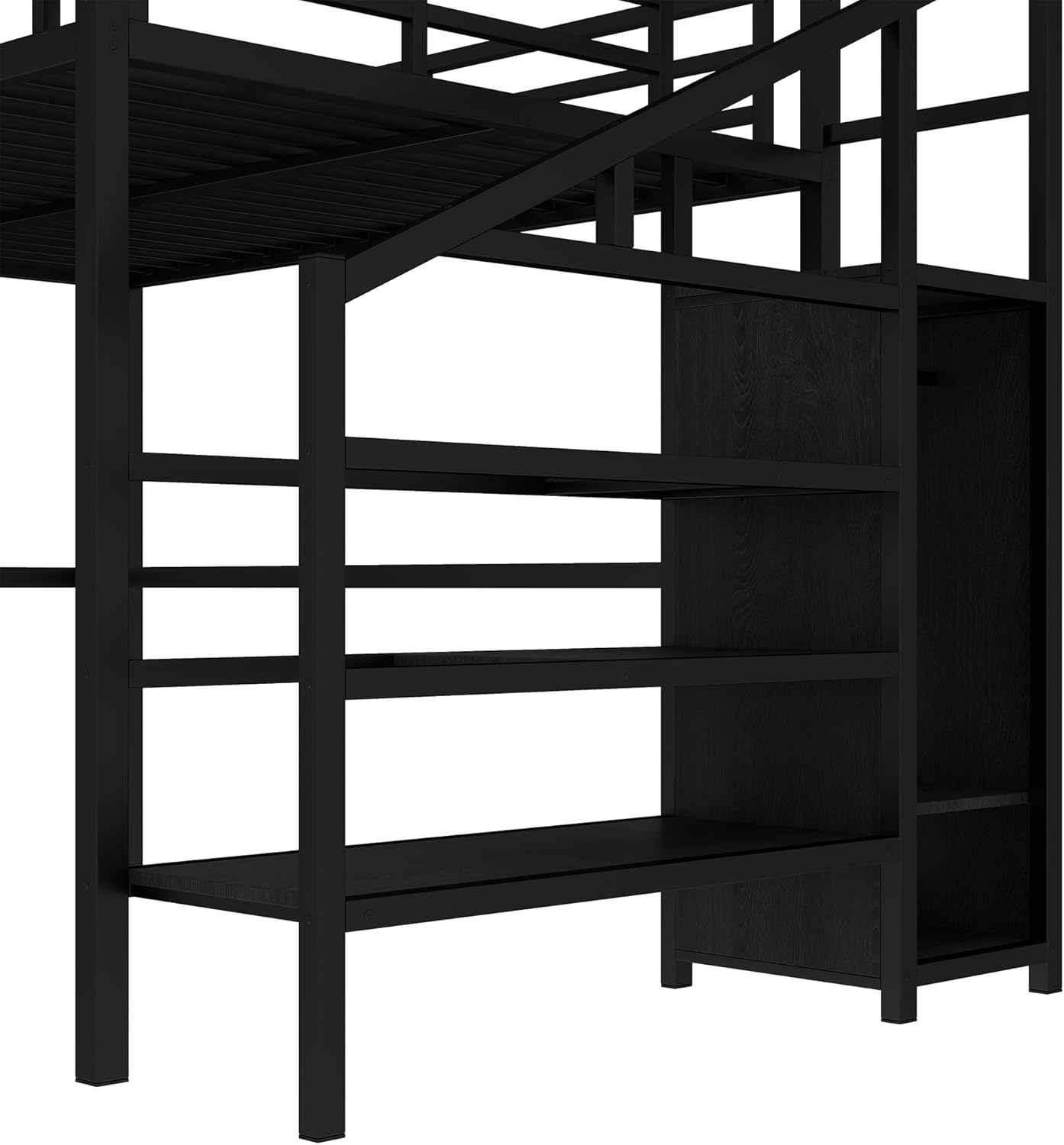
Figure 7.1: Dimensional drawing showing key measurements of the loft bed.
| Feature | Detail |
|---|---|
| Size | Queen |
| Material | Metal |
| Product Dimensions (L x W x H) | 98" x 63" x 69" |
| Style | Loft Bed with Wardrobe |
| Special Features | RGB LED Lighting, Charging Station (USB & Outlets), No Box Spring Needed |
| Included Components | Headboard, Slats, Desk, Storage Stairs, Wardrobe |
| Brand Name | Bellemave |
| Model Number | GZZ000076NQB |
| Maximum Weight Recommendation | 350 Pounds |
| Required Assembly | Yes |
| Color | Black Wardrobe |
| Finish Type | Powder Coated |
8. Product Video
Video 8.1: A brief overview of the Queen Loft Bed with Stairs, demonstrating its features and design. This video is provided by the seller, Western United.
9. Warranty and Support
For warranty information or customer support, please refer to the documentation included with your purchase or contact Bellemave customer service directly. Ensure you have your model number (GZZ000076NQB) and purchase details ready when contacting support.


