
Benro TBBPC15G36PTM
Benro Blackbird CF 1 Series 5-Section Tripod with G36PT Low Profile Inverted Ballhead User Manual
Model: TBBPC15G36PTM
Introduction
This manual provides detailed instructions for the proper setup, operation, and maintenance of your Benro Blackbird CF 1 Series 5-Section Tripod with G36PT Low Profile Inverted Ballhead. Please read this manual thoroughly before using the product to ensure optimal performance and longevity.

Image: The Benro Blackbird CF 1 Series 5-Section Tripod with the G36PT Low Profile Inverted Ballhead attached, shown in an upright position.
What's in the Box
Verify that all components are present upon unpacking:
- Benro Blackbird CF 1 Series Tripod (TBBPROC)
- Benro G36PT Low Profile Inverted Ballhead (G36PTM)
- Carry Bag
- 4mm Allen Key
- 3mm Allen Key
- Instruction Manual (this document)

Image: The Benro Blackbird tripod and its included accessories, such as the ballhead and Allen keys, neatly packed within the provided carry bag, which is laid open.
Setup Instructions
1. Unpacking and Initial Inspection
- Carefully remove all components from the packaging.
- Inspect the tripod and ballhead for any signs of damage. If any damage is found, contact customer support.
2. Attaching the Ballhead
The G36PT ballhead is typically pre-attached. If it needs to be re-attached or secured:
- Ensure the tripod's mounting plate is clean.
- Screw the ballhead onto the tripod's 3/8"-16 mounting screw until secure.
- Use the included Allen key to tighten any set screws on the tripod's mounting platform, if present, to prevent the head from rotating unintentionally.
3. Extending the Tripod Legs
- Grasp the tripod legs and extend them outwards.
- Flip Locks: Each leg section features a robust aluminum flip lock. To extend a leg section, open the flip lock, pull the leg section to the desired length, and then firmly close the flip lock to secure it. Ensure all flip locks are fully engaged before placing equipment on the tripod.
- Extend all leg sections evenly for maximum stability.

Image: The Benro Blackbird tripod fully extended to its maximum height, showcasing all five leg sections and the attached ballhead.
4. Adjusting Leg Angles
The tripod legs can be independently adjusted to different angles for uneven terrain or low-angle shots.
- Locate the leg angle adjustment locks at the top of each leg, near the tripod's apex.
- Pull out the lock, adjust the leg to the desired angle, and release the lock to secure it.
- For extremely low angles, the legs can be spread wide.
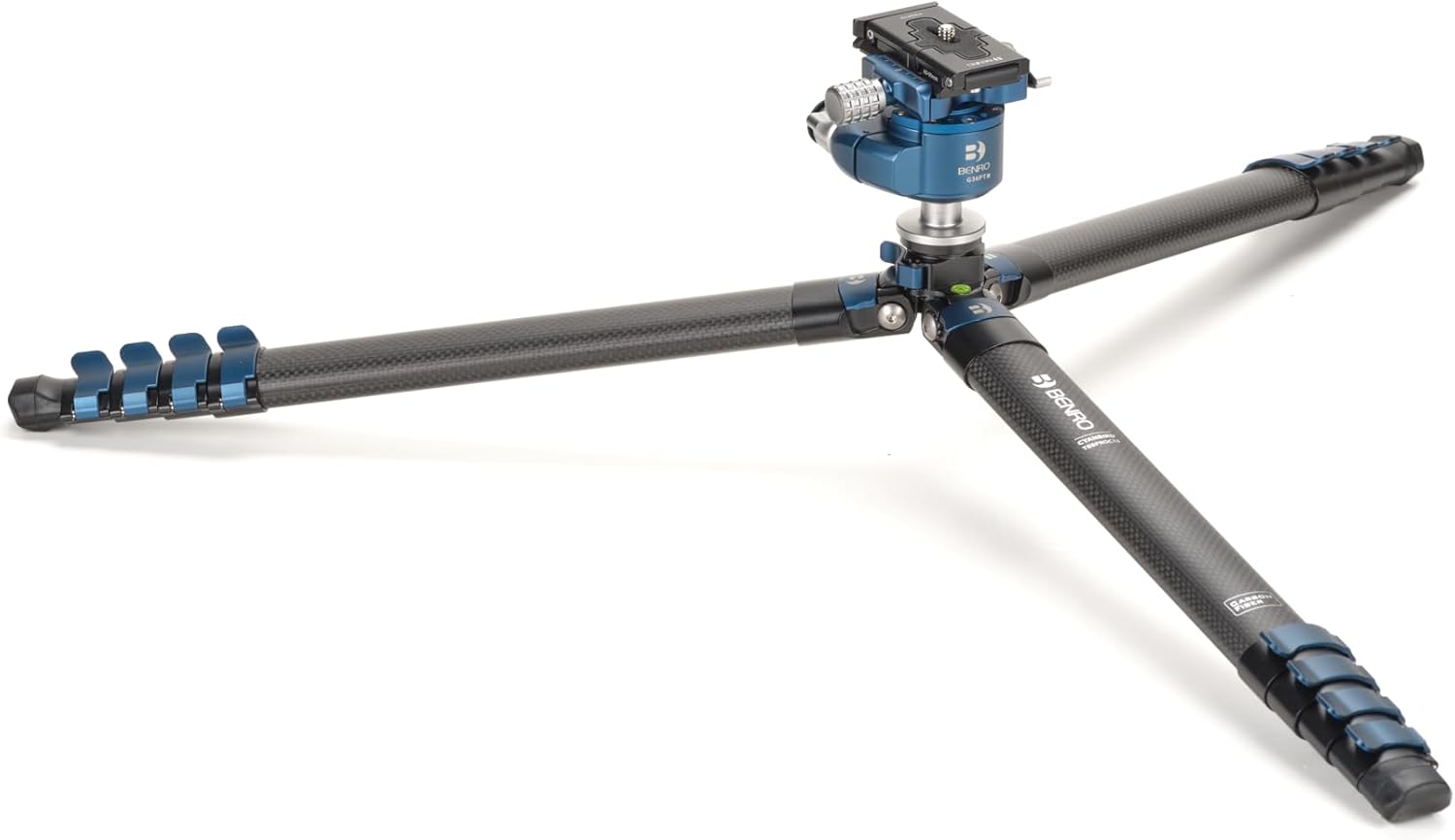
Image: The Benro Blackbird tripod configured for a low-angle shot, with its legs spread wide and close to the ground, demonstrating its versatility.
5. Mounting Your Equipment
- Quick Release Plate: The G36PT ballhead uses a quick release plate. Unscrew the locking knob on the ballhead to remove the plate.
- Attach the quick release plate to the bottom of your camera or other equipment by screwing the 1/4"-20 or 3/8"-16 screw into the mounting thread. Ensure it is securely tightened.
- Slide the quick release plate with your equipment back into the ballhead's clamp and tighten the locking knob until your equipment is firmly secured.

Image: A professional camera with a large lens mounted securely on the Benro Blackbird tripod, demonstrating its stability and capacity for photographic equipment.

Image: The Benro Blackbird tripod supporting a tablet and an LED light panel, illustrating its use with various accessories beyond just cameras.
Operating the G36PT Ballhead
The G36PT is a low-profile inverted ballhead designed for precise camera positioning.

Image: A detailed close-up of the Benro G36PT Low Profile Inverted Ballhead, highlighting its quick release plate, locking knobs, and integrated bubble level.
1. Ball Movement and Locking
- Main Locking Knob: This large knob controls the movement of the ball. Loosen it to allow the camera to tilt and swivel freely. Tighten it firmly to lock the camera in the desired position.
- Friction Control: Some ballheads feature a separate friction control knob (often integrated with the main locking knob or a smaller secondary knob). This allows you to adjust the tension of the ball movement, preventing sudden drops of heavy equipment when the main knob is loosened.
2. Panning Movement
- Panning Lock Knob: A smaller knob located at the base of the ballhead controls the panning motion. Loosen this knob to rotate the camera horizontally 360 degrees without affecting the tilt. Tighten it to lock the panning position.
3. Leveling
- The G36PT ballhead includes a bubble level. Use this to ensure your camera is perfectly level, especially for panoramic photography or architectural shots. Adjust the tripod legs or the ballhead's tilt until the bubble is centered.
4. Accessory Mounts
The tripod features accessory mounts, typically 1/4"-20 threaded holes, on the tripod spider. These allow for the attachment of additional gear such as external monitors, LED lights, or microphones.
- To use, simply screw compatible accessories into the available mounting points.
- Ensure accessories are securely fastened and do not unbalance the tripod.
Maintenance
Regular maintenance ensures the longevity and reliable performance of your Benro tripod.
- Cleaning: After use, especially in dusty, sandy, or wet environments, wipe down the tripod legs and ballhead with a soft, damp cloth. Avoid harsh chemicals.
- Leg Locks: Periodically check the flip locks for proper tension. If they become too loose or too tight, use the included Allen keys to adjust the tension screws located on the side of each flip lock.
- Ballhead: Keep the ballhead clean and free of debris. Do not lubricate the ball or locking mechanisms, as this can attract dirt and impair function.
- Storage: Store the tripod in its carry bag in a dry, cool place when not in use.
Troubleshooting
Tripod Stability Issues
- Issue: Tripod feels wobbly or unstable.
- Solution:
- Ensure all leg flip locks are fully closed and secured.
- Verify that the quick release plate is tightly fastened to your equipment and securely clamped into the ballhead.
- Check that the ballhead is firmly screwed onto the tripod's mounting platform.
- Ensure the tripod legs are spread evenly and the leg angle locks are engaged.
Ballhead Movement Issues
- Issue: Ballhead is too stiff or too loose.
- Solution:
- Adjust the main locking knob and friction control (if present) to achieve the desired tension.
- If the ballhead is gritty, it may have accumulated dirt. Clean it carefully without disassembling or lubricating.
Specifications
| Feature | Detail |
|---|---|
| Product Dimensions | 2.84 x 3.51 x 18.12 inches (folded) |
| Item Weight | 2.3 pounds |
| Model Number | TBBPC15G36PTM |
| ASIN | B0DWBJTY29 |
| Manufacturer | Benro |
| Leg Sections | 5 |
| Leg Locks | Flip Locks |
| Ballhead Type | G36PT Low Profile Inverted Ballhead |
| Material | Carbon Fiber (legs) |
Warranty and Support
For warranty information, technical support, or service inquiries, please refer to the official Benro website or contact Benro customer service directly. Keep your purchase receipt as proof of purchase for warranty claims.
Benro Official Website: www.benro.com
Ask a question about this manual
Ask about setup, troubleshooting, compatibility, parts, safety, or missing instructions. Manuals+ will review the question and use this page’s manual context to help answer it.