Introduction
This manual provides detailed instructions for the Sound Oasis BST-150T Bluetooth Tinnitus Sound Therapy System Alarm Clock. This device is designed to assist with tinnitus management and improve sleep quality through a variety of built-in sounds and alarm clock functionalities. Please read this manual thoroughly before operating the device to ensure proper use and to maximize its benefits.

Image: The Sound Oasis BST-150T device shown with its retail packaging, highlighting its features and design.
Safety Information
- Do not expose the device to water or excessive moisture.
- Avoid placing the device near heat sources or in direct sunlight.
- Use only the provided USB-C charging cable.
- Keep out of reach of children.
- Do not attempt to disassemble or repair the device yourself. Contact customer support for assistance.
Package Contents
Verify that all items are present in the package:
- Sound Oasis BST-150T Tinnitus Sound Therapy System Alarm Clock
- USB-C Charging Cable
- User Manual (this document)
- Quick Set-Up Sheet
- "Living with Tinnitus" Booklet
- Removable/Replaceable Micro SD Card (pre-installed with 30 sounds)
Image: An illustration showing the Sound Oasis BST-150T device along with its included accessories: USB-C cable, user manual, quick setup guide, 'Living with Tinnitus' booklet, and a removable SD card.
Product Overview
Familiarize yourself with the device's components and controls.
Front View

Image: Front view of the Sound Oasis BST-150T, displaying the orange digital clock and the 'sound oasis' logo.
Top View and Controls
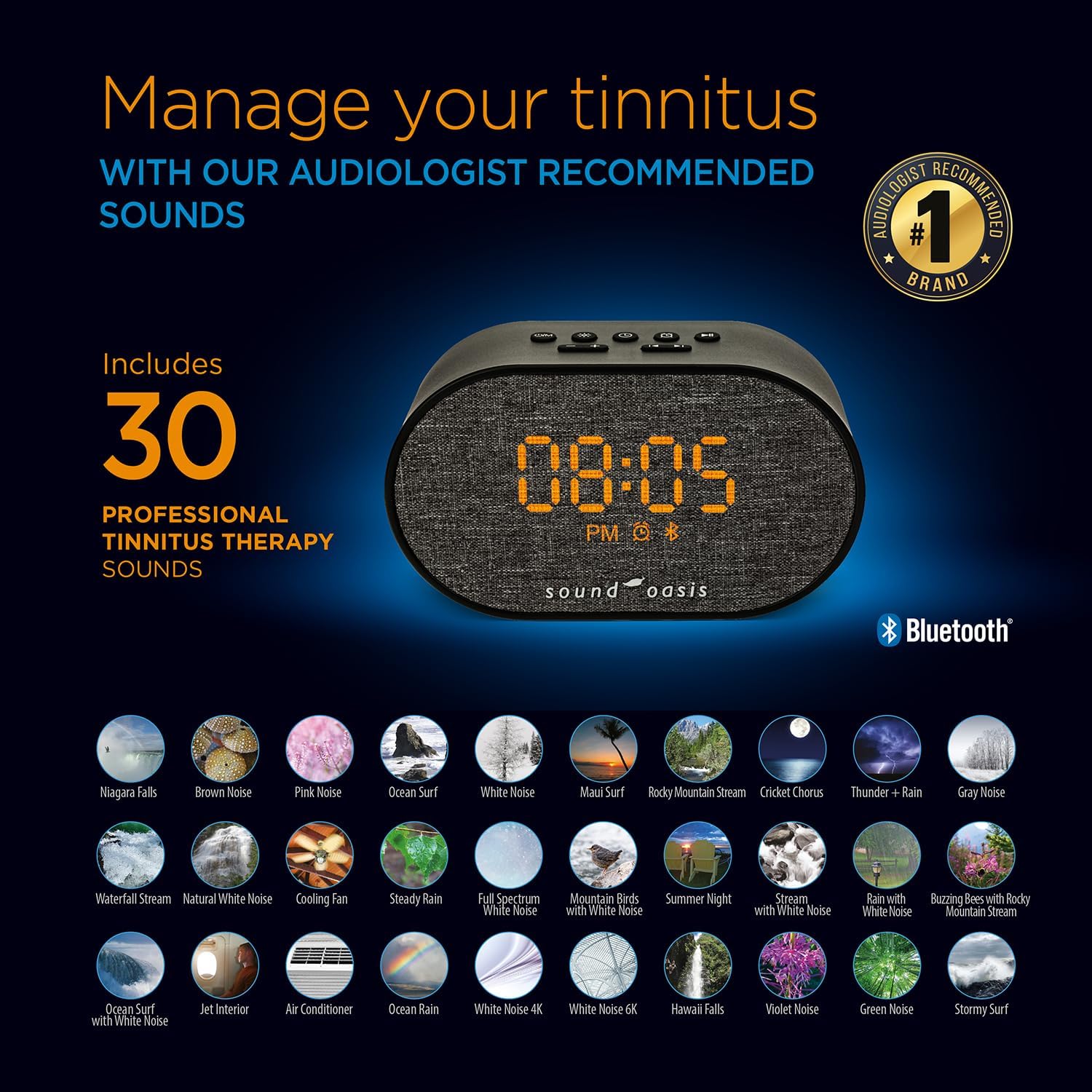
Image: Top view of the Sound Oasis BST-150T, showing the array of control buttons for power, volume, sound selection, and alarm settings.
Rear View and Ports

Image: An exploded diagram of the Sound Oasis BST-150T, illustrating its internal speaker and subwoofer, rechargeable battery, and external ports including USB-C charging jack, headphone jack, and Micro SD card slot.
The device features a rear-facing speaker with a subwoofer for enhanced sound quality. Key ports include a USB-C charging jack, a headphone jack for private listening, and a Micro SD card slot for the removable sound card.
Setup
1. Powering On the Device
- Connect the provided USB-C charging cable to the device's USB-C port and plug the other end into a compatible USB power adapter (not included) or a powered USB port.
- The device will automatically power on or can be turned on by pressing the Power button on the top panel.
- The built-in rechargeable battery allows for cord-free operation for 7-16 hours on a single charge.
2. Setting the Time
The BST-150T offers two methods for setting the time:
- Automatic Time Set (via Smartphone): If your smartphone is paired via Bluetooth, the device can automatically synchronize its time with your phone. Refer to the Bluetooth pairing instructions in the 'Operating Instructions' section.
- Manual Time Set:
- Press and hold the 'Time Set' button (usually indicated by a clock icon) on the top panel until the time display flashes.
- Use the '+' and '-' buttons to adjust the hours. Press 'Time Set' again to confirm hours and move to minutes.
- Use the '+' and '-' buttons to adjust the minutes. Press 'Time Set' again to confirm minutes.
- To switch between 12-hour and 24-hour format, press the 'Time Set' button while the time is flashing until the desired format appears.
3. Adjusting Display Brightness
The display features 31 brightness settings, including an 'OFF' option.
- Press the 'Dimmer' button (often represented by a sun icon) repeatedly to cycle through the brightness levels.
- Select the desired brightness for comfortable viewing, especially in a sleep environment. The display uses a sleep-friendly orange light.
Operating Instructions
1. Sound Playback
The BST-150T offers two ways to play sounds:
A. Built-in Sounds (30 Tinnitus Therapy Sounds)
- Press the 'Sound' button (often a musical note icon) to cycle through the 30 pre-loaded sounds.
- Use the '+' and '-' buttons to adjust the volume to your preferred level.
- To pause or resume playback, press the 'Play/Pause' button.
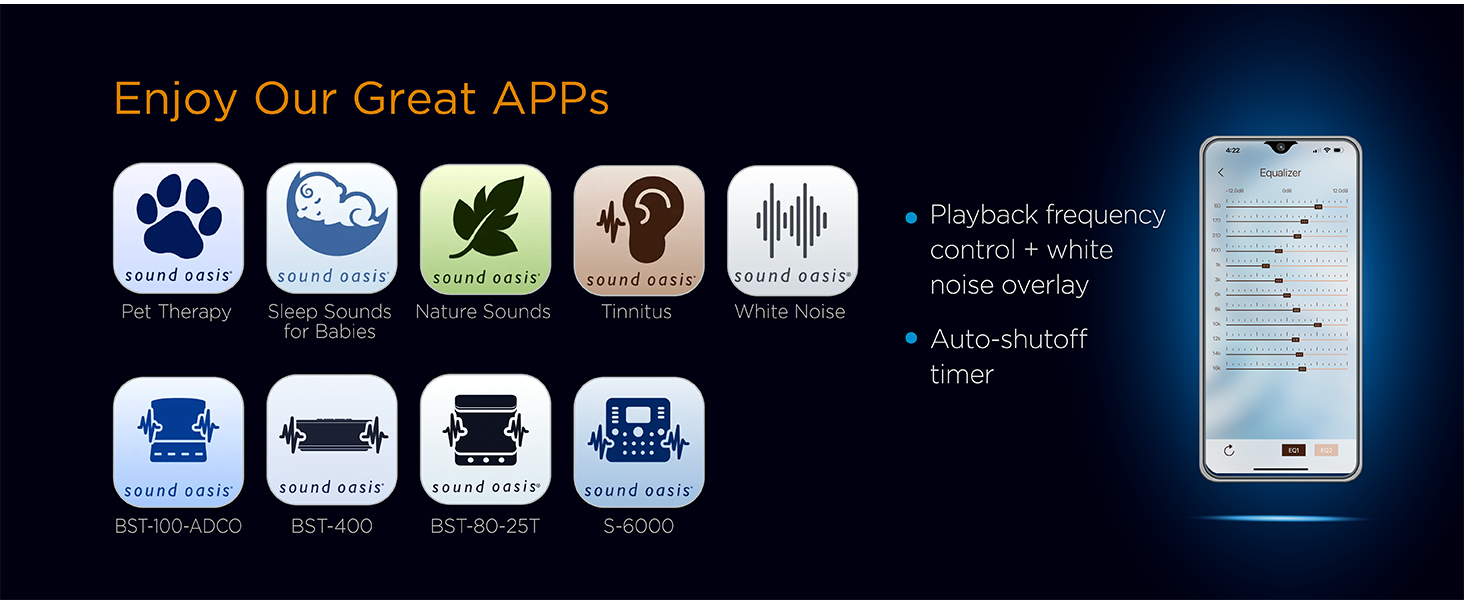
Image: A visual representation of the 30 professional soundtracks included on the removable Micro SD card, designed for tinnitus therapy.
B. Bluetooth Streaming
Stream audio from any Bluetooth-enabled device (smartphone, tablet, etc.).
- Press the 'Bluetooth' button on the top panel. The Bluetooth indicator on the display will flash, indicating pairing mode.
- On your external device, enable Bluetooth and search for 'Sound Oasis BST-150T'.
- Select the device to pair. Once paired, the Bluetooth indicator will stop flashing and remain solid.
- You can now stream music or sounds from your device. Use the '+' and '-' buttons on the BST-150T or your external device to adjust volume.
2. Alarm Clock Functions
The device includes a full-function alarm clock with three alarm sounds and a sleep timer.
A. Setting an Alarm
- Press and hold the 'Alarm Set' button (often an alarm clock icon) until the alarm time display flashes.
- Use the '+' and '-' buttons to adjust the alarm hour. Press 'Alarm Set' again to confirm hours and move to minutes.
- Use the '+' and '-' buttons to adjust the alarm minutes. Press 'Alarm Set' again to confirm minutes.
- Use the '+' and '-' buttons to select one of the three available alarm sounds. Press 'Alarm Set' again to activate the alarm. An alarm icon will appear on the display.
B. Snooze Function
- When the alarm sounds, press the 'Snooze' button (often a large button on top) to temporarily silence the alarm for a short period (e.g., 9 minutes). The alarm will sound again after the snooze period.
C. Disabling the Alarm
- To turn off the alarm completely, press the 'Alarm Set' button once while the alarm is sounding or at any other time. The alarm icon on the display will disappear.
D. Sleep Timer
The sleep timer allows the sound to play for a set duration before gradually fading out.
- Press the 'Sleep Timer' button (often a crescent moon icon) repeatedly to cycle through the available options: 30 minutes, 60 minutes, 90 minutes, or OFF.
- The selected duration will be displayed briefly.
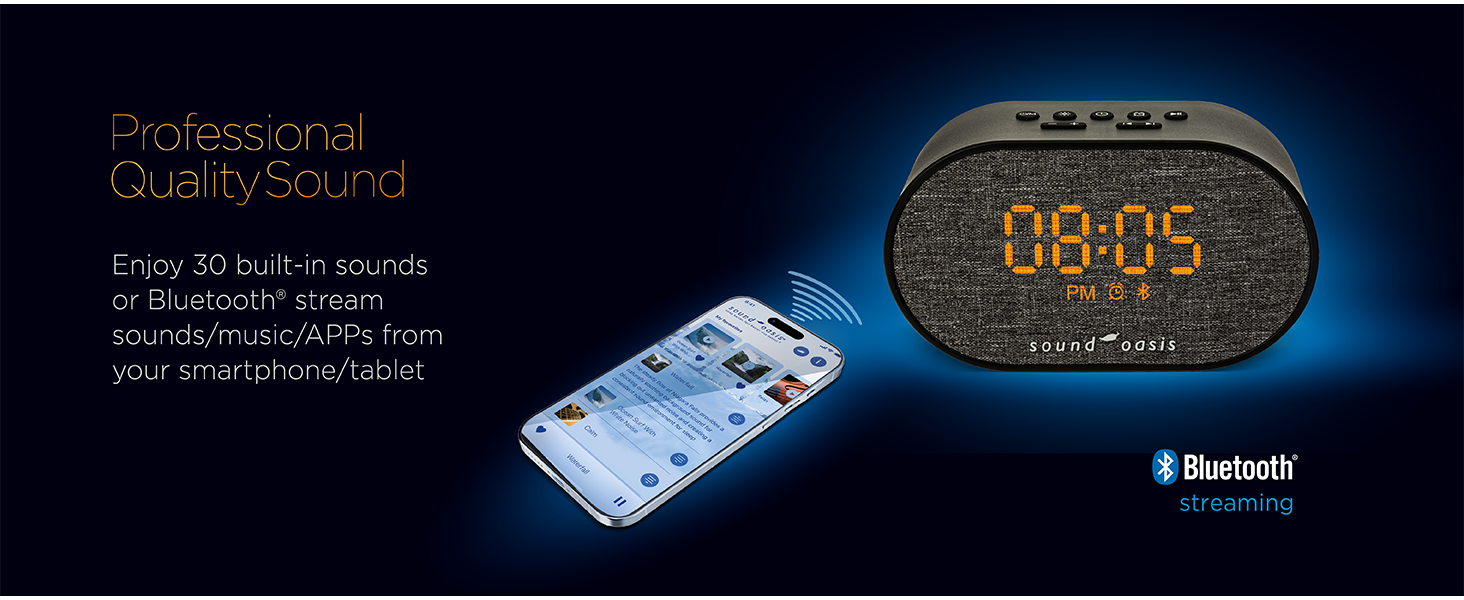
Image: An illustration highlighting the smart and convenient features of the Sound Oasis BST-150T, including its dimmable sleep-friendly orange light, auto time set via smartphone, and rechargeable battery.
3. Using the Removable Sound Card
The BST-150T comes with a pre-installed Micro SD card containing 30 tinnitus therapy sounds. This card is removable and replaceable, allowing for future sound expansion.
- To remove the sound card, gently push it into its slot until it clicks, then release. The card will spring out slightly, allowing you to pull it out.
- To insert a new sound card, align it correctly and gently push it into the slot until it clicks into place.
- Additional sound cards or individual sounds can be purchased from Sound Oasis to customize your sound library.
Maintenance
Cleaning
- Wipe the device with a soft, dry cloth.
- Do not use liquid cleaners or abrasive chemicals.
Battery Care
- For optimal battery life, avoid fully discharging the battery frequently.
- If storing the device for an extended period, charge it periodically to maintain battery health.
Troubleshooting
| Problem | Possible Cause | Solution |
|---|---|---|
| Device does not power on. | Low battery or no power connection. | Connect the USB-C charging cable and ensure it's plugged into a working power source. Allow some time for charging if the battery is fully depleted. |
| No sound or low volume. | Volume too low, sound paused, or incorrect source. | Increase volume using '+' button. Press 'Play/Pause'. Ensure correct sound source (built-in or Bluetooth) is selected. |
| Bluetooth pairing fails. | Device not in pairing mode, or too far from source. | Press the 'Bluetooth' button to enter pairing mode (flashing indicator). Ensure your external device's Bluetooth is on and within 30 feet (10 meters) range. Try restarting both devices. |
| Alarm button unresponsive. | Incorrect button press sequence or temporary software glitch. | Ensure you are pressing and holding the 'Alarm Set' button for the required duration. If issues persist, try a soft reset by disconnecting and reconnecting power. |
| Difficulty setting time/12-hour mode. | Unfamiliarity with time setting interface. | Follow the 'Manual Time Set' instructions carefully. To switch between 12/24-hour mode, press the 'Time Set' button while the time is flashing. |
| Cannot identify current sound. | No visual indicator for sound name. | The device cycles through sounds by number. Refer to the 'Living with Tinnitus' booklet or the Sound Oasis app for a list of sounds corresponding to their order. |
Specifications
| Feature | Detail |
|---|---|
| Model Number | BST-150T |
| Product Dimensions (L x W x H) | 5.47 x 1.97 x 3.23 inches (138.9 x 50.0 x 82.1 mm) |
| Item Weight | 9.4 ounces (266 grams) |
| Power Source | Rechargeable Battery (1 AA battery included) / USB-C |
| Battery Play Time | 7-16 hours on a single charge |
| Built-in Sounds | 30 Tinnitus Therapy Sounds |
| Bluetooth Range | Up to 30 feet (10 meters) |
| Display | Backlit 12/24 hour alarm clock with 31 brightness settings (including OFF) |
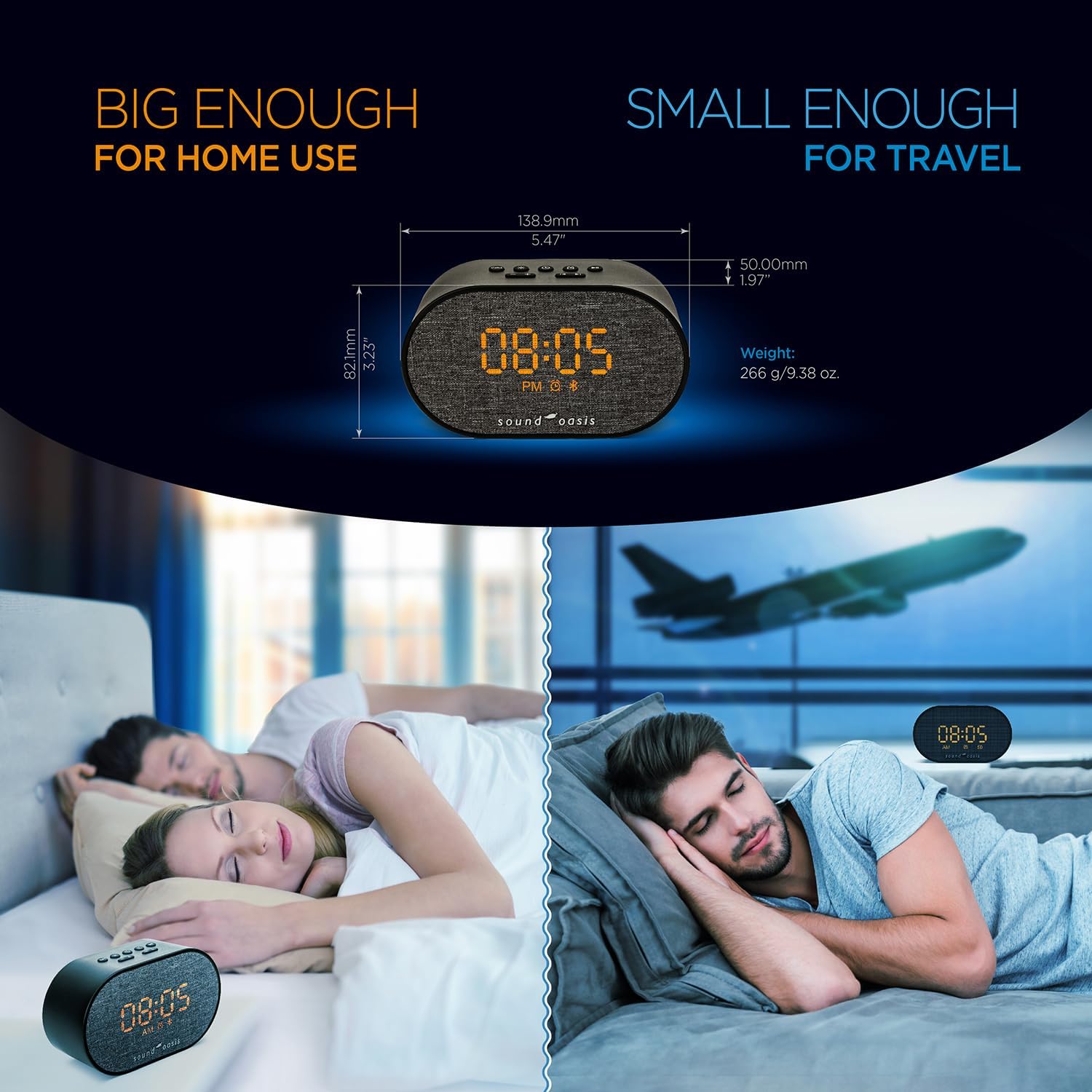
Image: A visual comparison illustrating the compact size of the Sound Oasis BST-150T, suitable for both home use and travel.
Warranty and Support
For warranty information, product registration, or technical support, please visit the official Sound Oasis website or contact their customer service department. Details can typically be found on the manufacturer's website or the included 'Quick Set-Up Sheet'.
Additionally, owning a BST-150T provides no-charge access to leading Sound Oasis applications, which can further enhance your tinnitus management and sound therapy experience. These apps may offer frequency adjustment and white noise overlay features.

Image: The Sound Oasis BST-150T shown alongside the 'Living with Tinnitus' booklet and a smartphone displaying the Sound Oasis family of apps, emphasizing a complete tinnitus therapy solution.


