
1. Safety Instructions
Please read all instructions carefully before using the appliance to ensure safe and proper operation. Keep this manual for future reference.
- Electrical Safety: Ensure the oven is properly grounded. Do not operate with a damaged power cord or plug.
- Hot Surfaces: The oven and its accessories become very hot during use. Always use oven mitts or heat-proof gloves when handling hot items.
- Children and Pets: Keep children and pets away from the oven during operation and while it is cooling down.
- Flammable Materials: Do not store flammable materials in or near the oven.
- Ventilation: Ensure adequate ventilation around the oven during installation and operation.
- Cleaning: Always disconnect power before cleaning. Allow the oven to cool completely before cleaning.
2. Product Overview
2.1 Key Features
- 360° Rotating Rotisserie: Equipped with an upgraded rotating grill fork and top/bottom heating elements for even cooking and delicious results.
- Spacious 2.65 Cu.ft. Capacity: Provides ample cooking space for family meals.
- Powerful 2200W Heating: Offers an extensive temperature range from 122°F (50°C) to 482°F (250°C) for versatile cooking.
- 5 Cooking Modes: Multiple baking modes to suit various culinary needs.
- User-Friendly Controls: Mechanical knobs for easy adjustment of temperature and function.
- Easy to Clean: Features an enamel inner liner, easily removable oven door, premium tempered glass, and an interior halogen light for clear visibility.
2.2 Components
Familiarize yourself with the main components of your AMZCHEF wall oven.

Image 1: Oven interior with visible heating elements and a dish containing a roast and vegetables. This illustrates the 2200W heating capability for fast cooking.
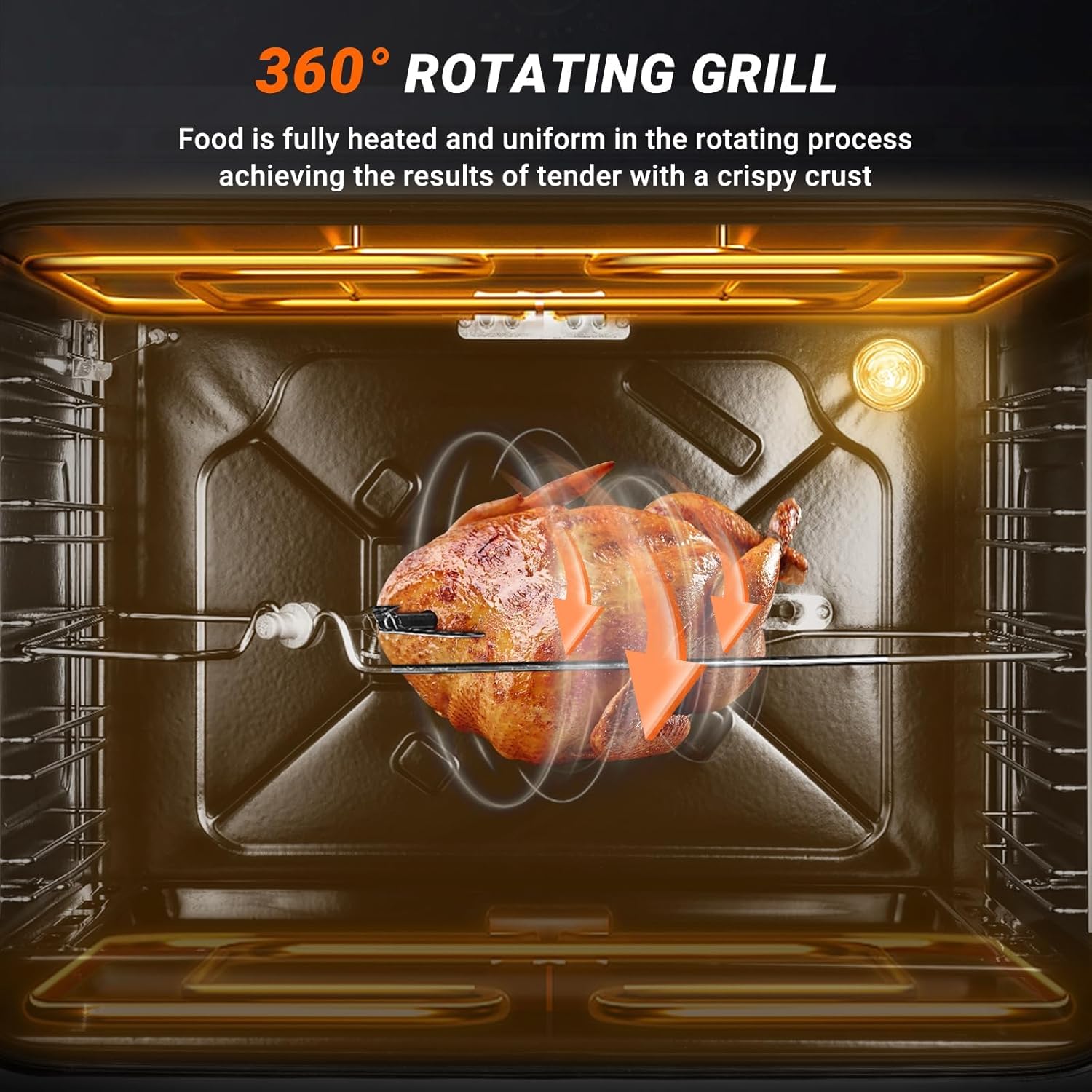
Image 2: Oven interior showcasing a chicken rotating on the 360° rotisserie grill, highlighting even cooking.
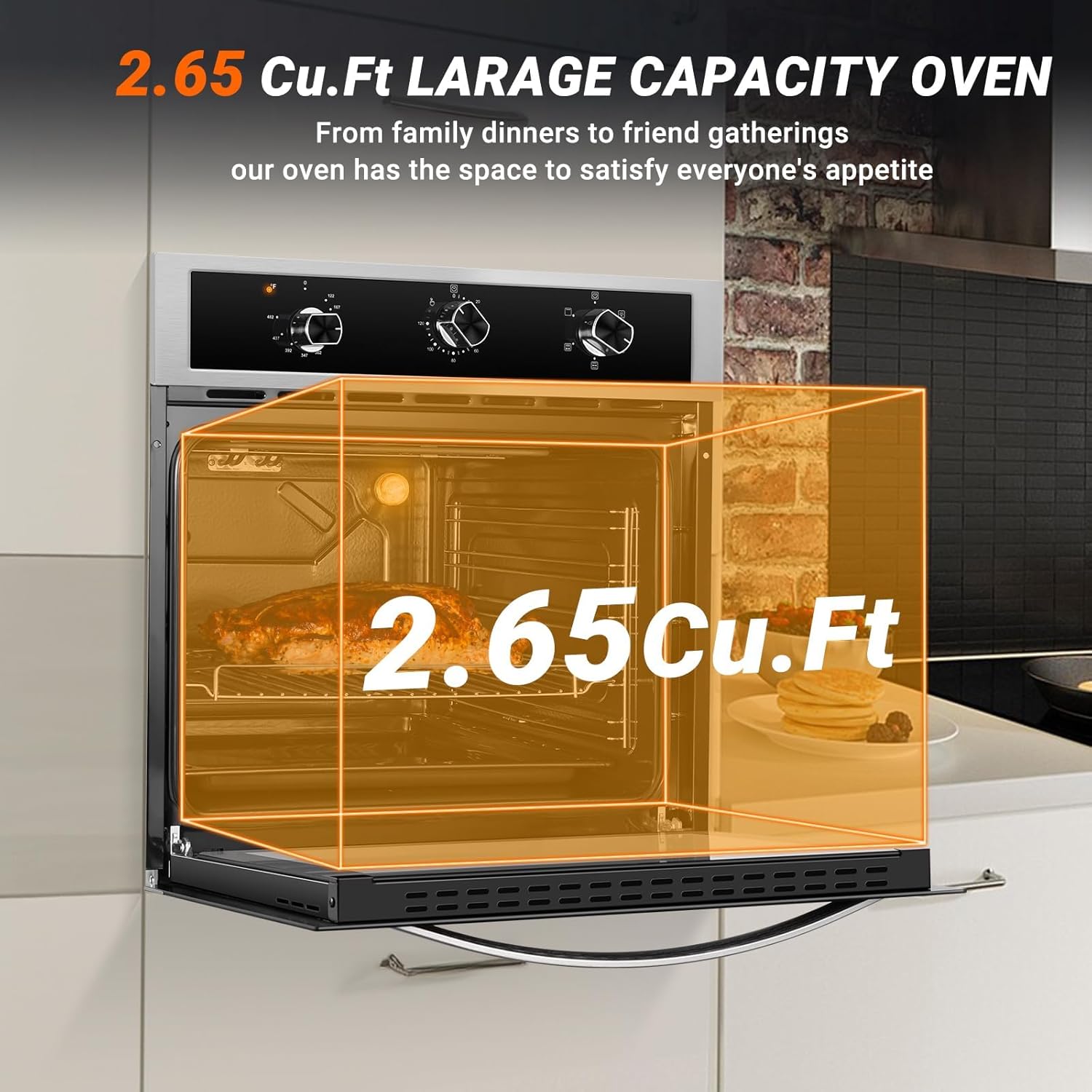
Image 3: The oven exterior with a graphic overlay demonstrating its 2.65 cubic feet large capacity.

Image 4: A detailed view of the oven's mechanical control knobs for temperature, time, and cooking functions, along with icons for various baking modes.

Image 5: Close-up images detailing the oven's smooth door handle, easy-to-clean enamel interior, five rack positions, and the soft interior halogen light.

Image 6: Examples of the oven installed as a built-in unit within a wall cabinet and positioned under a countertop, demonstrating installation flexibility.
3. Setup
3.1 Installation
The AMZCHEF 24-inch Built-in Electric Wall Oven is designed for built-in installation. Refer to the separate installation guide for detailed instructions on cabinet cut-out dimensions, electrical connections, and securing the oven.

Image 7: Dimensional drawing of the oven, providing measurements for proper integration into kitchen cabinetry.
3.2 Initial Use
Before first use, clean the oven interior with a damp cloth. It is recommended to run the oven empty at its highest temperature for approximately 30 minutes to burn off any manufacturing residues. A slight odor or smoke may be present during this process; ensure the kitchen is well-ventilated.
4. Operating Instructions
4.1 Control Panel
The oven features three mechanical knobs for controlling temperature, time, and cooking functions.
Image 8: The control panel showing the Temperature Control Knob, Time Control Knob, and Function Control Knob.
4.2 Cooking Modes
Turn the Function Control Knob to select one of the 5 available cooking modes. Each mode utilizes different heating elements for optimal results:
- Bake: Ideal for cakes, cookies, and general baking.
- Roast: Perfect for meats and poultry.
- Grill: For browning and crisping.
- Convection Bake: Uses a fan to circulate heat for even baking.
- Rotisserie: Activates the rotating spit for roasting.
Adjust the Temperature Control Knob to set the desired temperature (122°F to 482°F).
4.3 Using the Rotisserie
The 360° rotating rotisserie is designed for even cooking of poultry and roasts.
- Assemble the rotisserie spit: Ensure handle "A" is securely tightened. Unscrew fork "C" from one end of the spit.
- Fit the food onto the spit: Carefully slide the food (e.g., a whole chicken) onto the spit.
- Secure the food: Screw fork "C" back onto the spit, clamping the food firmly between the two forks.
- Insert into oven: Place the pointed end of the spit into the designated hole "E" on the right side of the oven interior. Rest the handle end on the support bracket on the left.
- Remove handle: Unscrew and remove handle "A" from the spit before closing the oven door.
- Select Rotisserie function: Turn the Function Control Knob to the rotisserie setting.

Image 9: Visual guide for assembling the rotisserie spit and securing a chicken for roasting. Caution: Be cautious of sharp edges to avoid accidental scratches or cuts. Use heat-proof gloves when handling food in or out of the oven.
Video 1: This video demonstrates the proper method for assembling and using the rotary grill fork (rotisserie spit) with the AMZCHEF oven. It shows how to secure food onto the spit and place it inside the oven for rotating cooking.
4.4 Timer Operation
Use the Time Control Knob to set the desired cooking duration.
- For setting a timer for less than 20 minutes: First, rotate the timer knob clockwise to its maximum setting (e.g., 120 minutes). This engages the timer mechanism. Then, rotate the knob counter-clockwise back to your preferred time interval (e.g., 10 minutes). This ensures precise operation.
- For setting a timer for 20 minutes or more: Simply rotate the timer knob clockwise to the desired time.
The oven will automatically turn off once the set time has elapsed.
5. Maintenance and Cleaning
Regular cleaning and maintenance will prolong the life of your oven and ensure optimal performance.
- Before Cleaning: Always ensure the oven is turned off, unplugged from the power supply, and completely cooled down.
- Interior Cleaning: The enamel inner liner is designed for easy cleaning. Use a soft cloth with mild detergent and warm water. Avoid abrasive cleaners or scouring pads that can damage the surface.
- Removable Oven Door: The oven door can be easily removed for thorough cleaning. Refer to the full manual for specific instructions on door removal and reinstallation. Clean the tempered glass with a glass cleaner.
- Exterior Cleaning: Wipe the stainless steel exterior with a soft, damp cloth. For stubborn stains, use a stainless steel cleaner.
- Accessories: Wash oven racks, baking trays, and rotisserie components with warm, soapy water.
- Halogen Light: The interior halogen light provides clear visibility. If the bulb needs replacement, ensure the oven is cool and disconnected from power. Refer to the full manual for bulb specifications and replacement instructions.
6. Troubleshooting
If you encounter any issues with your oven, please consult the following table before contacting customer service.
| Problem | Possible Cause | Solution |
|---|---|---|
| Oven does not heat up | No power supply; Incorrect function/temperature setting; Blown fuse/tripped breaker. | Check power connection; Ensure correct settings; Check household fuse box/breaker. |
| Uneven cooking | Food placed incorrectly; Oven not preheated; Door opened too frequently. | Ensure food is centered; Preheat oven fully; Minimize door openings. |
| Timer not working accurately (for short times) | Timer knob not fully wound before setting. | For times less than 20 minutes, turn the knob to maximum first, then back to desired time. |
| Excessive smoke/odor during initial use | Manufacturing residues burning off. | This is normal. Ensure good ventilation. It will subside after initial use. |
7. Specifications
| Feature | Detail |
|---|---|
| Brand | AMZCHEF |
| Model | B0DW8W1WHT |
| Capacity | 2.65 Cubic Feet (2.65 Cu.ft.) |
| Power | 2200W |
| Temperature Range | 122°F (50°C) to 482°F (250°C) |
| Cooking Functions | 5 Modes (Bake, Roast, Grill, Convection Bake, Rotisserie) |
| Heating Method | Conduction |
| Fuel Type | Electric |
| Installation Type | Built-In |
| Defrost System Type | Auto Defrost |
| Additional Features | 360° Rotating Rotisserie, Enamel Interior, Halogen Light |
| Material Type | Stainless Steel |
| Color | Stainless Steel |
| Door Orientation | Front |
8. Warranty and Support
For warranty information, please refer to the documentation included with your purchase or contact AMZCHEF customer service. If you require technical assistance or have questions not covered in this manual, please reach out to AMZCHEF support through their official website or the retailer where the product was purchased.