
Introduction
This manual provides instructions for the proper installation and use of the MUTGOF S12 Wireless Vacuum Cleaner Wall Mount. Please read this manual thoroughly before installation and retain it for future reference. This wall mount is designed to securely store your S12 wireless vacuum cleaner, keeping it organized and easily accessible.
Safety Information
- Read all instructions: Before installation, carefully read and understand all instructions provided in this manual.
- Proper tools: Ensure you have the correct tools for installation. Using improper tools may result in damage or injury.
- Mounting surface: Install the wall mount on a sturdy wall surface capable of supporting the weight of the mount and the vacuum cleaner. Avoid mounting on drywall without proper anchors or studs.
- Children and pets: Keep installation hardware and small parts out of reach of children and pets.
- Weight limit: Do not exceed the recommended weight limit for the wall mount. This mount is specifically designed for the S12 wireless vacuum cleaner.
Package Contents
Verify that all items listed below are included in your package. If any items are missing or damaged, please contact customer support.
- 1 x MUTGOF S12 Wireless Vacuum Cleaner Wall Mount
- Mounting Hardware (screws, wall anchors)
- User Manual (this document)
Product Overview
The MUTGOF S12 Wall Mount provides a convenient and space-saving solution for storing your wireless vacuum cleaner. It features a durable design for long-lasting use.
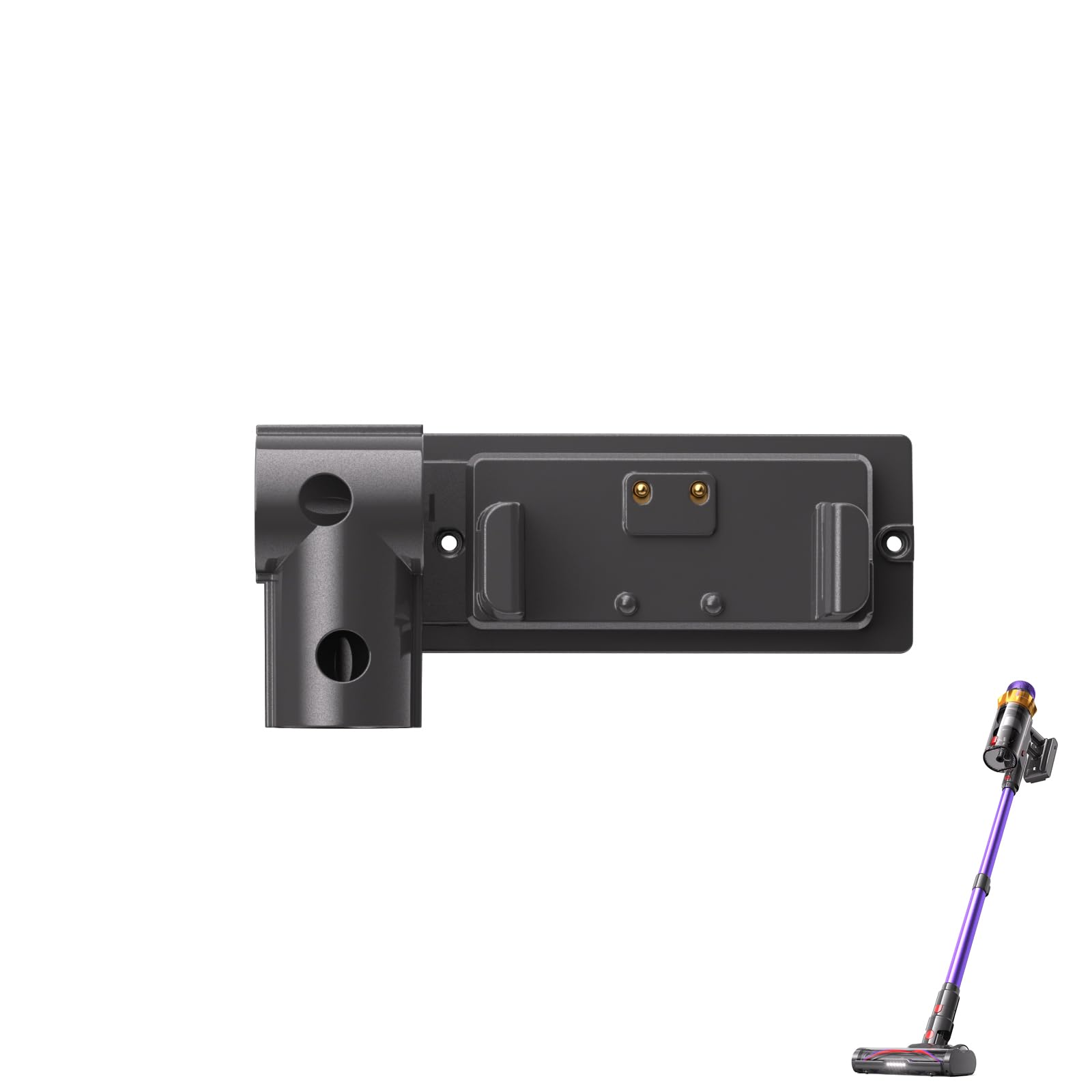
Image: The MUTGOF S12 Wireless Vacuum Cleaner Wall Mount. This image displays the overall design of the wall mount, showing its compact form factor and the area where the vacuum cleaner docks.
Setup and Installation
Follow these steps to properly install your MUTGOF S12 Wireless Vacuum Cleaner Wall Mount.
- Choose a location: Select a suitable wall location near an electrical outlet (if your vacuum charges via the mount) and where the vacuum will be easily accessible. Ensure the wall is sturdy enough to support the weight.
- Mark drilling points: Hold the wall mount against the chosen wall location. Use a pencil to mark the positions for the mounting screws through the designated holes on the mount.
- Drill pilot holes: Using an appropriate drill bit for your wall type (e.g., 6mm for drywall anchors), drill pilot holes at the marked positions.
- Insert wall anchors (if necessary): If drilling into drywall, gently tap the plastic wall anchors into the pilot holes until they are flush with the wall surface.
- Mount the bracket: Align the wall mount with the drilled holes (and anchors). Insert the provided screws through the mount's holes and tighten them securely with a screwdriver. Do not overtighten.
- Test stability: Gently pull on the installed mount to ensure it is firmly attached to the wall before docking your vacuum cleaner.
Image: Illustrative image of the wall mount. This image can represent the general appearance of the mount during installation, showing its mounting holes and structure.
Operating Instructions
Once the MUTGOF S12 Wall Mount is securely installed, using it is straightforward.
- Docking the vacuum: Carefully align your S12 wireless vacuum cleaner with the docking mechanism on the wall mount. Gently push the vacuum into place until it clicks or sits securely.
- Removing the vacuum: To remove the vacuum, simply lift it upwards and away from the wall mount.
- Charging (if applicable): If your S12 vacuum cleaner charges through the wall mount, ensure the charging contacts align properly when docking. Refer to your vacuum cleaner's manual for specific charging instructions.
Maintenance
The MUTGOF S12 Wall Mount requires minimal maintenance to ensure its longevity and proper function.
- Cleaning: Periodically wipe the surface of the wall mount with a soft, damp cloth to remove dust and dirt. Avoid using abrasive cleaners or solvents, as these can damage the finish.
- Check tightness: Occasionally check the mounting screws to ensure they remain tight. Retighten if necessary to maintain stability.
- Inspect for damage: Regularly inspect the mount for any signs of wear, cracks, or damage. If damage is found, discontinue use and contact customer support for assistance.
Troubleshooting
If you encounter issues with your MUTGOF S12 Wall Mount, refer to the following common problems and solutions:
| Problem | Possible Cause | Solution |
|---|---|---|
| Mount feels loose on the wall. | Screws are not tight enough, or wall anchors are not properly installed. | Retighten all mounting screws. If using drywall anchors, ensure they are fully seated and consider using stronger anchors if the issue persists. Ensure mounting into a stud if possible. |
| Vacuum cleaner does not sit securely. | Incorrect alignment or obstruction. | Ensure the vacuum is correctly aligned with the docking mechanism. Check for any debris or obstructions preventing a secure fit. Verify the mount is designed for your specific S12 model. |
| Mount appears damaged. | Physical impact or manufacturing defect. | Discontinue use immediately. Contact MUTGOF customer support for assistance or replacement. |
Specifications
- Model Name: S12
- Brand: MUTGOF
- Item Dimensions (L x W x H): 6.39"L x 6"W x 2.4"H
- Item Weight: 0.2 Pounds
- Color: Black
- Material: Not specified, typically durable plastic or metal.
- Compatibility: Designed for MUTGOF S12 Wireless Vacuum Cleaner
Warranty and Support
MUTGOF products are manufactured to high-quality standards. This product comes with a limited warranty against defects in materials and workmanship from the date of purchase. Please retain your proof of purchase for warranty claims.
For technical support, warranty inquiries, or to report missing/damaged parts, please contact MUTGOF customer service through the retailer where the product was purchased or visit the official MUTGOF website for contact information.
Note: Warranty terms may vary by region. Please refer to the specific warranty policy provided at the time of purchase.