
Product Overview
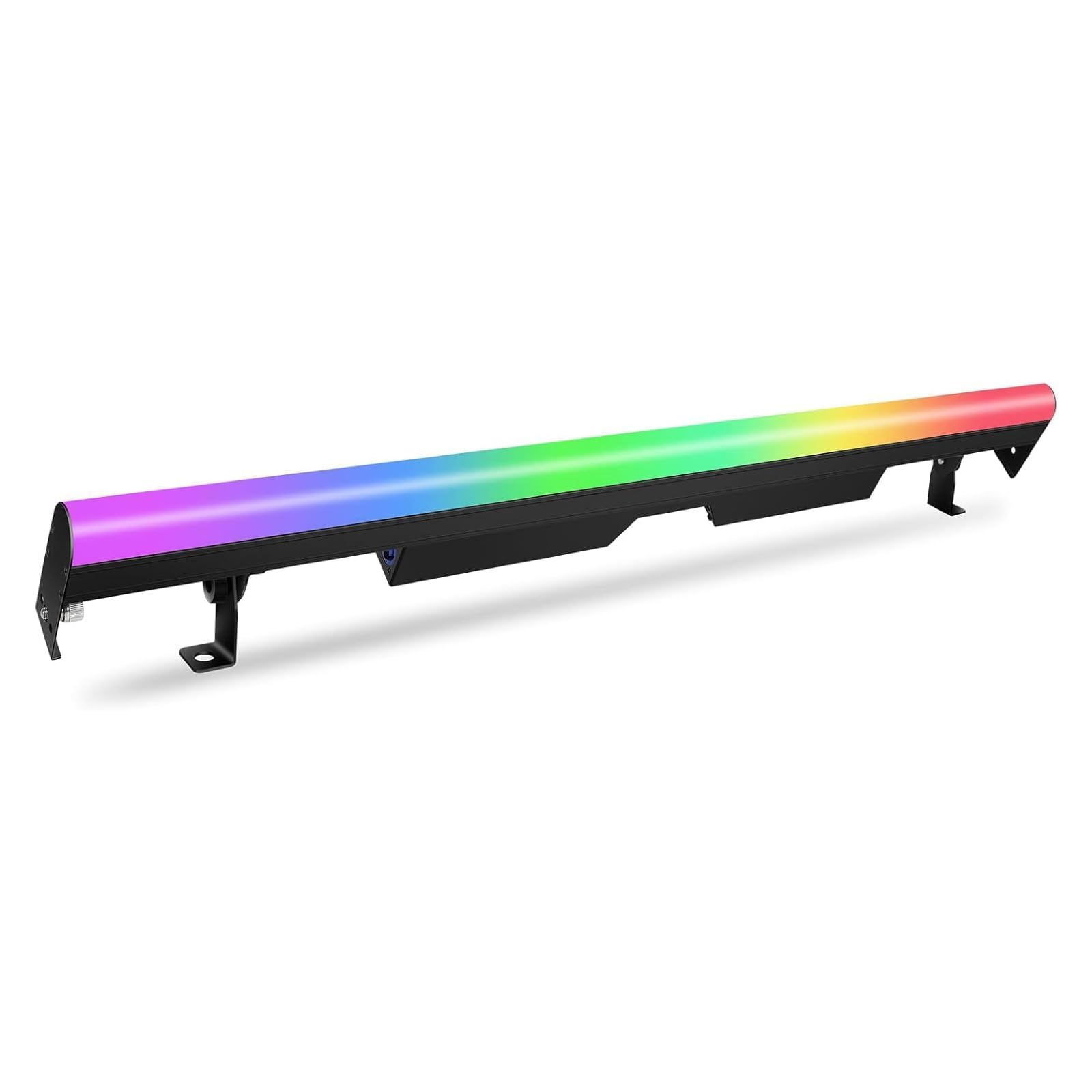
The ENDYSHOW 60W 90 LED RGB 3IN1 DJ Stage Pixel Light Bar (Model PL-32KT) is a versatile lighting fixture designed for various stage, event, and entertainment applications. It features 90 RGB 3IN1 SMD LEDs, offering 30 independently controllable zones for dynamic pixel mapping effects. With multiple control modes including Auto, Sound Activated, Master/Slave, and DMX (3/5/8/90/94 channels), this light bar provides extensive creative possibilities. Its robust aluminum construction ensures efficient heat dissipation without the need for a cooling fan, resulting in silent operation. The seamless stitching design allows for connecting multiple units to create larger, synchronized lighting displays.
1. Setup
1.1 Unboxing and Inspection
Carefully remove the light bar and all accessories from the packaging. Inspect the unit for any signs of damage during transit. The package should include:
- 1 x 90LEDs Stage Light Bar
- 1 x Power Cable
- 1 x User Manual
1.2 Mounting
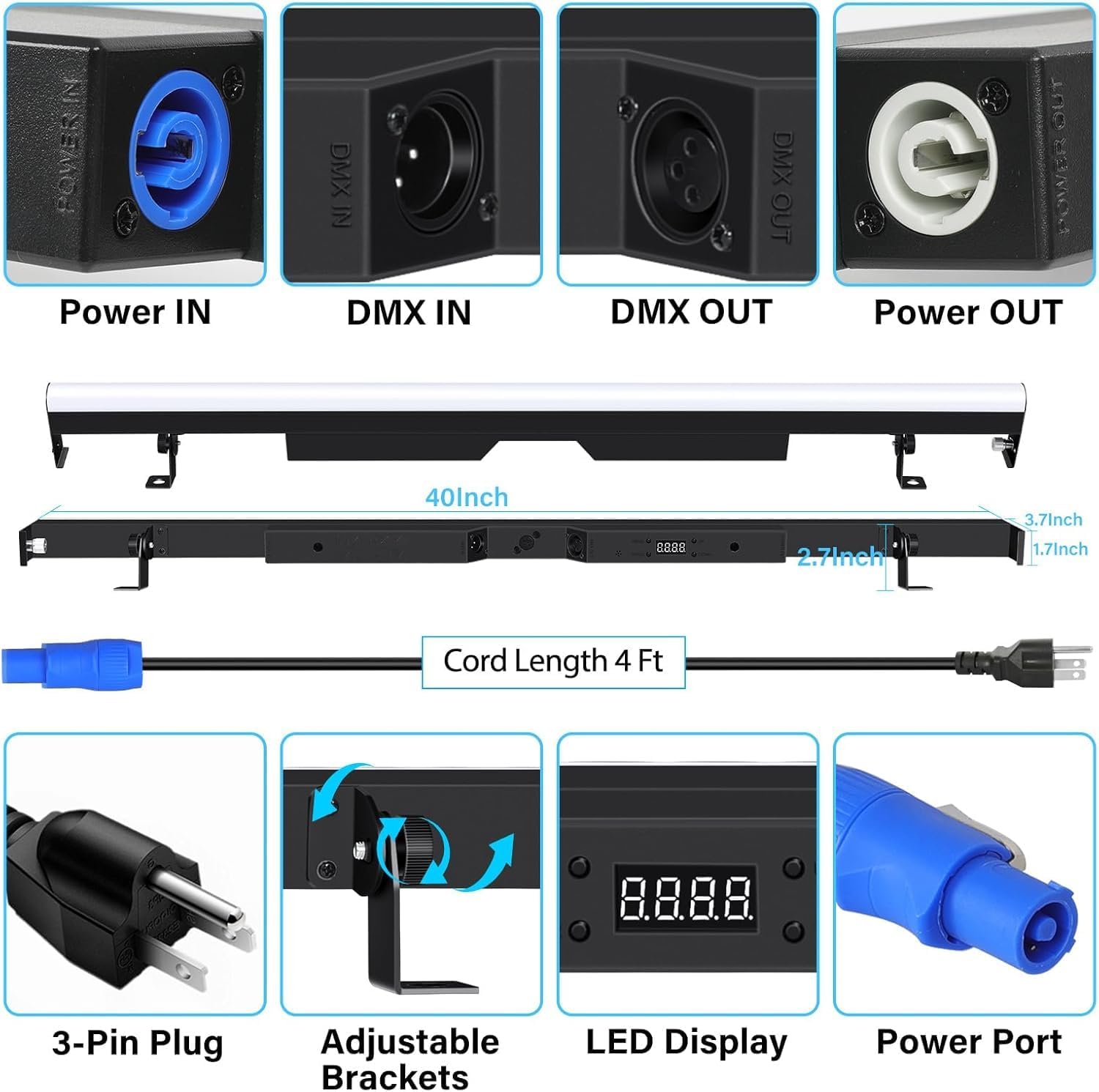
The light bar is equipped with adjustable brackets for flexible positioning. These brackets can be adjusted to stand the unit upright, forward, or backward, or to mount it on a truss or other surfaces using appropriate clamps (not included).

1.3 Power Connection
Connect the provided power cable to the Power IN port on the light bar. For daisy-chaining multiple units, connect the Power OUT of one unit to the Power IN of the next. Ensure all connections are secure.
1.4 DMX Connection
For DMX control, connect a DMX cable from your DMX controller's output to the DMX IN port on the first light bar. To link multiple units, connect the DMX OUT of the first unit to the DMX IN of the next, and so on. Ensure the last unit in the chain has a DMX terminator (not included) connected to its DMX OUT port for stable signal transmission.

2. Operating Modes
2.1 Control Panel
The light bar features an LED display and control buttons (MENU, UP, DOWN, ENTER) on the back for easy navigation and setting adjustments.

2.2 Auto Mode
The light bar comes with several pre-programmed automatic modes that cycle through various colors and effects without external control. Use the control panel to select desired auto programs.
2.3 Sound Activated Mode
In Sound Activated mode, the light bar reacts to ambient sound, changing colors and patterns in sync with music or other audio inputs. This mode is ideal for dynamic, responsive lighting without a DMX controller.
2.4 Master/Slave Mode
Connect multiple light bars using DMX cables. Set one unit as the Master and the others as Slaves. The Slave units will then synchronize their lighting effects with the Master unit, creating a cohesive display across multiple fixtures.
2.5 DMX Control
The light bar supports DMX control with various channel modes (3, 5, 8, 90, 94 CH). This allows for precise control over individual pixels, colors, dimming, and strobe effects using a compatible DMX controller. Refer to the DMX chart in the full manual for detailed channel assignments.
2.6 Pixel Mapping & Effects
With 30 independently controllable zones, each containing 3 RGB SMD LEDs, the light bar offers advanced pixel mapping capabilities. This allows for creating complex chases, static colors, strobe effects, and smooth color blends.

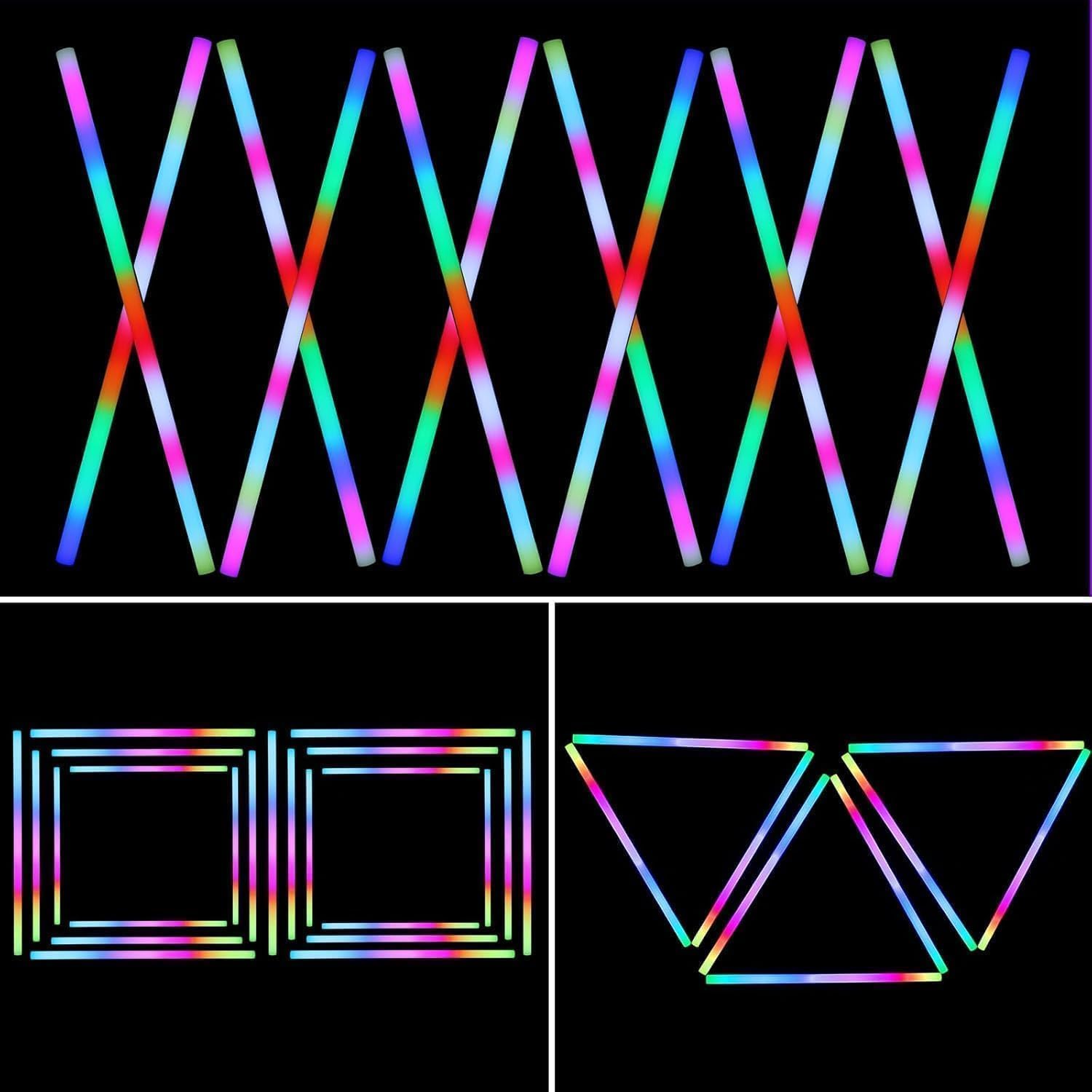
2.7 Dimming & Strobe
The unit supports 0-100% linear dimming for precise brightness control and offers various strobe effects to add dynamic visual impact to your lighting setup.
3. Product Media
3.1 Product Demonstration Video
This video provides a dynamic demonstration of the ENDYSHOW 90 RGB 3in1 LED Stage Pixel Light Bar, showcasing its diverse lighting effects, smooth color transitions, and pixel mapping functionalities in action.
3.2 DMX Control Features Video
This video focuses on the DMX control capabilities of the ENDYSHOW 60W 90 LEDs RGB Stage Wash Light Bar, demonstrating how it can be integrated into a DMX system to create complex and synchronized lighting effects.
3.3 Pixel Effects Demonstration Video
This video highlights the advanced pixel effects and dynamic patterns that can be created with the ENDYSHOW 60W 90 LEDs RGB 3IN1 DJ Stage Pixel Light Bar, demonstrating its use for engaging visual displays.
4. Maintenance
4.1 Cleaning
Regularly clean the exterior of the light bar with a soft, dry cloth to remove dust and debris. Avoid using abrasive cleaners or solvents that could damage the finish or optical components.
4.2 Storage
When not in use, store the light bar in a cool, dry place, away from direct sunlight and extreme temperatures. If storing for extended periods, consider using the original packaging or a protective case to prevent damage.
5. Troubleshooting
5.1 No Power
- Ensure the power cable is securely connected to both the light bar and a working power outlet.
- Check the power source for functionality.
5.2 No DMX Signal
- Verify DMX cable connections between the controller and the light bar(s).
- Ensure the DMX address and channel mode are correctly set on the light bar.
- Confirm that a DMX terminator is used on the last unit in a DMX chain.
5.3 Incorrect Lighting Mode/Effect
- Check the settings on the LED display using the MENU, UP, DOWN, and ENTER buttons.
- If using DMX, ensure the DMX controller is sending the correct commands for the desired effect.
6. Specifications
| Feature | Detail |
|---|---|
| Model Number | PL-32KT |
| Brand | ENDYSHOW |
| Power Consumption | 60 Watts |
| Light Source | 90 RGB 3IN1 SMD LEDs |
| Color | RGB (Red, Green, Blue) |
| Control Modes | Auto, DMX512, Sound Activated, Master/Slave |
| DMX Channels | 3/5/8/90/94 CH |
| Dimming | 0-100% Linear Dimming |
| Strobe Effects | Yes |
| Material | Aluminum |
| Product Dimensions | 41"L x 5.13"W x 3.14"H |
| Item Weight | 3.54 pounds |
| Power Source | Corded Electric (AC110-240V, 50/60Hz) |
| Mounting Type | Bracket Mount |
7. Warranty & Support
7.1 Warranty Information
This product comes with a standard manufacturer's warranty. Please refer to the warranty card included in your package or contact ENDYSHOW customer service for specific details regarding warranty coverage and duration.
7.2 Customer Support
For technical assistance, troubleshooting, or any product-related inquiries, please contact ENDYSHOW customer support through the retailer's platform or visit the official ENDYSHOW website for contact information.