
1. Introduction
This manual provides detailed instructions for the safe and effective operation of your ENDYSHOW LED Stage Pixel Light Bar. Please read this manual thoroughly before installation and use, and retain it for future reference. This device is designed for professional stage lighting applications, offering dynamic RGB pixel mapping capabilities.
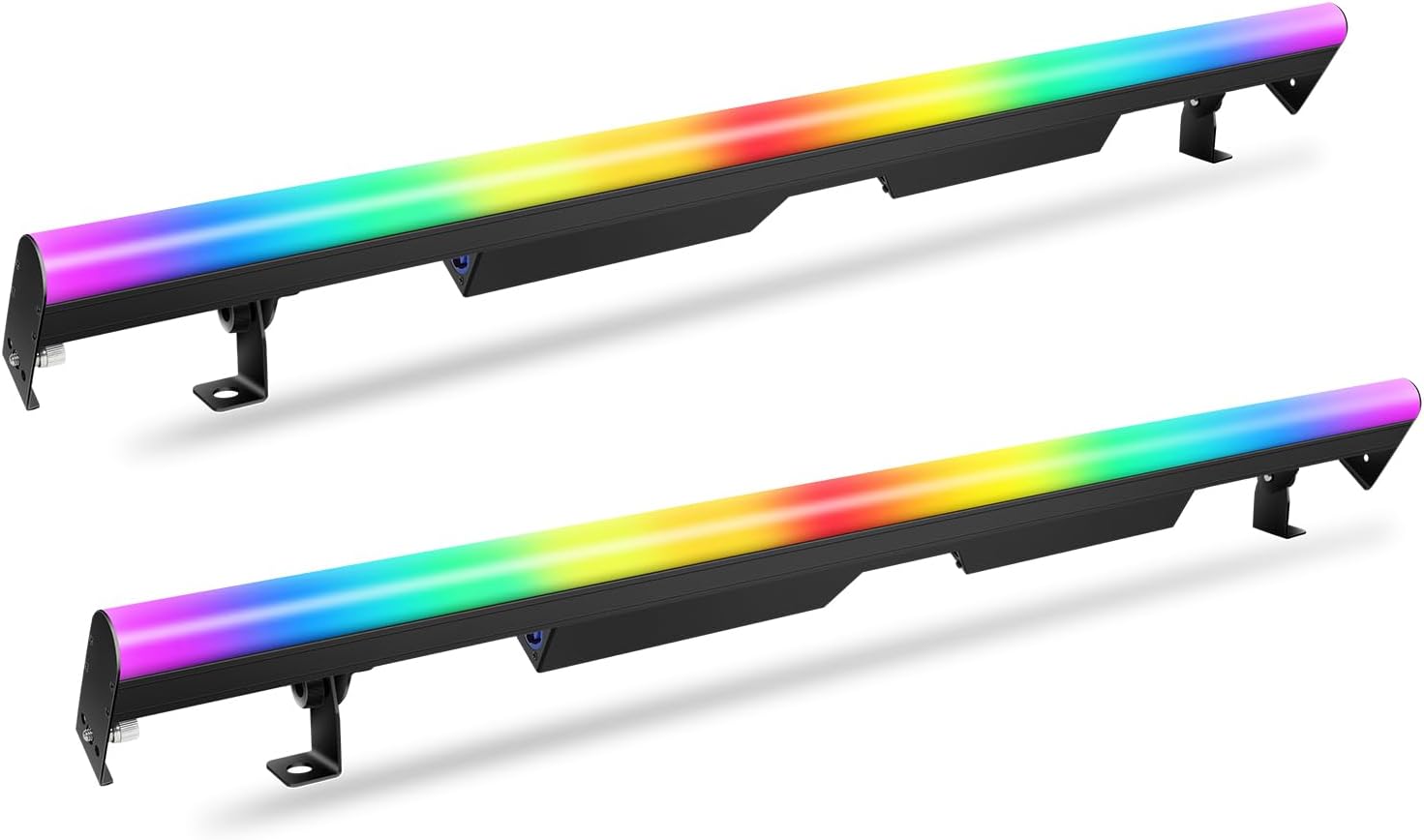
Figure 1.1: ENDYSHOW LED Stage Pixel Light Bar overview. The image shows two light bars, each approximately 40 inches long, emitting a smooth gradient of colors from red to violet. They are equipped with adjustable mounting brackets.
2. Safety Information
- Ensure the power supply voltage matches the specified requirements (AC110-240V, 50/60Hz).
- Do not expose the device to rain or moisture to prevent electric shock or fire.
- Always disconnect from power before cleaning or servicing.
- Avoid direct eye exposure to the light source, as it can cause eye damage.
- Ensure proper ventilation to prevent overheating. The aluminum construction aids in heat dissipation.
- Mount the fixture securely to prevent accidental falls.
- Do not attempt to repair the unit yourself. Refer all servicing to qualified personnel.
3. Package Contents
Verify that all items are present and in good condition upon opening the package:
- 2 x 90 LEDs Stage Light Bar
- 2 x Power Cable
- 2 x User Manual

Figure 3.1: Included components. The image displays two light bars, two power cables, and mounting hardware, confirming the contents of the package.
4. Product Features
- 90 LED Pixel Mapping: Features 30 independently controllable zones, each with 3 RGB SMD LEDs for precise pixel effects.
- DMX Control: Compatible with DMX512 protocol, offering 3, 5, 8, 90, or 94 channel modes for versatile control.
- Seamless Stitching Design: Side lock design allows multiple units to be connected end-to-end for continuous light displays without gaps.
- Efficient Heat Dissipation: Full aluminum body construction ensures optimal heat management without the need for a cooling fan, resulting in silent operation.
- Multiple Operating Modes: Includes automatic, sound-activated, master/slave, and DMX modes.
- Color Capabilities: Produces a wide range of colors including Red, Green, Blue, Amber, Rose, and Cyan.

Figure 4.1: Color output examples. The image displays various solid colors like Red, Green, Blue, Amber, Rose, and Cyan, demonstrating the light bar's color mixing capabilities.
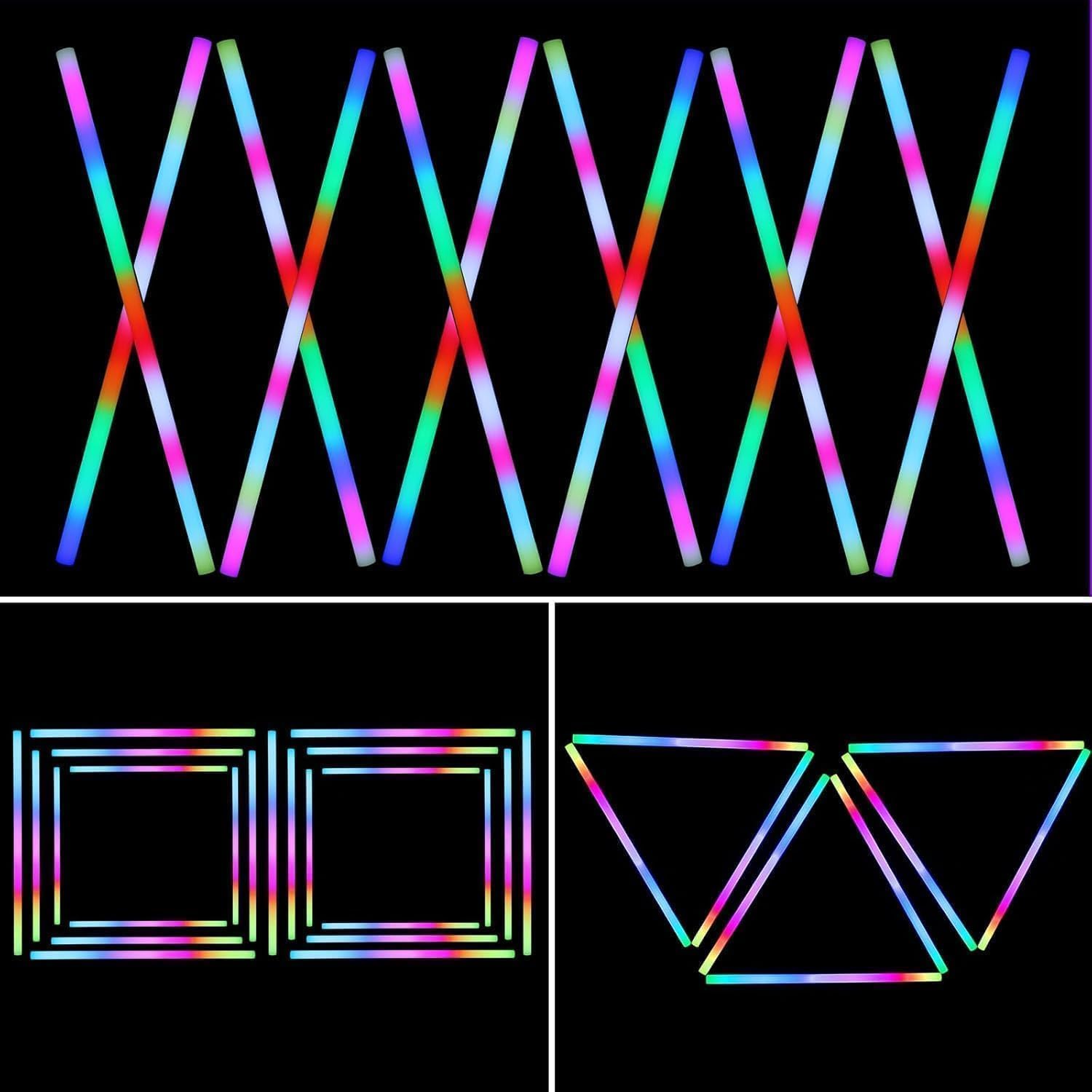
Figure 4.2: Seamless stitching design in action. This image shows multiple light bars connected to form various geometric shapes and patterns, highlighting the seamless stitching capability.
5. Setup
5.1 Physical Installation
The light bar can be mounted using the adjustable brackets provided. Ensure the mounting surface is stable and capable of supporting the fixture's weight. The brackets allow for various angles and orientations.

Figure 5.1: Adjustable brackets. This image highlights the adjustable brackets, indicating their flexibility for mounting the light bar at different angles.
5.2 Power and DMX Connections
Connect the provided power cable to the "Power IN" port on the light bar and then to a suitable power outlet. For DMX control, connect a DMX cable from your DMX controller's output to the "DMX IN" port on the first light bar. To daisy-chain multiple units, connect a DMX cable from the "DMX OUT" of the first unit to the "DMX IN" of the next unit. Power can also be daisy-chained using the "Power OUT" port.
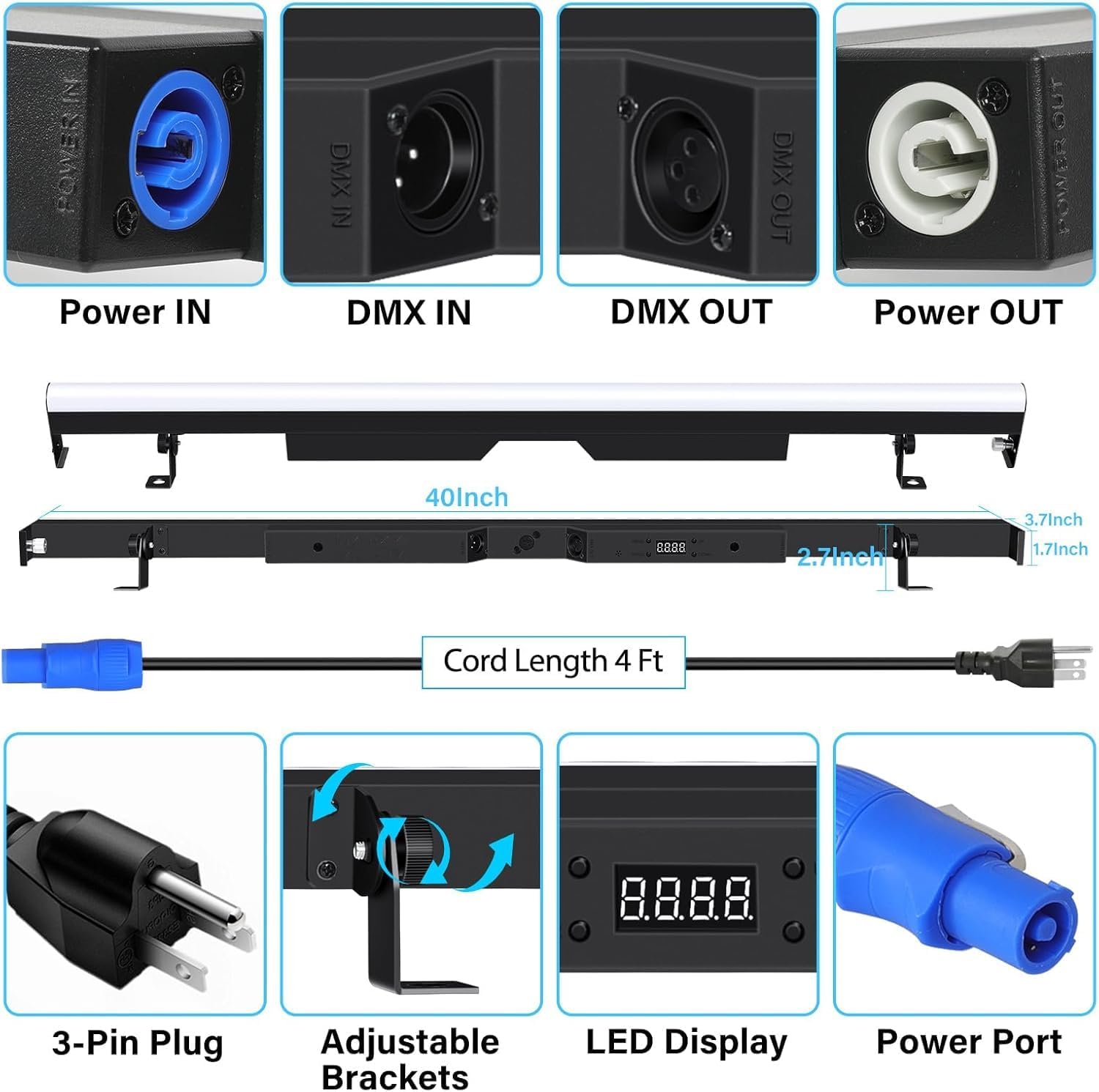
Figure 5.2: Connection ports and dimensions. The image details the Power IN, DMX IN, DMX OUT, and Power OUT ports, along with the light bar's dimensions (40 inches long).
6. Operating Modes
The ENDYSHOW LED Stage Pixel Light Bar offers several operating modes, selectable via the onboard LED display and buttons.
6.1 DMX Control Mode
This mode allows external control via a DMX512 controller. The light bar supports multiple DMX channel modes (3, 5, 8, 90, 94 channels) to suit various control requirements. Refer to the DMX channel chart in the appendix (if available in physical manual) for specific channel functions. Set the DMX address on the light bar using the LED display and buttons to match your controller's settings.

Figure 6.1: DMX control. This image illustrates the light bar connected to a DMX controller, demonstrating its compatibility with external DMX systems.
6.2 Automatic Modes
The light bar includes several pre-programmed automatic modes that cycle through various colors and effects without external input. These modes are ideal for quick setup and general ambient lighting.
6.3 Sound Activated Mode
In this mode, the light bar reacts to ambient sound, changing colors and patterns in sync with music or other audio inputs. Adjust the sensitivity if necessary using the onboard controls.

Figure 6.2: Sound Activated Mode. The image shows the light bar displaying dynamic color patterns, synchronized with a musical performance, indicating its sound-activated functionality.
6.4 Master/Slave Mode
Connect multiple light bars using DMX cables. Designate one unit as the "Master" and the others as "Slave" units. The slave units will then mirror the master unit's operations, allowing for synchronized lighting effects across multiple fixtures.

Figure 6.3: Master-Slave Mode. This image depicts two light bars working in unison, demonstrating how multiple units can be synchronized for a cohesive light show.
7. Technical Specifications
| Specification | Detail |
|---|---|
| Model Number | PL-32KT |
| Brand | ENDYSHOW |
| Light Source | 90 Pcs SMD 3IN1 RGB LED Lights |
| Power Consumption | 60 Watts |
| Voltage | AC110-240V, 50/60Hz |
| DMX Channels | 3/5/8/90/94 CH |
| Beam Angle | 90° |
| Operating Modes | Auto, DMX512, Sound Activated, Master/Slave |
| Material | Aluminum |
| Product Dimensions | 41"L x 5.13"W x 3.14"H |
| Item Weight | 9.03 pounds |

Figure 7.1: Key technical specifications. This image visually presents some of the core specifications of the light bar, including power consumption, voltage, LED type, and DMX channels.
8. Maintenance
- Cleaning: Regularly clean the exterior of the light bar with a soft, dry cloth. Do not use abrasive cleaners or solvents. Ensure the device is unplugged before cleaning.
- Inspection: Periodically check power cables and DMX cables for any signs of damage. Ensure all connections are secure.
- Storage: When not in use for extended periods, store the light bar in a dry, dust-free environment, preferably in its original packaging or a protective case.
- No User-Serviceable Parts: The internal components are not user-serviceable. Do not open the casing.

Figure 8.1: Heat dissipation design. This image highlights the aluminum construction responsible for efficient heat dissipation, ensuring silent operation without a fan.
9. Troubleshooting
| Problem | Possible Cause | Solution |
|---|---|---|
| No power | Power cable not connected; Power outlet faulty; Fuse blown | Check power cable connection; Test power outlet; Replace fuse (if accessible and safe to do so, otherwise contact support) |
| No DMX control | Incorrect DMX address; Faulty DMX cable; DMX controller issue; Incorrect DMX channel mode | Verify DMX address setting; Test DMX cable; Check DMX controller functionality; Ensure correct DMX channel mode is selected on the light bar. |
| Lights not synchronizing in Master/Slave mode | Incorrect Master/Slave setting; Faulty DMX connection between units | Ensure one unit is set to Master and others to Slave; Check DMX cable connections between units. |
| Sound Activated mode not responding | Low audio input; Sensitivity setting too low | Increase audio volume near the light bar; Adjust sound sensitivity setting on the unit. |
10. Warranty and Support
For warranty information and technical support, please refer to the contact details provided with your purchase documentation or visit the official ENDYSHOW website. Keep your proof of purchase for any warranty claims.