
Introduction
Welcome to your new Lenovo ThinkPad E14 Gen 6 Business Laptop. This manual provides essential information for setting up, operating, maintaining, and troubleshooting your device.
This laptop is designed for business professionals, featuring an AMD Ryzen 5 7535U processor, 32GB DDR5 RAM, a 1TB SSD, and Windows 11 Pro. It also includes a Targus USB-C 100W Docking Station for enhanced connectivity.
Package Contents
- Lenovo ThinkPad E14 Gen 6 Laptop
- AC Power Adapter
- Targus USB-C 100W Docking Station
- Documentation (this manual)
Setup Guide
Initial Power-On
- Connect the AC power adapter to the laptop and a power outlet.
- Open the laptop lid. The laptop may power on automatically. If not, press the power button located on the side.
- Follow the on-screen instructions to complete the Windows 11 Pro setup, including language, region, network connection, and user account creation.
Connecting the Targus USB-C Docking Station
- Connect the Targus docking station to the laptop using a USB-C cable.
- Connect external displays, peripherals (keyboard, mouse), and network cables to the docking station.
- Ensure the docking station's power adapter is connected to a power outlet.

Operating Your Laptop
Keyboard and TrackPoint
The ThinkPad E14 Gen 6 features a backlit keyboard and the iconic TrackPoint for precise navigation.
Touchpad
The multi-touch touchpad supports various gestures for enhanced productivity. Refer to Windows settings for customization.
Fingerprint Reader
The fingerprint reader is integrated into the power button. Configure Windows Hello for secure login.

Display
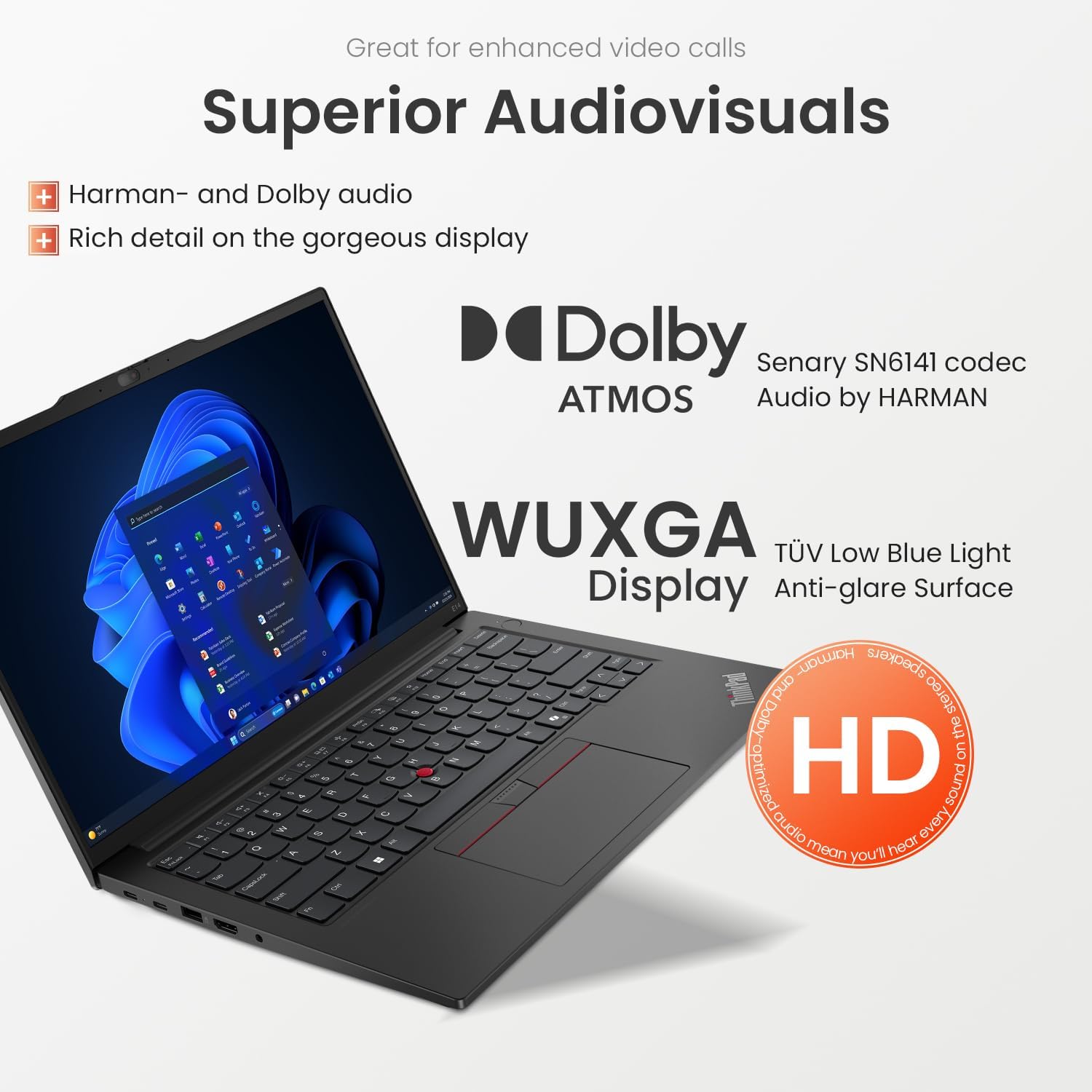
The 14-inch WUXGA (1920 x 1200) IPS display features anti-glare technology and TÜV Low Blue Light certification for comfortable viewing.
Connectivity
Your laptop offers a variety of ports for connecting external devices:
- 1x USB-A (USB 5Gbps / USB 3.2 Gen 1)
- 1x USB-A (USB 10Gbps / USB 3.2 Gen 2)
- 1x USB-C (USB 5Gbps / USB 3.2 Gen 1)
- 1x USB-C (USB 10Gbps / USB 3.2 Gen 2)
- 1x HDMI 2.1
- 1x Ethernet (RJ45)
- 1x Headphone/Microphone combo jack
Wireless connectivity includes Wi-Fi 6 for high-speed internet and Bluetooth for peripherals.

Security Features
ThinkShield
ThinkShield provides a suite of security features to protect your data and device, including hardware and software solutions.
Fingerprint Reader
The integrated fingerprint reader allows for secure and convenient biometric authentication.
Webcam Privacy Shutter
The FHD 1080P webcam includes a physical privacy shutter for enhanced privacy.

Maintenance and Care
- Keep the laptop clean by wiping surfaces with a soft, damp cloth. Avoid harsh chemicals.
- Ensure proper ventilation by not blocking air vents.
- Regularly back up your data to prevent loss.
- Keep your operating system and drivers updated.

Troubleshooting
Power Issues
- If the laptop does not power on, ensure the AC adapter is securely connected and the power outlet is functional.
- If the battery is not charging, check the power adapter and cable for damage.
Display Problems
- If the screen is blank, try connecting an external monitor to verify if the laptop is functioning.
- Adjust brightness settings using the function keys.
Connectivity Issues
- For Wi-Fi issues, ensure Wi-Fi is enabled and try restarting your router.
- For peripheral issues, ensure devices are properly connected to the correct ports or the docking station.
Technical Specifications
| Feature | Specification |
|---|---|
| Model Name | Lenovo ThinkPad E14 Gen 6 (21M4) |
| Processor | AMD Ryzen 5 7535U (6 Cores, 12 Threads, up to 4.55GHz) |
| Graphics | AMD Radeon Graphics (Integrated) |
| RAM | 32GB DDR5 4800MHz |
| Storage | 1TB PCIe NVMe M.2 SSD |
| Display | 14" WUXGA (1920 x 1200) IPS, Anti-glare, 300 nits, TÜV Low Blue Light |
| Operating System | Windows 11 Pro |
| Wireless | Wi-Fi 6 (802.11ax), Bluetooth |
| Ports | USB-A (3.2 Gen 1/2), USB-C (3.2 Gen 1/2), HDMI 2.1, Ethernet (RJ45), Headphone/Mic Combo |
| Webcam | FHD 1080P with Privacy Shutter |
| Dimensions (LxWxH) | 12.32 x 8.63 x 0.71 inches |
| Weight | Approximately 6 pounds |
Warranty and Support
Your Lenovo ThinkPad E14 Gen 6 laptop comes with a standard manufacturer's warranty. For detailed warranty terms and conditions, please refer to the warranty card included with your product or visit the official Lenovo support website.
Technical Support
For technical assistance, driver downloads, or service requests, please visit the Lenovo Support website: support.lenovo.com.
Have your product's serial number ready when contacting support.


