
1. Introduction
This manual provides essential information for the safe and efficient operation, assembly, and maintenance of your isinwheel M10 Electric Bike. Please read this manual thoroughly before your first ride and keep it for future reference. The isinwheel M10 is a 26-inch commuting electric mountain bike designed for adult riders, featuring a 500W motor, a maximum speed of 20 MPH, and a range of 55+ miles with pedal assist.
2. Package Contents
Upon unboxing your isinwheel M10 Electric Bike, verify that all components are present and undamaged. The package typically includes the following:
- Main bike frame (partially assembled)
- Front wheel
- Handlebar assembly
- Seat with seat post
- Pedals (left and right)
- Front and rear fenders
- Headlight and taillight
- Rear rack
- Battery pack (36V 13Ah)
- Battery charger with power cord
- User manual and assembly tools (including Allen keys and wrench)
- Tire pump

Image: All components of the isinwheel M10 Electric Bike laid out after unboxing.
3. Setup & Assembly
The isinwheel M10 Electric Bike arrives 90% pre-assembled. Follow these steps to complete the assembly:
3.1. Kickstand Installation
Attach the kickstand to the designated mounting point near the rear wheel. Ensure it is securely fastened with the provided screws and tools.
3.2. Front Wheel Installation
Carefully align the front wheel with the fork. Ensure the brake rotor slides correctly into the brake caliper. Insert the quick-release skewer through the wheel hub and secure it according to the instructions. Verify the wheel spins freely without rubbing against the brake pads.

Image: The front wheel and fork assembly of the electric bike.
3.3. Fender and Headlight Installation
Attach the front fender to the fork using the provided hardware. Mount the headlight to the front fender or fork crown, ensuring it is securely fastened and facing forward.

Image: Detailed view of the headlight and front fender attachment points.
3.4. Handlebar Installation
Insert the handlebar stem into the bike's head tube. Adjust the height to your preference and tighten the stem bolts securely. Attach the handlebars to the stem, ensuring they are centered and aligned with the front wheel before tightening the handlebar clamp bolts.

Image: The adjustable Dutch-inspired handlebars designed for comfortable, upright posture.
3.5. Pedal Installation
Identify the left (L) and right (R) pedals. The left pedal screws counter-clockwise, and the right pedal screws clockwise. Ensure they are fully tightened to prevent loosening during use.
3.6. Rear Rack Installation
Mount the rear rack to the designated attachment points on the bike frame above the rear wheel. Secure all bolts firmly.
3.7. Cable Connections
Connect any remaining electrical cables, ensuring they are properly seated and secured. Refer to the installation video for detailed guidance on cable routing and connections.
3.8. Tire Inflation
Inflate tires to the recommended PSI range (Min 40 PSI, Max 65 PSI) indicated on the tire sidewall. Use the provided tire pump or a suitable air compressor.
3.9. Seat Adjustment
Adjust the seat height for comfortable pedaling, ensuring your feet can touch the ground when stopped. Secure the quick-release lever on the seat post firmly.
3.10. Assembly Video Guide
Video: Official isinwheel U2 Electric Bike Installation and Operation Guide. This video provides a step-by-step visual guide for assembling your electric bike.
5. Operating Instructions
5.1. Powering On/Off
To power on the bike, press and hold the 'M' button on the intelligent LCD display. To power off, press and hold the 'M' button again.
5.2. Intelligent LCD Display
The high-resolution LCD display shows important information such as current speed (MPH), battery level, pedal assist level, and odometer. Use the '+' and '-' buttons to adjust the pedal assist level.

Image: The intelligent LCD screen provides real-time riding data and controls.
5.3. Working Modes
The isinwheel M10 offers three working modes:
- Electric Bike Mode: Full throttle operation without pedaling.
- Assisted Bike Mode: Motor provides assistance while you pedal. Adjust assist level using the LCD display.
- Normal Bike Mode: Ride as a traditional bicycle without motor assistance.
5.4. Throttle Operation
The thumb throttle on the right handlebar allows for electric-only propulsion. Apply gentle pressure to engage the motor. The bike can reach its maximum speed of 20 MPH using the throttle.
5.5. Shifting Gears
The bike is equipped with a professional 7-speed Shimano gear system. Use the shifter on the right handlebar to change gears according to terrain and desired speed. Smooth shifting is achieved by easing off the pedals slightly while shifting.

Image: Close-up of the Shimano 7-speed shifter for precise gear changes.
5.6. Braking System
The bike features dual disc brakes for reliable stopping power. Apply both front and rear brakes simultaneously for optimal control and safety. The front fork suspension helps absorb impact during braking.

Image: The front and rear suspension system effectively reduces bumps and vibrations for a smoother ride.
5.7. Lights and Horn
The integrated lighting system includes a headlight and a rear brake light for enhanced visibility. Use the controls on the handlebar to activate the lights. The bike is also equipped with a horn for signaling.
Image: The integrated lighting system ensures visibility in various light conditions.
5.8. Riding Experience Video
Video: Experience the isinwheel U2 Electric Bike as a perfect cruiser for various terrains.
6. Performance & Features
6.1. Motor and Battery
The isinwheel M10 is powered by a 500W rear-drive motor, providing reliable support and a top speed of 20 MPH. The modular 36V 13Ah battery allows for a travel range of up to 55+ miles per charge using pedal assist, or up to 36 miles on throttle mode.
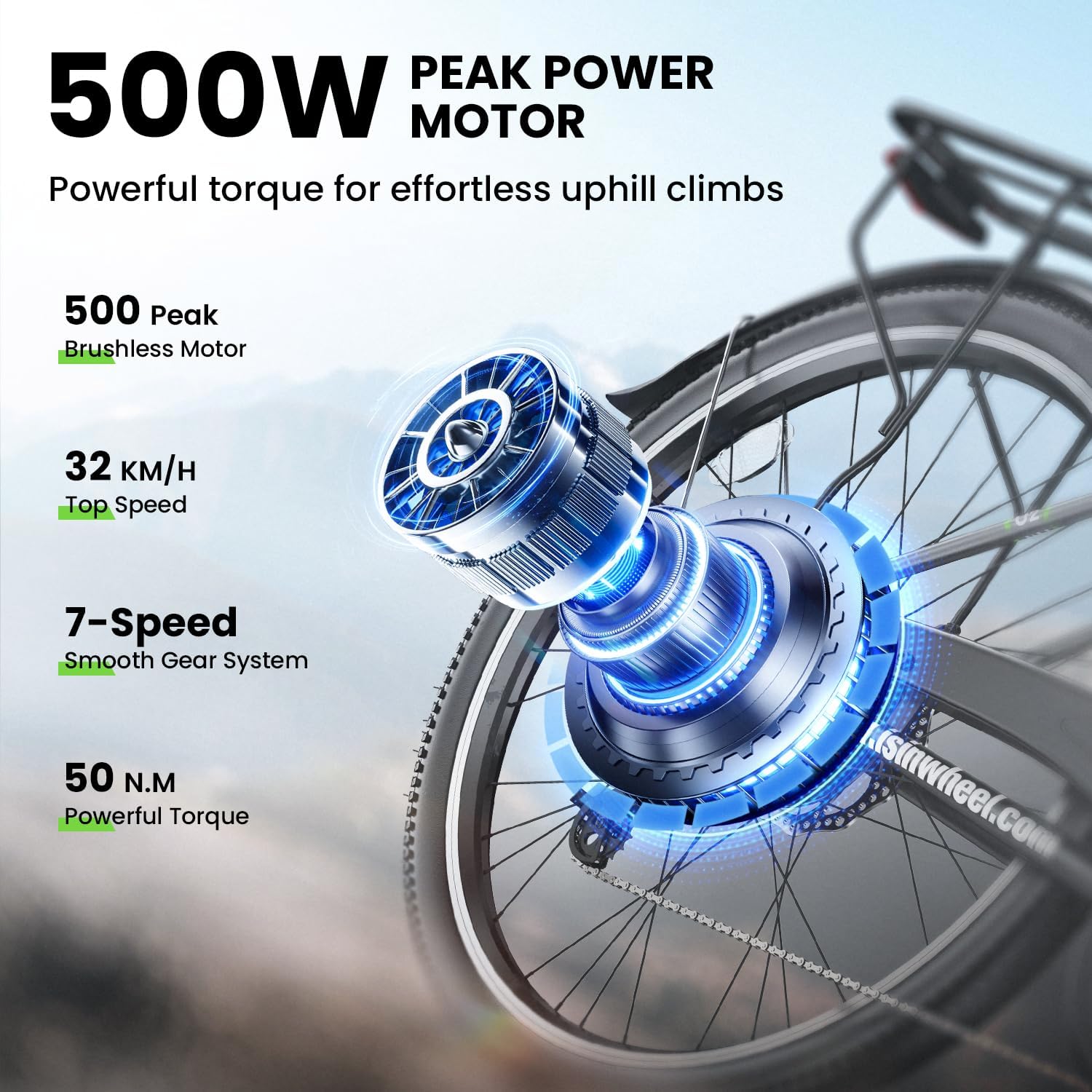
Image: The 500W peak power motor provides powerful torque for effortless uphill climbs.

Image: The 468WH extended-life battery is engineered for prolonged performance.
6.2. All-Terrain Front Fork Suspension
Equipped with a front fork suspension system, the bike ensures a comfortable and smooth ride across various surfaces, including paved roads, gravel paths, dirt trails, and cobblestone streets.

Image: The all-terrain front fork suspension ensures a comfortable ride on any surface.
6.3. Premium Quality Material
The 26-inch electric bike is constructed with a light and sturdy carbon steel frame. Both front and rear wheels feature double-layer aluminum alloy for greater durability and a faster ride with less drag. The low step-through frame design makes mounting and dismounting easy.
6.4. Smart & Practical Features
The bike is designed for comfort and convenience, featuring a comfortable leather seat, a step-thru frame design, IPX4 water resistance, and adjustable handlebars for personalized riding posture.
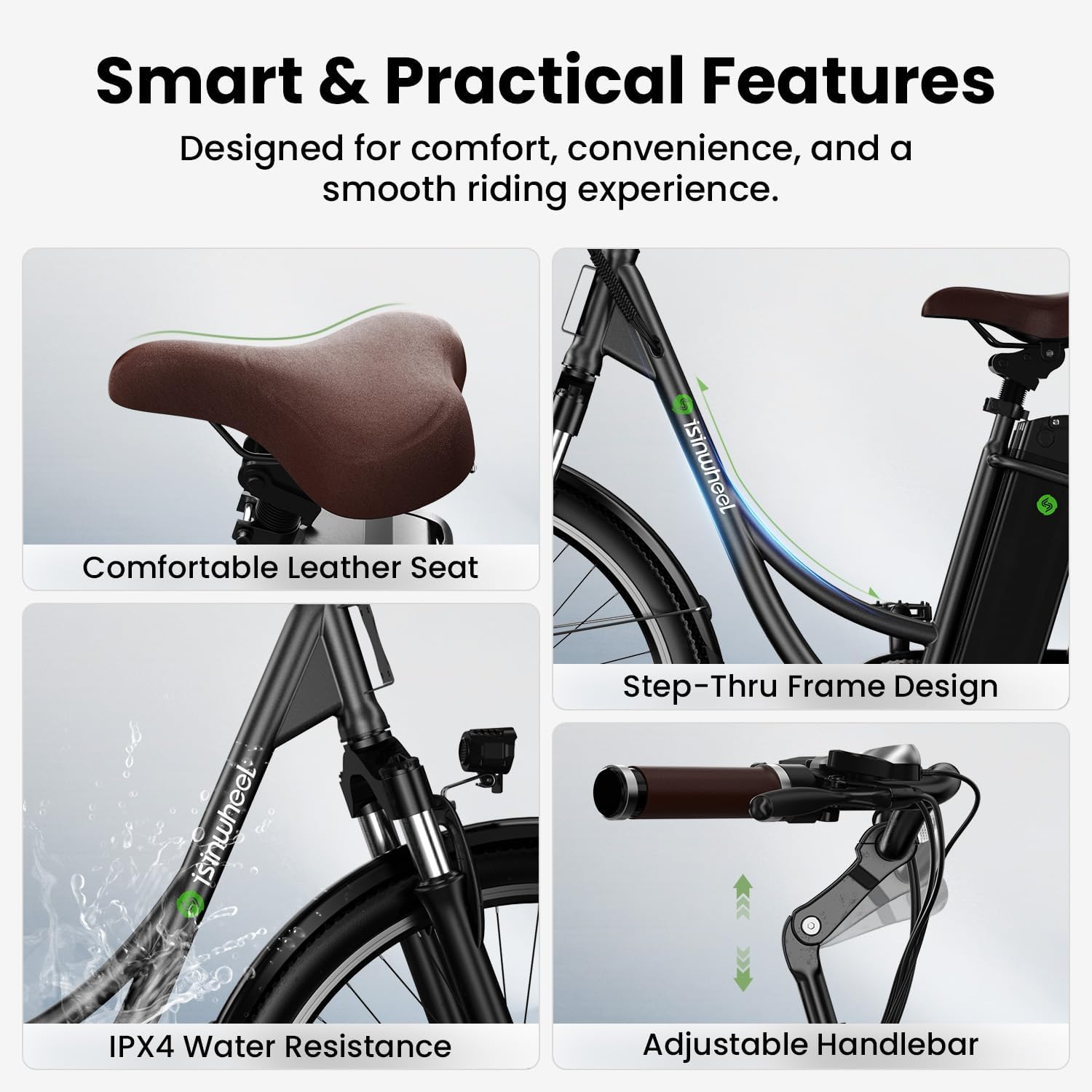
Image: Overview of smart and practical features including comfortable seat, step-thru frame, water resistance, and adjustable handlebars.
7. Maintenance & Care
7.1. Battery Charging
Charge the battery using the provided charger. The charger light will indicate charging status (red/orange for charging, green for fully charged). Ensure the battery is fully charged before long rides to maximize range.
Video: Learn how to commute smarter with the U2 electric bike, including battery charging tips.
7.2. Tire Pressure
Regularly check and maintain tire pressure within the recommended range (40-65 PSI) to ensure optimal performance, safety, and prevent punctures.
7.3. Brake Inspection
Periodically inspect brake pads and rotors for wear. If brakes feel spongy or make excessive noise, they may need adjustment or replacement. Consult a professional if unsure.
7.4. Chain Lubrication
Keep the bike chain clean and lubricated to ensure smooth gear changes and prolong its lifespan. Apply chain grease as needed, especially after riding in wet conditions.
7.5. Cleaning
Clean your bike regularly with a damp cloth. Avoid using high-pressure water jets directly on electrical components.
8. Troubleshooting
8.1. Flat Tires
While the tires are puncture-resistant, flats can still occur. If you experience a flat, inspect the tire for punctures and repair or replace the inner tube as necessary. Consider adding tire sealant for extra protection.
8.2. Battery Not Charging
If the battery is not charging, ensure the charger is properly connected to both the battery and a working power outlet. Check the charger indicator light. If the issue persists, contact customer support.
8.3. Brakes Squeaking
Squeaking brakes can be caused by dirt, moisture, or worn pads. Clean the rotors and pads. If squeaking continues, brake pads may need to be replaced or adjusted by a bike shop.
8.4. General Issues
For any other operational issues or concerns, please refer to the detailed troubleshooting section in the full user manual or contact isinwheel customer support for assistance.
9. Specifications
| Feature | Detail |
|---|---|
| Bike Type | Electric Bike, Commuting Bike, Cruiser Bike |
| Age Range | Adult |
| Brand | isinwheel |
| Motor Power | 500W Rear-Drive |
| Max Speed | 20 MPH |
| Battery | 36V 13Ah (468WH) Modular |
| Max Range | 55+ Miles (Pedal Assist), 36 Miles (Throttle) |
| Number of Speeds | 7 (Shimano) |
| Color | Black |
| Wheel Size | 26 Inches |
| Frame Material | Carbon Steel |
| Suspension Type | Front Fork Suspension |
| Special Features | Portable, Adjustable Seat, Dual Disc Brake, Digital Display, IPX4 Water Resistance |
| Recommended Height | 5'1"-6'3" |
| Bicycle Weight | 59.5 lbs |
| Load Capacity | 264.5 lbs |

Image: Detailed dimensions and weight specifications for the isinwheel M10 Electric Bike.
10. Warranty & Support
The isinwheel M10 Electric Bike comes with a one-year warranty covering the electric motor, battery, and charger. For any issues or inquiries, do not hesitate to contact isinwheel customer support. They aim to respond and resolve issues within 24 hours.
For further assistance, visit the official isinwheel website or refer to the contact information provided in your product packaging.