
1. Introduction
This manual provides detailed instructions for the installation, operation, and maintenance of your ZOSI C306 Pro 3MP 2K Wireless Solar Security Camera. Please read this manual thoroughly before using the product to ensure proper functionality and safety. The ZOSI C306 Pro is a battery and solar-powered outdoor security camera featuring 2K Super HD resolution, color night vision, PIR motion detection, spotlight alarm, and two-way audio communication.

Image 1.1: ZOSI C306 Pro Wireless Solar Security Camera with its accompanying solar panel.
2. What's Included
Verify that all components are present in the package:
- 1 x ZOSI C306 Pro WiFi Camera
- 1 x Solar Panel with 4m USB Cable
- 1 x Mounting Base
- 1 x USB Charging Cable
- 1 x Reset Needle
- 1 x Screwdriver
- Mounting Screws and Wall Plugs
- 1 x Warning Sticker
- 1 x Quick Start Guide
- 1 x Mounting Hole Template

Image 2.1: All items included in the ZOSI C306 Pro product package.
3. Product Features
3.1. Wireless Operation and Dual Power Options
The ZOSI C306 Pro camera offers complete wireless freedom, powered by a built-in rechargeable battery providing up to 3 months of standby time. For continuous power, the included solar panel can be connected via a 4-meter USB cable, allowing flexible positioning for optimal sunlight exposure. The camera is designed for outdoor use with a weatherproof rating.

Image 3.1: The camera and solar panel setup, highlighting wireless connectivity and dual power sources (battery and solar).
3.2. 2K Super HD Video and Color Night Vision
Experience clear surveillance with 2K Super HD video quality (2304 x 1296 pixels). The camera features both infrared (IR) night vision up to 50ft and color night vision capabilities, ensuring detailed footage even in low-light conditions. Its IP66 weatherproof rating ensures reliable performance in various outdoor environments.

Image 3.2: Demonstration of 2K Super HD clarity, capturing fine details in the surveillance area.
3.3. Smart Detection and Alerts
Equipped with a PIR sensor and AI-driven person motion detection, the camera accurately identifies human movement, reducing false alarms. Upon detection, the integrated spotlight and siren can be activated to deter intruders. Users receive instant push notifications on their smartphone, triggering immediate recording.

Image 3.3: The camera's PIR and AI person detection capabilities, showing a notification for detected activity.
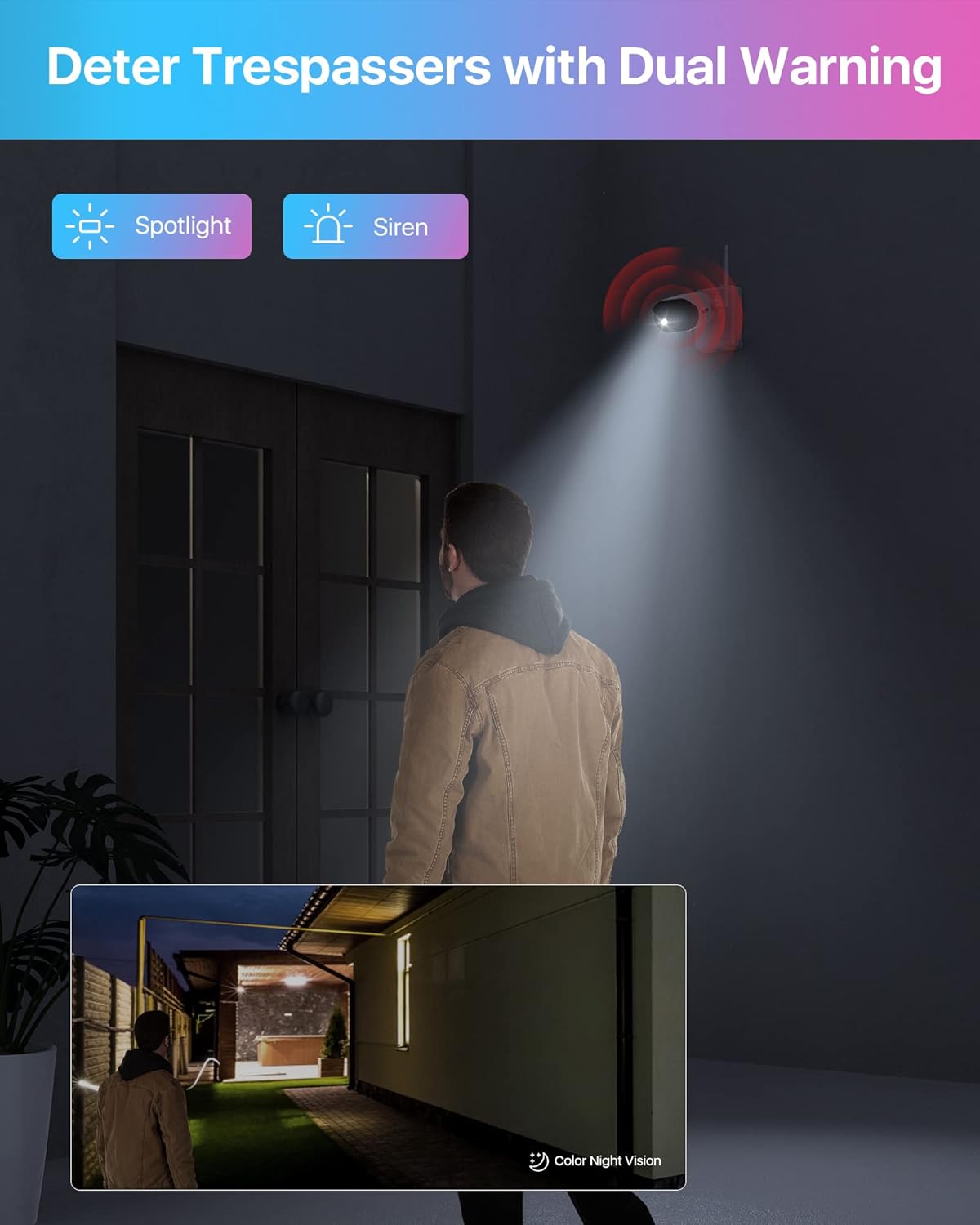
Image 3.4: The camera's spotlight and siren features actively deterring trespassers at night.
3.4. Two-Way Audio Communication
A built-in speaker and microphone enable two-way audio communication, allowing users to interact with visitors or deter unwanted individuals remotely through the ZOSI Smart app.

Image 3.5: Remote two-way audio communication via the ZOSI Smart mobile application.
3.5. Flexible Storage Options
The camera supports local storage via a memory card (up to 256GB, not included) and offers optional cloud storage for secure backup of recordings. This ensures data retention even if the camera is damaged or lost.

Image 3.6: Integrated local and cloud storage options for recorded footage.
3.6. Product Diagram

Image 3.7: Annotated diagram illustrating the various parts and features of the ZOSI C306 Pro camera.
4. Setup Guide
4.1. Initial Charging
Before first use, fully charge the camera's built-in battery using the provided USB cable and a standard 5V USB power adapter (not included). The charge indicator will show charging status.
4.2. App Download and Account Creation
- Download the "ZOSI Smart" app from your device's app store (iOS/Android).
- Create a new account or log in if you already have one.
4.3. Camera Connection to Wi-Fi
- Power on the camera using the power switch.
- Open the ZOSI Smart app and follow the on-screen instructions to add a new device.
- Scan the QR code located on the camera when prompted by the app.
- Connect the camera to a 2.4GHz Wi-Fi network. Note: The camera does not support 5GHz Wi-Fi networks.
- Once connected, you can access the live view.

Image 4.1: Visual guide for the three-step process to connect and access your camera via the ZOSI Smart app.
4.4. Mounting the Camera and Solar Panel
- Choose a suitable location for the camera and solar panel. Ensure the solar panel receives direct sunlight for most of the day.
- Use the mounting base and screws to securely attach the camera to a wall or ceiling.
- Mount the solar panel in a location that maximizes sun exposure, using the 4-meter cable to connect it to the camera.
4.5. Integrating with ZOSI WiFi NVR System (Optional)
The C306 Pro camera can be integrated with ZOSI WiFi NVR systems (e.g., NVR Model: ZR08RP/ZR08AJ) for enhanced surveillance capabilities.
- Turn on both the C306 Pro camera and the NVR.
- Navigate to the NVR's Main Menu > Information > System.
- Scan the Device ID code with the camera lens to add the device to the NVR.

Image 4.2: Steps for integrating the C306 Pro camera with a ZOSI WiFi NVR system.
5. Operating Instructions
5.1. Live View and Remote Access
Access the live video feed from your camera anytime, anywhere using the ZOSI Smart app on your iOS or Android device. The app provides real-time monitoring of your property.

Image 5.1: Multi-platform access to live camera feeds via ZOSI Smart app and AVSS software.
5.2. Motion Detection Settings
Configure motion detection sensitivity and event recording durations (10s, 20s, or 30s) within the ZOSI Smart app. The camera operates in a motion-triggered mode to conserve battery life, recording only when activity is detected.
5.3. Two-Way Audio
To use two-way audio, tap the microphone icon in the live view interface of the ZOSI Smart app. Speak into your phone's microphone to transmit audio through the camera's speaker.
5.4. Playback Recorded Footage
Access recorded footage by navigating to the playback section in the ZOSI Smart app. You can filter recordings by date and time to easily locate specific events.
6. Maintenance
6.1. Battery Management
The camera's battery life is extended by the solar panel. If the solar panel cannot provide sufficient charge due to prolonged cloudy weather or improper placement, the camera's battery can be recharged manually using the micro USB port.
6.2. Solar Panel Cleaning
Periodically clean the surface of the solar panel to remove dust, dirt, or debris that may obstruct sunlight and reduce charging efficiency. Use a soft, damp cloth for cleaning.
6.3. Weatherproofing
The camera has an IP66 weatherproof rating. Ensure all covers and seals are properly closed after accessing the memory card slot or reset button to maintain its weather resistance.

Image 6.1: The camera and solar panel operating reliably in rainy conditions, showcasing its weatherproof design.
7. Troubleshooting
- Camera not connecting to Wi-Fi: Ensure your Wi-Fi network is 2.4GHz. The camera does not support 5GHz networks. Verify correct Wi-Fi password entry. Move the camera closer to the router if signal strength is weak.
- SD card not recognized: Ensure the memory card is properly inserted. Format the SD card to FAT32 format using a computer before inserting it into the camera.
- No motion detection alerts: Check motion detection settings in the ZOSI Smart app. Ensure sensitivity is set appropriately and notification settings are enabled on your smartphone.
- Poor video quality: Ensure the camera lens is clean. Check Wi-Fi signal strength; a weak signal can affect streaming quality.
- Battery not charging: Verify the solar panel is positioned to receive direct sunlight. Clean the solar panel surface. Ensure the USB cable connection between the solar panel and camera is secure.
- Resetting the camera: The reset button is located under the panel covering the memory card slot. Use the provided reset needle to press and hold the button for several seconds until the camera resets.
8. Specifications
| Feature | Specification |
|---|---|
| Model Name | C306 Pro (1NC-3063Y-W-S) |
| Video Capture Resolution | 2K (2304 x 1296) |
| Indoor/Outdoor Usage | Indoor, Outdoor |
| Power Source | Battery Powered, Solar Powered |
| Connectivity Protocol | Wi-Fi (2.4GHz only) |
| Special Features | 2-Way Audio, Weather Proof (IP66), Color Night Vision, PIR Motion Detection, Spotlight Alarm |
| Storage Options | Micro SD Card (up to 256GB, not included), Cloud Storage (optional) |
| Included Components | 1 x wifi camera |
| Item Dimensions (L x W x H) | 6.9 x 9 x 6 inches |
| Item Weight | 2.07 pounds (0.94 Kilograms) |
| Manufacturer | Ansjer Electronics Co.,Ltd |
9. Warranty and Support
ZOSI provides comprehensive support for its products:
- 30-Day Hassle-Free Return Policy: For initial product satisfaction.
- 2-Year Coverage: For product defects and malfunctions.
- Lifetime Technical Support: Assistance with setup, operation, and troubleshooting.
For further assistance, please visit the official ZOSI website or contact their customer support. You can also visit the ZOSI Store on Amazon for more information.


