1. Product Overview
The CyberPowerPC Gamer Supreme Gaming PC, model SLC8900A2, is a high-performance desktop computer designed for demanding applications and gaming. It features an Intel Core Ultra 7 265KF processor, an AMD Radeon RX 9070 XT 16GB graphics card, 32GB DDR5 RAM, and a 2TB PCIe 4.0 NVMe SSD. This system comes pre-installed with Windows 11 Home and includes a keyboard and mouse.

Figure 1.1: The CyberPowerPC Gamer Supreme Gaming PC, including the desktop tower, a wired keyboard, and a wired mouse.
2. Setup Guide
2.1 Unpacking
- Carefully remove the PC tower, keyboard, mouse, and power cord from the packaging.
- Inspect all components for any signs of damage. If any damage is found, contact customer support immediately.
- Retain all packaging materials for future transport or warranty claims.
2.2 Connecting Peripherals
- Monitor: Connect your monitor to the graphics card's HDMI or DisplayPort outputs. The graphics card has 1x HDMI and 2x DisplayPort. Ensure the cable is securely fastened.
- Keyboard and Mouse: Connect the included keyboard and mouse to any available USB-A ports on the rear of the PC.
- Audio: Connect speakers or headphones to the audio output jacks on the rear or front of the PC.
- Network: For a wired connection, connect an Ethernet cable from your router or modem to the LAN port on the PC. For wireless connectivity, ensure the Wi-Fi antennas (if provided) are attached and positioned for optimal signal.

Figure 2.1: Top I/O ports, typically including USB ports and audio jacks for convenient access.
2.3 Initial Power On
- Connect the power cord to the PC's power supply unit (PSU) and then to a wall outlet or surge protector.
- Press the power button located on the PC case. The system will begin to boot up.
- Follow the on-screen instructions to complete the Windows 11 Home setup process. This typically involves selecting language, region, and setting up user accounts.
3. Operating Instructions
3.1 Windows 11 Home Basics
Your CyberPowerPC comes with Windows 11 Home pre-installed. Familiarize yourself with the operating system's interface, including the Start Menu, Taskbar, and File Explorer. Regular Windows updates are recommended for security and performance.
3.2 System Connectivity
The PC offers extensive connectivity options:
- USB Ports: 2 x USB-C 3.2, 4 x USB-A 3.2, and 4 x USB-A 2.0 ports are available for connecting various devices such as external drives, controllers, and other peripherals.
- Network: Integrated WiFi 6 provides high-speed wireless internet access. A Gigabit Ethernet port is available for wired network connections.
- Bluetooth: Bluetooth 5.3 allows for wireless connection to compatible devices like headsets, game controllers, and mobile phones.
- Audio: 7.1 Channel Audio support provides immersive sound for gaming and multimedia.
3.3 Gaming and Performance
This system is optimized for gaming and high-performance tasks. The Intel Core Ultra 7 265KF processor and AMD Radeon RX 9070 XT 16GB graphics card provide substantial processing and graphical power. The 32GB DDR5 RAM ensures smooth multitasking, while the 2TB PCIe 4.0 NVMe SSD offers rapid game loading and system responsiveness.
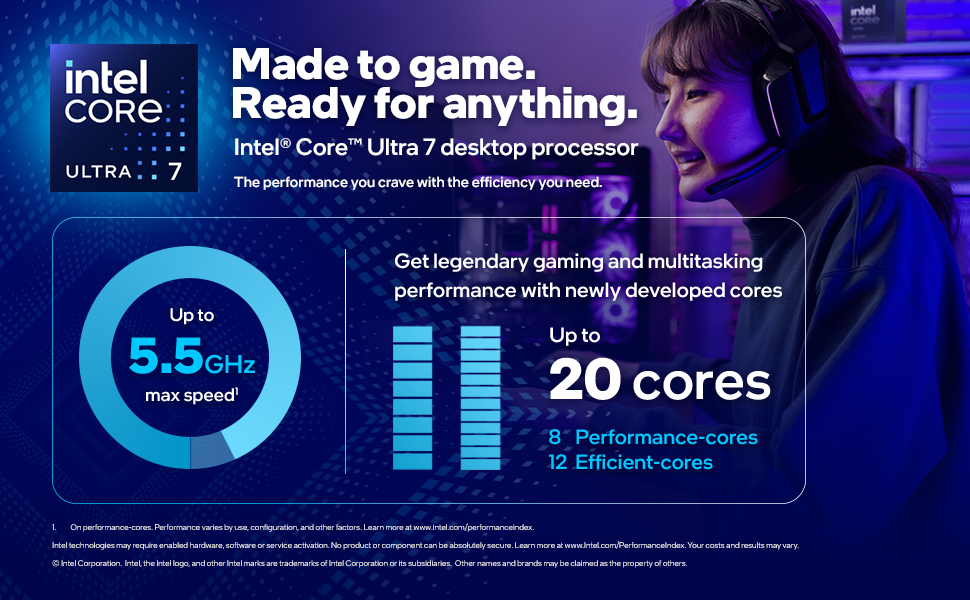
Figure 3.1: Overview of the Intel Core Ultra 7 processor, highlighting its core count and clock speed for gaming and multitasking.
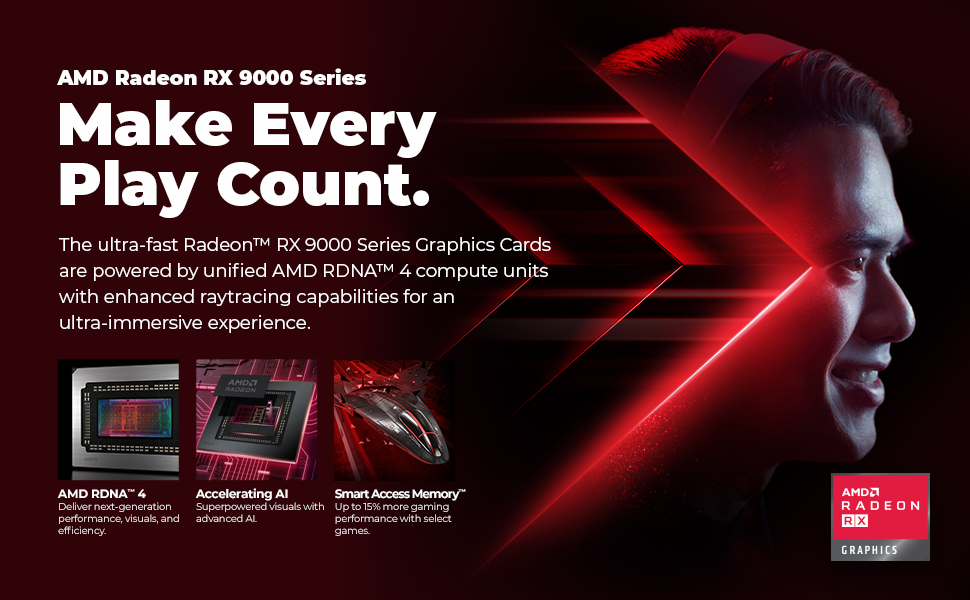
Figure 3.2: Overview of the AMD Radeon RX 9000 Series graphics card, detailing its RDNA 4 architecture and performance-enhancing features.
4. Maintenance
4.1 General Care
- Place the PC in a well-ventilated area to prevent overheating. Avoid blocking air vents.
- Keep the PC away from direct sunlight, heat sources, and excessive moisture.
- Use a surge protector to protect against power fluctuations.
4.2 Cleaning
- Exterior: Use a soft, dry, anti-static cloth to wipe down the exterior surfaces. Avoid harsh chemicals.
- Vents and Fans: Periodically use compressed air to clear dust from the intake and exhaust vents and fan blades. Ensure the PC is powered off and unplugged before cleaning.
- Interior: For more thorough internal cleaning, it is recommended to consult a professional or refer to specific guides for opening your PC case, as improper handling can damage components.

Figure 4.1: Internal view of the PC, showing the liquid cooling system and RGB fans, which require periodic dust removal for optimal performance.
5. Troubleshooting
5.1 Common Issues
- No Power: Ensure the power cord is securely connected to both the PC and the wall outlet. Verify the power switch on the PSU (if present) is in the 'On' position. Test the outlet with another device.
- No Display: Check that the monitor is powered on and correctly connected to the graphics card (not the motherboard's integrated graphics ports). Try a different cable or monitor if possible.
- System Instability/Crashes: Ensure all drivers (especially graphics drivers) are up to date. Check for Windows updates. Monitor system temperatures to rule out overheating. If issues persist, consider running system diagnostics.
- Peripheral Not Working: Try connecting the peripheral to a different USB port. Ensure drivers for the peripheral are installed.
5.2 Contact Support
If you encounter issues that cannot be resolved using the troubleshooting steps above, please contact CyberPowerPC technical support for assistance. Have your model number (SLC8900A2) and purchase information ready.
6. Technical Specifications
| Feature | Specification |
|---|---|
| Model Number | SLC8900A2 |
| Operating System | Windows 11 Home |
| Processor | Intel Core Ultra 7 265KF (3.9 GHz, 20 Cores) |
| Chipset | Intel Z890 |
| Graphics Card | AMD Radeon RX 9070 XT 16GB |
| RAM | 32GB DDR5 6400MHz RGB |
| Storage | 2TB PCIe 4.0 NVMe SSD |
| Connectivity | WiFi 6, Bluetooth 5.3, Gigabit LAN |
| USB Ports | 2x USB-C 3.2, 4x USB-A 3.2, 4x USB-A 2.0 |
| Video Outputs | 1x HDMI, 2x DisplayPort |
| Audio | 7.1 Channel Audio |
| Cooling | Liquid Cool CPU |
| Case Features | Tempered Side Case Panel, Custom RGB Lighting |
| Included Peripherals | Keyboard, Mouse |
| Item Weight | 42.8 pounds |
| Dimensions (Package) | 21.97 x 21.18 x 12.44 inches |
7. Warranty and Support
7.1 Warranty Information
This CyberPowerPC system includes a 1 Year Parts & Labor Warranty. This warranty covers defects in materials and workmanship under normal use during the warranty period. Please refer to the official CyberPowerPC warranty policy for full terms and conditions.
7.2 Technical Support
CyberPowerPC provides Free Lifetime Technical Support for this product. For technical assistance, troubleshooting, or warranty claims, please visit the official CyberPowerPC website or contact their support team directly. Ensure you have your product model number (SLC8900A2) and proof of purchase available when contacting support.


