Introduction
This manual provides essential information for the safe and efficient operation of your Outsunny Professional Metal Detector, Model 847-009V00CG. Please read these instructions thoroughly before use and retain them for future reference.
Safety Instructions
- Always operate the metal detector in well-ventilated areas.
- Keep the control box away from water. Only the search coil is IP68 waterproof.
- Do not attempt to modify or disassemble the detector. This may void the warranty and cause damage.
- Use only the specified 9V batteries. Ensure correct polarity when inserting.
- Dispose of batteries responsibly according to local regulations.
- Avoid using the detector near power lines or buried cables to prevent electric shock.
- Be aware of your surroundings when detecting, especially in public areas or near historical sites.
- Always seek permission before detecting on private property.
- Exercise caution when digging to avoid injury or damage to property.
- Store the detector in a dry, cool place when not in use.
Package Contents
Verify that all items listed below are present in your package:
- Outsunny Professional Metal Detector (Main Unit)
- Headphones
- Multi-functional Folding Shovel
- Backpack
- 2 x 9V Batteries
- User Manual (this document)

This image displays the complete set of accessories: the main metal detector unit, a pair of headphones, a multi-functional folding shovel, and a backpack for convenient transport.

The product is delivered in a single package, as shown in this image of the shipping box.
Product Overview
Familiarize yourself with the main components of your metal detector:
- Control Box: Houses the LCD screen, control buttons, and battery compartment.
- Adjustable Stem: Allows for length adjustment to suit different users.
- Search Coil: The waterproof detection unit that scans the ground.
- Armrest: Provides comfort and stability during use.
- Headphone Jack: For connecting the included headphones.
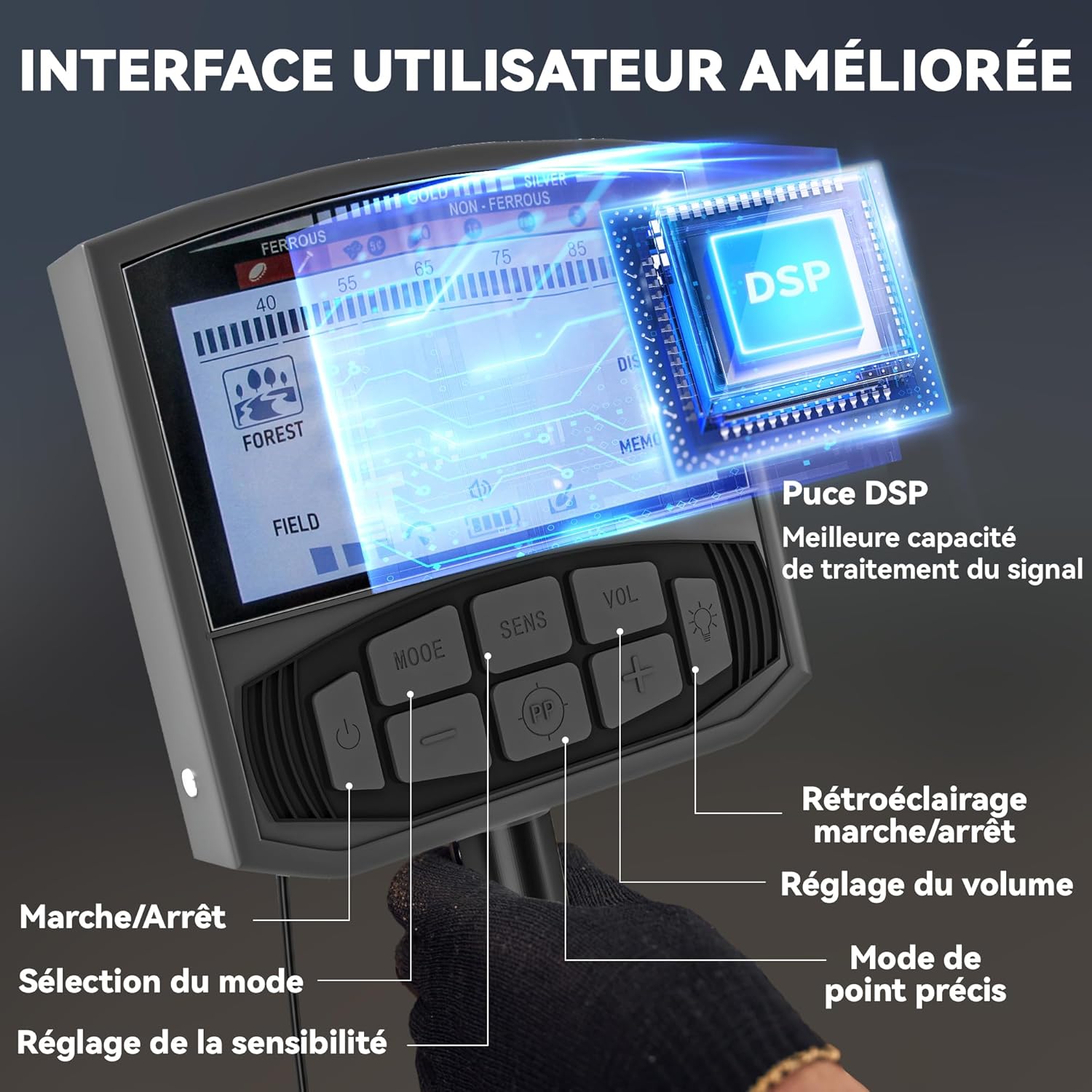
This image illustrates the enhanced user interface of the control box, featuring a clear LCD screen, an advanced DSP chip for signal processing, and intuitive buttons for power, mode selection, sensitivity adjustment, volume control, and pinpoint mode activation. A backlight function is also available for low-light conditions.
Setup
- Assembly: Connect the search coil to the lower stem, then attach the lower stem to the middle stem, and finally connect the middle stem to the upper stem with the control box and armrest. Ensure all connections are secure.
- Battery Installation: Open the battery compartment on the control box. Insert the two 9V batteries, observing the correct polarity (+/-). Close the compartment securely.
- Adjusting Height: Loosen the locking collar on the adjustable stem. Extend or retract the stem to a comfortable length, typically where the search coil is parallel to the ground when standing upright. Tighten the locking collar to secure the stem. The stem is adjustable from 48 cm to 130 cm.
- Armrest Adjustment: Position the armrest for comfortable use, ensuring your forearm rests securely.
- Headphone Connection: Plug the included headphones into the headphone jack on the control box.
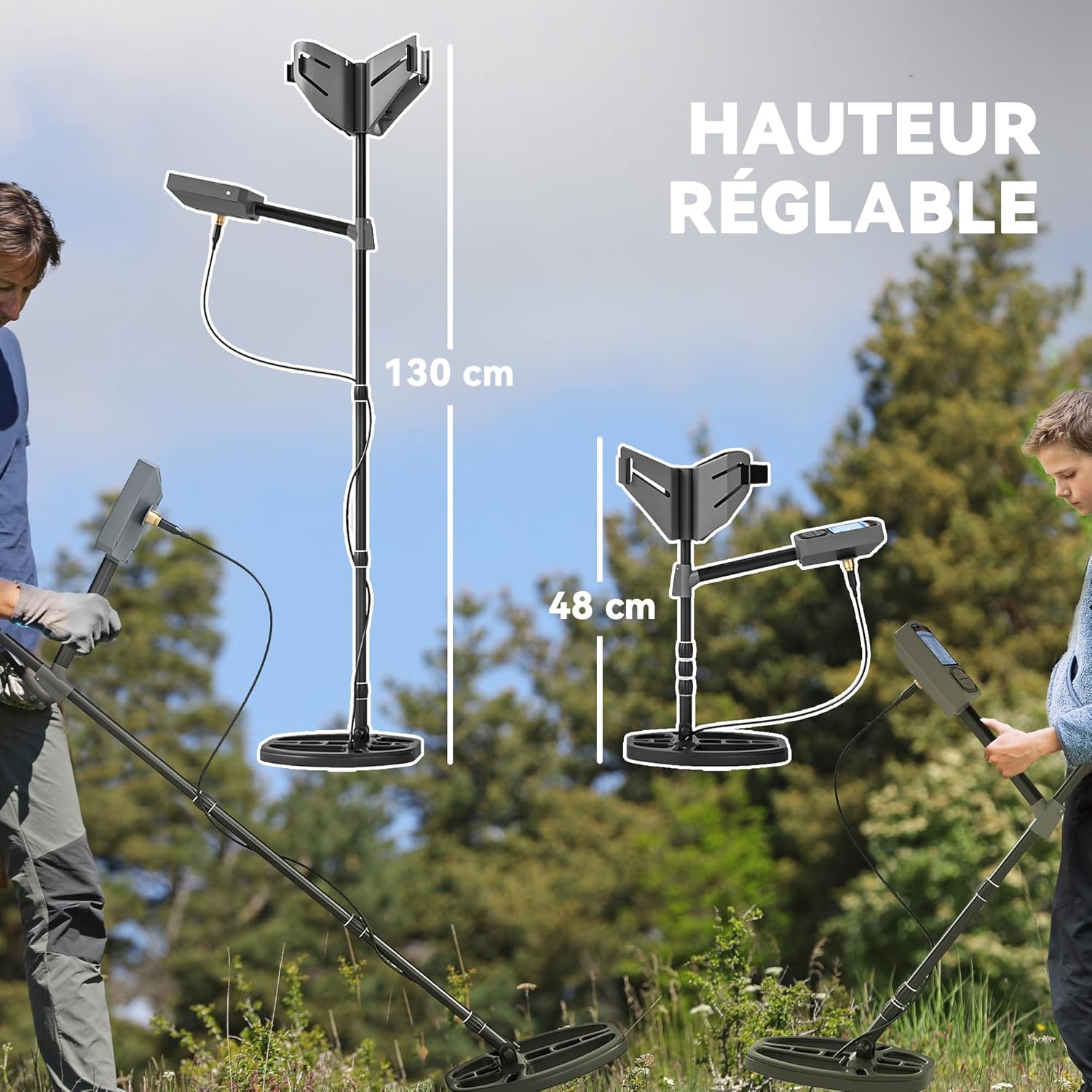
This image demonstrates the adjustable height of the metal detector, ranging from 48 cm to 130 cm, making it suitable for both adults and beginners. The telescopic shaft allows for easy customization to the user's height.
Operating Instructions
Power On/Off
Press and hold the Power button on the control box to turn the detector ON or OFF. The LCD screen will illuminate upon activation.
Detection Modes
Your Outsunny metal detector features five distinct detection modes. Press the MODE button to cycle through them:
- Forest Mode: Detects all types of metals. Ideal for general searching in varied environments.
- Field Mode: Designed to eliminate iron signals, focusing on non-ferrous metals.
- Disc Mode (Discrimination): Allows you to eliminate unwanted metal types (e.g., trash metals like aluminum pull tabs, bottle caps) based on their conductivity. Adjust the discrimination level using the sensitivity buttons.
- Memory Mode: Detects only the specific metal type that has been previously memorized. This is useful for targeting specific finds.
- Pinpoint Mode (PP): Used to precisely locate the target once a general area has been identified. Press the PP button to activate.

This image visually explains the five detection modes: Forest for all metals, Memory for specific memorized metals, Pinpoint for precise target location, Disc for eliminating unwanted metals, and Field for filtering out iron.
Sensitivity Adjustment
Use the SENS buttons (+/-) to adjust the detector's sensitivity. Higher sensitivity increases detection depth but may also increase false signals. Adjust as needed for your search environment.
Volume Control
Use the VOL buttons (+/-) to adjust the audio volume of the detector's signals.
Backlight
Press the backlight button (often combined with volume or sensitivity) to illuminate the LCD screen for use in low-light conditions.
Detection Tips
- Sweep the search coil slowly and steadily, keeping it parallel to the ground and as close as possible without touching.
- Overlap each sweep by about half the coil's diameter to ensure thorough coverage.
- When a target is detected, the LCD screen will display information about the potential metal type and depth. An audio tone will also sound.
- Use Pinpoint mode to narrow down the exact location of the target before digging.
- The detector can detect a quarter coin up to 28 cm deep and larger objects at greater depths.
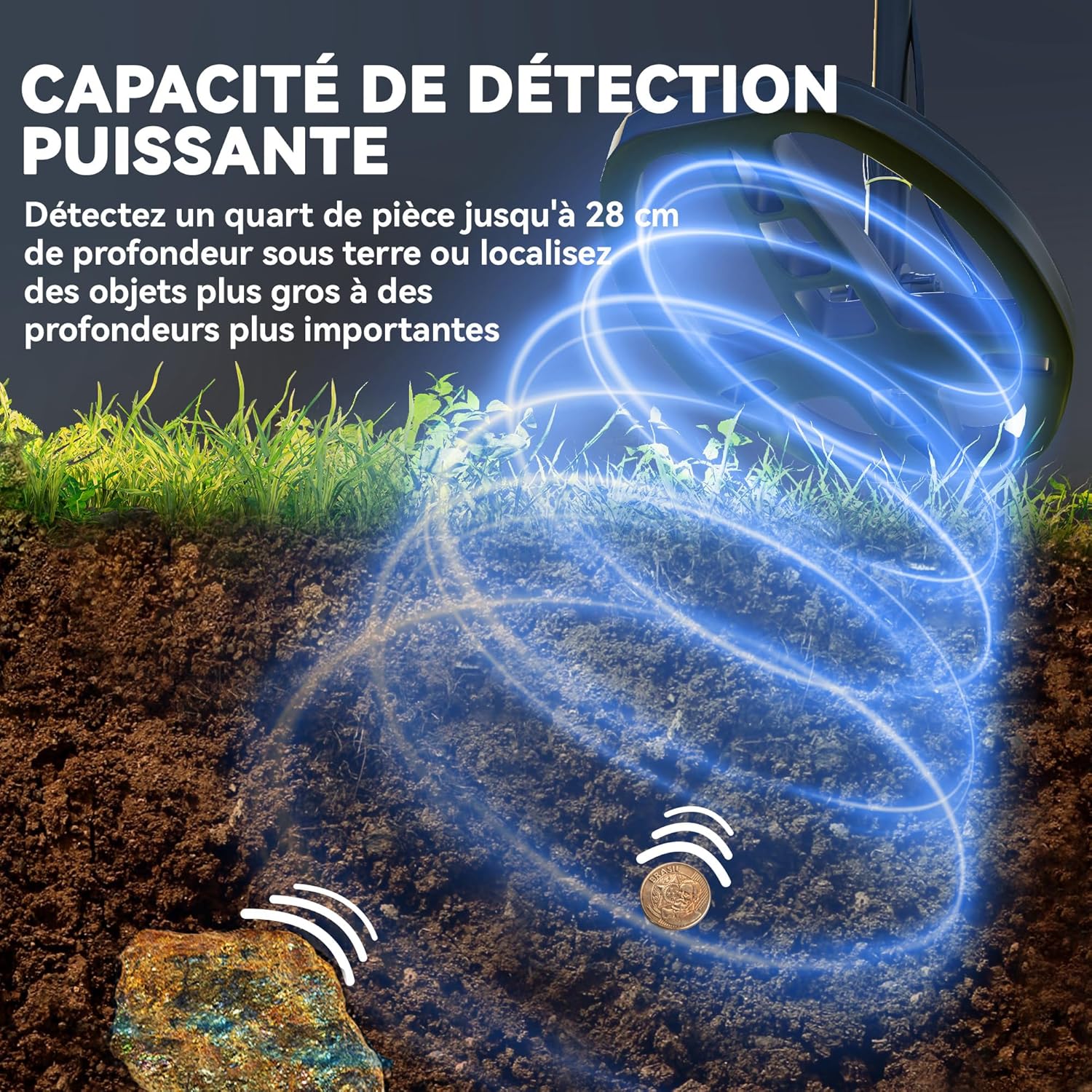
This image demonstrates the powerful detection capability, showing the search coil identifying objects buried up to 28 cm deep, such as a coin, and larger objects at even greater depths.
Waterproof Search Coil
The search coil is IP68 waterproof, allowing for detection in shallow water environments such as beaches, streams, and shallow pools. IMPORTANT: The control box is NOT waterproof and must be kept dry at all times.

This image highlights the IP68 waterproof rating of the search coil, suitable for use in shallow water environments like pools, streams, and beaches. A crucial reminder is included that the control box itself is not waterproof.
Maintenance
- Cleaning: After each use, wipe down the detector with a damp cloth. Do not use abrasive cleaners or solvents. Ensure the search coil is clean of dirt and debris.
- Storage: Store the detector in a dry, cool place, away from direct sunlight and extreme temperatures. If storing for an extended period, remove the batteries to prevent leakage.
- Battery Care: Replace batteries when the low battery indicator appears on the LCD screen. Always use fresh, high-quality 9V batteries.
- Coil Protection: Avoid striking the search coil against hard objects.
Troubleshooting
| Problem | Possible Cause | Solution |
|---|---|---|
| Detector does not power on. | Batteries are dead or incorrectly installed. | Check battery polarity. Replace with fresh 9V batteries. |
| Constant false signals or erratic behavior. | High sensitivity setting; electromagnetic interference; mineralized ground. | Reduce sensitivity. Move away from power lines or other electronic devices. Try a different detection mode. |
| No detection or weak signals. | Low sensitivity setting; deep target; incorrect mode. | Increase sensitivity. Ensure the search coil is close to the ground. Try "Forest" mode for all metals. |
| LCD screen is dim or unreadable. | Low battery power; no backlight activated. | Replace batteries. Activate the backlight function. |
Specifications
| Feature | Detail |
|---|---|
| Model Number | 847-009V00CG |
| Detection Modes | 5 (Forest, Field, Disc, Memory, Pinpoint) |
| Search Coil | 28 cm (diameter), IP68 Waterproof |
| Adjustable Height | 48 cm - 130 cm |
| Overall Dimensions (Max) | 28L x 21W x 130H cm |
| Weight | 2 kg |
| Power Source | 2 x 9V Batteries (included) |
| Material | Acrylonitrile Butadiene Styrene (ABS) |
| Display | LCD with Backlight |
| Advanced Features | DSP Chip for signal processing |

This image provides a visual representation of the metal detector's key dimensions, including its maximum height of 130 cm, the width of the control box area at 21 cm, and the 28 cm diameter of the search coil.
Warranty and Support
For warranty information or technical support, please refer to the contact details provided with your purchase or visit the official Outsunny website. Please have your model number (847-009V00CG) and purchase date available when contacting support.


