
1. Introduction
Thank you for choosing the Marsail TZESD7W-US Electric Standing Desk. This desk is designed to enhance your workspace with its adjustable height feature, promoting better posture and reducing health risks associated with prolonged sitting. It includes a multifunctional side storage pocket and a headphone hook for improved organization. This manual provides essential information for safe assembly, operation, and maintenance of your new standing desk.
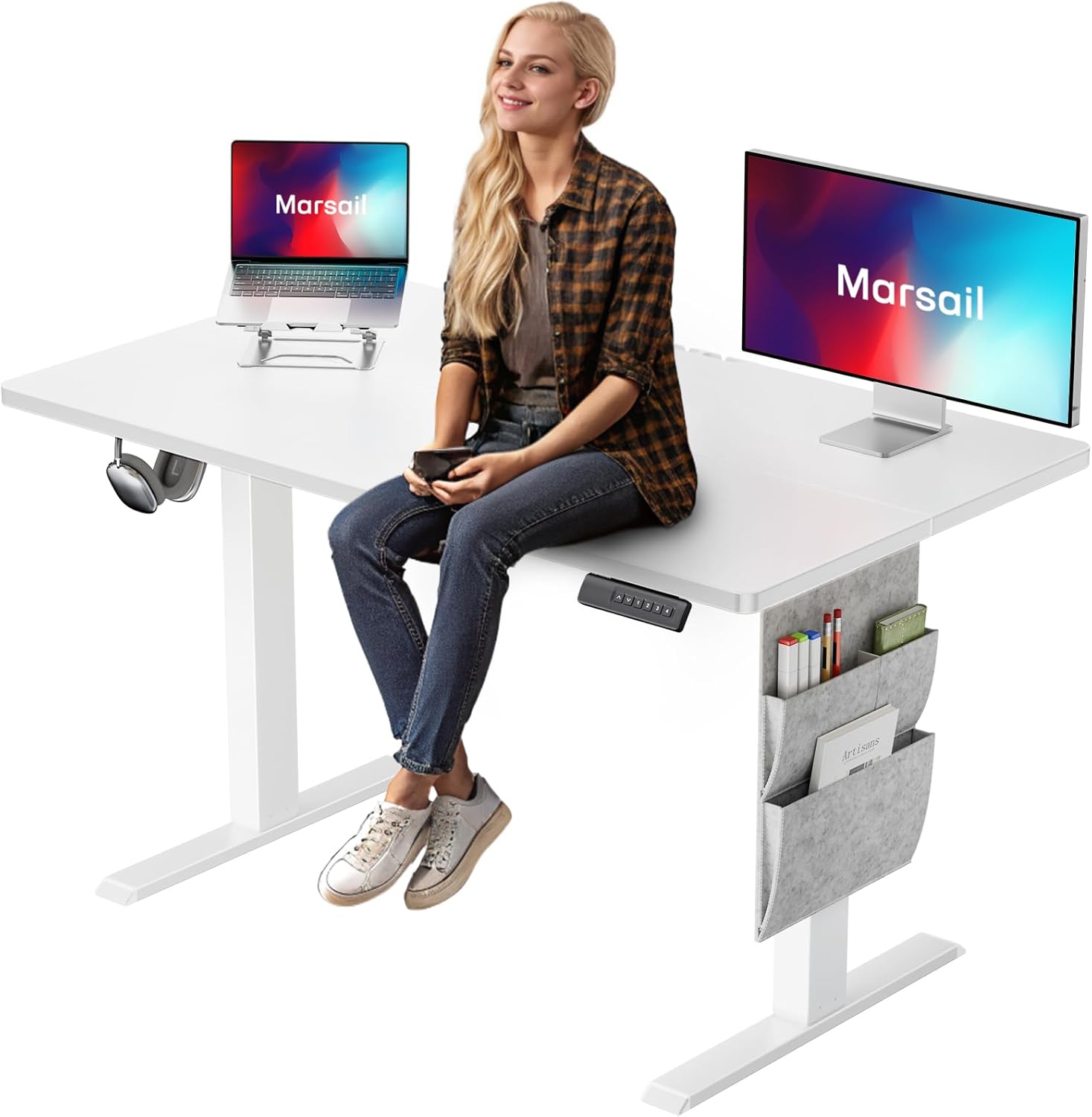
Image 1.1: The Marsail TZESD7W-US Electric Standing Desk, showcasing its clean white design, integrated control panel, and side storage bag.
2. Important Safety Information
- Do not exceed a weight limit of 110 lbs (50 kg) on the desk surface. Exceeding this limit may cause damage to the desk or lead to injury.
- Always follow assembly instructions carefully to ensure stability and safety. Incorrect assembly can result in instability and potential hazards.
- Be cautious when adjusting the desk height to prevent injury. Ensure no objects or body parts are in the path of the moving desk components.
- Keep children and pets away from the desk during operation.
- Ensure all cables are properly managed and secured to prevent tripping hazards or damage during height adjustments.
- Do not sit or stand on the desk frame.
- Disconnect power before cleaning or performing any maintenance.
3. Package Contents
Verify that all components are present before beginning assembly. If any parts are missing or damaged, please contact Marsail customer support.
- Desktop Surface
- Lifting Columns (Legs)
- Feet (Base Supports)
- Crossbar/Frame
- Control Box
- Control Panel
- Motor
- Power Adapter and Cable
- Headphone Hook
- Storage Bag
- Instruction Manual (this document)
- Assembly Hardware (screws, Allen wrench, etc.)
4. Assembly Instructions
Assembly typically requires one person and approximately 30-60 minutes. Tools recommended for assembly include a drill and screwdriver. Please lay out all components on a soft, clean surface to prevent scratches.

Image 4.1: Exploded view illustrating the main components and their assembly order for the Marsail standing desk.
Step-by-Step Guide:
- Unpack and Identify Parts: Carefully remove all components from the packaging. Refer to the package contents list and Image 4.1 to identify each part.
- Assemble the Frame: Attach the lifting columns (legs) to the central crossbar using the provided screws. Ensure they are securely fastened.
- Attach the Feet: Securely attach the two feet (base supports) to the bottom of each lifting column using the designated screws.
- Install Control Box and Motor: Mount the control box and motor onto the frame as indicated in the assembly diagram. Connect the motor cable to the control box.
- Attach Desktop: Carefully place the desktop surface upside down on a soft surface. Position the assembled frame onto the desktop, aligning the pre-drilled holes. Secure the desktop to the frame using the provided screws.
- Connect Control Panel: Connect the control panel cable to the control box. Ensure all electrical connections are firm.
- Install Accessories: Attach the headphone hook to the desired location on the desk frame. Hang the storage bag on the side of the desk.
- Cable Management: Use the included cable ties or management clips to organize and secure all power and control cables, preventing them from interfering with desk movement.
- Power On: Plug the power adapter into the control box, then plug the power cable into a wall outlet.
5. Operating Instructions
Control Panel Overview:

Image 5.1: The desk's control panel, featuring up/down adjustment buttons and four programmable height memory presets.
- Up (▲): Press and hold to raise the desk.
- Down (▼): Press and hold to lower the desk.
- 1, 2, 3, 4: Memory preset buttons.
Adjusting Height:
Press and hold the Up (▲) or Down (▼) button to adjust the desk to your desired height. Release the button to stop movement.
Setting Memory Presets:
- Adjust the desk to your preferred height using the Up (▲) or Down (▼) buttons.
- Press and hold one of the memory preset buttons (1, 2, 3, or 4) until the display flashes or you hear a beep. This indicates the height has been saved to that preset.
- To recall a saved height, simply press the corresponding memory preset button (1, 2, 3, or 4). The desk will automatically move to the saved position.
Anti-Collision Feature:
The desk is equipped with an anti-collision system. If the desk encounters an obstacle during height adjustment, it will automatically stop and reverse slightly to prevent damage or injury. This feature is designed for safety and cannot be disabled.
6. Maintenance
- Cleaning: Wipe the desk surface and frame with a damp cloth. Avoid using harsh chemicals or abrasive cleaners that could damage the finish.
- Regular Checks: Periodically check all screws and connections to ensure they remain tight. Retighten if necessary.
- Cable Management: Ensure cables remain organized and free from obstruction to prevent damage during desk movement.
7. Troubleshooting
If you encounter any issues with your Marsail standing desk, please refer to the common problems and solutions below. If the problem persists, contact customer support.
| Problem | Possible Cause | Solution |
|---|---|---|
| Desk does not move or respond to controls. | Power cable disconnected; motor cable loose; control box error. | Check power connections. Ensure all cables are securely plugged in. Unplug the desk for 10 seconds, then plug it back in to reset. |
| Desk moves unevenly or makes unusual noises. | Overload; loose screws; obstruction. | Reduce weight on the desk. Check all assembly screws for tightness. Ensure no objects are obstructing the legs. |
| Error code displayed on control panel. | Specific system fault. | Refer to the specific error code in a more detailed troubleshooting guide (if available) or contact customer support with the error code. Often, a power cycle (unplug and replug) can resolve temporary errors. |
| Anti-collision feature triggers too easily. | Sensitivity setting (if adjustable); minor obstruction. | Ensure no objects are lightly touching the desk or its path. Some models allow sensitivity adjustment; consult manufacturer for details if applicable. |
8. Product Specifications

Image 8.1: Detailed dimensions of the Marsail 48x24 inch electric standing desk, including height adjustment range.
| Feature | Detail |
|---|---|
| Brand | Marsail |
| Model Number | TZESD7W-US |
| Product Dimensions | 24"D x 48"W x 46.7"H |
| Color | White |
| Style | Modern |
| Base Material | Alloy Steel |
| Top Material Type | Wood (Laminated) |
| Special Features | Adjustable, Adjustable Height, Electric, Ergonomic, Scratch Resistant |
| Recommended Uses | Home Office, Computer Workstations, Writing, Gaming |
| Included Components | Headphone Hook, Instruction Manual, Storage Bag |
| Product Grade | FCC Authentication |
| UPC | 810181469318 |
| Item Weight | 43.78 Pounds (19.86 kg) |
| Maximum Weight Recommendation | 110 Pounds (50 kg) |
| Tabletop Thickness | 0.6 Inches (15 mm) |
| Minimum Height | 27.5 Inches (69.85 cm) |
| Maximum Height | 46.7 Inches (118.62 cm) |
| Lifting Mechanism | Electric |
| Noise Level | Below 50 dB |
| Assembly Required | Yes |
| Recommended People for Assembly | 1 |
9. Warranty and Support
The Marsail TZESD7W-US Electric Standing Desk comes with a Limited Warranty. The specific terms and duration of the warranty are detailed in the warranty card included with your product or can be obtained by contacting Marsail customer service.
For technical support, warranty claims, or any questions regarding your product, please contact Marsail customer service through the retailer where you purchased the desk or visit the official Marsail website for contact information.


