1. Introduction
Thank you for choosing the CAMMHD V8 Pro Body Camera. This device is designed for reliable audio and video recording in various professional and personal settings. It features 4K video resolution, 48-megapixel photo capabilities, a waterproof and shock-resistant design, and infrared night vision. Please read this manual thoroughly to understand the camera's functions and ensure proper operation and maintenance.

Figure 1: Front view of the CAMMHD V8 Pro Body Camera.
2. Package Contents
Please verify that all items listed below are included in your package. If any items are missing or damaged, contact customer support.
- 1 x CAMMHD V8 Pro Body Camera
- 1 x Long Clip
- 1 x Short Clip
- 1 x Charger (5V2A)
- 1 x USB Type-C Cable
- 2 x 2200mAh Batteries
- 1 x Charging Dock
- 1 x User Manual
- 1 x Troubleshooting Guide
- 1 x CAMMHD Box

Figure 2: Illustration of the complete packaging and included accessories.
3. Product Overview
The CAMMHD V8 Pro features a robust design with intuitive controls. Key components include the main lens, infrared LEDs for night vision, a 2.0-inch display, and various buttons for operation. The device is equipped with an IP68 rating for water and dust resistance.

Figure 3: Key features and components of the CAMMHD V8 Pro Body Camera.
4. Setup
4.1. Charging the Battery
The CAMMHD V8 Pro comes with two interchangeable 2200mAh batteries.
- Direct Camera Charging: Connect the USB Type-C cable to the camera and a 5V2A charger. The camera can be used while charging.
- Charging Dock: Insert a battery into the charging dock. Connect the charging dock to a power source using the USB Type-C cable. The dock can charge one battery while the camera is in use with the other, or charge both simultaneously.
A full charge provides approximately 10 hours of continuous use. The camera can operate for an additional 3 minutes after battery removal, allowing for hot-swapping without interrupting operation.
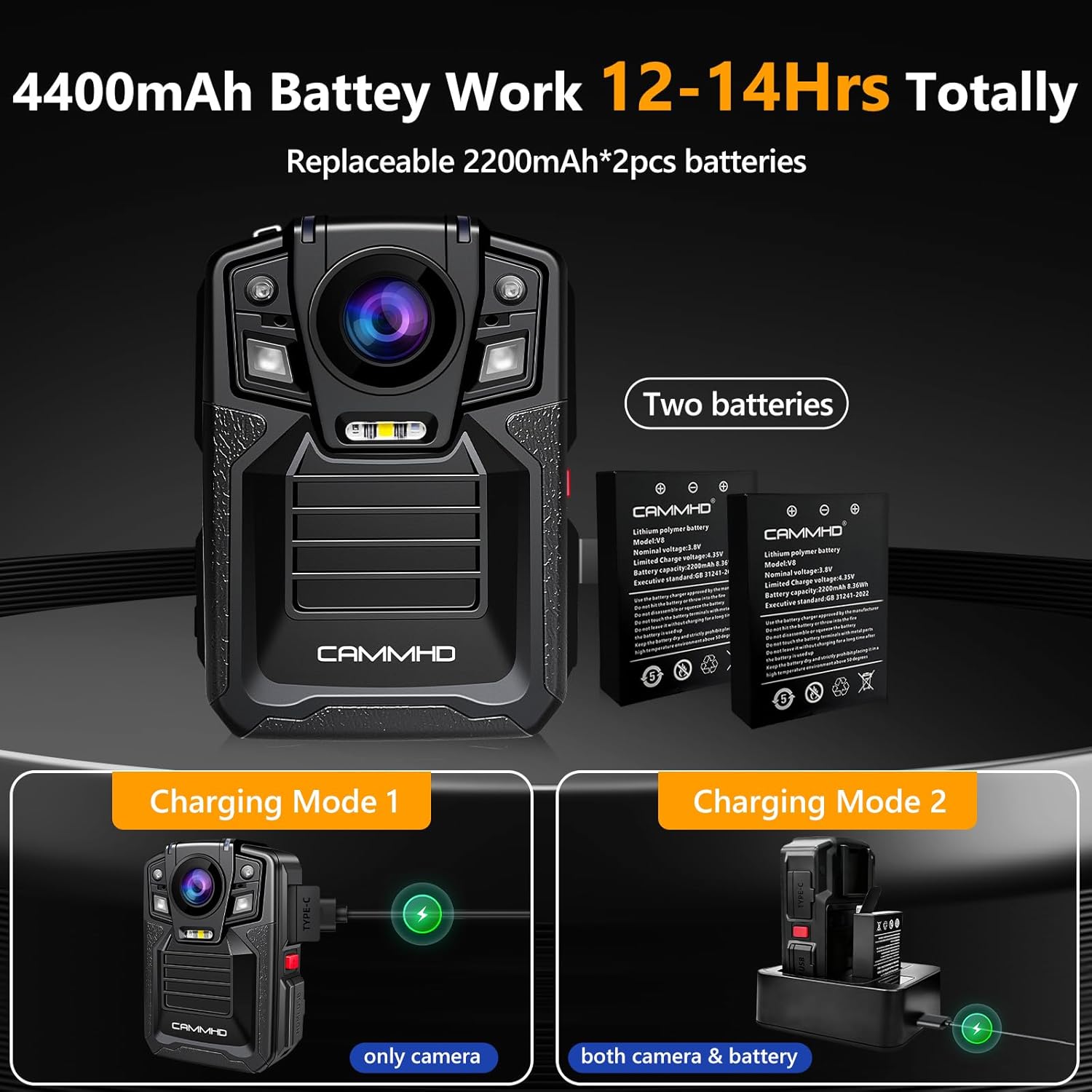
Figure 4: Charging options for the CAMMHD V8 Pro batteries.
4.2. Inserting a Micro SD Card
The camera supports Micro SD cards up to 1TB for storage.
- Locate the Micro SD card slot on the side of the camera.
- Gently insert the Micro SD card with the contacts facing down until it clicks into place.
- To remove, push the card in slightly until it springs out.

Figure 5: The CAMMHD V8 Pro supports Micro SD cards up to 1TB for extensive storage.
5. Operating Instructions
5.1. Power On/Off
- Power On: Press and hold the Power button until the screen illuminates.
- Power Off: Press and hold the Power button until the device shuts down.
5.2. Video Recording
The camera records video at 2160p (4K) resolution with a 170-degree wide-angle lens.
- From the main screen, press the Video Record button to start recording.
- A recording indicator (e.g., red dot or timer) will appear on the screen.
- Press the Video Record button again to stop recording.

Figure 6: The CAMMHD V8 Pro captures video in 4K (2160P) resolution for superior clarity.
5.3. Photo Capture
Capture still images at 48-megapixel resolution.
- From the main screen, press the Photo Capture button to take a picture.
- The screen may briefly flash or display a capture icon.
5.4. Infrared Night Vision
The camera features 8 high-density infrared LED lights for clear recording in low-light conditions, with a night vision range of 10-15 meters.
- Automatic Night Vision: The camera can automatically activate infrared night vision in dark environments.
- Manual Activation: Refer to the on-screen menu or specific button (if available) to manually toggle night vision on or off.
- During night patrols, the red and blue warning lights can be activated for safety and to deter illegal activities.

Figure 7: The camera's infrared night vision ensures clear recording even in low light conditions.
5.5. Loop Recording
When the storage capacity of the Micro SD card is reached, the camera will automatically overwrite the oldest recordings with new footage. This ensures continuous recording without manual intervention.
5.6. Data Transfer
To access recorded files:
- On-Device Playback: Use the camera's display and navigation buttons to select "Play Local" and browse your recorded files.
- Computer Transfer: Connect the camera to a computer using the provided USB Type-C cable. The camera will appear as a removable storage device, allowing you to transfer files.
The camera utilizes H.265 video compression technology, which provides clearer videos, occupies less storage space, and allows for faster transmission compared to H.264.
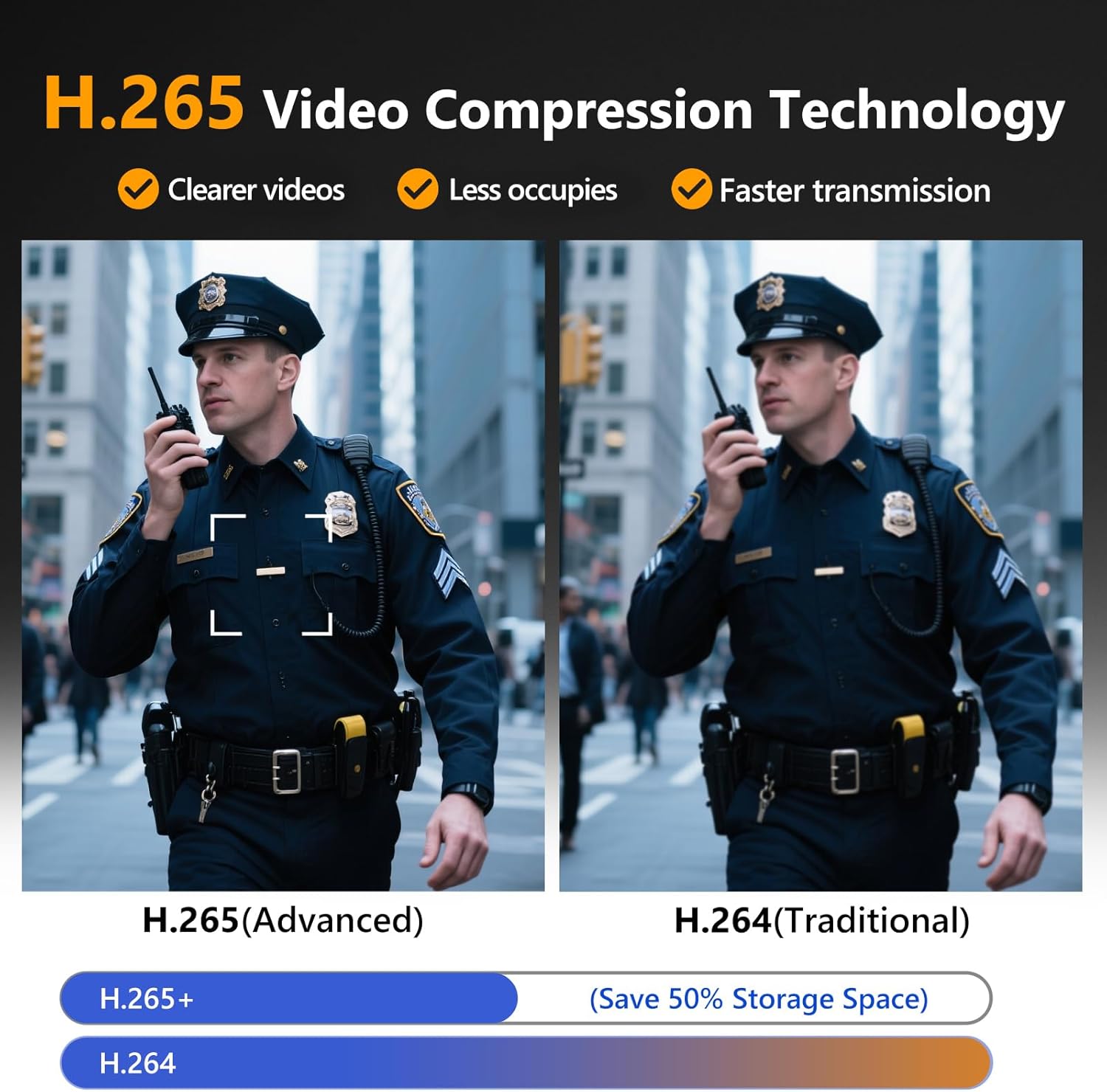
Figure 8: H.265 compression offers improved video quality and efficiency.
6. Maintenance
- Cleaning: The acrylic surface of the camera can be cleaned with water and a soft cloth. Avoid abrasive cleaners.
- Storage: Store the camera in a cool, dry place away from direct sunlight and extreme temperatures.
- Battery Care: For optimal battery life, avoid fully discharging the batteries frequently. Charge them regularly.
- Firmware Updates: Check the manufacturer's website periodically for any available firmware updates to ensure optimal performance.
7. Troubleshooting
| Problem | Possible Cause | Solution |
|---|---|---|
| Camera does not power on. | Low or depleted battery. | Charge the battery using the provided charger and cable. Ensure batteries are correctly inserted. |
| Recording stops unexpectedly. | Memory card full or corrupted. | Check memory card capacity. Format the card (this will erase all data) or replace it. Ensure loop recording is enabled if desired. |
| Poor video/image quality. | Lens is dirty; insufficient lighting; incorrect settings. | Clean the lens with a soft cloth. Ensure night vision is active in low light. Check resolution settings. |
| Camera is unresponsive. | Software glitch. | Perform a soft reset by holding the power button for an extended period (e.g., 10-15 seconds) until it restarts. |
If the issue persists after trying these solutions, please contact CAMMHD customer support.
8. Specifications
| Feature | Detail |
|---|---|
| Brand | CAMMHD |
| Model | V8 Pro |
| Color | Black |
| Video Resolution | 4K (2160P) |
| Effective Still Resolution | 48 Megapixels |
| Wide Angle | 170 degrees |
| Waterproof Rating | IP68 |
| Battery Type | Lithium-ion (2 x 2200mAh interchangeable) |
| Battery Life | Approx. 10 hours continuous recording |
| Night Vision | 8 Infrared LEDs, 10-15m range |
| Storage Support | Micro SD up to 1TB |
| Connectivity | USB Type-C |
| Video Compression | H.265 |
| Dimensions (L x W x H) | 83 x 59 x 31 mm (3.27 x 2.32 x 1.22 inches) |
| Weight | 163 Grams |
| Special Features | 4K Resolution, Waterproof & Shockproof, Night Vision, Loop Recording, Motion Detection, Car Mode, Timestamp Watermark |
9. Warranty and Support
For warranty information and technical support, please refer to the official CAMMHD website or contact their customer service directly. Keep your purchase receipt as proof of purchase for warranty claims.
Manufacturer: CAMMHD


