1. Safety Information
Please read these instructions carefully before installation or use. Failure to follow these instructions may result in electric shock, fire, or other hazards. Keep this manual for future reference.
- WARNING: Risk of electric shock. Disconnect power at the fuse or circuit breaker before installation or servicing.
- Ensure all electrical connections are made in accordance with local codes, ordinances, and the National Electric Code (NEC).
- This product must be installed by a qualified electrician.
- Do not handle energized fixtures with wet hands.
- Ensure the fixture is securely mounted to prevent falling.
- Do not modify the fixture or use it for purposes other than its intended use.
- Suitable for damp locations.
2. Product Overview
The Run Bison 2x4 LED Troffer Panel Light is a versatile lighting solution designed for various indoor commercial and industrial applications. It features adjustable color temperature (CCT) and wattage, allowing customization of light output to suit different environments. The fixture is 0-10V dimmable, energy-efficient, and built with durable materials for long-lasting performance.
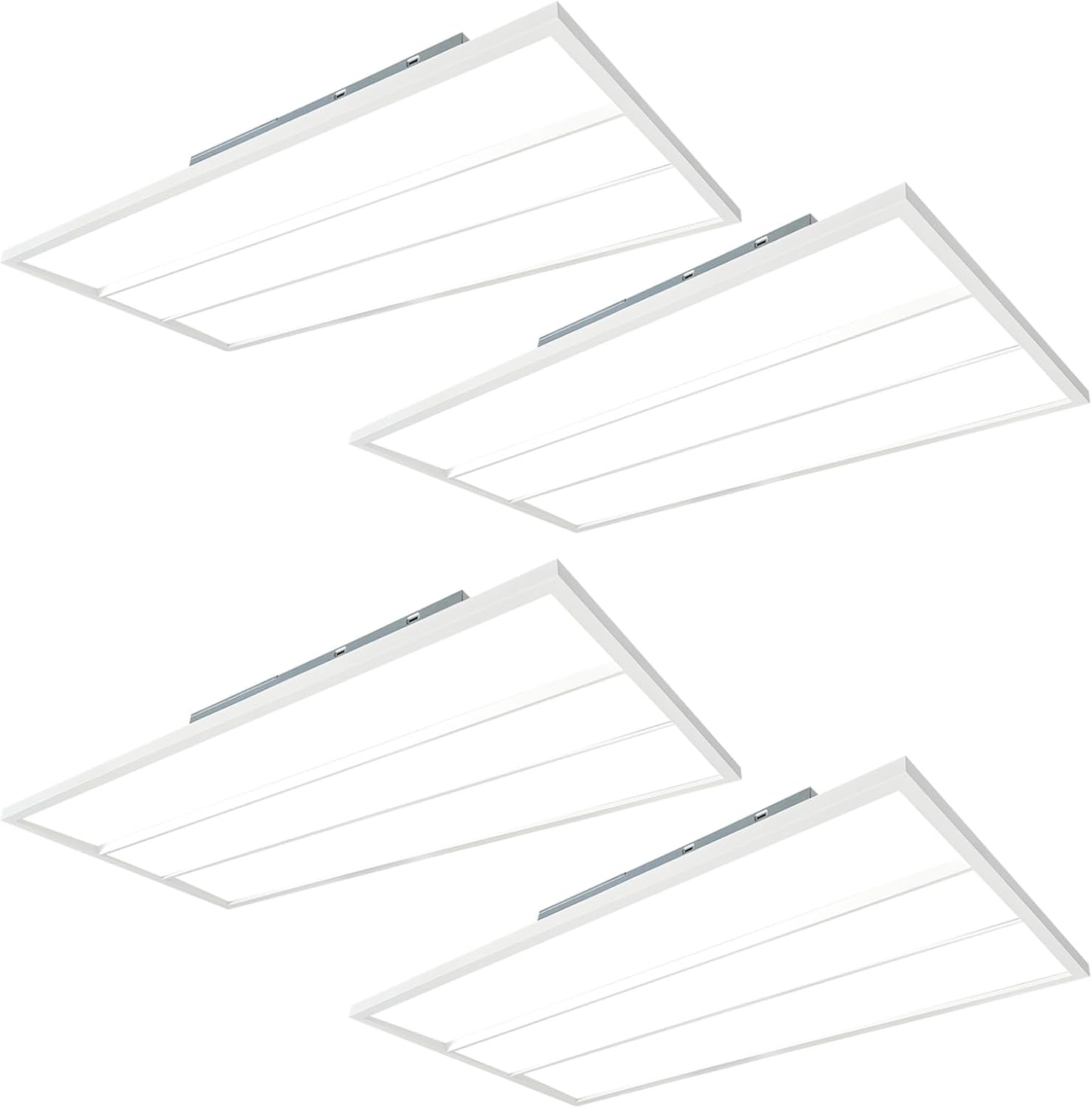
Image 2.1: Four Run Bison 2x4 LED Troffer Panel Lights, illustrating the product's design.
Key Features:
- Adjustable CCT & Wattage: Selectable color temperatures (3500K/4000K/5000K) and wattage (30W/40W/50W) for optimal lighting.
- 0-10V Dimming: Smooth dimming capability from 10% to 100% with compatible 0-10V dimmers.
- Energy Efficient: Provides up to 5500 lumens while saving on electricity costs.
- Durable Construction: Features an aluminum housing and high-quality PC lens for extended lifespan.
- Easy Installation: Designed for simple recessed installation in drop ceilings.
- Certifications: UL, DLC, and FCC certified for quality and safety.

Image 2.2: Overview of the 2x4 FT LED Troffer Light's adjustable features including brightness, wattage, color temperature, voltage, and 0-10V dimming.
3. Specifications
| Attribute | Value |
|---|---|
| Brand | Run Bison |
| Model Number | MTFE24-30/40/50W-3CCT-RB-4PK |
| Product Dimensions | 47.72"L x 23.74"W x 1.86"H |
| Material | Aluminum |
| Light Source Type | LED |
| Wattage | Adjustable 30W/40W/50W |
| Brightness | Adjustable 3300lm/4400lm/5500lm |
| Color Temperature (CCT) | Selectable 3500K/4000K/5000K |
| Voltage | 120-277V |
| Dimming | 0-10V Dimmable |
| Color Rendering Index (CRI) | 80.0 |
| Average Life | 50,000 Hours |
| Mounting Type | Drop Ceiling (Recessed) |
| Indoor/Outdoor Usage | Indoor use only |
| Included Components | LED Troffer Light, Installation accessories |
| Certifications | UL, DLC, FCC |

Image 3.1: Detailed product dimensions of the LED Troffer Panel Light.
4. Setup and Installation
This LED troffer panel light is designed for recessed installation in drop ceilings. Ensure power is disconnected before beginning installation.
Installation Steps:
- Prepare the Ceiling: Ensure the ceiling grid opening is appropriate for a 2x4 FT fixture.
- Bend Mounting Tabs: Bend out the mounting tabs 90 degrees on each corner of the fixture.
- Adjust Side Cutters: Use side cutters to adjust the fixture to fit the T-grid system.
- Lay Fixture into T-grid: Carefully place the LED troffer fixture into the T-grid opening.
- Secure Tabs: Bend tabs flush against the T-grid to secure the fixture and clear space for ceiling tiles.
- Attach Safety Cable: Use a #8x1/4" sheet metal screw to fasten the safety cable to the T-grid. Use a hanger wire to tie off appropriately in accordance with local building codes.
- Wiring: Ensure the wiring of the last fixture in the row is properly terminated. Make all electrical connections to the fixture. Attach the wiring access cover plate.

Image 4.1: Step-by-step visual guide for installing the LED Troffer Panel Light.
5. Operating Instructions
The Run Bison LED Troffer Panel Light offers adjustable color temperature and wattage settings to customize your lighting environment.
5.1. Color Temperature (CCT) and Wattage Adjustment
Before installation or after accessing the fixture, locate the selector switches on the side of the fixture. These switches allow you to choose your desired color temperature and wattage.
- CCT Selection: Choose between 3500K (Natural White), 4000K (Cool White), or 5000K (Daylight) using the CCT selector switch.
- Wattage Selection: Choose between 30W, 40W, or 50W using the wattage selector switch to adjust brightness.

Image 5.1: CCT and Wattage selector switches for customizing light output.
5.2. 0-10V Dimming
This fixture is compatible with 0-10V dimmers, allowing for smooth brightness adjustment from 10% to 100%.
- Connect the fixture to a compatible 0-10V dimmer switch (sold separately).
- Consult an electrician to ensure proper wiring and dimmer compatibility. Recommended dimmer manufacturers include Lutron (NTFTV & DIVA series) and Leviton (DS710-10Z, AWSMT-70W).

Image 5.2: Visual representation of the 0-10V dimming range from 10% to 100%.
6. Maintenance
Regular maintenance ensures optimal performance and longevity of your LED troffer panel light.
- Cleaning: Disconnect power before cleaning. Use a soft, dry, or slightly damp cloth to wipe the surface of the fixture. Avoid abrasive cleaners, solvents, or harsh chemicals that may damage the finish or electrical components.
- Inspection: Periodically inspect the fixture for any signs of damage, loose connections, or wear. If any issues are found, consult a qualified electrician for repair or replacement.
- No User Serviceable Parts: The LED components are integrated and not user-serviceable. Do not attempt to open or repair the LED module.
7. Troubleshooting
If you encounter issues with your LED troffer panel light, refer to the following common troubleshooting steps:
| Problem | Possible Cause | Solution |
|---|---|---|
| Light does not turn on | No power supply Loose wiring connection Faulty switch or circuit breaker | Check power source and circuit breaker. Verify all wiring connections are secure (ensure power is off). Test the switch or replace if necessary. |
| Light flickers or dims inconsistently | Incompatible dimmer Loose wiring Voltage fluctuations | Ensure a compatible 0-10V dimmer is used. Check wiring connections (ensure power is off). Consult an electrician to check voltage stability. |
| Incorrect CCT or Wattage | Selector switches set incorrectly | Access the fixture and adjust the CCT and wattage selector switches to the desired setting (ensure power is off). |
| Light output is too low/high | Wattage setting is too low/high Dimmer setting is too low/high | Adjust the wattage selector switch on the fixture. Adjust the 0-10V dimmer to the desired brightness level. |
If the problem persists after attempting these solutions, please contact Run Bison customer support.
8. Warranty and Support
Run Bison provides a 5-year manufacturer's warranty for this LED Troffer Panel Light. This warranty covers defects in materials and workmanship under normal use and service.
For Warranty Claims or Technical Support:
If you experience any issues with your product or require technical assistance, please contact Run Bison customer service through the platform where the product was purchased (e.g., Amazon). Our team is available to provide professional technical guidance and facilitate replacement services if necessary.
Please have your purchase details and model number (MTFE24-30/40/50W-3CCT-RB) ready when contacting support.