
Dmyond Metal Detector Pinpointer
Model: GP-TPINTER
Instruction Manual
1. Introduction
Thank you for choosing the Dmyond Metal Detector Pinpointer. This device is designed to assist in precisely locating metallic objects after a larger metal detector has identified a general area. Its compact size and high sensitivity make it an ideal tool for various treasure hunting and utility detection tasks. Please read this manual thoroughly before use to ensure proper operation and to maximize the lifespan of your pinpointer.
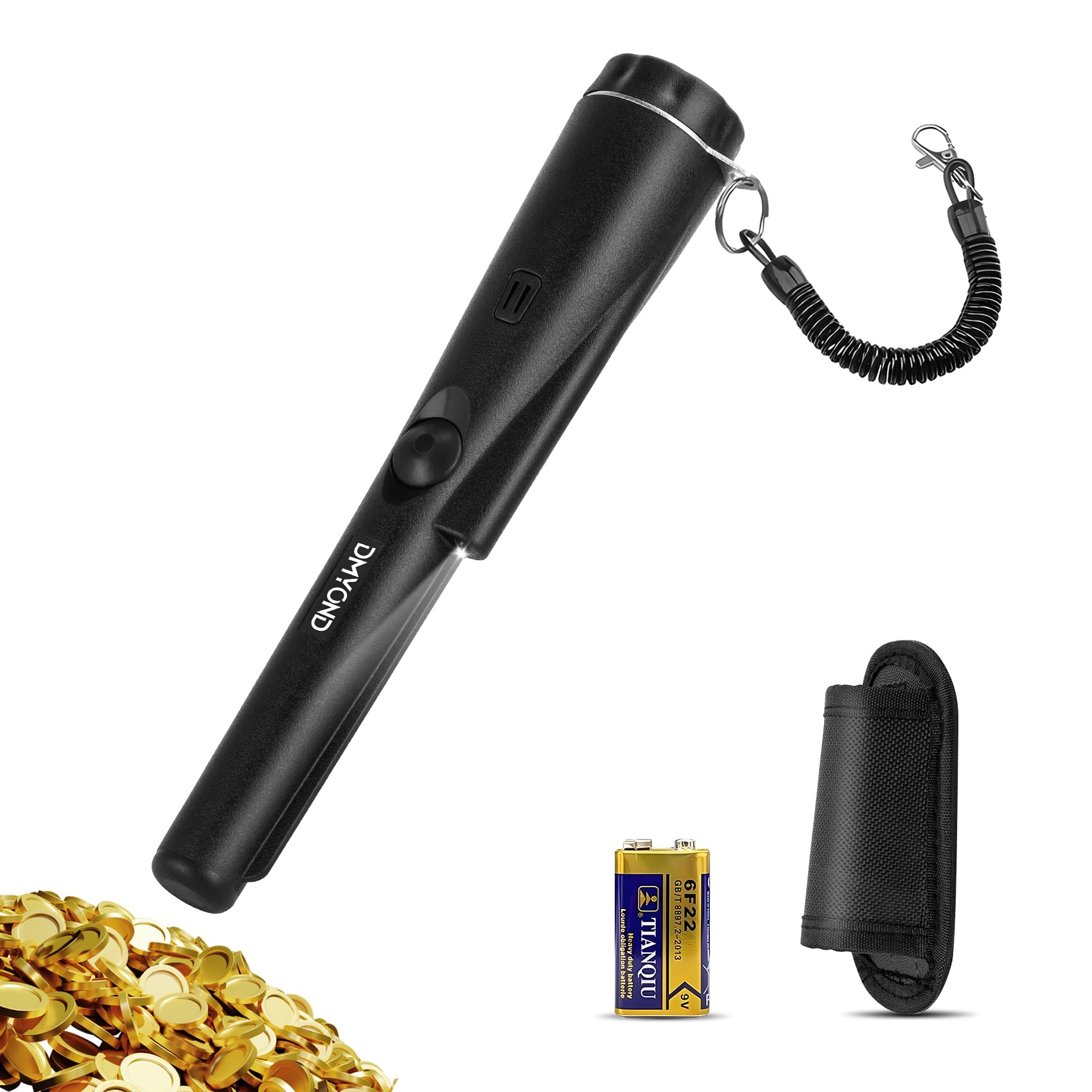
Image: The Dmyond Metal Detector Pinpointer, illustrating its function in locating buried metal objects.
2. Safety Information
- Always be aware of your surroundings when using the pinpointer, especially in public areas or near utilities.
- Do not attempt to open or modify the device, as this will void the warranty and may cause damage or injury.
- Keep the device away from extreme temperatures, direct sunlight, and corrosive materials.
- The pinpointer is partially waterproof. The detection probe can be submerged, but the handle, switch, and speaker are not waterproof. Avoid submerging the entire device.
- Remove the battery if the device will not be used for an extended period to prevent leakage and damage.
- Dispose of batteries according to local regulations.
3. Package Contents
Verify that all items are present in your package:
- Dmyond Metal Detector Pinpointer
- 9V Battery
- Holster
- Lanyard
- User Manual

Image: All items included in the Dmyond Metal Detector Pinpointer package.
4. Product Overview
The Dmyond Metal Detector Pinpointer is a highly sensitive, portable device designed for precise target location. It features a 360-degree side-scan capability for quick area scanning and a pinpointing tip for accurate target identification.
Key Features:
- High Sensitivity: Detects various metals including gold, silver, copper, and nickel.
- Dual Alarm Mode: Provides both audible ('Bi-Bi' sound) and vibration alerts. The alarm intensity increases as the pinpointer approaches a metal target.
- LED Light: Illuminates the detection area for improved visibility.
- 360° Side-Scan: Allows for quick scanning of larger areas.
- Partial Waterproof Design: The probe can be submerged in water for detection, but the main body (switch and speaker) is not waterproof.
- Lightweight & Portable: Weighs approximately 8 ounces and includes a holster and lanyard for easy carrying.
Components:
- Battery Cover
- LED Flashlight
- Ergonomic Silicone Handle
- One-Touch Switch

Image: Labeled diagram of the Dmyond Pinpointer's main components.

Image: Dimensions and weight of the Dmyond Metal Detector Pinpointer.
5. Setup
5.1 Battery Installation
- Unscrew the battery cover at the top of the pinpointer.
- Insert the provided 9V battery, ensuring correct polarity (+/-).
- Securely screw the battery cover back on.
5.2 Attaching Lanyard and Holster
- Attach the lanyard to the designated loop on the pinpointer for added security during use.
- Use the belt holster to conveniently carry the pinpointer on your waist, preventing loss and allowing quick access.
Video: Official Dmyond video demonstrating the setup and basic features of the Metal Detector Pinpointer.
6. Operating Instructions
6.1 Power On/Off
- To turn on the pinpointer, press the one-touch switch button. The LED light will illuminate.
- To turn off the pinpointer, press and hold the one-touch switch button until the device powers down.

Image: Simple one-button operation of the Dmyond Pinpointer.
6.2 Metal Detection
- Once powered on, hold the pinpointer with the probe end facing the area you wish to scan.
- Move the pinpointer slowly over the surface. The 360-degree side-scan feature allows for efficient coverage.
- When a metal object is detected, the LED light will flash, and the device will emit an audible 'Bi-Bi' sound and/or vibrate.
- To pinpoint the exact location, move the probe closer to the detected area. The intensity of the sound and vibration will increase as you get closer to the target.
- The pinpointer can detect various metals. Refer to the detection distance chart for typical ranges.

Image: Pinpointer indicating a buried metal object with dual alarm modes.

Image: Demonstrating 360-degree pinpoint detection in soil.

Image: Pinpointer's ability to detect various types of metal.
6.3 Using in Water (Partial Waterproofing)
- The needle pointer (probe) of the pinpointer is partially waterproof. This allows you to submerge the probe into water to check for metal objects.
- Important: Do not submerge the entire device. The switch and speaker areas are not waterproof and can be damaged by water immersion.

Image: Demonstrating the partial waterproofing feature of the pinpointer.
Video: Official Dmyond video showcasing the Metal Detector Pinpointer in various detection scenarios.
7. Maintenance
- Cleaning: After each use, especially in dirty or wet conditions, wipe down the pinpointer with a damp cloth. Ensure no dirt or debris is lodged around the probe or switch.
- Battery Care: If the pinpointer will not be used for an extended period (e.g., several weeks or months), remove the 9V battery to prevent potential leakage and damage to the device.
- Storage: Store the pinpointer in a cool, dry place, away from direct sunlight and extreme temperatures.
8. Troubleshooting
| Problem | Possible Cause | Solution |
|---|---|---|
| Pinpointer does not turn on. | Battery is dead or incorrectly installed. | Replace the 9V battery or check its polarity. |
| Weak or inconsistent detection. | Low battery power; environmental interference. | Replace the battery. Move away from strong electromagnetic fields. |
| False alarms or constant beeping. | Interference from other electronic devices or highly mineralized ground. | Move to a different location. Ensure no other metal objects are nearby. |
| Device turns off unexpectedly. | Low battery power; internal malfunction. | Replace the battery. If the issue persists, contact customer support. |
9. Specifications
| Feature | Detail |
|---|---|
| Brand | Dmyond |
| Model Number | GP-TPINTER |
| Color | Black |
| Material | Plastic |
| Power Source | Battery Powered |
| Battery Type | 9V |
| Item Weight | 8 ounces |
| Display Type | LED |
| Item Dimensions (L x W x H) | 1.49"L x 1.49"W x 9.1"H |
| Recommended Uses | Metal Detection |
10. Warranty and Support
Dmyond products are manufactured to high-quality standards. For any questions, technical support, or warranty claims, please refer to the contact information provided with your purchase or visit the official Dmyond website. Please retain your proof of purchase for warranty purposes.

