
1. Introduction
Thank you for purchasing the Crosley CR3049A Stanza Portable Rechargeable Bluetooth Speaker. This manual provides important information regarding the setup, operation, and maintenance of your new speaker. Please read it thoroughly before use and retain it for future reference.
The Stanza speaker combines classic design with modern functionality, offering wireless audio streaming via Bluetooth and a portable, rechargeable design for music on the go. It also features a Twin Connection Mode, allowing you to pair two Stanza speakers for enhanced stereo sound.
2. Safety Information
- Do not expose the speaker to extreme temperatures, humidity, or direct sunlight.
- Avoid dropping or subjecting the speaker to strong impacts.
- Do not disassemble or attempt to repair the unit yourself. Refer all servicing to qualified personnel.
- Use only the provided USB-C cable for charging.
- Keep the speaker away from water or other liquids. This product is not waterproof.
- Ensure proper ventilation around the speaker during use and charging.
3. Package Contents
Carefully unpack the box and check that all items listed below are present and in good condition.
- Crosley CR3049A Stanza Portable Rechargeable Bluetooth Speaker
- USB-C Cable
- User Manual (this document)
4. Product Overview
4.1 Front View
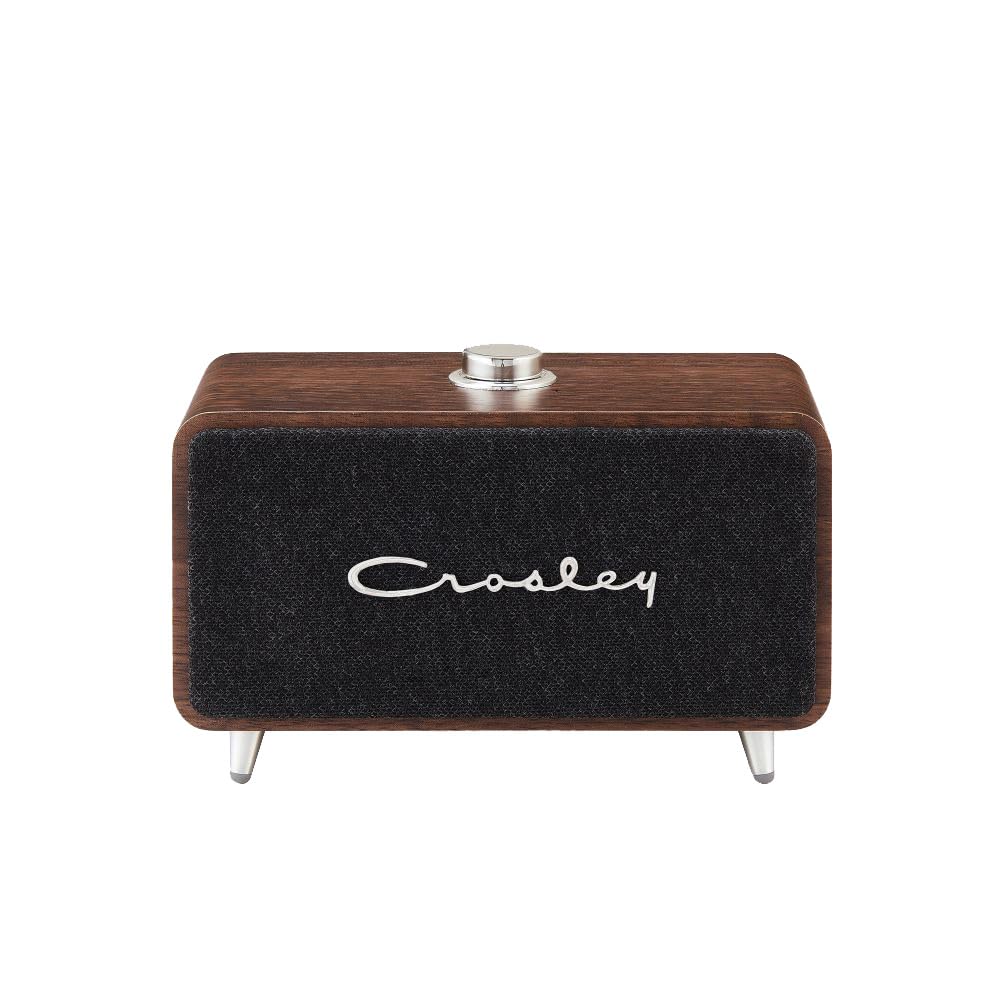
Figure 1: Front view of the Stanza speaker.
4.2 Top View (Controls)

Figure 2: Top view showing the Power/Volume knob and LED indicator.
- Power/Volume Knob: Rotate to turn the speaker ON/OFF and adjust the volume. Press to play/pause audio or answer/end calls.
- LED Indicator: Displays power status, Bluetooth pairing status, and charging status.
4.3 Rear View (Ports)

Figure 3: Rear view showing the USB-C charging port.
- USB-C Charging Port: Connect the provided USB-C cable for charging the speaker's internal battery.
5. Setup
5.1 Initial Charging
Before first use, fully charge the speaker. Connect the provided USB-C cable to the speaker's charging port and the other end to a USB power adapter (not included) or a computer's USB port. The LED indicator will show charging status and turn off when fully charged.

Figure 4: The Stanza speaker offers up to 8 hours of playtime on a full charge.
5.2 Powering On/Off
To turn the speaker ON, rotate the Power/Volume knob clockwise. The LED indicator will light up. To turn the speaker OFF, rotate the Power/Volume knob counter-clockwise until it clicks.
6. Operating Instructions
6.1 Bluetooth Pairing
The Stanza speaker uses Bluetooth technology to stream audio wirelessly from your compatible devices.
- Turn on the speaker. The LED indicator will flash blue, indicating it is in pairing mode.
- On your Bluetooth-enabled device (smartphone, tablet, computer), go to the Bluetooth settings.
- Search for available devices and select "Crosley Stanza" from the list.
- Once paired, the LED indicator will turn solid blue, and you will hear an audible confirmation.
- You can now play audio from your device through the Stanza speaker.

Figure 5: Stream digital music wirelessly via Bluetooth.
6.2 Twin Connection Mode (Stereo Pairing)
For an enhanced stereo audio experience, you can pair two Crosley Stanza speakers together. Note: A second Stanza speaker is sold separately.
- Ensure both Stanza speakers are turned ON and not connected to any other Bluetooth device.
- On one speaker (this will be your primary speaker), press and hold the Power/Volume knob for approximately 3 seconds until you hear a tone, and the LED indicator flashes rapidly.
- Repeat the same step on the second speaker (secondary speaker).
- The two speakers will automatically connect to each other. Once connected, the LED indicator on the primary speaker will flash blue slowly, and the LED on the secondary speaker will turn solid blue.
- Now, connect your Bluetooth device to the primary speaker as described in Section 6.1. The audio will play in stereo across both speakers.

Figure 6: Two Stanza speakers paired for stereo sound (second speaker sold separately).
6.3 Charging the Speaker
When the battery is low, the LED indicator will flash red. Connect the USB-C cable to the speaker's charging port and a USB power source. The LED will be solid red while charging and turn off when fully charged. A full charge provides up to 8 hours of listening time.
7. Maintenance
- Cleaning: Wipe the speaker with a soft, dry cloth. Do not use abrasive cleaners or solvents.
- Storage: When not in use for extended periods, store the speaker in a cool, dry place.
- Battery Care: To prolong battery life, avoid fully discharging the battery frequently. Charge the speaker regularly, even if not in use.
8. Troubleshooting
| Problem | Possible Cause | Solution |
|---|---|---|
| Speaker does not turn on. | Battery is discharged. | Charge the speaker using the USB-C cable. |
| No sound. | Volume is too low or muted. | Increase the volume on the speaker and your connected device. |
| Bluetooth device cannot pair. | Speaker is not in pairing mode or too far from device. | Ensure speaker LED is flashing blue. Move device closer to speaker. Forget "Crosley Stanza" on your device and try pairing again. |
| Twin Connection Mode not working. | Speakers not properly initiated for Twin Connection. | Ensure both speakers are unpaired from other devices. Follow Twin Connection Mode steps carefully. |
9. Specifications

Figure 7: Overall dimensions of the Stanza speaker.
- Brand: Crosley
- Model Name: Stanza
- Model Number: CR3049A
- Connectivity Technology: Bluetooth
- Audio Output Mode: Stereo
- Speaker Type: Portable Speaker
- Enclosure Material: Wood, Vinyl, Plastic
- Color: Walnut
- Battery Average Life: 8 Hours
- Power Source: Battery Powered
- Item Dimensions (D x W x H): 3.25"D x 6"W x 4"H
- Item Weight: 1.23 Pounds
- UPC: 710244262187
10. Official Product Video
This video provides a visual overview of the Crosley Stanza Portable Rechargeable Bluetooth Speaker, demonstrating its features and design.
11. Warranty Information
The Crosley CR3049A Stanza Portable Rechargeable Bluetooth Speaker comes with a One Year Limited Manufacturer's Warranty. This warranty covers defects in materials and workmanship under normal use. For specific terms and conditions, please refer to the warranty card included with your product or contact Crosley customer support.
12. Support
If you encounter any issues or have questions regarding your Crosley Stanza speaker that are not addressed in this manual, please visit the official Crosley website or contact their customer support for assistance. Keep your purchase receipt for warranty claims.


