
Gisaae B0DQ8LRBBX
Contents
Gisaae Ultrasonic Jewelry Cleaner User Manual
Model: B0DQ8LRBBX
Introduction
The Gisaae Ultrasonic Jewelry Cleaner utilizes 48kHz ultrasonic sound waves to generate microscopic bubbles, providing a powerful yet gentle cleaning action for various items. This manual provides essential information for the safe and effective operation, maintenance, and troubleshooting of your device.
Safety Information
- Always ensure the device is unplugged before filling or emptying the tank.
- Do not immerse the main unit in water or any other liquid.
- Keep out of reach of children.
- Avoid operating the cleaner without water in the tank.
- If the indicator light flashes, it signifies an overheat protection program activation. Replace the water and wait 15 minutes before resuming use.
- Do not clean UV-coated or broken glasses, non-waterproof watches, or items with loose stones (e.g., pearls, emeralds, amber, onyx, topaz, turquoise) as they may be damaged.
- Avoid cleaning oxidized or scratched jewelry or gems, and items with coating or finishing of inferior products.
- Use only appropriate cleaning agents as recommended for specific items.
What's in the Box
Upon opening your Gisaae Ultrasonic Jewelry Cleaner package, you should find the following components:
- Gisaae Ultrasonic Cleaner Unit
- Watch Stand
- Cleaning Cloth
- User Manual (this document)
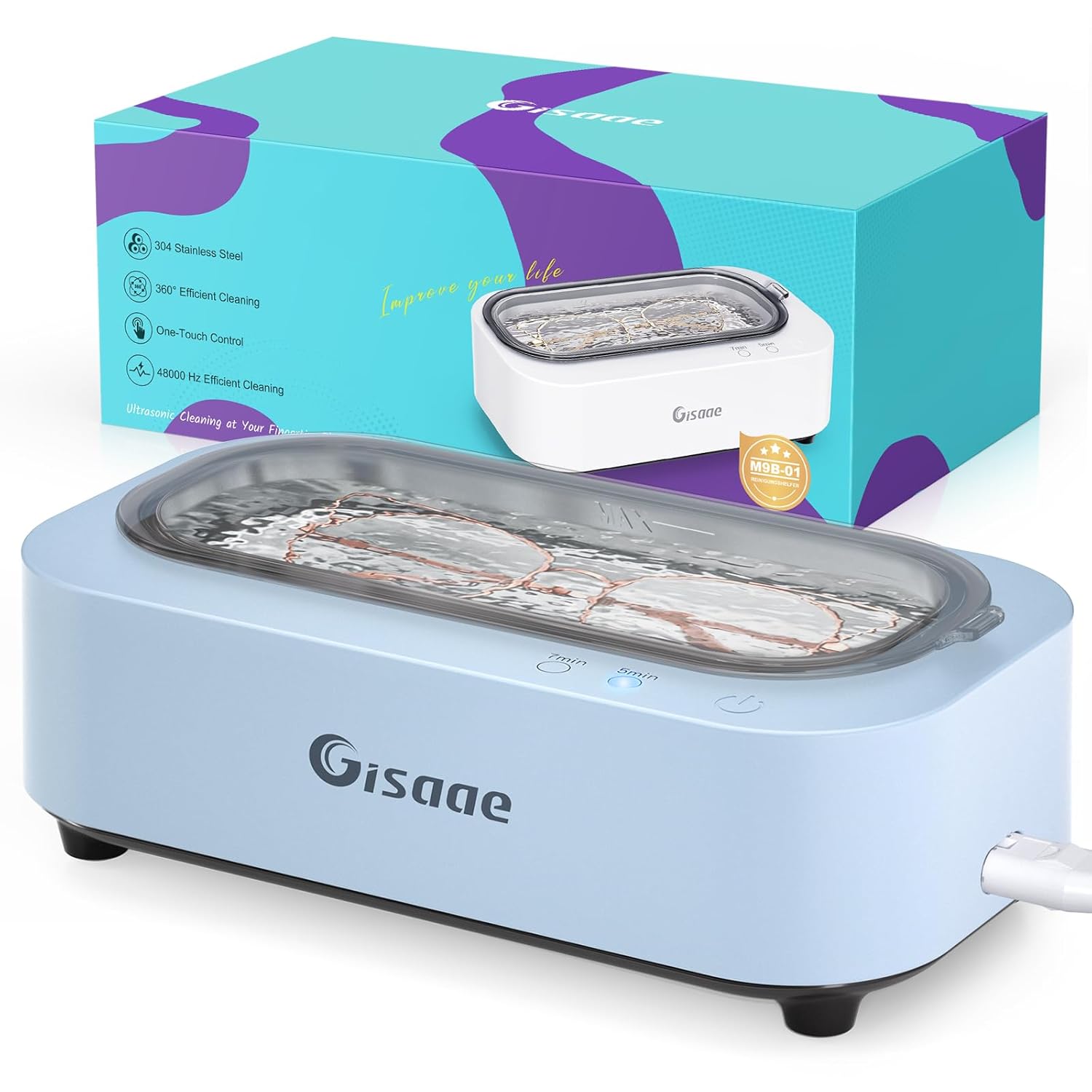
The Gisaae Ultrasonic Jewelry Cleaner unit and its retail packaging.
Setup
Follow these steps to prepare your Gisaae Ultrasonic Jewelry Cleaner for use:
- Unpack the Unit: Carefully remove the ultrasonic cleaner from its packaging.
- Connect Power: Insert the removable power plug into the unit and then into a suitable power outlet.
- Fill with Water: Open the lid and fill the stainless steel tank with water up to the 'MAX' line. Distilled water is recommended for best results.
- Add Cleaning Agent (Optional): For enhanced cleaning, you may add a small amount of appropriate cleaning solution suitable for the items you intend to clean.

Visual guide for the setup process, including filling with water and adding detergent.
Operating Instructions
The Gisaae Ultrasonic Jewelry Cleaner features two cleaning modes for optimal results:
- Place Items: Carefully place the items to be cleaned into the stainless steel tank. Ensure they are fully submerged and do not overcrowd the tank.
- Select Cleaning Mode:
- 5-Minute Mode: Ideal for general cleaning of items such as glasses, dentures, and retainers. Press the '5min' button to activate.
- 7-Minute Mode: Recommended for enhanced cleaning of jewelry and waterproof watch straps. Press the '7min' button to activate.
- Start Cleaning: Press the power button to begin the ultrasonic cleaning cycle. The device will automatically stop when the selected time is complete.
- Remove Items: Once the cycle is finished, unplug the device and carefully remove your cleaned items. Rinse them under clean water and dry thoroughly with the provided cleaning cloth or a soft, lint-free cloth.

The control panel highlighting the 5-minute and 7-minute cleaning modes.
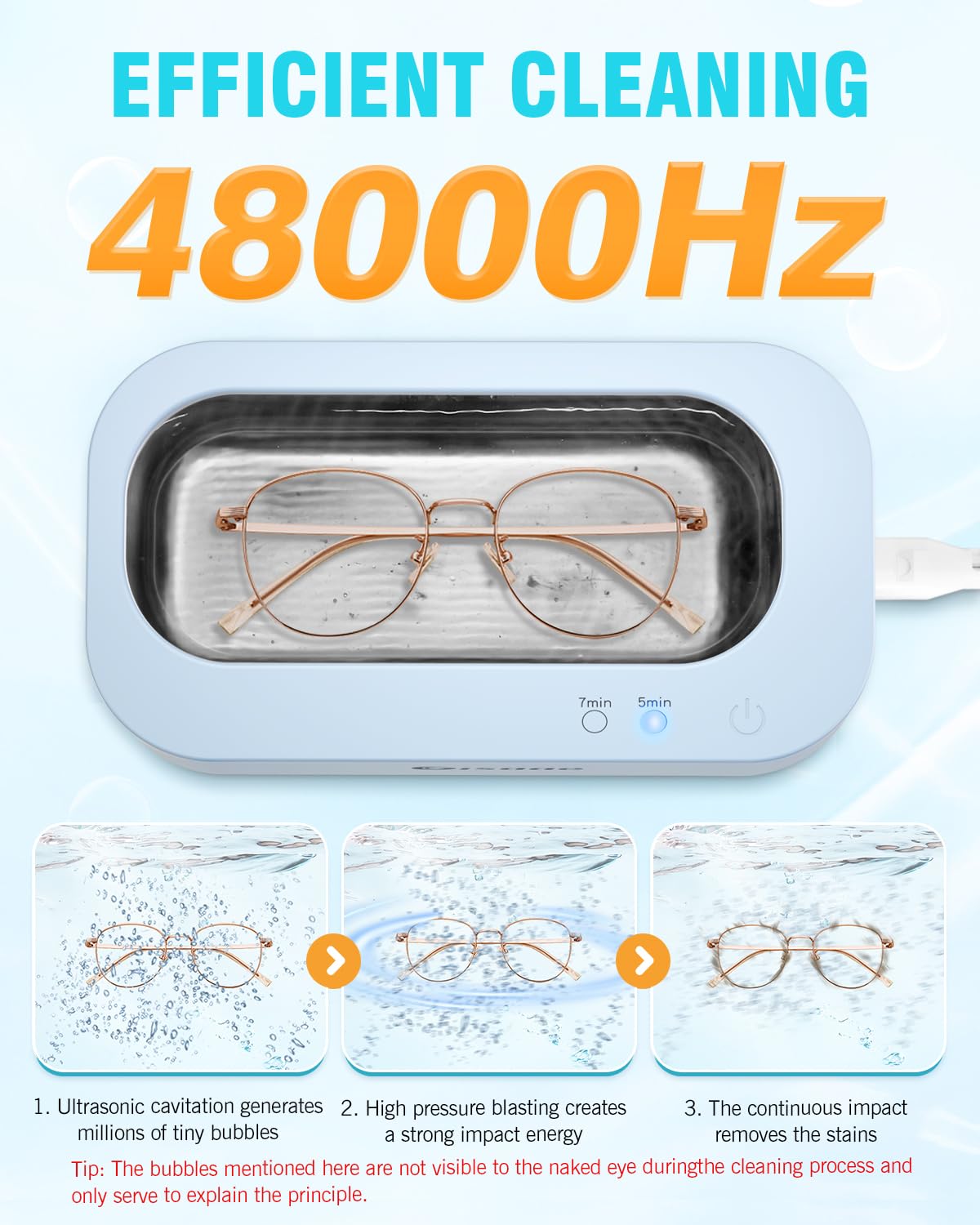
Illustration of the 48kHz ultrasonic cleaning process, showing glasses in the tank.

Examples of items suitable for cleaning with the Gisaae Ultrasonic Cleaner.

Visual demonstration of cleaning effectiveness on jewelry.

Detailed list of items suitable and unsuitable for ultrasonic cleaning.
Maintenance
Proper maintenance ensures the longevity and optimal performance of your Gisaae Ultrasonic Jewelry Cleaner:
- Empty and Rinse: After each use, unplug the device, empty the water from the stainless steel tank, and rinse it thoroughly with clean water.
- Wipe Down: Use a soft, damp cloth to wipe the exterior of the unit. Do not use abrasive cleaners or immerse the unit in water.
- Storage: Store the cleaner in a cool, dry place away from direct sunlight and moisture when not in use.
- Overheat Protection: If the overheat protection activates (indicator light flashes), allow the unit to cool down for at least 15 minutes before refilling and restarting.
Troubleshooting
| Problem | Possible Cause | Solution |
|---|---|---|
| Unit does not turn on. | Not plugged in; power outlet issue; unit malfunction. | Ensure power cord is securely plugged into the unit and a working outlet. Try a different outlet. If problem persists, contact support. |
| Cleaning is not effective. | Insufficient water; incorrect cleaning mode; items too dirty; wrong cleaning agent. | Ensure water is at 'MAX' line. Select appropriate cleaning mode (7min for tougher jobs). Consider adding a suitable cleaning agent. For heavily soiled items, multiple cycles may be needed. |
| Indicator light flashes. | Overheat protection activated. | Unplug the unit, replace the water, and allow it to cool down for 15 minutes before restarting. |
| Unusual noise during operation. | Normal ultrasonic vibration; unit not on a stable surface. | A slight buzzing sound is normal. Ensure the unit is placed on a flat, stable surface to minimize vibration noise. |
Specifications
- Brand: Gisaae
- Model: B0DQ8LRBBX
- Ultrasonic Frequency: 48kHz
- Capacity: 350ml
- Tank Material: 304 Stainless Steel
- Cleaning Modes: 5 minutes (General), 7 minutes (Enhanced)
- Dimensions: 7.75 x 4.5 x 3 inches
- Weight: 1.2 Pounds
- Date First Available: December 12, 2024
- Manufacturer: Gisaae

Key product details: 304 Stainless Steel tank, non-slip base, and removable plug.
Warranty and Support
Gisaae is committed to providing a satisfying cleaning experience with your ultrasonic cleaner. Standard manufacturer's warranty applies to this product, covering defects in materials and workmanship under normal use.
For any questions, concerns, or support needs, please contact Gisaae customer service. Our team is available to assist you wholeheartedly.
Contact Information: Please refer to the product packaging or the official Gisaae website for the most current customer support contact details.
Ask a question about this manual
Ask about setup, troubleshooting, compatibility, parts, safety, or missing instructions. Manuals+ will review the question and use this page’s manual context to help answer it.