
JBL JBLJR470NCWHTAM
JBL Junior 470NC Wireless Over-Ear Noise Cancelling Kids Headphones
Model: JBLJR470NCWHTAM | Brand: JBL
1. Product Overview
The JBL Junior 470NC wireless noise-cancelling over-ear headphones are designed to deliver quality JBL Sound at volumes safe for children's ears. They feature a maximum volume limit of 85dB to protect young listeners and include Active Noise Cancelling to minimize external distractions. The JBL Headphones app allows for customizable volume limits and daily listening time, along with activity reports. These headphones are built for comfort and durability, with large, easy-to-use controls and a built-in microphone for communication. With up to 50 hours of battery life, they provide extended listening enjoyment.
Key Features:
- JBL Safe Sound <85dB: Ensures audio playback remains at safe listening levels for children.
- Parental Control with Customizable Volume & Playtime: Manage maximum volume and daily listening duration via the JBL Headphones app.
- Easy Monitoring: Track listening activity and volume reports through the app, secured by a PIN code.
- Active Noise Cancelling: Reduces ambient noise, allowing for clearer audio at lower volumes.
- Built-in Microphone: Facilitates clear communication for online learning or calls.
- Long Battery Life: Up to 50 hours of playback (with ANC off).
- Kid-Friendly Design: Comfortable fit with durable, oversized controls.

Image: JBL Junior 470NC headphones in white, showcasing their design.
2. What's in the Box
Your JBL Junior 470NC package includes the following items:
- 1 x JBL JUNIOR 470NC headphones
- 1 x 3.5mm audio cable
- 1 x USB Type-C charging cable
- 1 x sticker set for personalization
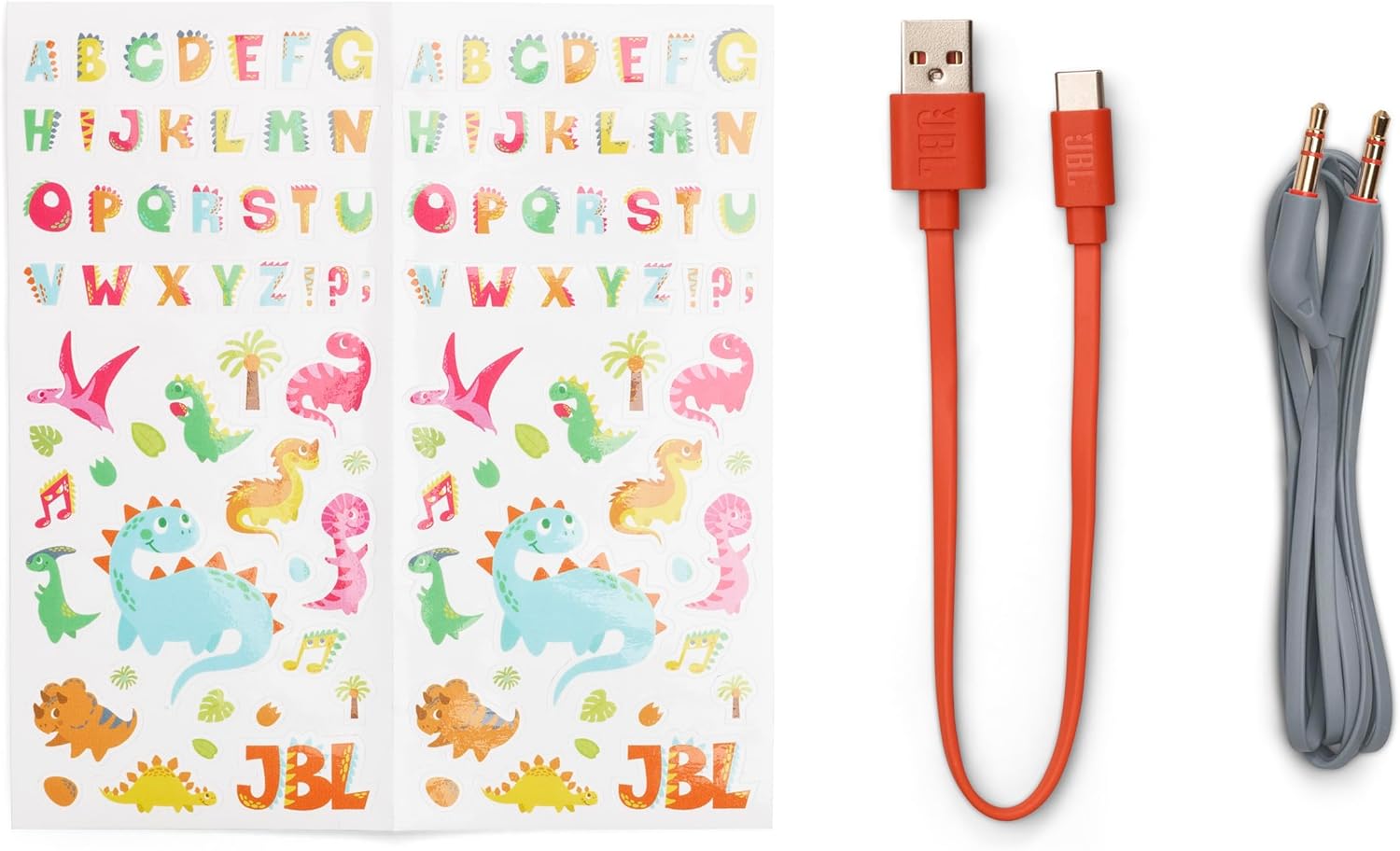
Image: The complete contents of the JBL Junior 470NC package.
3. Setup
3.1 Charging the Headphones
Before first use, fully charge your JBL Junior 470NC headphones. A full charge takes approximately 2 hours.
- Connect the supplied USB Type-C charging cable to the charging port on the headphones.
- Connect the other end of the USB cable to a USB power adapter (not included) or a computer's USB port.
- The LED indicator on the headphones will show charging status and turn off when fully charged.
3.2 Bluetooth Pairing
To connect your headphones wirelessly to a device:
- Ensure the headphones are charged and powered off.
- Press and hold the Power button on the headphones until the LED indicator flashes blue, indicating pairing mode.
- On your device (smartphone, tablet, computer), go to Bluetooth settings and turn Bluetooth on.
- Select "JBL JR 470NC" from the list of available devices.
- Once connected, the LED indicator will turn solid blue.
3.3 Wired Connection
For a wired connection, use the included 3.5mm audio cable:
- Plug one end of the 3.5mm audio cable into the audio jack on the headphones.
- Plug the other end into the 3.5mm audio output of your device.
- The headphones will automatically switch to wired mode.
4. Operating Instructions
4.1 Basic Controls
The JBL Junior 470NC headphones feature intuitive, oversized buttons for easy control:
- Power Button: Press and hold to power on/off. Press once to play/pause audio.
- Volume Up (+): Press to increase volume.
- Volume Down (-): Press to decrease volume.
- Active Noise Cancelling (ANC) Button: Press to toggle ANC on/off.
4.2 Using the JBL Headphones App
The JBL Headphones app provides advanced control and parental features:
- Download the "JBL Headphones" app from your device's app store.
- Open the app and connect to your JBL Junior 470NC headphones via Bluetooth.
- Customizable Volume: Set a lower maximum volume limit than the default 85dB if desired.
- Daily Listening Time: Configure a daily listening duration to promote healthy listening habits.
- Monitoring: View daily and weekly usage reports, including listening duration and volume levels.
- PIN Protection: Set a PIN within the app to secure your customized settings.

Image: Controlling time and volume with the JBL Headphones app.
4.3 Active Noise Cancelling (ANC)
The ANC feature helps to block out distracting background noise, providing a clearer listening experience, especially in noisy environments like airplanes or busy homes.
- Press the dedicated ANC button on the headphones to activate or deactivate noise cancellation.
- When ANC is active, you may notice a reduction in ambient sounds.
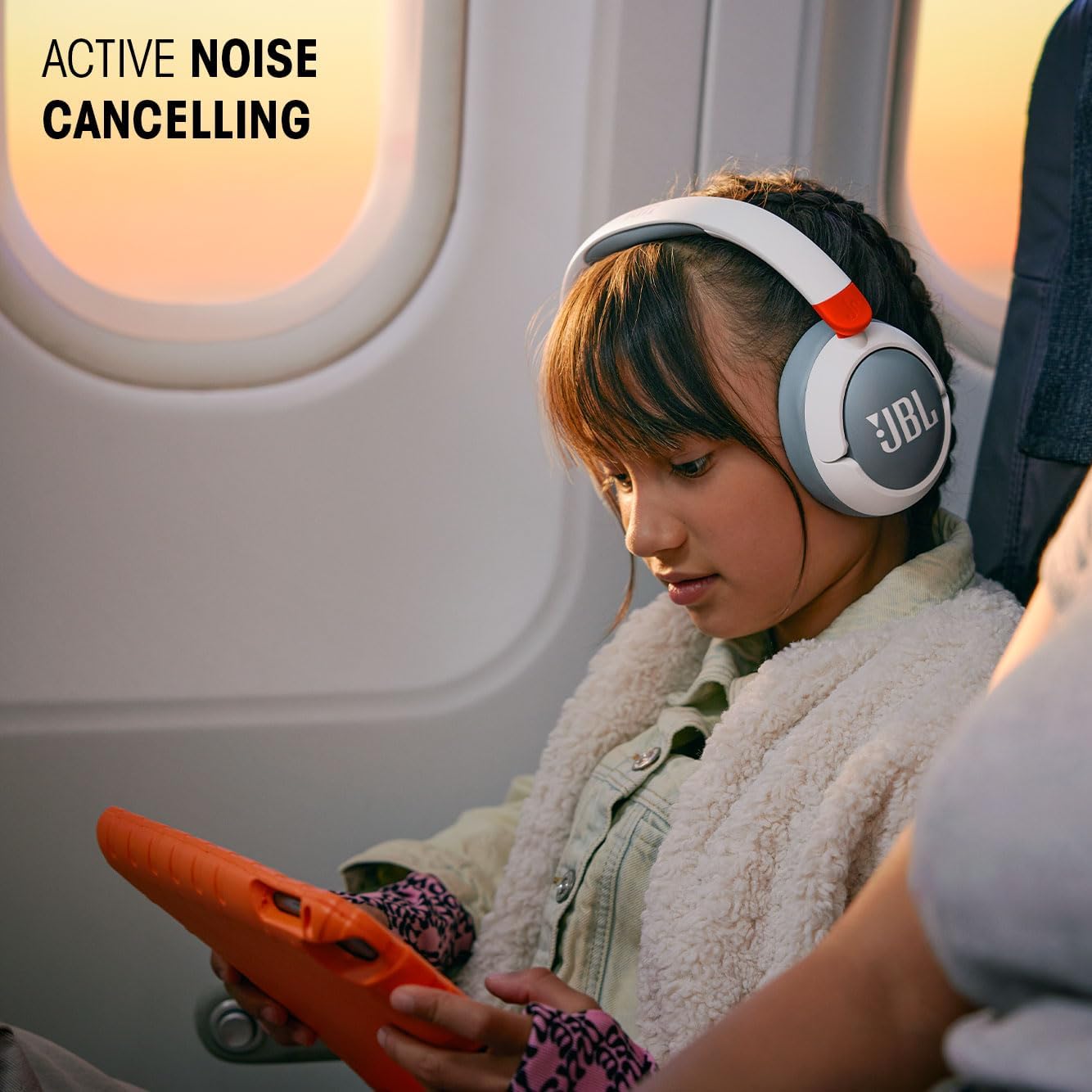
Image: Child using Active Noise Cancelling headphones on an airplane.
4.4 Built-in Microphone
The integrated microphone allows for hands-free calls and voice interactions:
- When connected via Bluetooth, the microphone automatically activates for calls.
- Use the Power button to answer or end calls (single press).
5. Maintenance
5.1 Cleaning
To maintain the cleanliness and longevity of your headphones:
- Wipe the earcups and headband with a soft, dry, lint-free cloth.
- Do not use liquid cleaners or sprays directly on the headphones.
- Avoid getting moisture into any openings.
5.2 Storage
When not in use, store your headphones in a safe place to prevent damage:
- Store in a cool, dry place away from direct sunlight and extreme temperatures.
- Avoid placing heavy objects on top of the headphones.
6. Troubleshooting
If you encounter issues with your JBL Junior 470NC headphones, try the following solutions:
No Power
- Ensure the headphones are fully charged. Connect to a power source and check the charging indicator.
Cannot Pair via Bluetooth
- Make sure Bluetooth is enabled on your device and the headphones are in pairing mode (flashing blue LED).
- Move the headphones closer to your device.
- Turn off and on both the headphones and your device's Bluetooth.
- If previously paired, try forgetting the device in your Bluetooth settings and re-pairing.
No Sound or Low Volume
- Check the volume levels on both the headphones and your connected device.
- Ensure the headphones are properly connected (Bluetooth or wired).
- If using the app, verify that the custom volume limit is not set too low.
Active Noise Cancelling Not Effective
- Ensure the ANC feature is toggled on.
- ANC is most effective against consistent low-frequency sounds. It may not completely eliminate all types of noise.
If these steps do not resolve the issue, please refer to the JBL support website for further assistance.
7. Specifications
| Feature | Specification |
|---|---|
| Model Name | JBL JR 470NC |
| Connectivity Technology | Wireless (Bluetooth) |
| Wireless Communication Technology | Bluetooth 5.3 |
| Noise Control | Active Noise Cancellation |
| Ear Placement | Over Ear |
| Audio Driver Type | Dynamic Driver |
| Audio Driver Size | 32 Millimeters |
| Sensitivity | 81 dB |
| Frequency Range | 20 Hz - 20 kHz |
| Impedance | 35 Ohm |
| Battery Life | 50 Hours (with ANC off) |
| Charging Time | 2 Hours |
| Headphones Jack | 3.5 mm Jack |
| Control Method | Button |
| Item Weight | 196 Grams (6.9 ounces) |
| Product Dimensions | 6.87 x 5.7 x 3.01 inches |
| Water Resistance Level | Not Water Resistant |
| Age Range (Description) | Kid |
| Manufacturer | JBL |
| Country of Origin | China |
| UPC | 050036406000 |
8. Warranty and Support
JBL products are designed and manufactured to the highest standards. For information regarding warranty coverage, product registration, and technical support, please visit the official JBL website or contact their customer service. Keep your proof of purchase for warranty claims.
For the most up-to-date support information, please visit: www.jbl.com/support
Related Documents - JBLJR470NCWHTAM
 |
JBL Junior 470NC Rose Headphones: Quick Start Guide & User Manual Get the most out of your JBL Junior 470NC Rose headphones with this comprehensive quick start guide and user manual. Learn about setup, controls, app features, and technical specifications. |
 |
JBL Junior 470NC Quick Start Guide - Setup and Features Comprehensive quick start guide for JBL Junior 470NC headphones, covering setup, connection, controls, app features, charging, and technical specifications. Learn how to pair, use multi-point connection, and customize your audio experience. |
 |
JBL TUNE 680NC Wireless Noise Cancelling Headphones | Product Overview Explore the JBL TUNE 680NC wireless on-ear headphones featuring JBL Pure Bass Sound, Adaptive Noise Cancelling, up to 76 hours of battery life, and comfortable design. Get detailed specifications and features. |
 |
JBL Live 660NC Wireless Over-Ear NC Headphones: Features, Specs, and Overview Discover the JBL Live 660NC wireless over-ear headphones. This overview details key features like JBL Signature Sound, Adaptive Noise Cancelling, long battery life, and comfort. Includes technical specifications, what's in the box, and company information. |
 |
JBL TUNE660NC Wireless Noise-Cancelling Headphones Quick Start Guide Get started with your JBL TUNE660NC wireless, on-ear, active noise-cancelling headphones. This guide covers setup, pairing, button commands, multi-point connection, charging, LED behaviors, technical specifications, and warranty information. |
 |
JBL TUNE 750BTNC Wireless Noise Cancelling Headphones Manual Comprehensive user manual for the JBL TUNE 750BTNC wireless over-ear headphones. This guide covers setup, Bluetooth pairing, wired listening, multi-point connection, charging, LED indicators, button commands, and detailed technical specifications for optimal product use. |
Ask a question about this manual
Ask about setup, troubleshooting, compatibility, parts, safety, or missing instructions. Manuals+ will review the question and use this page’s manual context to help answer it.