1. Introduction
Thank you for choosing the Vormooi 64GB Digital Voice Recorder. This device is designed for high-quality audio recording, featuring a durable metal casing, advanced noise reduction, and a user-friendly interface. With its large storage capacity and voice activation capabilities, it is ideal for personal study, meetings, interviews, and capturing important moments.

Image: The Vormooi 64GB Digital Voice Recorder, showcasing its compact and sleek design.

Image: Promotional banner highlighting the 64GB storage capacity of the Vormooi Digital Voice Recorder.
2. What's in the Box
Your Vormooi Digital Voice Recorder package includes the following items:
- 1 x 64GB Digital Voice Recorder (Model: P1)
- 1 x Earphones
- 1 x USB-C Cable
- 1 x User Manual (this document)
- 1 x Circle Ring (for keychain attachment)

Image: All components included in the product packaging: the voice recorder, USB-C cable, C-C cable, headphones, circle ring, and user manual.
3. Product Features
3.1. High-Quality Recording
Equipped with the latest professional 2159 recording chip, the Vormooi recorder utilizes precise algorithms for superior DSP digital noise reduction. This ensures clearer and more natural recordings, making it an excellent choice for high-fidelity audio capture.

Image: Visual representation of the 1536Kbps clear recording capability, highlighting the 2159 professional chip and strong DSP noise cancellation.

Image: Detailed graphic explaining the 1536-32Kbps high-quality crystal clear recordings, emphasizing the 2159 Professional Chip, Strong DSP Noise Cancellation, and 360° Full Range Capture.
3.2. User-Friendly One-Touch Recording
The device features a simple ON/OFF switch to start or end recording. Files are automatically saved with a date and time stamp for easy organization. Its sturdy black zinc alloy metal casing provides both durability and a sleek design.

Image: Diagram showing the compact size of the voice recorder and the simple 'RECORD' and 'SAVE' slide switch for easy operation.

Image: Close-up of the voice recorder illustrating the simple ON/OFF slide switch for one-click recording.
3.3. Large Capacity and Battery Life
With 64GB of internal memory, the recorder can store up to 900 hours of 160Kbps recording files. A full charge, which takes approximately 1 hour, provides up to 17 hours of continuous recording.

Image: Icons representing 64GB large memory, 4600 hours of memory, Voice Activation (VOR), and durable metal housing (HARD).

Image: Graphics illustrating the low battery save function and the timestamp feature for recorded files, showing how files are named with year, month, day, and time.
3.4. Voice Activated Mode (VORM)
The Voice Activated Mode (VORM) is off by default. When enabled, this function allows the recorder to automatically start recording when sound is detected and pause during silence. This saves memory and streamlines the organization of your recordings by eliminating meaningless blank clips.

Image: Illustration of the Voice Activation feature, showing different sound levels (DB) and corresponding activation levels (1-7).
4. Setup
4.1. Charging the Device
Before first use, fully charge the voice recorder. Connect the included USB-C cable to the recorder's USB-C port and the other end to a power source (e.g., computer USB port, USB wall adapter). The indicator light will show charging status and turn off when fully charged.
4.2. Initial Power On
To power on the device, slide the record switch to the 'ON' position. A blue indicator light will briefly illuminate, indicating the device is active and ready for operation.
5. Operating Instructions
5.1. Recording Audio
- To start recording, simply slide the record switch to the ON position. The device will automatically begin recording.
- To stop recording and save the file, slide the record switch to the OFF position. The recording will be saved with a date and time stamp.
5.2. Playback
To listen to your recordings, connect the included earphones to the control panel, and then connect the control panel to the voice recorder's USB-C port. Use the buttons on the control panel to navigate and play recordings.
- Play/Pause: Press the central button to play or pause the current recording.
- Volume Up/Down: Use the volume buttons to adjust playback volume.
- Next/Previous Track: Use the skip buttons to move between recordings.
5.3. Enabling Voice Activated Mode (VORM)
Refer to the detailed instructions in the included paper manual to enable or disable the Voice Activated Mode (VORM). Once enabled, the recorder will only record when sound is detected, conserving memory and battery life.
6. Connecting to Other Devices (OTG Function)
The Vormooi Digital Voice Recorder supports OTG (On-The-Go) functionality, allowing direct connection to Android phones, Windows, and macOS computers for easy file transfer and management.
- Connect the voice recorder to your device using the appropriate USB-C cable (or adapter if needed).
- Your device should recognize the voice recorder as an external storage device.
- Navigate to the recorder's storage to access, transfer, or delete your recorded files.
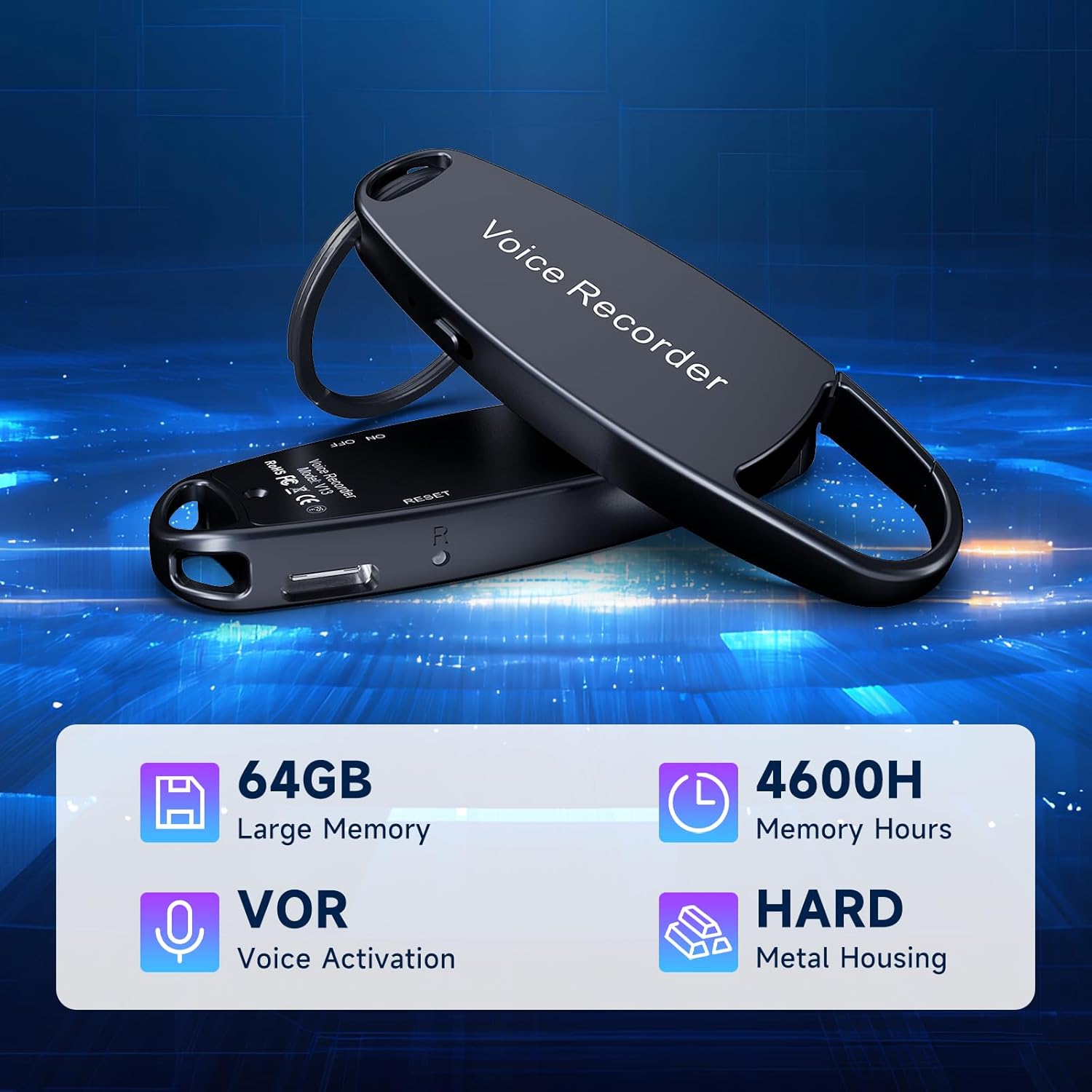
Image: The voice recorder connected to a smartphone, displaying recorded files on the phone's screen, demonstrating the OTG function.

Image: The voice recorder connected via USB-C to both a laptop and a smartphone, illustrating its versatile OTG connectivity for file management across different devices.
7. Maintenance
- Cleaning: Use a soft, dry cloth to clean the device. Avoid using liquid cleaners or solvents.
- Storage: Store the recorder in a cool, dry place away from direct sunlight and extreme temperatures.
- Battery Care: To prolong battery life, avoid fully discharging the device frequently. Charge it regularly, even if not in use for extended periods.
- Data Backup: Regularly back up important recordings to your computer or cloud storage to prevent data loss.
8. Troubleshooting
| Problem | Possible Cause | Solution |
|---|---|---|
| Device not turning on. | Low battery; device frozen. | Charge the device fully. If unresponsive, try resetting (refer to manual for reset pinhole location if available). |
| Cannot hear recordings during playback. | Headphones not properly connected; volume too low; corrupted file. | Ensure headphones and control panel are securely connected. Adjust volume. Try playing on a computer to check file integrity. |
| Recordings are unclear or noisy. | Environmental noise; microphone obstructed; incorrect settings. | Record in a quieter environment. Ensure microphone is unobstructed. Check recording quality settings (if adjustable). |
| Device not recognized by computer/phone. | Faulty cable; incorrect connection; driver issue. | Try a different USB-C cable. Ensure the cable is fully inserted. Restart both the recorder and the computer/phone. |
| Voice Activated Mode (VORM) not working as expected. | VORM sensitivity setting too high/low; VORM not enabled. | Adjust VORM sensitivity settings. Ensure VORM is properly enabled via the manual's instructions. |
9. Specifications
| Feature | Detail |
|---|---|
| Model Number | P1 |
| Memory Storage Capacity | 64 GB |
| Recording Quality | Up to 1536kbps |
| Recording Time (160Kbps) | Approx. 900 hours |
| Battery Life (Continuous Recording) | Approx. 17 hours (after 1 hour full charge) |
| Product Dimensions | 0.6 x 5.2 x 5.2 inches (0.6"D x 5.2"W x 5.2"H) |
| Item Weight | 1.06 ounces (30 Grams) |
| Microphone Form Factor | Built-In |
| Headphones Jack | 3.5 millimeters (via control panel) |
| Hardware Interface | USB Type C |
| Compatible Devices | Windows/macOS Computer, Android Phones (via OTG) |
| Manufacturer | Vormooi |
| Country of Origin | China |
10. Warranty and Support
Vormooi is committed to providing excellent customer service. If you encounter any problems during the use of your digital voice recorder, please do not hesitate to contact our after-sales support team.
- Support Response: Our support team will promptly respond and work to solve your problem within 24 hours on weekdays.
- Warranty Information: Please refer to the product packaging or contact Vormooi customer service for specific warranty details.

Image: A customer service representative, symbolizing Vormooi's commitment to responsible and reliable support, including lifetime technical support, 2-year replacement service, and 24-hour email response.
USE SITUATIONS: Please kindly comply with the relevant laws of the country of use and refrain from using this product for any unlawful purposes.


