
1. Introduction
The Wingtech Celero 5G smartphone is designed to provide reliable performance and connectivity. This manual offers comprehensive guidance on its features, setup, operation, and maintenance to ensure optimal use of your device.
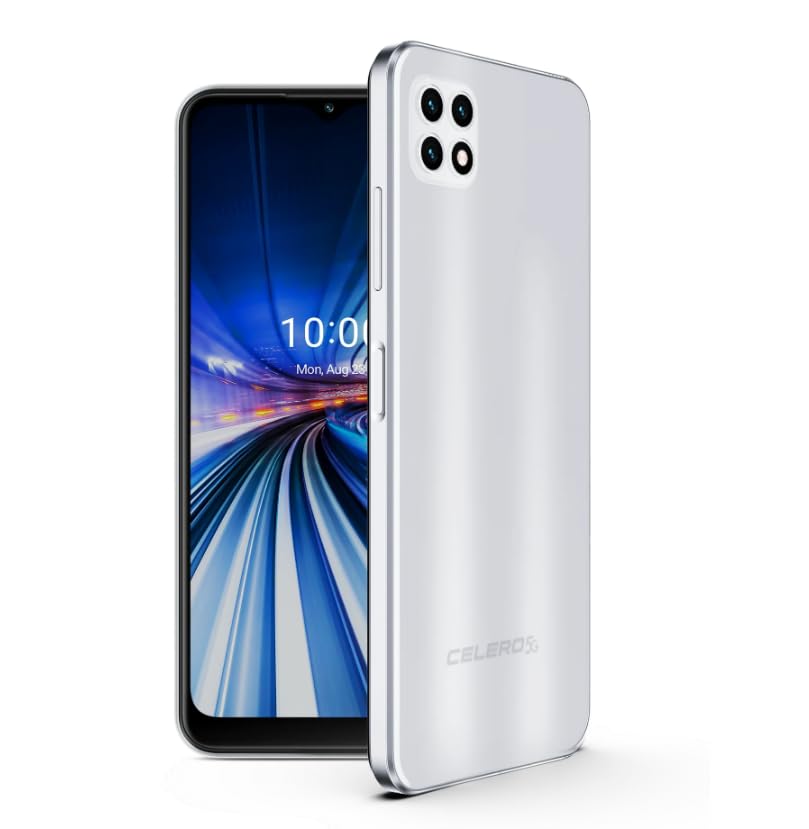
Figure 1: Wingtech Celero 5G Smartphone (Silver)
2. What's in the Box
Verify that all items are present in the product packaging:
- Wingtech Celero 5G Smartphone
- USB Cable
- SIM Tray Ejector
- Quick Start Guide (may be included separately)
3. Setup
3.1. Inserting the SIM Card
- Locate the SIM card tray on the side of your device.
- Insert the SIM tray ejector tool into the small hole next to the tray and push gently until the tray pops out.
- Place your Nano-SIM card(s) and/or microSD card into the tray with the gold contacts facing down.
- Carefully reinsert the tray into the device.
3.2. Initial Power On and Setup
- Press and hold the Power button until the device vibrates and the screen turns on.
- Follow the on-screen prompts to select your language, connect to a Wi-Fi network, and set up your Google account.
- Complete the setup wizard to personalize your device settings.
4. Operating
4.1. Basic Navigation
- Home Screen: Swipe left or right to access different home screen panels.
- App Drawer: Swipe up from the home screen to view all installed applications.
- Notifications Panel: Swipe down from the top of the screen to access notifications and quick settings.
4.2. Making Calls and Sending Messages
- Tap the Phone icon to open the dialer and make calls.
- Tap the Messages icon to send and receive text messages.
4.3. Camera Usage
- Tap the Camera icon to launch the camera application.
- Select different modes (Photo, Video, Portrait, etc.) by swiping across the screen.
- Tap the shutter button to capture photos or start/stop video recording.
5. Specifications
| Feature | Detail |
|---|---|
| Model Name | Celero 5G |
| Item Model Number | DSH98123 |
| Operating System | Android 11.0 |
| Screen Size | 6.52 Inches |
| Resolution | 1920 x 1080 |
| Memory Storage Capacity | 4 GB (RAM) |
| Internal Storage | 64GB (as per product title, though description mentions 64GB built-in memory) |
| Battery Capacity | 4000 Milliamp Hours |
| Connectivity Technology | 5G |
| Color | Silver |
| Manufacturer | Wingtech |
6. Maintenance
- Keep your device clean using a soft, dry cloth.
- Avoid exposing the device to extreme temperatures, direct sunlight, or liquids.
- Regularly back up your data to prevent loss.
- Install software updates as they become available to ensure optimal performance and security.
7. Troubleshooting
7.1. Device Not Turning On
- Ensure the battery is charged. Connect the device to a charger and wait a few minutes before attempting to power on.
- Press and hold the Power button for at least 10-15 seconds to perform a forced restart.
7.2. Poor Network Connectivity
- Check if your SIM card is properly inserted.
- Verify that mobile data is enabled in your device settings.
- Restart your device or toggle Airplane Mode on and off.
- Contact your wireless carrier to confirm service availability in your area.
7.3. Apps Crashing or Freezing
- Clear the cache and data for the problematic app via Settings > Apps.
- Uninstall and reinstall the app.
- Ensure your device's software is up to date.
8. Warranty and Support
This product is offered as an Amazon Renewed device. Amazon Renewed products are inspected, tested, and refurbished as necessary to be fully functional. Your purchase is eligible for Amazon Renewed coverage in conjunction with Amazon's Return Policy and the A-to-z Guarantee.
For specific warranty details, return policies, or technical support, please refer to the documentation provided with your purchase or visit the Amazon Renewed support page.