Introduction
This manual provides detailed instructions for the proper use and maintenance of your truke Buds Elite True Wireless Earbuds. Please read this manual thoroughly before using the product to ensure optimal performance and longevity.

Image: Overview of truke Buds Elite features including playtime, latency, drivers, and connectivity.
Package Contents
Ensure all items are present in the package:
- truke Buds Elite True Wireless Earbuds (Left and Right)
- Charging Case
- USB Charging Cable
- User Manual
- Ear Tips (various sizes)
Product Overview
The truke Buds Elite are designed for an immersive audio experience, featuring 10mm dynamic drivers for powerful sound. They offer extended playtime, clear call quality with Dual Mic ENC, and a dedicated gaming mode with low latency. The earbuds are lightweight and ergonomically designed for comfort.

Image: Detailed view of the 10mm Dynamic Driver for enhanced audio.
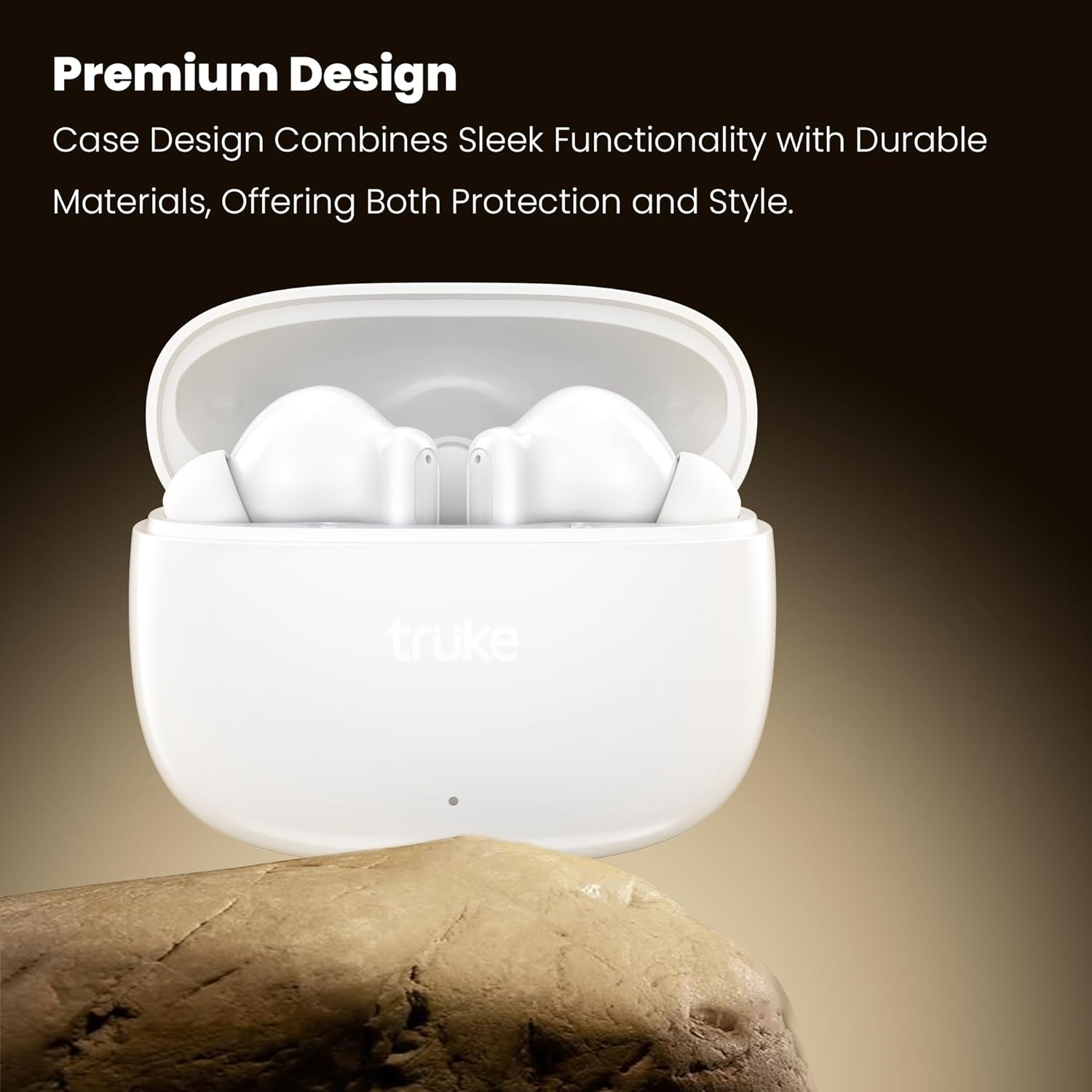
Image: The premium design of the truke Buds Elite earbuds and charging case.
Setup
1. Charging the Earbuds and Case
Before first use, fully charge the earbuds and charging case. Connect the charging case to a USB power source using the provided cable. The indicator light on the case will show charging status.
- A full charge provides up to 70 hours of total playtime with the charging case.
- A quick 10-minute charge can provide up to 10 hours of playback.

Image: Earbuds in charging case, illustrating the 70-hour total playtime and rapid charging capability.
2. Pairing with a Device
- Open the charging case. The earbuds will automatically enter pairing mode.
- On your device (smartphone, tablet, etc.), enable Bluetooth.
- Search for "truke Buds Elite" in the list of available Bluetooth devices.
- Select "truke Buds Elite" to connect. Once connected, you will hear a confirmation sound.
The earbuds utilize Bluetooth 5.4 for stable and energy-efficient connectivity.

Image: Illustrates Bluetooth 5.4 connectivity for stable audio transmission.
Operating Instructions
Power On/Off
- Power On: Open the charging case, and the earbuds will automatically power on.
- Power Off: Place the earbuds back into the charging case and close the lid. They will automatically power off and begin charging.
Touch Controls
The truke Buds Elite feature smart touch controls for easy management of music, calls, and voice assistants.
| Action | Left Earbud | Right Earbud |
|---|---|---|
| Play/Pause | Single Tap | Single Tap |
| Next Track | Double Tap | Double Tap |
| Previous Track | Triple Tap | Triple Tap |
| Volume Down | Long Press (3 sec) | - |
| Volume Up | - | Long Press (3 sec) |
| Answer/End Call | Single Tap | Single Tap |
| Reject Call | Long Press (2 sec) | Long Press (2 sec) |
| Activate Voice Assistant | Long Press (2 sec) | Long Press (2 sec) |
| Gaming Mode On/Off | Quadruple Tap | Quadruple Tap |

Image: Illustration of touch controls for volume adjustment on the earbuds.
Gaming Mode
Activate the dedicated Gaming Mode for an ultra-responsive experience with 40ms ultra-low latency, ensuring precise audio synchronization for competitive gaming. Quadruple tap either earbud to toggle Gaming Mode on or off.

Image: Gaming mode with 40ms ultra-low latency for an enhanced gaming experience.
Calling
The earbuds feature Dual Microphones with PureVoice Environmental Noise Cancellation (ENC) technology, which effectively suppresses background noise for crystal-clear voice communication.

Image: Dual Mic with PureVoice ENC ensures clear calls even in noisy environments.
Maintenance
Cleaning
Regularly clean your earbuds and charging case to maintain optimal performance and hygiene. Use a soft, dry, lint-free cloth. Do not use harsh chemicals or abrasive materials.
- Gently wipe the earbuds, especially the ear tips and charging contacts.
- Clean the charging contacts inside the case with a dry cotton swab if necessary.
Storage
When not in use, store the earbuds in their charging case to protect them from dust and damage.
Water Resistance
The truke Buds Elite are IPX5 water and sweat resistant. This means they can withstand splashes and light rain, making them suitable for workouts and outdoor activities. They are not designed for submersion in water.
- Do not expose the earbuds to running water or wear them while swimming or showering.
- Ensure the earbuds are dry before placing them back into the charging case to prevent damage to the charging contacts.

Image: IPX5 water resistance for protection against splashes and sweat.
Troubleshooting
| Problem | Possible Solution |
|---|---|
| Earbuds not pairing |
|
| Only one earbud working |
|
| Low volume or poor sound quality |
|
| Charging issues |
|
Specifications
| Feature | Detail |
|---|---|
| Model Name | Buds Elite |
| Model Number | F40+ |
| Connectivity Technology | Wireless (Bluetooth) |
| Bluetooth Version | 5.4 |
| Bluetooth Range | 10 Metres |
| Audio Driver Type | 10mm Dynamic Driver |
| Battery Life (Earbuds) | Up to 10 hours per charge |
| Total Playtime (with Case) | Up to 70 hours |
| Rapid Charging | 10 minutes charge for 10 hours playback |
| Microphone | Dual Mic with PureVoice ENC |
| Low Latency Gaming Mode | 40ms |
| Control Method | Touch |
| Water Resistance | IPX5 (Water & Sweat Resistant) |
| Material | Plastic |
| Item Weight | 38 Grams |
| Product Dimensions | 5.8 x 2.6 x 4.7 cm |
Warranty and Support
The truke Buds Elite come with a 1-year service warranty. For any product-related queries, issues, or service requests, please contact truke customer support. truke offers support through over 400 service points.

Image: truke Buds Elite are backed by 400+ service points and a 1-year service warranty.


