
truke F40+
Contents
truke Buds Elite True Wireless Earbuds User Manual
Model: F40+
Introduction
Welcome to the user manual for your truke Buds Elite True Wireless Earbuds. This guide provides detailed instructions on how to set up, operate, maintain, and troubleshoot your earbuds, ensuring you get the most out of their advanced features.

Image: truke Buds Elite earbuds resting inside their open charging case, showcasing the sleek black design.

Image: A visual summary of the truke Buds Elite's key features, including extended playtime, powerful drivers, noise cancellation, low latency, and water resistance.
The truke Buds Elite are designed to deliver immersive sound with 10mm dynamic drivers, crystal-clear calls thanks to Dual-MIC ENC, and an ultra-low latency gaming mode. With up to 70 hours of total playtime and IPX5 water resistance, they are built for durability and convenience.
Setup Guide
1. Initial Charging
Before first use, it is recommended to fully charge both the earbuds and the charging case. This ensures optimal battery performance.
- Connect the charging case to a power source using the provided USB Type-C cable.
- The indicator light on the case will illuminate to show charging status.
- A full charge provides up to 70 hours of total playtime with the charging case.
- For quick power, a 10-minute charge can provide up to 10 hours of playback.

Image: The truke Buds Elite earbuds in their charging case, illustrating the extended 70-hour total playtime and the benefit of rapid charging.
2. Pairing with a Device
Follow these steps to pair your truke Buds Elite with your Bluetooth-enabled device:
- Open the lid of the charging case. The earbuds will automatically power on and enter pairing mode, indicated by a flashing light on the earbuds.
- On your smartphone, tablet, or laptop, navigate to the Bluetooth settings.
- Ensure Bluetooth is enabled.
- Search for "truke Buds Elite" in the list of available devices and select it to connect.
- Once connected, a voice prompt will confirm successful pairing.
- For future use, the earbuds will automatically connect to the last paired device when removed from the case, provided Bluetooth is enabled on the device.
The earbuds utilize Bluetooth 5.4 technology for a stable and efficient wireless connection.
Operating Instructions
Touch Controls
The truke Buds Elite feature responsive touch controls on each earbud. Refer to the table below for common functions:
| Function | Action |
|---|---|
| Play/Pause Music | Single tap on either earbud |
| Next Track | Double tap on the Right earbud |
| Previous Track | Double tap on the Left earbud |
| Volume Up | Long press (3 seconds) on the Right earbud |
| Volume Down | Long press (3 seconds) on the Left earbud |
| Answer/End Call | Single tap on either earbud |
| Reject Call | Long press on either earbud |
| Activate Voice Assistant | Triple tap on either earbud |
| Toggle Gaming Mode | Triple tap on the Right earbud |

Image: A detailed view of the truke Buds Elite earbud, highlighting the touch control area and illustrating the long press actions for volume adjustment.
Gaming Mode
Activate the dedicated gaming mode for an ultra-responsive audio experience with a low latency of 40ms, ideal for competitive gaming.
- To activate Gaming Mode: Triple tap the Right earbud.
- To deactivate Gaming Mode: Triple tap the Right earbud again.
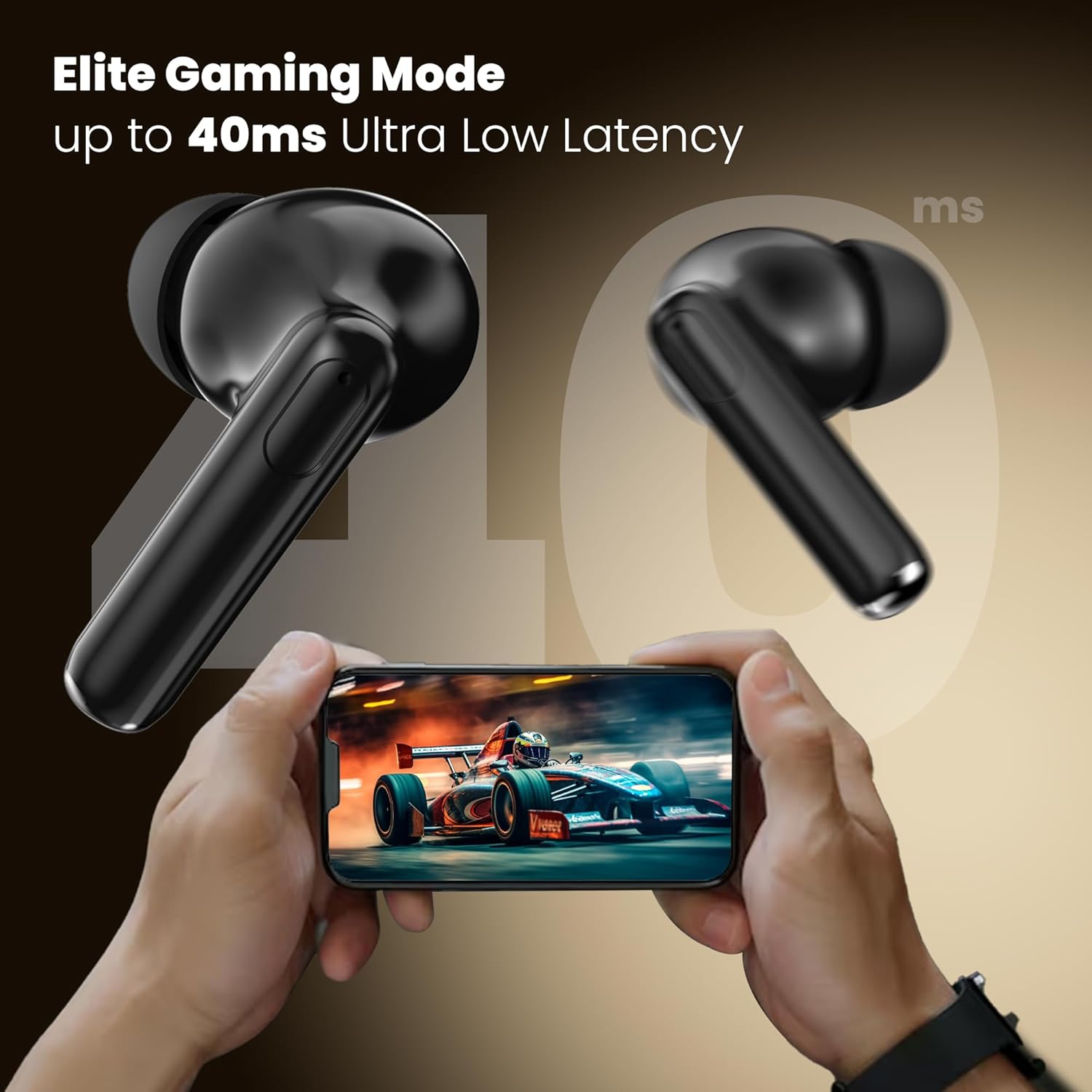
Image: truke Buds Elite earbuds floating above a smartphone displaying a racing game, emphasizing the 40ms ultra-low latency gaming mode for synchronized audio.
Environmental Noise Cancellation (ENC)
The Dual-MIC PureVoice ENC technology in your truke Buds Elite effectively reduces ambient noise, ensuring your voice is clear during calls, even in busy environments.

Image: A man wearing truke Buds Elite earbuds while on a call, with a visual representation of environmental noise cancellation ensuring clear voice transmission.
Maintenance
Cleaning
- Regularly clean the earbuds and charging case with a soft, dry, lint-free cloth.
- Do not use abrasive cleaners, alcohol, or chemical solvents, as these can damage the product.
- Gently remove any earwax or debris from the ear tips and speaker mesh using a small, soft brush or cotton swab.
Storage
- Always store the earbuds in their charging case when not in use. This protects them from damage and keeps them charged.
- Avoid storing the earbuds in extreme temperatures (above 45°C or below 0°C) or in highly humid environments.
Water Resistance (IPX5)
The truke Buds Elite are rated IPX5 water and sweat resistant. This means they are protected against low-pressure water jets from any direction. They are suitable for workouts, light rain, and daily activities where they might be exposed to sweat or splashes.
- Do not submerge the earbuds in water.
- Do not expose them to high-pressure water jets or steam.
- Ensure the earbuds are completely dry before placing them back into the charging case to prevent damage to the charging contacts.
Image: A person engaged in outdoor exercise, demonstrating the IPX5 water and sweat resistance of the earbuds, making them suitable for active lifestyles.
Troubleshooting
If you encounter any issues with your truke Buds Elite, refer to the following common problems and their solutions:
| Problem | Possible Solution |
|---|---|
| Earbuds not pairing or connecting |
|
| No sound from one earbud |
|
| Low volume or poor sound quality |
|
| Charging case not charging |
|
Technical Specifications
Detailed specifications for the truke Buds Elite True Wireless Earbuds:
| Feature | Detail |
|---|---|
| Model Name | Buds Elite |
| Model Number | F40+ |
| Connectivity Technology | Wireless |
| Wireless Communication | Bluetooth 5.4 |
| Audio Driver Type | 10mm Dynamic Driver |
| Total Playtime | Up to 70 Hours (with charging case) |
| Single Charge Playtime | Up to 10 Hours |
| Fast Charging | 10 minutes charge for 10 hours playback |
| Microphone | Dual Mic with PureVoice ENC |
| Low Latency Gaming Mode | 40ms |
| Control Method | Touch |
| Water Resistance Rating | IPX5 (Water and Sweat Resistant) |
| Item Weight | 38 Grams |
| Product Dimensions | 5.8 x 2.6 x 4.7 cm |
| Included Components | Wireless Charging Case |
| Compatible Devices | Cellphones, Desktops, Gaming Consoles, Laptops, Tablets |
Warranty and Support
Your truke Buds Elite come with a 1-year service warranty, providing assurance and support for your product.
- Warranty Period: 1 Year from the date of purchase.
- Service Points: truke offers support through over 400 service points.
- Claim Process: Please retain your original purchase receipt as proof of purchase for any warranty claims.
- Contact Support: For detailed warranty terms and conditions, or to locate the nearest service center, please visit the official truke website or contact their customer support directly.

Image: A graphic highlighting the extensive service network and 1-year service warranty provided for truke Buds Elite.
Important Safety Information
- Always use certified charging cables and adapters to prevent damage and ensure safety.
- Avoid exposing the earbuds and charging case to extreme temperatures (hot or cold), direct sunlight, or high humidity for prolonged periods.
- Do not attempt to disassemble, repair, or modify the product yourself. This will void the warranty and may cause damage or injury.
- Keep the product and its accessories out of reach of children and pets to prevent accidental ingestion or injury.
- Avoid using the earbuds at excessively high volumes for extended periods to prevent hearing damage.
Ask a question about this manual
Ask about setup, troubleshooting, compatibility, parts, safety, or missing instructions. Manuals+ will review the question and use this page’s manual context to help answer it.