
MERIDIAN MEC146E
MERIDIAN Slimmer Trimmer User Manual
Model: MEC146E | Brand: MERIDIAN
1. Product Overview
The MERIDIAN Slimmer Trimmer is a versatile and compact electric razor designed for precise grooming. Its lightweight, waterproof construction and cordless operation make it ideal for use at home or while traveling. Featuring a slim ceramic blade, adjustable trimming lengths, an LED spotlight, and a travel lock, it provides a gentle and efficient grooming experience for sensitive areas.
Key Features:
- Precision Grooming: Thoughtfully designed for ease and precision, perfect for bikini lines, pubic hair, and quick touch-ups.
- Skin-Friendly: Features a slim ceramic blade that glides over sensitive areas, preventing nicks, bumps, or razor burn. Suitable for all hair types.
- Waterproof Design: Built for wet or dry use, allowing for convenient grooming in the shower or on the go.
- Travel-Ready: Cordless, sleek, and USB-C rechargeable with a 90-minute runtime. Includes adjustable lengths, a built-in guard, and a travel lock.
- Integrated LED Spotlight: Provides illumination for hard-to-see areas, enhancing precision.
2. Components and What's Included
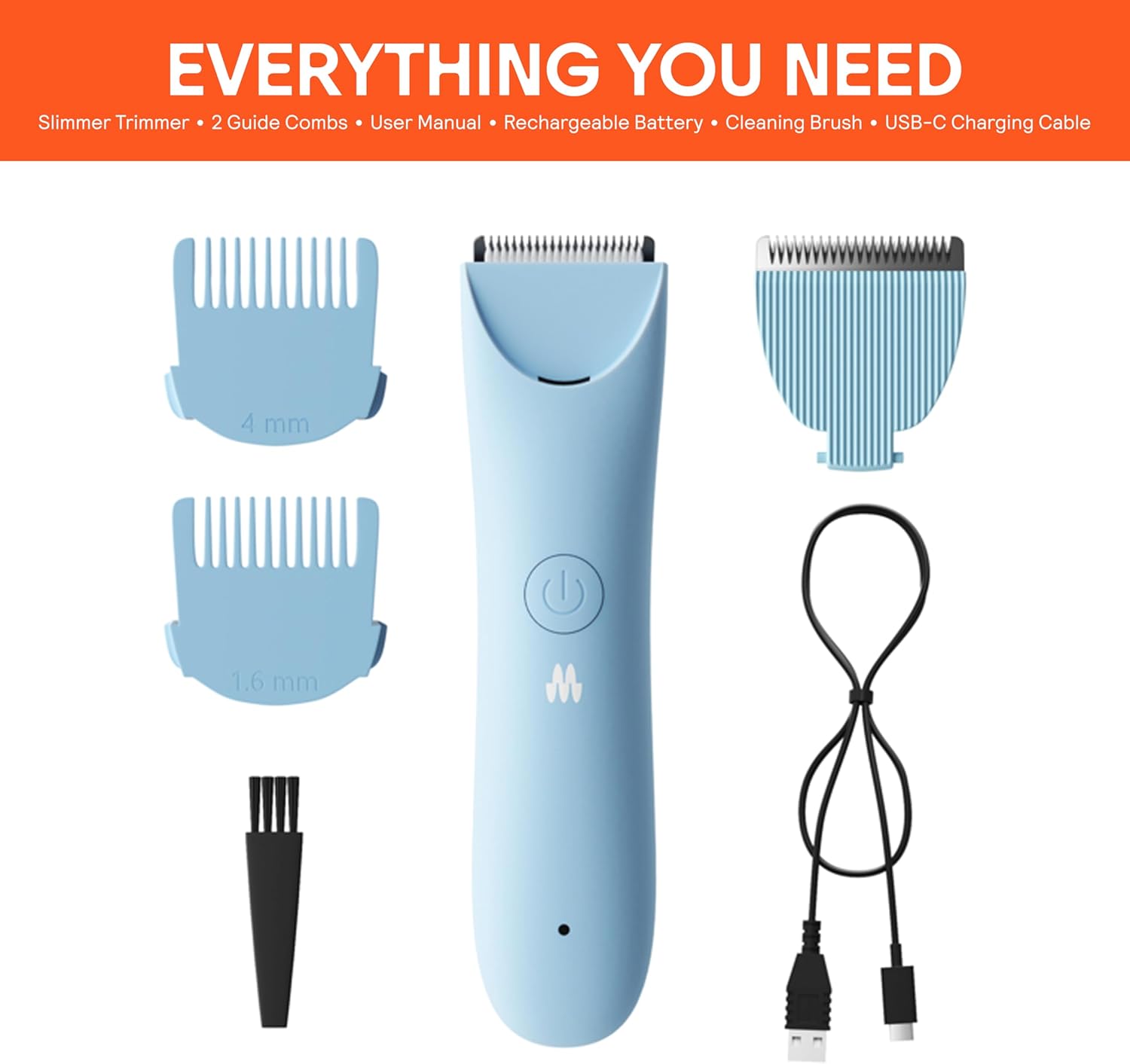
Figure 2.1: The package includes the Slimmer Trimmer unit, two guide combs (1.6mm and 4mm), a cleaning brush, and a USB-C charging cable.

Figure 2.2: The MERIDIAN Slimmer Trimmer and its packaging, highlighting the Sky color variant and included guide combs.
3. Setup Guide
3.1 Charging the Trimmer
Before first use, fully charge your MERIDIAN Slimmer Trimmer. A full charge provides up to 90 minutes of cordless runtime.
- Locate the USB-C charging port at the bottom of the trimmer.
- Insert the provided USB-C cable into the trimmer's port.
- Connect the other end of the USB cable to a compatible USB power adapter (not included) or a computer's USB port.
- The LED indicator light on the trimmer will illuminate to show charging status. Refer to the indicator light guide for specific charging signals.
- Once fully charged, disconnect the trimmer from the charging cable.
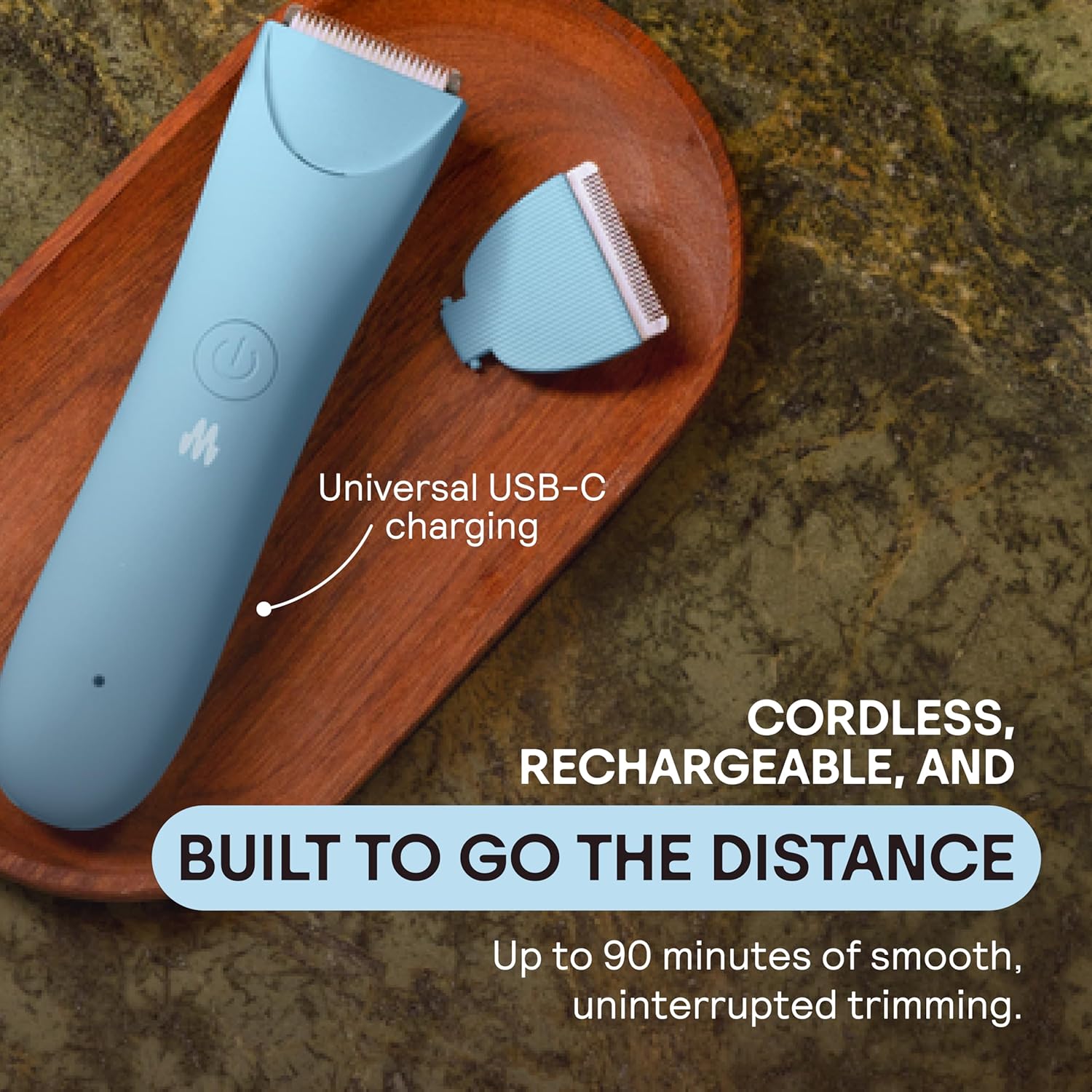
Figure 3.1: The trimmer is equipped with universal USB-C charging for convenience and offers up to 90 minutes of use per charge.
3.2 Attaching Guide Combs
The Slimmer Trimmer comes with two guide combs (1.6mm and 4mm) to achieve desired trimming lengths.
- Ensure the trimmer is turned off before attaching or detaching combs.
- Select the desired guide comb.
- Align the comb with the trimmer head and gently push it down until it clicks securely into place.
- To remove, gently pull the comb upwards from the trimmer head.
4. Operating Instructions
4.1 Basic Operation
- Press the power button once to turn the trimmer on. The LED spotlight will also activate.
- Gently place the trimmer head against the skin, moving it slowly and steadily against the direction of hair growth for optimal results.
- For sensitive areas, use light pressure and ensure the blade is flat against the skin.
- After use, press the power button once to turn the trimmer off.

Figure 4.1: The trimmer is designed to effectively trim hair on various body parts, including underarms, legs, and bikini lines.

Figure 4.2: The integrated LED light and sleek ceramic blade ensure smooth, controlled grooming, even in hard-to-reach areas, minimizing nicks, razor burn, or ingrown hairs.
4.2 Wet and Dry Use
The MERIDIAN Slimmer Trimmer is designed for both wet and dry use, offering flexibility in your grooming routine.
- Dry Use: For quick touch-ups, use the trimmer on dry skin.
- Wet Use: The trimmer is fully waterproof. It can be used in the shower or bath for a more comfortable and thorough trim. Rinse the trimmer head under running water after wet use.

Figure 4.3: The trimmer's waterproof design allows for safe and effective use in the shower, providing a smooth grooming experience.
4.3 Activating Travel Lock
The travel lock feature prevents accidental activation of the trimmer during transport.
- To activate the travel lock: With the trimmer turned ON, press and hold the power button for 3 seconds. The trimmer will turn off and the LED light will flash, indicating it is locked.
- To deactivate the travel lock: Press the power button once. The LED light will flash. Then, press and hold the power button again for 3 seconds until the trimmer turns on.

Figure 4.4: The trimmer's compact size, built-in guard, and travel lock make it ideal for discreet and convenient travel.
5. Maintenance and Care
5.1 Cleaning the Trimmer
Regular cleaning ensures optimal performance and hygiene.
- Turn off the trimmer and remove any attached guide combs.
- Use the provided cleaning brush to brush away any loose hairs from the blade and trimmer head.
- For a more thorough clean, rinse the trimmer head under running water. Ensure the trimmer is off and disconnected from any charging cable before rinsing.
- Allow the trimmer head to air dry completely before reattaching combs or storing.
5.2 Blade Care
The ceramic blade is designed for durability, but proper care extends its lifespan.
- Avoid dropping the trimmer, as this can damage the ceramic blade.
- Do not apply excessive pressure during use, which can dull the blade over time.
- Store the trimmer in a dry place, away from direct sunlight or extreme temperatures.
6. Important Safety Information
- Avoid use on broken, irritated, or inflamed skin.
- Keep the trimmer away from water sources when not in use, especially if it is not the waterproof model or if charging.
- Always follow proper cleaning and maintenance procedures to prevent skin irritation or injury from dull blades or unhygienic conditions.
- Do not disassemble the trimmer beyond what is necessary for cleaning.
- Keep out of reach of children.
7. Troubleshooting
| Problem | Possible Cause | Solution |
|---|---|---|
| Trimmer does not turn on. | Battery is depleted. / Travel lock is active. | Charge the trimmer fully. / Deactivate the travel lock (refer to section 4.3). |
| Trimmer is not cutting effectively. | Blade is clogged with hair. / Blade is dull. | Clean the trimmer head and blade thoroughly (refer to section 5.1). / Ensure proper technique, moving against hair growth. |
| Trimmer makes unusual noise. | Hair caught in blade mechanism. | Turn off and clean the trimmer head. If noise persists, contact customer support. |
| LED spotlight not working. | Trimmer is off. / Malfunction. | Ensure the trimmer is turned on. If still not working, contact customer support. |
8. Product Specifications
| Feature | Detail |
|---|---|
| Model Number | MEC146E |
| Power Source | Battery Powered (Rechargeable) |
| Charging Type | USB-C |
| Runtime | Up to 90 minutes (cordless) |
| Blade Type | Slim Ceramic Blade |
| Waterproof | Yes |
| Included Accessories | 2 Guide Combs (1.6mm, 4mm), Cleaning Brush, USB-C Charging Cable |
| Dimensions | 6.81 x 3.27 x 2.87 inches |
| Weight | 9.88 ounces |
| Color | Sky |
| Recommended Uses | Genital, Bikini Line, Pubic Hair, Underarms, Legs |
9. Warranty and Support
For warranty information and customer support, please refer to the documentation included with your purchase or visit the official MERIDIAN website. You can typically find details regarding product registration, warranty claims, and contact information for technical assistance there.
Online Support: Visit the MERIDIAN Store on Amazon
Ask a question about this manual
Ask about setup, troubleshooting, compatibility, parts, safety, or missing instructions. Manuals+ will review the question and use this page’s manual context to help answer it.