1. Introduction
Thank you for choosing the Parkside PWSA 20-Li D4 Cordless Angle Grinder. This manual provides essential information for the safe and efficient operation, maintenance, and troubleshooting of your tool. Please read these instructions carefully before use and keep them for future reference.
2. General Safety Instructions
WARNING: Read all safety warnings, instructions, illustrations, and specifications provided with this power tool. Failure to follow all instructions listed below may result in electric shock, fire, and/or serious injury.
2.1. Work Area Safety
- Keep the work area clean and well-lit. Cluttered or dark areas invite accidents.
- Do not operate power tools in explosive atmospheres, such as in the presence of flammable liquids, gases, or dust. Power tools create sparks which may ignite the dust or fumes.
- Keep children and bystanders away while operating a power tool. Distractions can cause you to lose control.
2.2. Electrical Safety
- Power tool plugs must match the outlet. Never modify the plug in any way.
- Do not expose power tools to rain or wet conditions. Water entering a power tool will increase the risk of electric shock.
2.3. Personal Safety
- Always wear eye protection. Use safety glasses, goggles, or a face shield.
- Wear hearing protection when operating the tool for extended periods.
- Dress properly. Do not wear loose clothing or jewelry. Keep your hair and clothing away from moving parts.
- Stay alert, watch what you are doing, and use common sense when operating a power tool.
2.4. Power Tool Use and Care
- Do not force the power tool. Use the correct power tool for your application.
- Disconnect the battery pack from the power tool before making any adjustments, changing accessories, or storing power tools.
- Store idle power tools out of the reach of children and do not allow persons unfamiliar with the power tool or these instructions to operate the power tool.
2.5. Battery Tool Use and Care
- Recharge only with the charger specified by the manufacturer.
- Use power tools only with specifically designated battery packs.
- When the battery pack is not in use, keep it away from other metal objects.
3. Product Overview
The Parkside PWSA 20-Li D4 is a compact cordless angle grinder designed for cutting, grinding, and brushing various materials using appropriate discs.

Figure 1: The Parkside PWSA 20-Li D4 Cordless Angle Grinder shown with its 20V battery, 4.5A charger, and auxiliary handle. The grinder features a green and black body with a red power switch.
3.1. Components
- Cordless Angle Grinder unit
- 20V (4 Ah) Lithium-ion Battery (if purchased as a kit)
- 4.5A Charger (if purchased as a kit)
- Auxiliary Handle (pre-mounted)
- 2-in-1 Protective Guard (pre-mounted)
- Metal Cutting Disc (pre-mounted)
- Spanner Wrench (stored in the auxiliary handle)
- Carrying Case

Figure 2: The Parkside PWSA 20-Li D4 Cordless Angle Grinder, battery, charger, and accessories neatly stored within its custom-fit carrying case. The case provides organized storage and protection for the tool and its components.
3.2. Key Features
- Cordless Operation: Powered by a 20V Lithium-ion battery for portability.
- Adjustable Speed: 6-level speed control (2500-11500 rpm).
- Spindle Lock: For easy disc changes.
- Tool-free Guard Adjustment: 2-in-1 protective guard.
- Softgrip: Anti-slip softgrip equipment for comfortable handling.
- Robust Gear Housing: Die-cast aluminum gear housing with 3 positions for the front handle.
- Battery Cell Balancing: Ensures longer battery life and resource utilization.
- LED State Indicator: 3-level LED indicator on the battery.
4. Setup
4.1. Charging the Battery
- Ensure the charger is connected to a power outlet.
- Insert the 20V Lithium-ion battery into the charger.
- The LED indicator on the charger will show the charging status. A full charge is indicated when the LED turns green.
- Once fully charged, remove the battery from the charger.
4.2. Attaching the Auxiliary Handle
The auxiliary handle can be attached in three different positions on the die-cast aluminum gear housing for optimal ergonomics and control, depending on the application.
- Identify the threaded holes on the gear housing.
- Screw the auxiliary handle firmly into the desired position.
4.3. Adjusting the Protective Guard
The 2-in-1 protective guard can be adjusted without tools.
- Loosen the locking mechanism on the protective guard.
- Rotate the guard to the desired position to protect against sparks and debris.
- Securely fasten the locking mechanism.
4.4. Installing/Changing Grinding Discs
The angle grinder is suitable for cutting and grinding discs up to 125 mm diameter.
- Ensure the battery is removed from the tool.
- Press and hold the spindle lock button.
- Use the spanner wrench (stored in the auxiliary handle) to loosen the clamping nut counter-clockwise.
- Remove the old disc (if any) and place the new disc onto the flange, ensuring it is correctly seated.
- Replace the clamping nut and tighten it clockwise using the spanner wrench while holding the spindle lock button.
- Release the spindle lock button.
5. Operating Instructions
5.1. Inserting the Battery
- Align the battery pack with the battery slot on the tool.
- Slide the battery into the tool until it clicks into place. Ensure it is securely latched.
5.2. Powering On/Off
- To turn on: Slide the power switch forward.
- To turn off: Slide the power switch backward.
5.3. Adjusting Speed
The angle grinder features a 6-level speed adjustment dial.
- Locate the speed adjustment dial on the tool.
- Rotate the dial to select the desired speed level (1-6). Lower speeds are suitable for softer materials or fine work, while higher speeds are for harder materials and faster material removal.
5.4. Working with the Angle Grinder
- Always hold the tool firmly with both hands, using the main handle and the auxiliary handle.
- Position the protective guard to deflect sparks and debris away from you.
- Allow the disc to reach full speed before making contact with the workpiece.
- Apply light, even pressure. Do not force the tool, as this can damage the disc and the motor.
- For cutting, make shallow passes rather than trying to cut through thick material in one go.
- For grinding, maintain a slight angle between the disc and the workpiece for effective material removal.
- After use, turn off the tool and wait for the disc to stop completely before setting it down.
6. Maintenance and Care
Regular maintenance ensures the longevity and safe operation of your angle grinder.
6.1. Cleaning
- Always remove the battery before cleaning.
- Clean the ventilation slots regularly to prevent overheating. Use a soft brush or compressed air.
- Wipe the tool housing with a soft, damp cloth. Do not use harsh chemicals or abrasive cleaners.
- Keep the auxiliary handle and softgrip areas free from grease and dirt.
6.2. Disc Replacement
Refer to section 4.4 for detailed instructions on installing/changing grinding discs. Always use discs suitable for the material and application, and ensure they are within the specified diameter (max 125mm).
6.3. Storage
- Store the tool, battery, and charger in a dry, cool place, away from direct sunlight and moisture.
- Use the provided carrying case for organized and protected storage.
- Ensure the battery is partially charged (around 50%) before long-term storage to prolong its life.
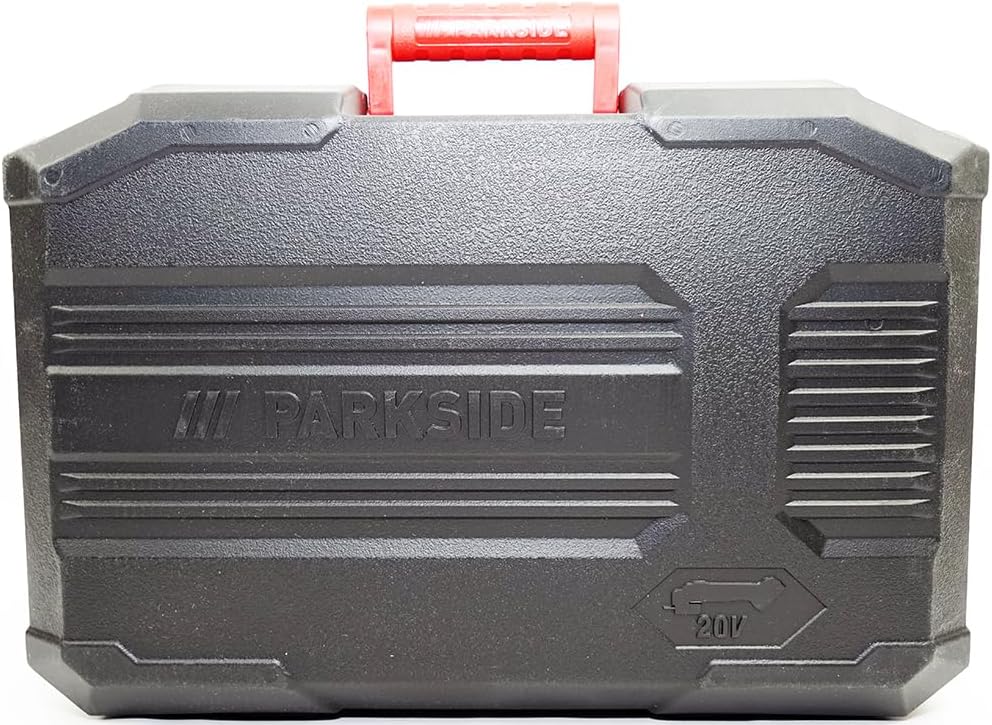
Figure 3: The robust carrying case for the Parkside PWSA 20-Li D4 Angle Grinder, shown closed. The case protects the tool and accessories during transport and storage.
7. Troubleshooting
This section addresses common issues you might encounter with your angle grinder.
| Problem | Possible Cause | Solution |
|---|---|---|
| Tool does not start. | Battery not charged or not inserted correctly. | Charge the battery. Ensure the battery is fully inserted and latched. |
| Reduced power or performance. | Low battery charge. Worn or incorrect disc. | Recharge the battery. Replace the disc if worn or use the correct type for the material. |
| Excessive vibration. | Disc not properly installed or damaged. | Check disc installation (Section 4.4). Replace damaged discs immediately. |
| Tool overheats. | Blocked ventilation slots. Overloading the tool. | Clean ventilation slots. Reduce pressure on the tool; allow it to cool down. |
8. Technical Specifications
| Feature | Specification |
|---|---|
| Model | PWSA 20-Li D4 |
| Operating Mode | Battery-powered |
| No-load Speed | 2500 - 11500 rpm |
| Battery Voltage | 20 V |
| Grinding Disc Diameter | Up to 125 mm |
| Material | Plastic (housing) |
| Dimensions (L x W x H) | Approx. 330 x 145 x 115 mm |
| Weight | Approx. 3.73 kg (with battery) |
| Charger Output Current | 4.5 A |
9. Warranty and Support
This product is typically covered by a manufacturer's warranty. Please refer to the warranty card included with your purchase for specific terms and conditions. For technical support, spare parts, or warranty claims, please contact your retailer or the manufacturer's customer service department.
Keep your purchase receipt as proof of purchase for warranty purposes.
10. Product Packaging

Figure 4: The retail packaging for the Parkside PWSA 20-Li D4 Cordless Angle Grinder, highlighting key features and specifications on the box. This packaging contains the tool and its accessories.


