
DJI E2DJIOSMOPOCK3
DJI Osmo Pocket 3 Vlogging Camera Instruction Manual
Model: E2DJIOSMOPOCK3
Brand: DJI
1. Introduction and Overview
The DJI Osmo Pocket 3 is a compact and powerful vlogging camera designed for capturing high-quality video and photos with exceptional stability. Featuring a 1-inch CMOS sensor, 4K/120fps video recording, and 3-axis mechanical stabilization, it offers professional-grade results in a portable form factor. Its 2-inch rotatable touchscreen and intelligent tracking features make it an ideal tool for content creators on the go.

2. What's in the Box
Verify that all the following items are included in your package:
- Osmo Pocket 3 x1
- Type-C to Type-C PD Cable x1
- Osmo Pocket 3 Protective Cover x1
- DJI Wrist Strap x1
- Osmo Pocket 3 Handle With 1/4″ Thread x1

3. Setup
3.1 Charging the Device
Before first use, ensure your Osmo Pocket 3 is fully charged. The device supports fast charging, reaching 80% charge in approximately 16 minutes. A full charge provides over 2.5 hours of 1080p/24fps footage.

3.2 Initial Power On and Screen Rotation
To power on the Osmo Pocket 3, simply rotate the 2-inch full-color OLED touchscreen. This action instantly prepares the camera for shooting, allowing for quick transitions between horizontal and vertical framing.

3.3 Connecting External Microphones
The Osmo Pocket 3 can directly connect to two DJI Mic 2/Mic Mini transmitters, ensuring high-quality audio for various recording scenarios such as vlogs, interviews, and livestreams. This simplifies your audio setup and workflow.

4. Operating Instructions
4.1 Capturing High-Quality Footage
The Osmo Pocket 3 features a 1-inch CMOS sensor capable of recording stunning 4K resolution video at an impressive 120 frames per second (fps). This allows for breathtaking night views, vibrant sunsets, and incredibly smooth slow-motion effects.

4.2 3-Axis Mechanical Stabilization
Experience superb stability with the advanced 3-axis mechanical stabilization system. This technology ensures smooth, shake-free footage even during dynamic movements like dancing, chasing pets, or active vlogging.

4.3 Fast and Accurate Focusing
The Pocket 3 features full-pixel fast focusing, ensuring your subjects remain sharp and clear, even when moving quickly. The new Product Showcase Mode allows for quick and smooth highlighting of close-range objects.

4.4 ActiveTrack 6.0 and Dynamic Framing
ActiveTrack 6.0 keeps your subject effortlessly in focus, even when on the move. With Face Auto-Detect, tracked subjects can be firmly locked for stable solo vlogging. Dynamic Framing utilizes a built-in golden ratio composition to aesthetically frame your subject as it moves.
4.5 D-Log M and 10-bit Color Depth
Unlock advanced color grading possibilities with D-Log M and 10-bit color depth. This allows you to record up to one billion colors, providing stunning visual effects during post-production, ideal for capturing the full spectrum of sunrises and sunsets.

4.6 Immersive Stereo Audio
The Osmo Pocket 3 records omnidirectional stereo sound, effectively reducing ambient noise and enhancing your videos with crystal-clear audio. In crowded environments like concerts, it can precisely identify sound sources for more immersive audio.

4.7 Wi-Fi Livestreaming
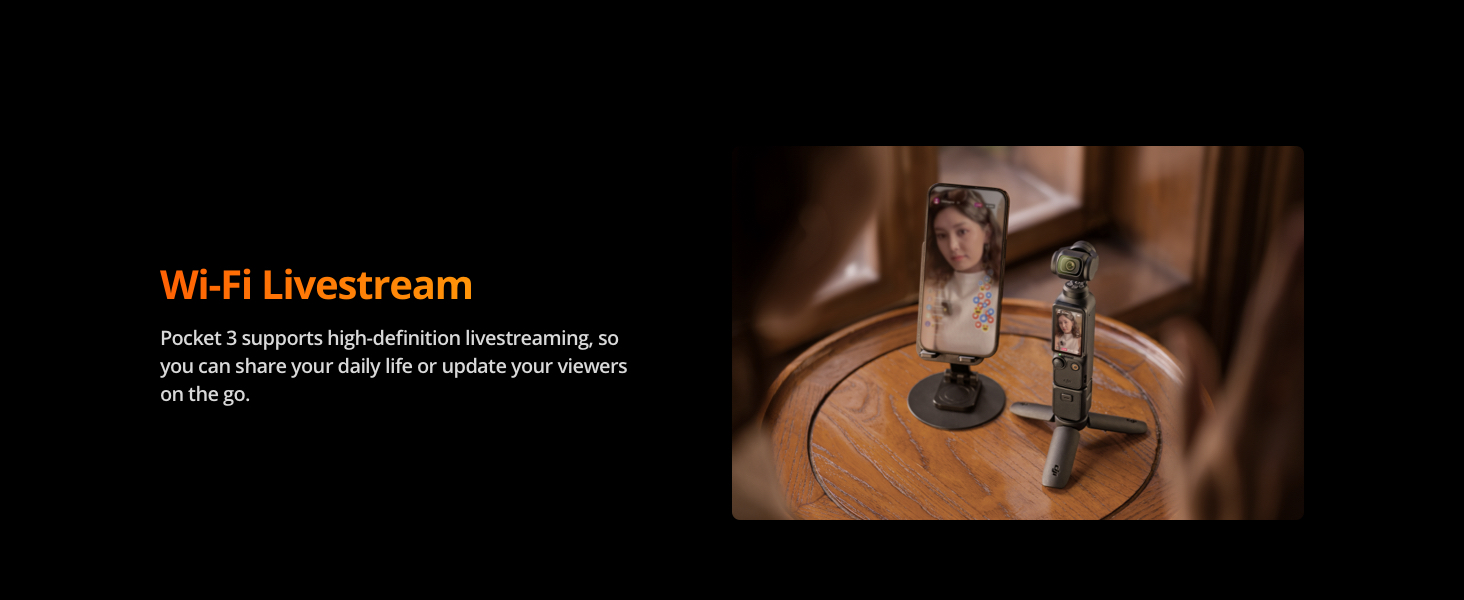
The Pocket 3 supports high-definition livestreaming, enabling you to share your daily life or update your viewers on the go directly from the device.

5. Maintenance
5.1 Cleaning the Device
To maintain optimal performance, regularly clean your Osmo Pocket 3. Use a soft, dry cloth to wipe the body. For the lens and screen, use a microfiber cleaning cloth specifically designed for optics. Avoid using harsh chemicals or abrasive materials.
5.2 Battery Care and Storage
To prolong battery life, avoid fully discharging the battery frequently. Store the device in a cool, dry place away from direct sunlight and extreme temperatures. If storing for extended periods, ensure the battery is charged to approximately 50-60%.
6. Troubleshooting
6.1 Device Overheating
It is normal for the Osmo Pocket 3 to become warm during extended use, especially when recording in high resolutions like 4K/120fps. The device is designed to operate within safe temperature limits and will typically not shut off due to normal operating heat. If the device feels excessively hot or displays a temperature warning, cease operation and allow it to cool down in a well-ventilated area.
6.2 Unresponsive Device
If the device becomes unresponsive, try restarting it by holding down the power button (or rotating the screen to off and then on again). Ensure the battery has sufficient charge. If the issue persists, contact customer support.
7. Specifications
| Feature | Specification |
|---|---|
| Brand Name | DJI |
| Item Weight | 6.3 ounces (179 Grams) |
| Product Dimensions | 1.3 x 1.7 x 5.5 inches (1.3"D x 1.7"W x 5.5"H) |
| Item Model Number | E2DJIOSMOPOCK3 |
| Batteries | 1 CR5 batteries required (included) |
| Color | black |
| Special Features | 3-Axis Gimbal Mechanical Stabilizer, Dynamic Framing with ActiveTrack 6.0 and Face Auto-Detect, Smart Horizontal/Vertical Shooting, Time-Lapse, Hyperlapse, and Slow Motion in 4K at 120 fps, Up to 166 Minutes of Battery Life |
| ASIN | B0DVHZ5F79 |
| Date First Available | February 4, 2025 |
| Compatible Devices | Smartphone |
| UPC | 196641167803 |
| Visible Screen Diagonal | 2" / 6 cm |
8. Warranty and Support
The DJI Osmo Pocket 3 comes with a FULL USA Warranty. Additionally, this bundle includes a 2 Year CPS Extended Warranty for added peace of mind.
For further support, product information, or to explore other DJI products, please visit the official DJI Store:
Related documentsE2DJIOSMOPOCK3


Ask a question about this manual
Ask about setup, troubleshooting, compatibility, parts, safety, or missing instructions. Manuals+ will review the question and use this page’s manual context to help answer it.