1. Introduction
This instruction manual provides essential information for the proper use, setup, and maintenance of your Titan Neo Curve Quartz Analog Watch (Model 1885SM02). Please read this manual thoroughly before using your watch to ensure optimal performance and longevity.
Your Titan Neo Curve watch features a precise quartz analog movement, a date function, and a durable stainless steel strap, designed for everyday wear.
2. Product Overview
The Titan Neo Curve watch combines classic analog functionality with modern design elements. Key features include:
- Quartz Analog Movement: Ensures accurate timekeeping.
- Date Function: Displays the current date for convenience.
- Designer Indices & Shaped Hands: For clear and stylish time reading.
- Stainless Steel Strap: Durable and comfortable for daily wear.
- 50 Meter Water Resistance: Suitable for everyday use and light water exposure (e.g., hand washing, rain). Not suitable for swimming or diving.
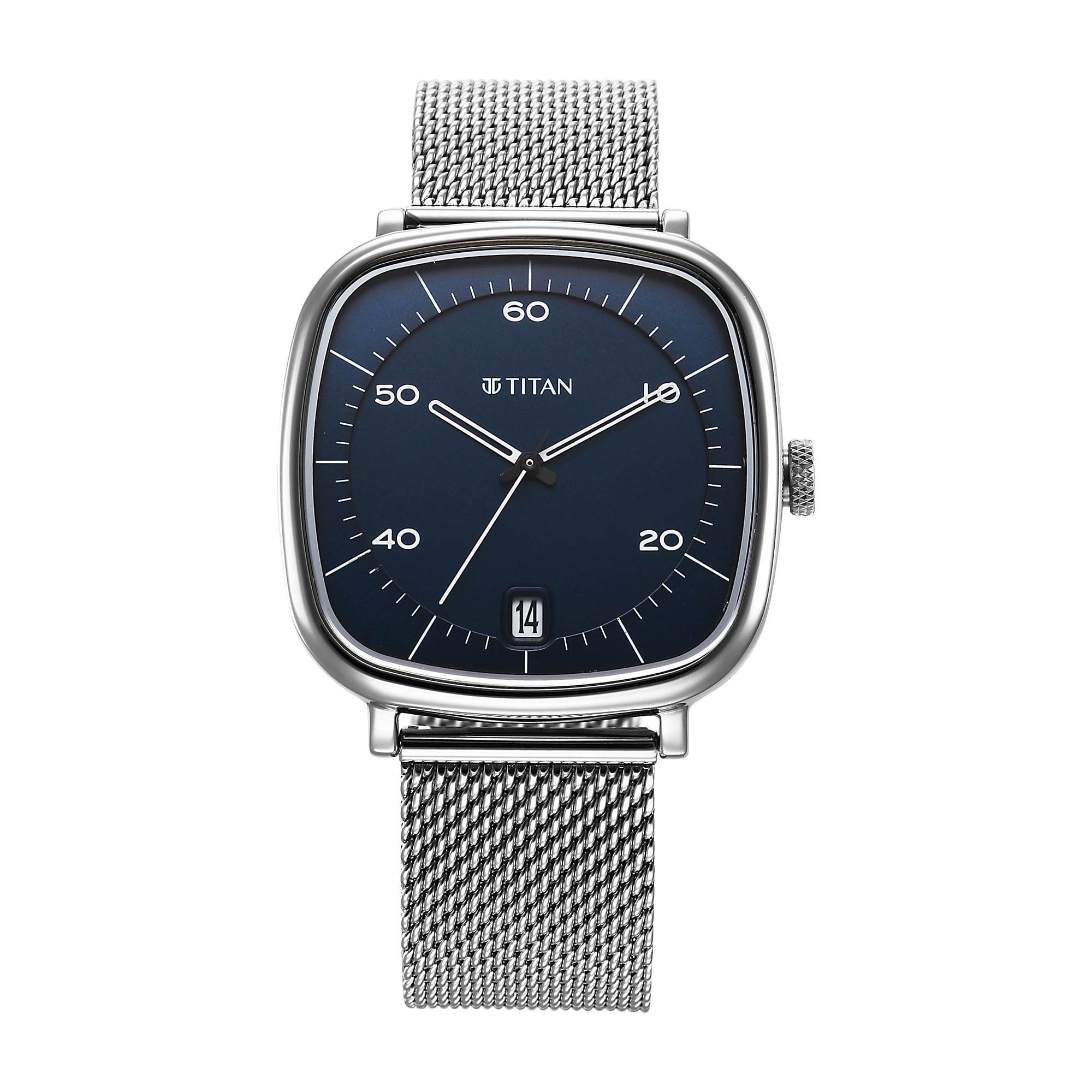
Figure 2.1: Front view of the Titan Neo Curve Quartz Analog Watch with blue dial and stainless steel mesh strap.

Figure 2.2: Illustration highlighting the watch's Quartz Analog Movement and Fashionable Mesh Strap.

Figure 2.3: Illustration detailing the Stylish Square Case, Date Window, and 50 Meter Water Resistance.
3. Setup
3.1. Initial Inspection
Upon unboxing, inspect your watch for any visible damage. Ensure the crown is pushed in to start the watch movement. If the watch is not running, it may require a battery replacement (see Maintenance section).
3.2. Adjusting the Strap
The stainless steel mesh strap is adjustable. If your strap requires adjustment, it is recommended to visit an authorized Titan service center or a professional watch repair shop to ensure proper fitting without damaging the strap or clasp.
4. Operating Instructions
Your watch features a single crown for setting the time and date.

Figure 4.1: Side view of the watch, indicating the crown position.
4.1. Setting the Time
- Pull the crown out to the second click position (farthest out). The watch hands will stop.
- Turn the crown clockwise or counter-clockwise to move the hour and minute hands to the desired time.
- Once the correct time is set, push the crown back into the normal position (fully pushed in) to resume timekeeping.
4.2. Setting the Date
- Pull the crown out to the first click position (middle position). The watch hands will continue to move.
- Turn the crown clockwise to advance the date. Do not turn counter-clockwise as this may damage the mechanism.
- Advance the date to the day before the current date.
- Pull the crown out to the second click position (farthest out).
- Turn the crown clockwise to advance the time. As the hour hand passes 12 o'clock, the date will change to the current date. Continue to set the correct time, paying attention to AM/PM if applicable (the date changes at midnight).
- Once the correct time and date are set, push the crown back into the normal position (fully pushed in) to resume timekeeping.
Note: Avoid setting the date between 9:00 PM and 3:00 AM, as this is when the date change mechanism is active and could be damaged.
5. Maintenance
5.1. Cleaning Your Watch
- Wipe the watch case and strap regularly with a soft, dry cloth to remove dust and perspiration.
- For stainless steel parts, a slightly damp cloth can be used, followed by a dry cloth.
- Avoid using chemical cleaners, solvents, or abrasive materials, as these can damage the watch's finish.
5.2. Water Resistance
Your watch has a water resistance rating of 50 meters (5 ATM). This means it is suitable for everyday use, such as accidental splashes, rain, and hand washing. It is not suitable for showering, swimming, diving, or any prolonged water immersion. Always ensure the crown is fully pushed in before any contact with water.
5.3. Battery Replacement
The watch is powered by a single A battery (included). When the watch stops running, the battery needs to be replaced. It is highly recommended to have the battery replaced by an authorized Titan service center or a qualified watch technician to ensure the water resistance seal is properly maintained.

Figure 5.1: Back view of the watch, showing the model number (1885SM02) and 50M WR (Water Resistance) marking.
5.4. Storage
When not in use, store your watch in a cool, dry place, away from direct sunlight, extreme temperatures, and strong magnetic fields.
6. Troubleshooting
| Problem | Possible Cause | Solution |
|---|---|---|
| Watch not running | Battery depleted | Replace battery (recommended by professional). |
| Watch hands not moving | Crown pulled out | Push crown fully back into normal position. |
| Incorrect time/date | Time/date not set correctly | Refer to "Setting the Time" and "Setting the Date" instructions. |
| Condensation inside watch | Exposure to extreme temperature changes or water ingress | Contact an authorized service center immediately. Do not attempt to open the watch. |
If the problem persists after attempting these solutions, please contact Titan customer support or an authorized service center.
7. Specifications
| Feature | Detail |
|---|---|
| Model Number | 1885SM02 |
| Movement Type | Quartz Analog |
| Case Diameter | 43.3 Millimetres |
| Band Material Type | Stainless Steel |
| Band Colour | Silver |
| Dial Colour | Blue |
| Water Resistance Depth | 50 Meters (5 ATM) |
| Battery Type | 1 A battery (included) |
| Item Weight | 200 g |
| Product Dimensions | 13 x 9 x 6 cm |
| Department | Mens |
8. Warranty & Support
8.1. Warranty Information
Your Titan Neo Curve watch comes with a limited warranty provided by Titan Company Limited. Please refer to the warranty card included with your purchase for specific terms, conditions, and duration of coverage. Keep your purchase receipt as proof of purchase for warranty claims.
An optional 1-year extended warranty plan may be available for purchase from authorized retailers.
8.2. Customer Support
For any questions, service, or repair needs, please contact Titan customer support or visit an authorized Titan service center. Contact details can typically be found on the official Titan website or on your warranty documentation.
Manufacturer: Titan Company Limited, #3, SIPCOT Industrial Complex, Hosur - 635126, Tamil Nadu, India.


