
Introduction
Welcome to the Samsung Galaxy S25 5G. This device is designed as an AI companion, featuring advanced Galaxy AI with multi-modality. It adapts to user patterns, anticipates needs, and connects your digital world. The Galaxy S25 5G is built for efficient multi-tasking across applications and provides personalized insights through features like Now Brief. It offers enhanced photography capabilities, including an object-aware engine for epic portraits in various lighting conditions and advanced Nightography video with precise noise removal. The device is powered by the Snapdragon 8 Elite processor, customized for Galaxy, ensuring smooth performance. Durability is provided by an Armor Aluminum frame and Corning Gorilla Glass Victus 2.
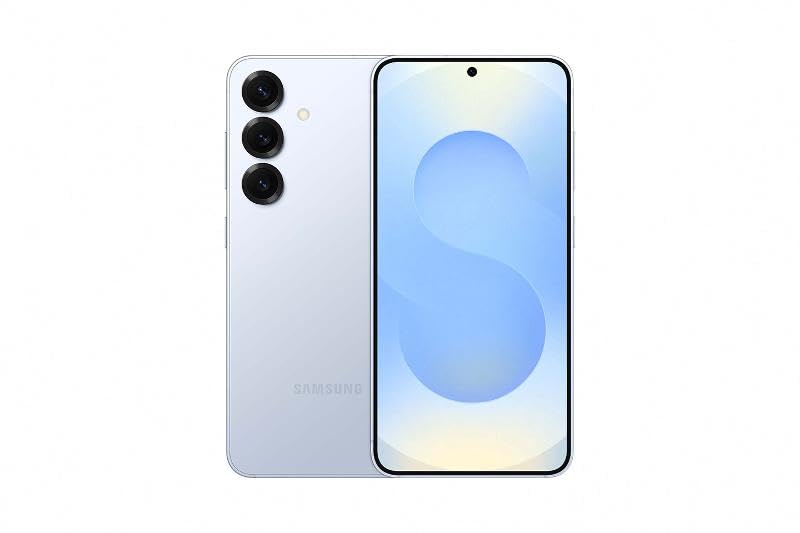
This image displays the Samsung Galaxy S25 5G smartphone, showcasing its sleek design and Silver Shadow finish. The device features a large display and a multi-camera system on the rear.
What's in the Box
Verify that all items are present in your product packaging:
- Smartphone
- Data Cable (Type C-to-C)
- SIM Ejection PIN
Setup
1. Insert SIM Card
- Locate the SIM card tray on the side of your device.
- Insert the provided SIM Ejection PIN into the small hole on the tray to open it.
- Place your Nano SIM card(s) into the tray with the gold contacts facing down. The Galaxy S25 5G supports Dual SIM.
- Gently push the tray back into the device until it clicks into place.
2. Power On and Initial Setup
- Press and hold the Power button (located on the side) until the Samsung logo appears.
- Follow the on-screen prompts to select your language, connect to a Wi-Fi network, and set up your Google account.
- Transfer data from your old device if prompted, or set up as a new device.
- Configure biometric security features such as Fingerprint Recognition.
Operating Instructions
Basic Navigation
- Touchscreen: Interact with the device using taps, swipes, and pinches on the AMOLED display.
- Power Button: Press to wake/sleep the screen. Press and hold to power off or restart.
- Volume Buttons: Adjust media volume, ringtone volume, and notification volume.
Gestures and Controls
- Home Screen: Swipe up from the bottom to access the app drawer. Swipe down from the top for the notification panel and quick settings.
- Multitasking: Swipe up and hold from the bottom to view recent apps.
- Back: Swipe from the left or right edge of the screen to go back.
Camera Features
The Galaxy S25 5G features an advanced camera system designed to capture high-quality photos and videos.
Rear Camera System
- Main Camera: 50 MP sensor for detailed images.
- Ultra-Wide Camera: 12 MP sensor for expansive shots.
- Telephoto Camera: 10 MP sensor with up to 30x digital zoom.
- Video Capture: Supports 4K and 8K video recording at 30 frames per second.
Front Camera
- Selfie Camera: 12 MP sensor for clear self-portraits and video calls.
Advanced Photography
- Nightography: Enhanced low-light performance for clear photos and videos in dark environments.
- Object-Aware Engine: Adapts to various lighting conditions for improved portrait quality.
- Shooting Modes: Includes Bixby Vision, Dual Recording, Food, Hyperlapse, Night, Panorama, Photo, Portrait, Portrait Video, Pro, Pro Video, Single Take, and Slow Motion.
AI Features
The Galaxy S25 5G integrates advanced AI capabilities to enhance user experience.
- Multi-modality AI: Enables seamless actions across various applications for efficient task management.
- Now Brief: Provides personalized insights and information to assist with daily activities.
- Audio Eraser: Allows users to remove unwanted background noise from videos, making them clearer and more shareable.
Maintenance
Software Updates
Regularly check for and install software updates to ensure optimal performance, security, and access to new features. Navigate to Settings > Software update > Download and install.
Battery Care
- Avoid extreme temperatures.
- Use only Samsung-approved chargers and cables.
- For optimal battery longevity, avoid frequently draining the battery completely or charging it to 100% for extended periods.
Cleaning Your Device
Use a soft, lint-free cloth to clean the screen and body of your phone. Avoid harsh chemicals or abrasive materials.
Troubleshooting
Common Issues
- Device not powering on: Ensure the battery is charged. Connect the device to a charger for at least 10 minutes, then try powering on again.
- Connectivity issues (Wi-Fi/Bluetooth/5G): Try toggling the respective connection off and on. Restart your device. For Wi-Fi, forget the network and reconnect.
- Apps freezing or crashing: Close the problematic app and reopen it. If the issue persists, clear the app's cache (Settings > Apps > [App Name] > Storage > Clear cache).
- Slow performance: Close unused apps, clear cache, and ensure sufficient storage space. Restarting the device can also improve performance.
Specifications
| Feature | Detail |
|---|---|
| Brand | Samsung |
| Model Year | 2025 |
| Operating System | Android 15.0 |
| Processor | Snapdragon 8 Elite (4.47 GHz) |
| RAM | 12 GB |
| Storage | 256 GB |
| Display | 6.2-inch AMOLED, 2340 x 1080 Pixels, 120Hz Refresh Rate |
| Rear Camera Resolution | 50 MP, 12 MP, 10 MP |
| Front Camera Resolution | 12 MP |
| Battery Capacity | 4000 Milliamp Hours (Lithium-Ion) |
| Connectivity | 5G, Bluetooth, NFC, USB Type-C, Wi-Fi |
| SIM Card Slot Count | Dual SIM (Nano) |
| Biometric Security | Fingerprint Recognition |
| Water Resistance Level | Water Resistant |
| Dimensions (L x W x H) | 147 x 70 x 7 mm |
| Weight | 162 Grams |
Warranty and Support
Warranty Information
The Samsung Galaxy S25 5G comes with a 1 Year Manufacturer Warranty for the device and 6 Months Warranty for in-box accessories from the date of purchase.
Contact Support
For technical assistance, warranty claims, or product inquiries, please contact Samsung customer support:
- Manufacturer: Samsung India Electronics Pvt ltd
- Address: 6th Floor, DLF Centre, Sansad Marg, New Delhi - 110001
- Email: support.india@samsung.com


