
Samsung DW60DG790I00U1
Samsung DW60DG790I00U1 Dishwasher User Manual
Model: DW60DG790I00U1
1. Introduction
This manual provides essential information for the safe and efficient use of your Samsung DW60DG790I00U1 integrated dishwasher. Please read it thoroughly before operating the appliance and keep it for future reference.
2. Safety Information
Important Safety Instructions:
- Read all instructions before using the dishwasher.
- Ensure the appliance is properly grounded.
- Do not allow children to play with or in the dishwasher.
- Use only detergents and rinse aids recommended for automatic dishwashers.
- Keep children away from detergent and rinse aid.
- Do not operate the dishwasher if it is damaged. Contact qualified service personnel.
- Always disconnect the power supply before performing any maintenance or cleaning.
3. Product Overview
The Samsung DW60DG790I00U1 is a full-size integrated dishwasher designed for efficient dish cleaning. It features a child lock, integrated display, touch controls, and Wi-Fi connectivity for smart operation.
Key Features:
- Integrated Display: Provides clear information on wash cycles and status.
- Touch Control: Intuitive and easy-to-use control panel.
- Child Lock: Prevents accidental operation by children.
- Wi-Fi Connectivity: Allows for remote monitoring and control via a smart device.
- Energy Class A: Efficient energy consumption.
- Low Noise Level: Operates at 43 dB.
Product Image:
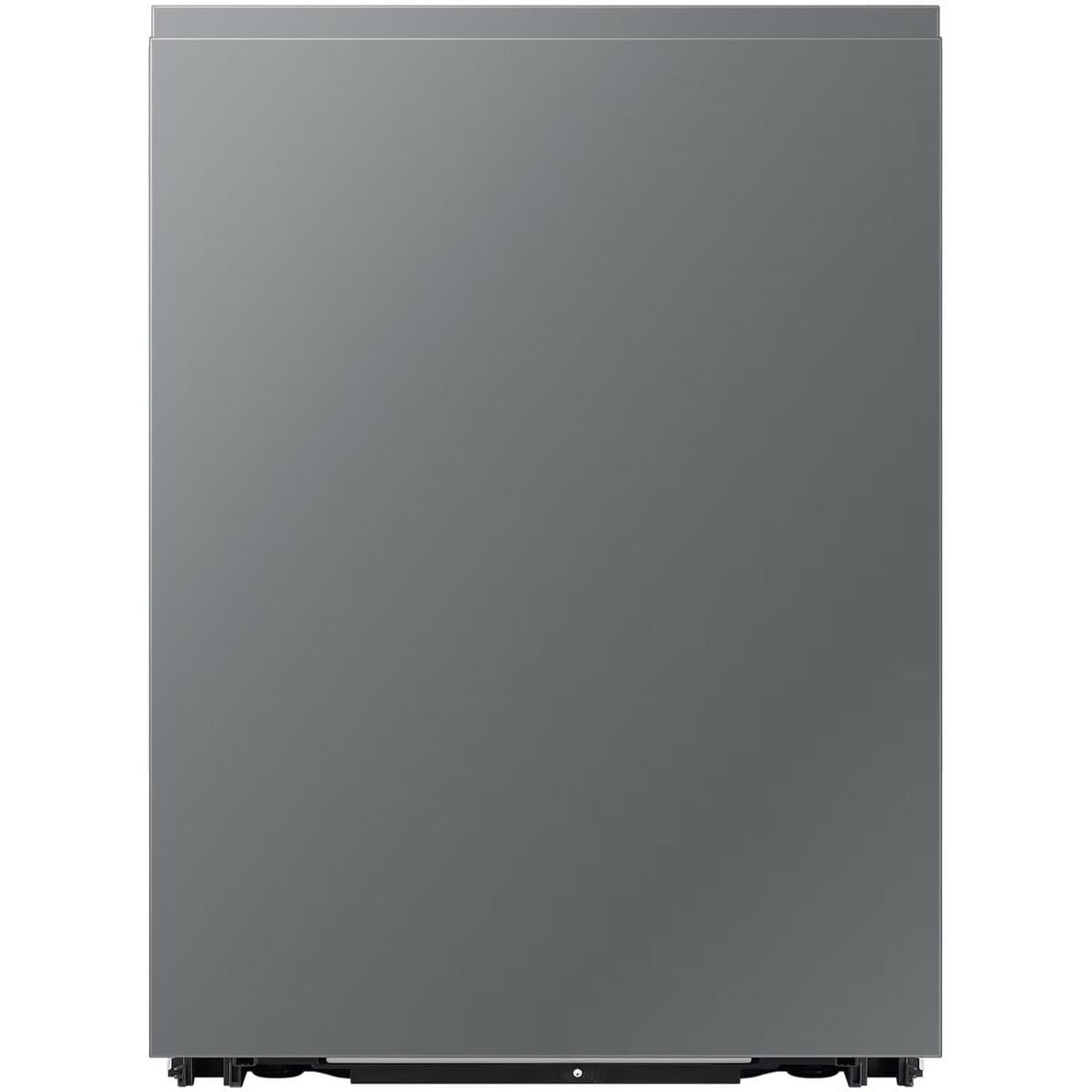
This image shows the front view of the Samsung DW60DG790I00U1 integrated dishwasher, illustrating its sleek design suitable for seamless kitchen integration.
4. Setup and Installation
The Samsung DW60DG790I00U1 is designed for integrated installation. Professional installation is recommended to ensure proper fitting and connection to water and electrical supplies.
Installation Steps (Overview):
- Unpacking: Carefully remove all packaging materials.
- Positioning: Place the dishwasher in the designated cabinet opening, ensuring it is level.
- Water Connection: Connect the water inlet hose to a cold water supply and the drain hose to a suitable drain.
- Electrical Connection: Connect the appliance to a grounded electrical outlet (EU plug type).
- Securing: Secure the dishwasher to the surrounding cabinetry.
- Panel Installation: Attach the custom cabinet panel to the dishwasher door.
Refer to the detailed installation guide provided with your appliance for specific measurements and safety precautions.
5. Operating Instructions
Control Panel:
The dishwasher features an integrated display and touch controls. Familiarize yourself with the buttons and indicators before use.
Loading the Dishwasher:
- Scrape off large food particles from dishes.
- Place larger items in the lower rack and smaller, delicate items in the upper rack.
- Ensure spray arms are not obstructed.
Adding Detergent and Rinse Aid:
Fill the detergent dispenser with the appropriate amount of dishwasher detergent. Add rinse aid to the rinse aid dispenser as needed for optimal drying results.
Selecting a Wash Cycle:
Use the touch controls to select the desired wash cycle (e.g., Normal, Intensive, Eco, Quick). The integrated display will show the selected program and estimated time.
Starting a Wash Cycle:
Close the dishwasher door firmly and press the Start button. The cycle will begin.
Child Lock Function:
Activate the child lock feature to prevent accidental changes to settings or starting/stopping the dishwasher. Refer to your appliance's specific instructions for activating and deactivating the child lock.
Wi-Fi Connectivity:
Connect your dishwasher to your home Wi-Fi network to enable smart features. Download the Samsung SmartThings app to monitor cycle status, receive notifications, and control the dishwasher remotely.
6. Maintenance
Cleaning the Exterior:
Wipe the exterior surfaces with a soft, damp cloth. Avoid abrasive cleaners.
Cleaning the Interior and Filters:
- Regularly clean the spray arms and filters to ensure optimal performance.
- Remove and rinse the filter assembly under running water.
- Check for any food debris blocking the spray arm nozzles.
Detergent and Rinse Aid Dispensers:
Keep the dispensers clean and free from residue.
Winterizing (if applicable):
If the dishwasher will be unused for an extended period in an unheated location, follow the winterizing instructions in the full manual to prevent freezing damage.
7. Troubleshooting
Before contacting service, review the following common issues and solutions:
| Problem | Possible Cause | Solution |
|---|---|---|
| Dishwasher does not start | Door not closed properly; Power supply issue; Child lock active | Ensure door is latched; Check power connection; Deactivate child lock |
| Dishes not clean | Improper loading; Clogged spray arms/filters; Insufficient detergent | Reload dishes correctly; Clean spray arms/filters; Use correct amount of detergent |
| Water not draining | Clogged drain hose/filter; Air gap blocked | Check and clear drain hose/filter; Clear air gap |
| Excessive noise | Items interfering with spray arms; Dishwasher not level | Rearrange dishes; Level the dishwasher |
For more complex issues or if troubleshooting steps do not resolve the problem, contact Samsung customer support.
8. Specifications
- Model: DW60DG790I00U1
- Brand: Samsung
- Installation Type: Integrated
- Width: 59.5 cm (approx. 60 cm)
- Noise Level: 43 dB
- Energy Class: A
- Control Type: Touch Control
- Connectivity: Wi-Fi
- Features: Child Lock, Integrated Display
- Product Dimensions (L x W x H): 0.03 x 66.86 x 88.73 cm
- Weight: 51.17 kg
- EAN: 8806095680910
9. Warranty and Support
For warranty information, please refer to the warranty card included with your purchase or visit the official Samsung website. For technical support, service requests, or to order genuine spare parts, please contact Samsung customer service.
Samsung Customer Support: www.samsung.com/support
Related documentsDW60DG790I00U1


Ask a question about this manual
Ask about setup, troubleshooting, compatibility, parts, safety, or missing instructions. Manuals+ will review the question and use this page’s manual context to help answer it.