
1. Introduction
Thank you for choosing the SENCOR SVC 7822TQ 2-in-1 Cordless Stick Vacuum Cleaner. This appliance is designed for efficient and convenient cleaning of various surfaces in your home. Its versatile 2-in-1 design allows it to function as a powerful stick vacuum for floors and carpets, and as a portable handheld unit for furniture, car interiors, and hard-to-reach areas. Please read this manual thoroughly before first use to ensure safe operation and optimal performance.
2. Safety Instructions
Always observe basic safety precautions when using electrical appliances to reduce the risk of fire, electric shock, or injury.
- This appliance is for household use only. Do not use it outdoors or for commercial purposes.
- Do not handle the plug or appliance with wet hands.
- Keep hair, loose clothing, fingers, and all parts of the body away from openings and moving parts.
- Do not vacuum flammable or combustible materials, hot ashes, or sharp objects.
- Ensure the dust bin and filters are correctly installed before operation.
- Use only the original charger and accessories provided by SENCOR.
- Do not immerse the appliance or its charging base in water or other liquids.
- If the power cord is damaged, it must be replaced by the manufacturer, its service agent, or similarly qualified persons to avoid a hazard.
- This appliance can be used by children aged 8 years and above and persons with reduced physical, sensory or mental capabilities or lack of experience and knowledge if they have been given supervision or instruction concerning use of the appliance in a safe way and understand the hazards involved.
3. Package Contents
Carefully unpack your SENCOR SVC 7822TQ and check that all items are present and in good condition. If any items are missing or damaged, contact your retailer.
- Main Vacuum Unit (with removable handheld unit)
- Floor Nozzle with Motorized Brush and LED Lights
- Charging Base with Accessory Holder
- Power Adapter
- Flat Nozzle Attachment
- Dusting Brush Attachment
- User Manual

Image 3.1: SENCOR SVC 7822TQ with main unit, handheld unit, floor nozzle, charging base, flat nozzle, and dusting brush.
4. Product Overview
Familiarize yourself with the components and controls of your vacuum cleaner.
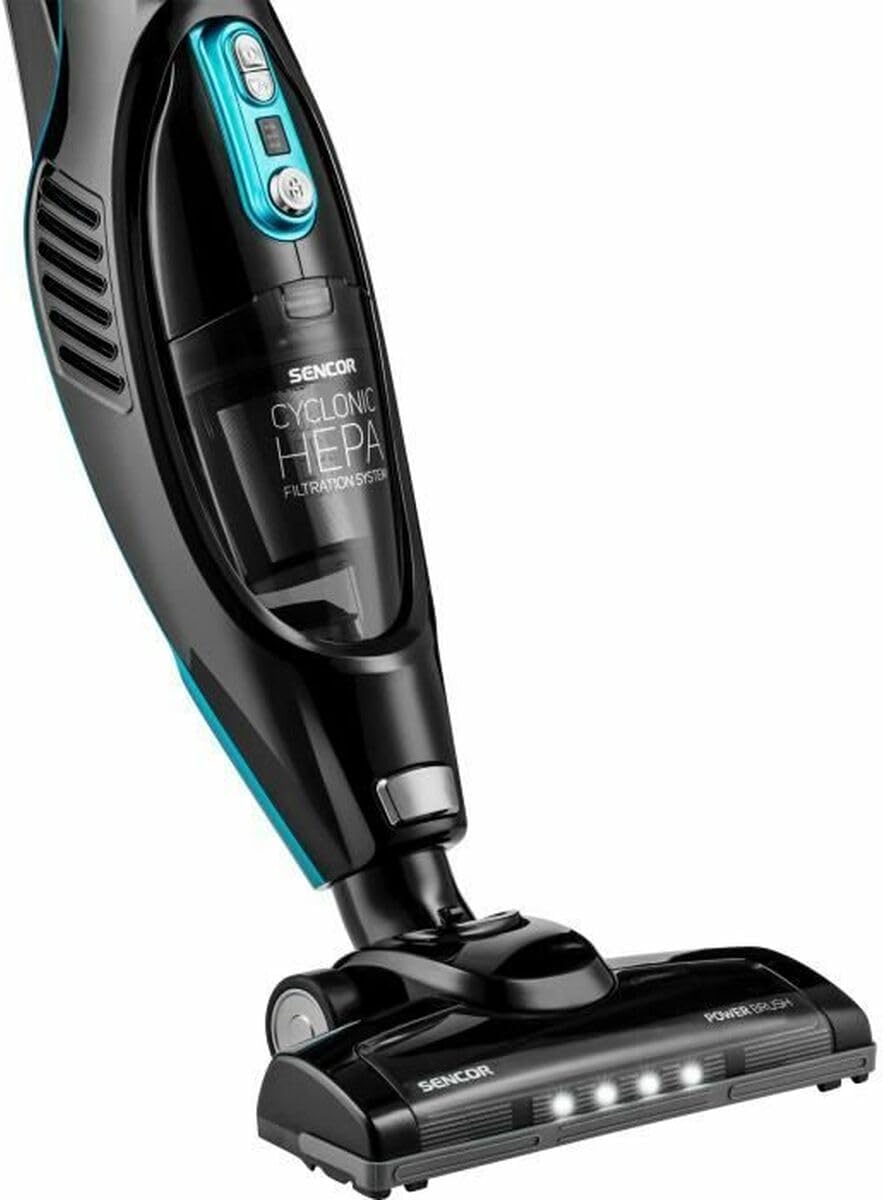
Image 4.1: Close-up view of the vacuum's main body, dust bin, and floor nozzle with integrated LED lights.
Main Components:
- Handle: Ergonomically designed for comfortable grip.
- Power Button: Turns the vacuum on and off.
- Speed Selector: Adjusts suction power (2 speeds: high power, prolonged suction).
- Battery Indicator: LED lights display remaining battery charge.
- Dust Bin: Transparent, bagless design with 0.5 L capacity.
- HEPA Filtration System: Ensures efficient dust capture.
- Handheld Unit Release Button: Detaches the handheld vacuum.
- Motorized Floor Nozzle: Features an independent motor for effective cleaning on various surfaces, including carpets.
- LED Lights: Integrated into the floor nozzle to illuminate dark areas and reveal fine dust.
- 180° Swivel Nozzle: Provides excellent maneuverability around furniture.

Image 4.2: The removable handheld unit of the SENCOR SVC 7822TQ.
5. Setup
5.1 Assembly
- Insert the main vacuum unit into the floor nozzle until it clicks securely into place.
- If using the handheld unit separately, press the release button to detach it from the main unit. Attach the desired accessory (flat nozzle or dusting brush) to the handheld unit.
- To reattach the handheld unit, align it with the main unit and push until it clicks.
5.2 Initial Charging
Before first use, fully charge the vacuum cleaner. The battery indicator LEDs will show the charging status.
- Place the charging base in a convenient location, preferably near a power outlet. The base includes an integrated accessory holder for organized storage.
- Connect the power adapter to the charging base and plug it into a wall outlet.
- Place the vacuum cleaner onto the charging base. Ensure proper contact for charging.
- A full charge takes approximately 4.5 hours. The battery indicator lights will illuminate to show charging progress and turn off or change color when fully charged (refer to specific indicator behavior in your product's detailed manual).
6. Operating Instructions
6.1 Using as a Stick Vacuum
- Ensure the vacuum is fully charged and assembled in stick mode.
- Press the power button to turn on the vacuum. The LED lights on the floor nozzle will illuminate automatically.
- Select the desired speed setting using the speed selector button. There are two speeds: standard for prolonged cleaning and high power for stubborn dirt.
- Guide the vacuum across the floor. The 180° swivel nozzle allows for easy maneuvering around obstacles.
- When finished, press the power button to turn off the vacuum.
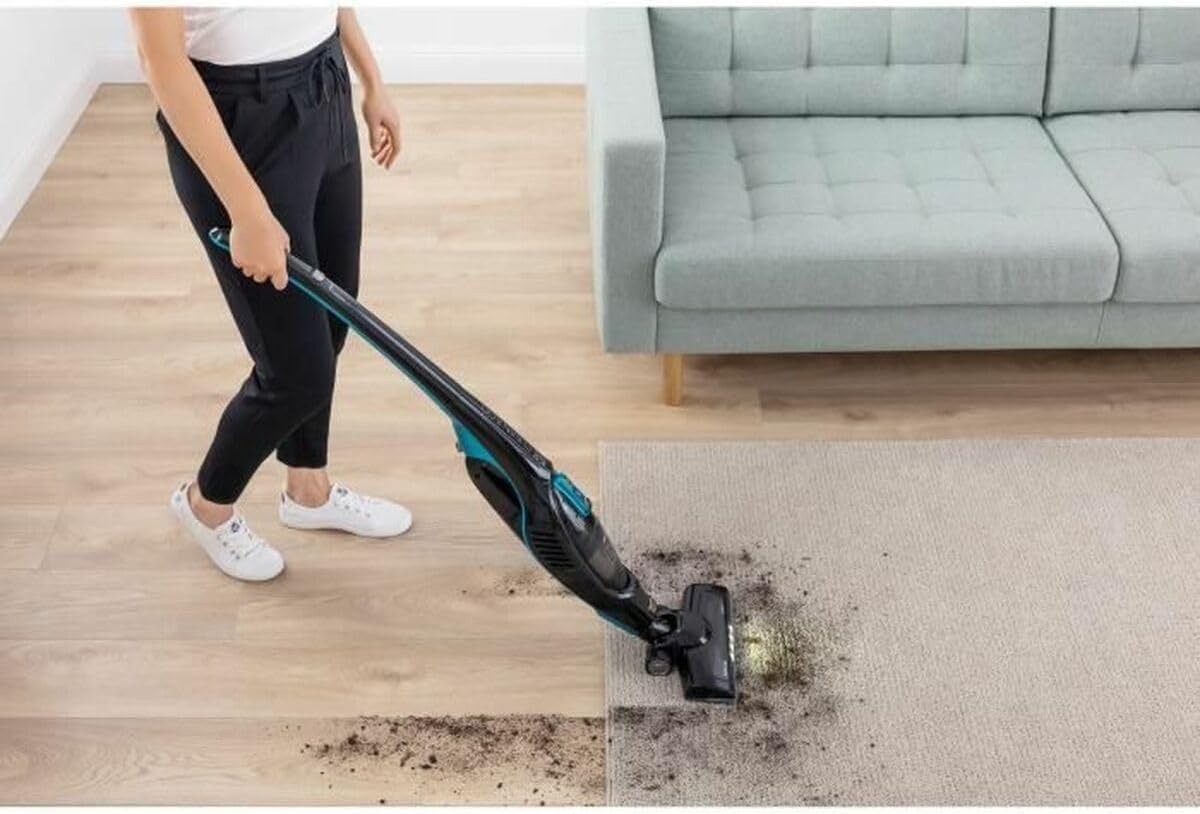
Image 6.1: Operating the SENCOR SVC 7822TQ stick vacuum on a carpet, demonstrating the LED illumination.
6.2 Using as a Handheld Vacuum
- Press the handheld unit release button and pull the handheld unit away from the main body.
- Attach the flat nozzle for narrow gaps or the dusting brush for delicate surfaces and upholstery.
- Press the power button on the handheld unit to start cleaning.
- When finished, press the power button to turn off.
- Reattach the handheld unit to the stick vacuum or place it on the charging base.
6.3 Self-Standing Function
The SENCOR SVC 7822TQ features a self-standing function, allowing you to temporarily pause cleaning and stand the vacuum upright without needing to lean it against a wall or place it on its charging base. Simply push the vacuum into an upright position until it locks.

Image 6.2: The SENCOR SVC 7822TQ in its self-standing position.
7. Maintenance
Regular maintenance ensures optimal performance and extends the lifespan of your vacuum cleaner.
7.1 Emptying the Dust Bin
Empty the dust bin after each use or when the MAX fill line is reached.
- Ensure the vacuum is turned off.
- Locate the dust bin release button (usually near the dust bin). Press it to detach the dust bin from the handheld unit.
- Hold the dust bin over a waste bin and open the bottom flap to release the contents.
- Close the flap and reattach the dust bin to the handheld unit until it clicks.

Image 7.1: Rear view of the vacuum, highlighting the dust bin for easy removal and emptying.
7.2 Cleaning the HEPA Filter
The HEPA filter should be cleaned regularly, ideally once a month, or more frequently with heavy use.
- Remove the dust bin as described above.
- Carefully remove the HEPA filter from the dust bin.
- Tap the filter gently over a waste bin to remove loose dust.
- If necessary, rinse the filter under cold running water. Do not use detergents.
- Allow the filter to air dry completely for at least 24 hours before reinserting it. Do not use a hairdryer or other heating devices.
- Reassemble the filter and dust bin.
7.3 Cleaning the Motorized Brush
Hair and debris can get tangled in the motorized brush. Clean it periodically to maintain suction power.
- Turn off the vacuum and disconnect it from the charging base.
- Turn the floor nozzle upside down.
- Locate the brush roll cover release mechanism (refer to your product's specific diagram for details).
- Remove the brush roll.
- Use scissors or a brush to remove any tangled hair or debris.
- Reinsert the brush roll and secure the cover.
8. Troubleshooting
If you encounter issues with your vacuum cleaner, refer to the following table for common problems and solutions.
| Problem | Possible Cause | Solution |
|---|---|---|
| Vacuum does not turn on. | Battery is depleted. | Charge the vacuum cleaner fully. |
| Power button not pressed correctly. | Ensure the power button is pressed firmly. | |
| Low suction power. | Dust bin is full. | Empty the dust bin. |
| Filter is clogged. | Clean or replace the HEPA filter. | |
| Nozzle or hose is blocked. | Check for and remove any blockages. | |
| Motorized brush not rotating. | Brush roll is tangled with hair/debris. | Clean the brush roll. |
| Obstruction in the brush roll area. | Remove any obstructions. | |
| Short operating time. | Battery not fully charged. | Ensure the vacuum is fully charged (4.5 hours). |
| Using high power mode continuously. | High power mode consumes battery faster. Use standard mode for longer runtime. |
If the problem persists after trying these solutions, please contact SENCOR customer support.
9. Specifications
| Feature | Specification |
|---|---|
| Model Number | SVC 7822TQ |
| Type | 2-in-1 Cordless Stick Vacuum |
| Battery Type | Li-Ion 2200 mAh |
| Voltage | 22.2 V |
| Power | 110 Watts |
| Charging Time | 4.5 hours |
| Operating Time | Up to 45 minutes |
| Dust Bin Volume | 0.5 L |
| Filtration System | Cyclonic HEPA |
| Noise Level | 76 dB |
| Dimensions (L x W x H) | 23.6 x 28.6 x 113.5 cm |
| Weight | 2.8 kg |
| Special Features | 2-in-1 design, HEPA filtration, LED cleaning light, Self-standing function |
| Included Accessories | Flat nozzle, Dusting brush |
10. Warranty and Support
SENCOR products are manufactured to high-quality standards. For information regarding warranty terms and conditions, please refer to the warranty card included with your product or visit the official SENCOR website. If you require technical assistance, spare parts, or have any questions not covered in this manual, please contact SENCOR customer support through their official channels.
Please retain your proof of purchase for warranty claims.


