1. Introduction
Thank you for choosing the Retekess T130S Tour Guide System. This wireless audio system is designed to facilitate clear and efficient communication in various settings such as guided tours, conferences, educational institutions, and assistive listening environments. This manual provides detailed instructions for the setup, operation, and maintenance of your system to ensure optimal performance.
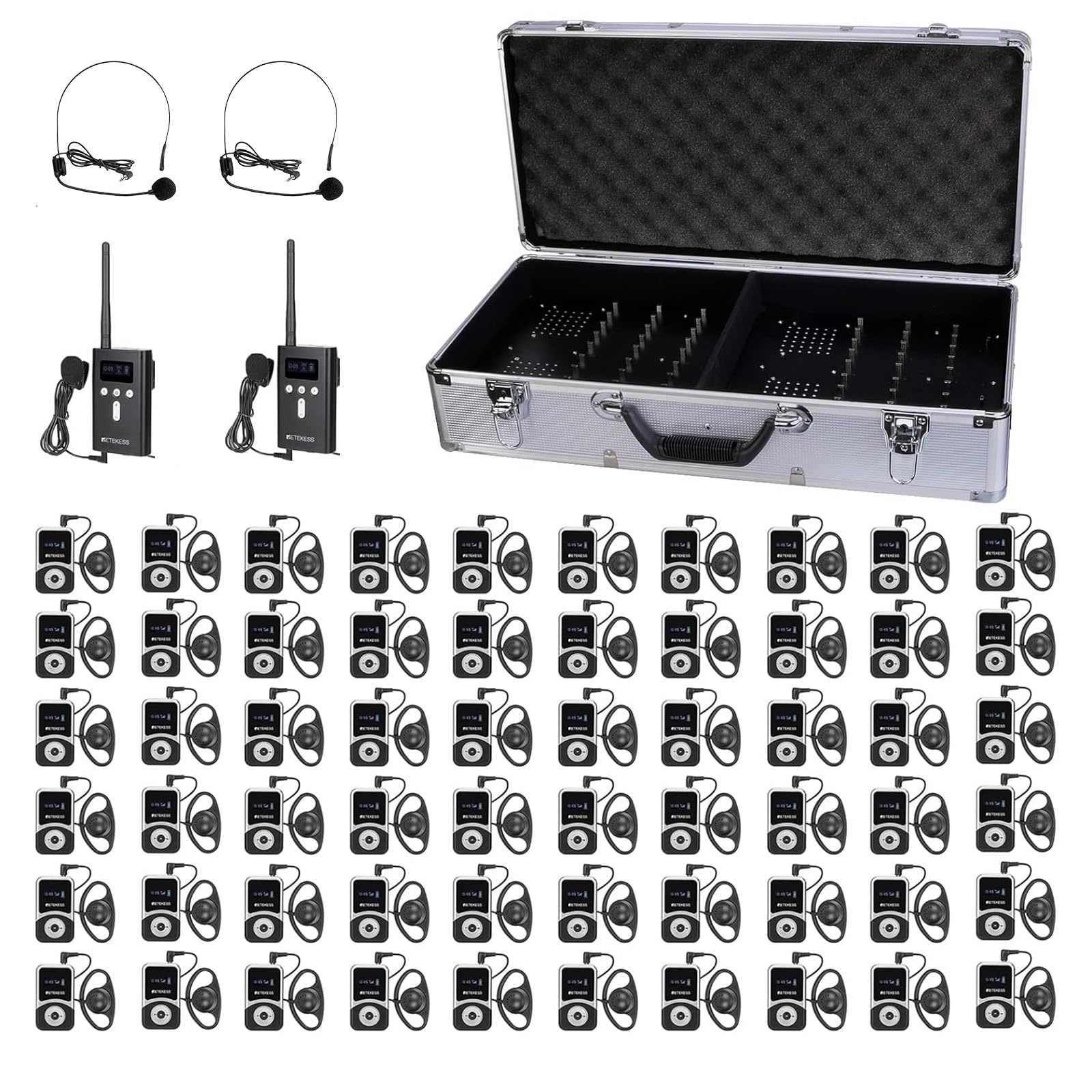
Image: Overview of the Retekess T130S Tour Guide System, showing a transmitter and receiver unit.
2. Package Contents
Please verify that all items listed below are included in your package. If any items are missing or damaged, please contact your retailer.
- 2 x T130S Transmitters
- 60 x T131S Receivers
- 1 x 64-Slot Charging Box
- 2 x Lavalier Microphones
- 2 x Headset Microphones
- 60 x D-Type Earphones
- 62 x USB Charging Cables
- 62 x Lanyards
- 1 x English User Manual

Image: Visual representation of all items included in the Retekess T130S Tour Guide System package.
3. Product Overview
3.1. T130S Transmitter
The T130S transmitter is the primary unit used by the speaker or guide. It features a display screen, control buttons, and an antenna for broadcasting audio.
3.2. T131S Receiver
The T131S receiver is a compact device for listeners, equipped with a display, control buttons, and a 3.5mm jack for earphones.
3.3. 64-Slot Charging Box
This charging box provides centralized charging for up to 64 devices (transmitters and receivers) simultaneously, ensuring they are ready for use.

Image: The 64-slot charging case, shown both closed for transport and open with devices charging.
4. Setup
4.1. Initial Charging
Before first use, fully charge all transmitters and receivers. Place the devices into the 64-slot charging box and connect the charging box to a power source. A full charge typically takes 4-5 hours.
4.2. Powering On/Off
- To Power On: Press and hold the power button on the transmitter or receiver until the screen illuminates.
- To Power Off: Press and hold the power button until the screen turns off. The system also supports one-touch shutdown for all receivers from the transmitter.
4.3. Frequency Pairing
For the system to function, transmitters and receivers must be set to the same channel. The T130S system supports one-touch frequency pairing:
- Ensure all transmitters and receivers are powered on.
- On the T130S transmitter, initiate the one-touch frequency pairing function (refer to the device's screen for the specific icon or menu option).
- All active T131S receivers within range will automatically synchronize to the transmitter's channel.
4.4. Connecting Microphones and Earphones
- Transmitter (T130S): Connect the lavalier or headset microphone to the 3.5mm MIC input jack. An AUX input is also available for playing pre-recorded audio.
- Receiver (T131S): Connect the D-type earphone to the 3.5mm earphone jack.
5. Operating Instructions
5.1. Transmitter Operation
- Speaking: Ensure your microphone is securely connected and positioned correctly. Speak clearly into the microphone.
- Muting: The T130S transmitter features a one-key mute function. Press the designated mute button to temporarily stop audio transmission. Press again to unmute.
- Channel Selection: Use the channel selection buttons (usually '<' and '>') to change the transmission channel if necessary. Ensure receivers are re-paired if the channel is changed.
5.2. Receiver Operation
- Listening: Once powered on and paired, the receiver will automatically receive audio from the transmitter.
- Volume Adjustment: Use the '+' and '-' buttons on the receiver to adjust the listening volume to a comfortable level.
5.3. One-Click Functions
The T130S system is designed for ease of use with several one-click operations:
- One-Touch Shutdown: From the transmitter, you can initiate a command to power off all connected receivers simultaneously.
- One-Touch Mute: The transmitter allows for instant muting of the speaker's audio to all receivers.
- One-Touch Frequency Pairing: Simplifies the process of synchronizing all receivers to the transmitter's channel.

Image: Close-up of the T130S transmitter highlighting the buttons for one-touch shutdown, mute, and frequency pairing.
5.4. Multi-Channel Usage
The system offers 49 distinct channels, allowing multiple groups to operate in the same vicinity without interference. Ensure each group uses a unique channel to maintain clear communication.
5.5. Adding Receivers
The T130S transmitter can work with any number of T131S receivers. Simply power on new receivers and perform the one-touch frequency pairing to add them to the active group.
6. Maintenance
6.1. Cleaning Earphones
The D-type earphones are made of soft silicone and are designed for easy cleaning. Gently wipe them with a wet tissue or disinfectant alcohol before and after each use to maintain hygiene.

Image: D-type earphones, illustrating their design for comfortable wear on either ear and ease of cleaning.
6.2. Battery Care
The devices are equipped with durable, rechargeable Lithium-Ion batteries. To prolong battery life:
- Avoid fully discharging the batteries regularly.
- Store devices with a partial charge (around 50%) if not used for extended periods.
- Charge devices using only the provided charging cables and charging box.
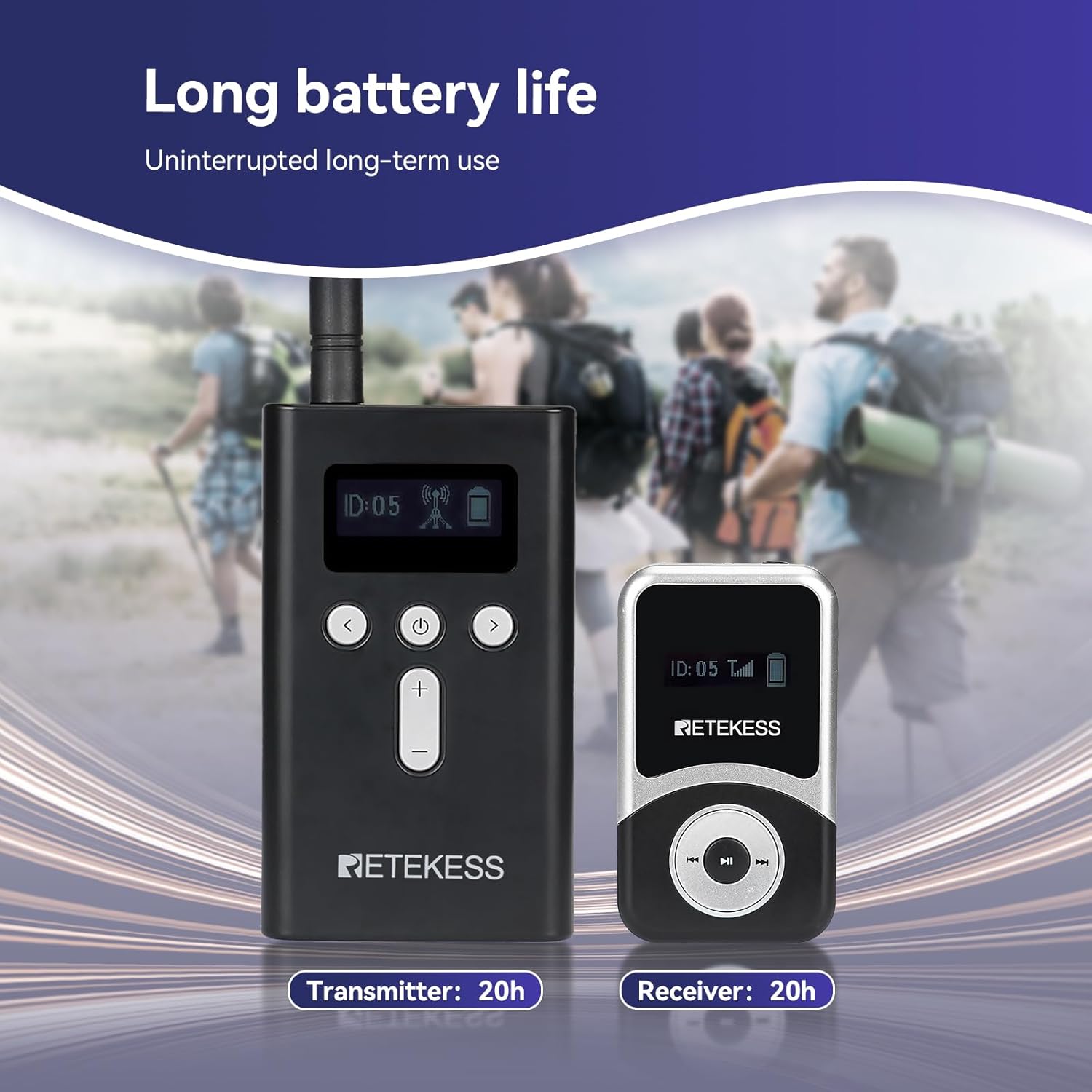
Image: Transmitter and receiver units, highlighting their 20-hour battery life for uninterrupted use.
6.3. Storage
When not in use, store the system components in the charging box in a cool, dry place away from direct sunlight and extreme temperatures.
7. Troubleshooting
| Problem | Possible Cause | Solution |
|---|---|---|
| No audio from receiver | Receiver not powered on; low battery; incorrect channel; earphone not connected or faulty. | Ensure receiver is on and charged. Check channel matches transmitter. Verify earphone connection and functionality. |
| Poor audio quality / Interference | Too far from transmitter; obstacles; other wireless devices on same frequency; low battery. | Move closer to transmitter. Ensure clear line of sight. Change to a different channel. Charge devices. |
| Transmitter not broadcasting | Transmitter not powered on; low battery; microphone not connected or faulty; muted. | Ensure transmitter is on and charged. Check microphone connection. Unmute transmitter. |
| Devices not charging | Charging box not powered; devices not properly seated in slots; faulty cable. | Ensure charging box is connected to power. Re-seat devices firmly. Try a different charging cable. |
8. Specifications
| Feature | Specification |
|---|---|
| Model Name | T130S (Transmitter), T131S (Receiver) |
| Connectivity Technology | Wireless |
| Working Range | Up to 100m / 328ft (open area) |
| Channels | 49 |
| Battery Life (Transmitter) | Approx. 20 hours standby |
| Battery Life (Receiver) | Approx. 20 hours standby |
| Charging Time | 4-5 hours (for full charge in charging box) |
| Control Type | Button Control |
| Earphone Type | D-type (3.5mm jack) |
| Transmitter Dimensions | 205 x 60 x 20mm / 8 x 2.3 x 0.7 inches |
| Receiver Dimensions | 73 x 42 x 12mm / 2.8 x 1.6 x 0.5 inches |
| Material | Acrylonitrile Butadiene Styrene (ABS) |
| System Weight (approx.) | 0.8 Kilograms (excluding charging box and accessories) |

Image: Illustration of the system's long working range, indicating a distance of 100 meters (328 feet).

Image: Size comparison of the T130S transmitter and T131S receiver, with dimensions provided.
9. Warranty and Support
Retekess products are manufactured to high-quality standards. For warranty information, technical support, or service inquiries, please refer to the warranty card included in your package or contact your local distributor. Please retain your proof of purchase for warranty claims.

Image: Demonstrates the portability of the system, showing devices worn around the neck, clipped to a pocket, and held in hand.


