
SANSUI S40VAFW
Contents
SANSUI 40" FHD WebOS Smart TV
User Manual
Introduction
This manual provides detailed instructions for the setup, operation, maintenance, and troubleshooting of your SANSUI 40" FHD WebOS Smart TV. Please read this manual thoroughly before using your television to ensure proper and safe operation.
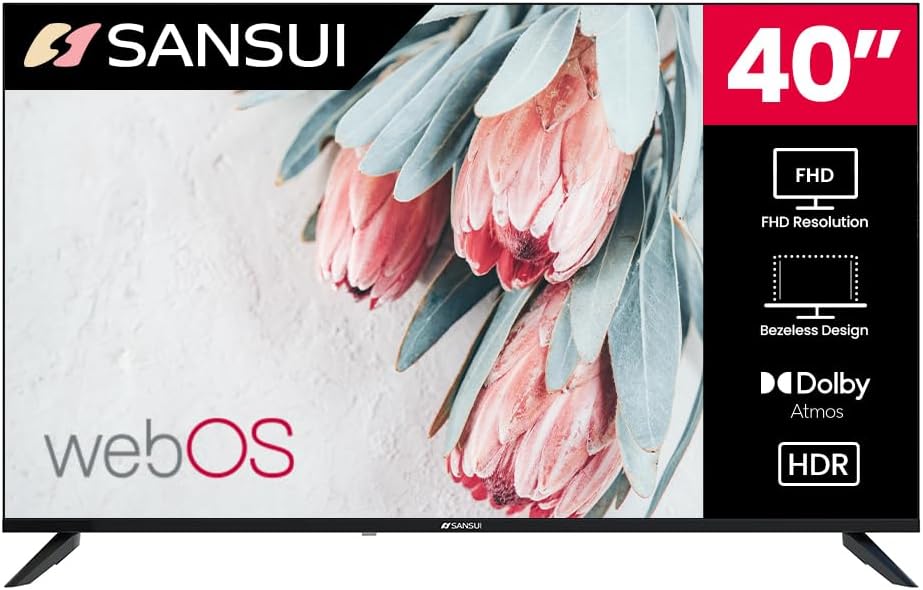
Image: Front view of the SANSUI 40 inch FHD WebOS Smart TV.
Key Features
- 40 inch 1080P LED Display: Full HD (1920x1080) resolution with HDR10 & Dolby Vision for enhanced picture quality.
- WebOS 5.0 Hub: Access to over 10,000+ apps, built-in Chromecast, parental controls, and Live TV.
- Dolby Atmos Sound: Immersive audio experience with dual 8W cinematic speakers.
- Versatile Connectivity: Multiple HDMI 2.0 and USB 2.0 ports, Dual-band Wi-Fi, Bluetooth 5.0, and various audio/video inputs.
- Compact Design: 3-Side Bezel-Less Design with twin footings stand.
Setup
1. Unboxing and Package Contents
Carefully remove all components from the packaging. Ensure all items listed below are present:
- SANSUI 40" FHD WebOS Smart TV
- Stand (2 pieces)
- Remote Control
- 2x Remote Control Batteries
- Power Cable
- User Manual (this document)

Image: A diagram showing the SANSUI 40 inch TV with its dimensions and a list of included accessories: stand, remote control, batteries, power cord, and user manual.
2. Installing the Stand
- Place the TV screen-down on a soft, flat surface to prevent scratches.
- Align the stand pieces with the corresponding slots on the bottom of the TV.
- Secure the stands using the provided screws.
Alternatively, the TV can be wall-mounted using a VESA 200x200mm compatible mount (sold separately).
3. Connecting Peripherals
Connect your devices to the TV's ports:
- HDMI: Connect Blu-ray players, game consoles, or cable boxes to the HDMI 2.0 ports (x3).
- USB: Insert USB drives for media playback into the USB 2.0 ports (x2).
- AV Input: For older devices, use the Audio Video port (x1).
- RF Antenna Input: Connect your antenna cable for over-the-air broadcasts.
- RJ45: Connect an Ethernet cable for a wired internet connection.
- Digital Optical Audio Output: For connecting to external sound systems.
Note: Please discontinue use of any device using the USB mode before connecting, disconnecting or adjusting the HDMI or USB terminal ports. Failure to do so can result in an electrostatic discharge that could cause damage to the TV and/or its operation.
4. Powering On and Initial Setup
- Connect the power cable to the TV and then to a power outlet.
- Press the power button on the TV or the remote control.
- Follow the on-screen instructions to select your language, region, and connect to your Wi-Fi network (2.4G/5GHz dual-band supported).
- Complete the WebOS initial setup, including agreeing to terms and conditions to access smart features.
Operating
1. Remote Control Functions
The included remote control provides full functionality for navigating your SANSUI Smart TV.

Image: A diagram illustrating the SANSUI TV remote control, highlighting key buttons such as power, input, volume, channel, navigation, and dedicated streaming service buttons (Netflix, Prime Video).
- Power Button: Turns the TV on or off.
- Input Button: Selects an input source (HDMI, AV, etc.).
- Navigation Pad (Up/Down/Left/Right/OK): Navigates menus and confirms selections.
- Back Button: Returns to the previous screen.
- Home Button: Accesses the WebOS Hub.
- Volume Up/Down: Adjusts the volume level.
- Channel Up/Down: Changes TV channels.
- Dedicated App Buttons: Quick access to popular streaming services like Netflix and Prime Video.
2. WebOS Smart Platform
The WebOS 5.0 hub serves as your central entertainment platform, offering access to a vast array of content and features.

Image: Screenshot of the SANSUI TV's WebOS Hub interface, showing various app icons and content categories.
- App Store: Download and install over 10,000+ applications from the Google Play Store.
- Live TV: Access digital broadcast channels via the RF antenna input.
- Screen Mirroring: Utilize built-in Chromecast, Apple AirPlay, or Miracast to mirror content from your smartphone, tablet, or computer.
- Parental Control: Manage content access for children.
3. Picture and Sound Settings
Customize your viewing and listening experience through the TV's settings menu.
Picture Modes

Image: A SANSUI TV screen displaying vibrant HDR content, with text overlays highlighting Dolby Vision HDR, Vivid Colors, Brilliant Contrast & Clarity, and Enhanced Viewing Experience.
The TV offers 7 customized picture modes to optimize visuals for different content:
- User
- Standard
- Vivid
- Sports
- Movie
- Music
- News
The TV supports HDR10 and Dolby Vision for enhanced contrast and color.
Sound Styles
With Dolby Atmos audio and dual 8W speakers, you can select from various sound styles:
- User
- Standard
- Vivid
- Sports
- Movie
- Music
- News
4. Bluetooth Connectivity
Connect Bluetooth 5.0 compatible devices such as wireless headphones or soundbars for a personalized audio experience.

Image: A man wearing yellow wireless headphones, with a visual representation of sound waves emanating from the SANSUI TV, illustrating Bluetooth connectivity.
- Go to the TV's settings menu.
- Select "Bluetooth" or "Connected Devices".
- Enable Bluetooth and put your device in pairing mode.
- Select your device from the list to connect.
Maintenance
1. Cleaning the TV
- Always unplug the TV before cleaning.
- Use a soft, dry cloth to wipe the screen and cabinet.
- For stubborn marks, lightly dampen the cloth with water or a mild, non-abrasive screen cleaner. Do not spray cleaner directly onto the screen.
- Avoid using alcohol, benzene, thinners, or other volatile substances, as they may damage the TV.
2. Software Updates
Your WebOS Smart TV may receive software updates to improve performance and add new features. It is recommended to keep your TV connected to the internet to receive these updates automatically.
- To manually check for updates, navigate to Settings > All Settings > General > About This TV > Check for Updates.
- Follow the on-screen prompts to download and install any available updates.
Troubleshooting
If you encounter issues with your SANSUI TV, refer to the following common problems and solutions:
| Problem | Possible Cause / Solution |
|---|---|
| No Power | Ensure the power cable is securely connected to the TV and a working power outlet. Try a different outlet. |
| No Picture / Black Screen | Check the selected input source (HDMI, AV, etc.) matches your connected device. Ensure the device is powered on. Try restarting the TV. |
| No Sound | Check the volume level and ensure the TV is not muted. Verify external audio devices (soundbar, headphones) are properly connected and powered on. Check sound output settings. |
| Remote Control Not Responding | Replace the batteries in the remote control. Ensure there are no obstructions between the remote and the TV's IR sensor. If using a universal remote, ensure it is programmed correctly for SANSUI TVs. |
| Slow Performance / Lagging Menus | Close unused applications running in the background. Disconnect from the internet and reconnect. Perform a factory reset if the issue persists (Note: this will erase all settings and installed apps). |
| Wi-Fi Connection Issues | Ensure your Wi-Fi router is on and functioning. Restart your router and the TV. Check Wi-Fi password. Try connecting via Ethernet cable if possible. |
| Interference with other TVs (e.g., LG) | This can occur due to overlapping IR signals or shared network protocols. Try repositioning the TVs or using a universal remote that can be programmed specifically for each TV. Check if there are settings on either TV to disable shared control features. |
Specifications
| Feature | Detail |
|---|---|
| Brand | SANSUI |
| Model | 40" FHD WebOS Smart TV (Model: S40VAFW) |
| Screen Size | 40 Inches (102 cm visible diagonal) |
| Display Technology | LED |
| Resolution | 1080p Full HD (1920x1080) |
| Refresh Rate | 60 Hz |
| Aspect Ratio | 16:9 |
| Brightness | 230 Nits |
| Contrast Ratio | 3000:1 |
| HDR Support | HDR10, Dolby Vision |
| Operating System | WebOS 5.0 |
| Audio Output | 2 x 8W Speakers, Dolby Atmos, NICAM Stereo Sound |
| Connectivity | 3x HDMI 2.0, 2x USB 2.0, Dual-band Wi-Fi, Bluetooth 5.0, AV Input, RJ45, Digital Optical Audio Output, RF Antenna Input |
| Special Features | Built-In Speaker, Sleep Timer, Bezel-Less Design, Parental Controls, Built-in Chromecast, Apple AirPlay, Miracast |
| Product Dimensions (D x W x H) | 7.48 x 23.62 x 15.75 inches (with stand) |
| Item Weight | 12.5 Pounds |
| Color | Black |
Warranty and Support
Your SANSUI 40" FHD WebOS Smart TV comes with a standard manufacturer's warranty. For specific warranty terms and conditions, please refer to the warranty card included in your product packaging or visit the official SANSUI website.
For technical support, troubleshooting assistance beyond this manual, or warranty claims, please contact SANSUI customer service. Contact information can typically be found on the official SANSUI website or on your product's packaging.
Online Resources:
- SANSUI Official Store: Visit SANSUI Store on Amazon
Ask a question about this manual
Ask about setup, troubleshooting, compatibility, parts, safety, or missing instructions. Manuals+ will review the question and use this page’s manual context to help answer it.