
Unistyle WT-03W
Unistyle Smart Irrigation Computer WLAN User Manual
Model: WT-03W
Introduction
The Unistyle Smart Irrigation Computer WLAN is an advanced watering timer designed to automate your garden and lawn irrigation system. Featuring Wi-Fi connectivity, app control, and voice command compatibility, this device offers flexible and efficient watering solutions. Its durable construction, including brass inlet and outlet, ensures reliable performance for outdoor use.
Product Features
- Wi-Fi Connectivity: Create and manage watering plans anytime, anywhere via the dedicated mobile application.
- Intelligent Rain Delay: Automatically delays watering on rainy days based on local weather forecasts, conserving water and preventing overwatering. Manual delay options are also available.
- Flexible Watering Modes: Supports both conventional scheduled watering with up to 5 customizable plans and a mist irrigation mode for intermittent watering, outdoor cooling, and dust reduction.
- Manual Control: Initiate or stop watering manually through the app or directly on the device, without affecting programmed schedules.
- Durable Construction: Equipped with industrial brass inlet and outlet to reduce wear and withstand higher water pressure, ensuring a leak-proof and long-lasting connection. Features a built-in metal filter.
- Smart Voice Control: Compatible with Amazon Alexa and Google Assistant for convenient hands-free operation.
- User-Friendly Interface: Features a clear digital display and an enhanced stepless knob for easy navigation and setting adjustments.
Package Contents
Upon opening the Unistyle Smart Irrigation Computer WLAN package, you should find the following components:
- Unistyle Smart Irrigation Computer (WT-03W)
- Wireless Gateway (WG-01)
- Type-C USB Cable (for gateway power)
- User Manual
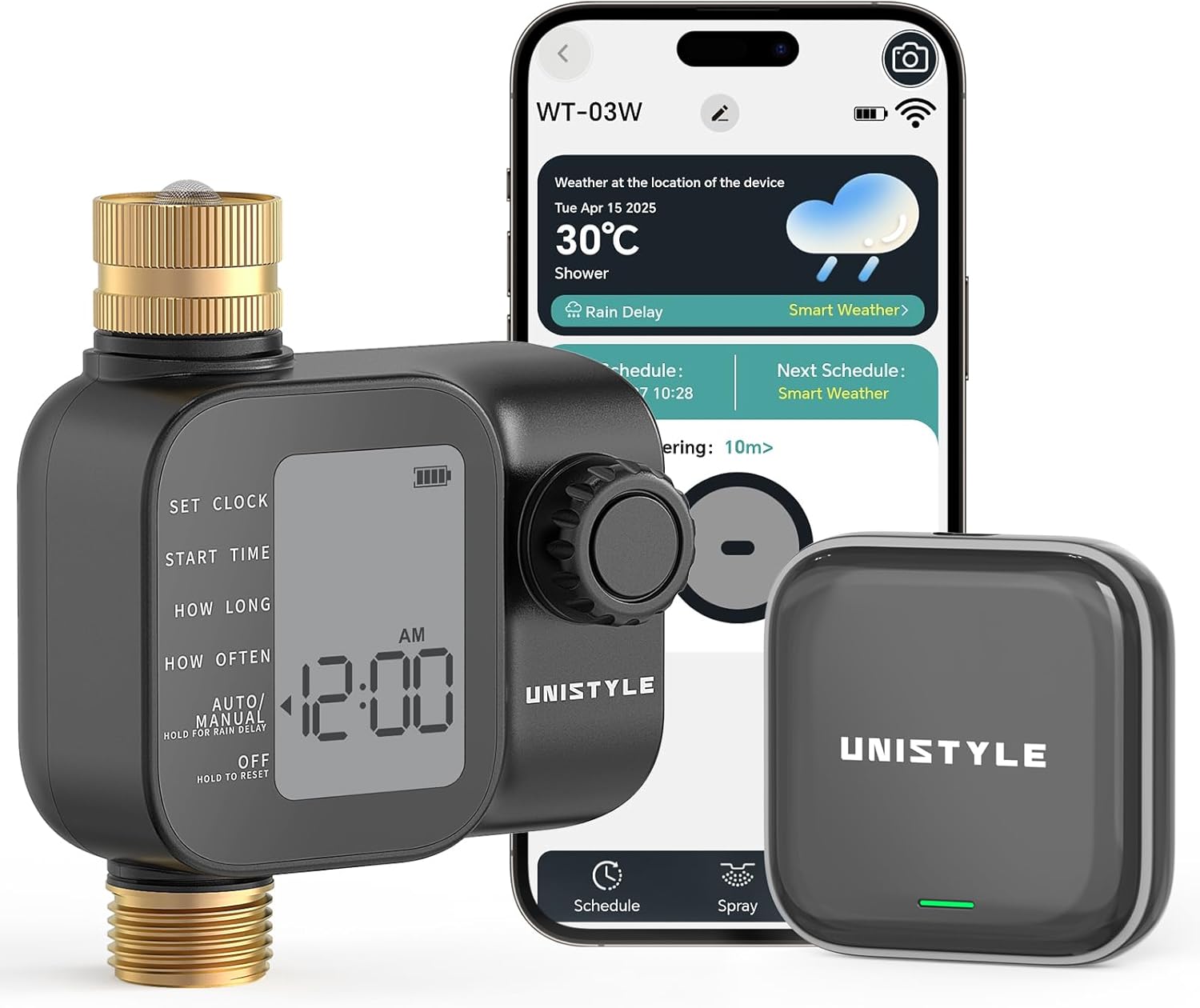
This image displays the Unistyle Smart Irrigation Computer, its wireless gateway, and a smartphone screen showing the accompanying mobile application. The timer features a digital display and a control knob, designed for easy programming and monitoring of your watering schedule.
Specifications
Product Specifications (WT-03W)
| Feature | Specification |
|---|---|
| Water Pressure | 7.25-116 PSI (0.5-8 BAR) |
| Maximum Flow Rate | 35 L/min (9.25 Gal/min) |
| Waterproof Rating | IP55 |
| Operating Temperature | 3°C - 50°C (37.4°F - 122°F) |
| Battery | 2*AA (1.5V) Alkaline batteries |
Gateway Specifications (WG-01)
| Feature | Specification |
|---|---|
| Communication Distance (Gateway to Timer) | Up to 65FT (20M) in open areas without interference |
| Input Voltage | DC 5V 1A, Type-C input |
| WiFi Frequency | 2.4 GHz |
| Protocol | IEEE 802.11b/g/n |
| Operating Temperature Range | 3°C - 50°C (37.4°F - 122°F) |
| Operating Humidity | 10% - 90% (non-condensing) |
| Supported App | SmartLife |

The side of the product packaging detailing the technical specifications for both the irrigation computer and the wireless gateway.
Setup
1. Physical Installation
- Insert Batteries: Open the battery compartment on the Unistyle Irrigation Computer and insert 2 AA (1.5V) alkaline batteries, ensuring correct polarity.
- Connect to Faucet: Screw the brass inlet of the irrigation computer onto your outdoor faucet. Ensure the connection is tight to prevent leaks. The brass construction provides a secure and durable fit.
- Connect Hose: Attach your garden hose to the brass outlet at the bottom of the irrigation computer.

Detail view highlighting the robust construction of the Unistyle Irrigation Computer, featuring a durable brass inlet and outlet, a leak-proof sealing gasket, and an integrated metal filter for enhanced longevity and performance.
2. Gateway and App Connection
- Power the Gateway: Connect the wireless gateway to a power source using the provided Type-C USB cable.
- Download App: Download the 'SmartLife' app from your smartphone's app store (iOS or Android).
- Register/Login: Open the SmartLife app and register a new account or log in if you already have one.
- Add Gateway: Follow the in-app instructions to add the wireless gateway. Ensure your Wi-Fi network is 2.4GHz, as the device does not support 5.0GHz Wi-Fi.
- Pair Irrigation Computer: Once the gateway is connected, use the app to pair the Unistyle Irrigation Computer with the gateway. Ensure the timer is within the communication range (up to 20 meters in open areas).
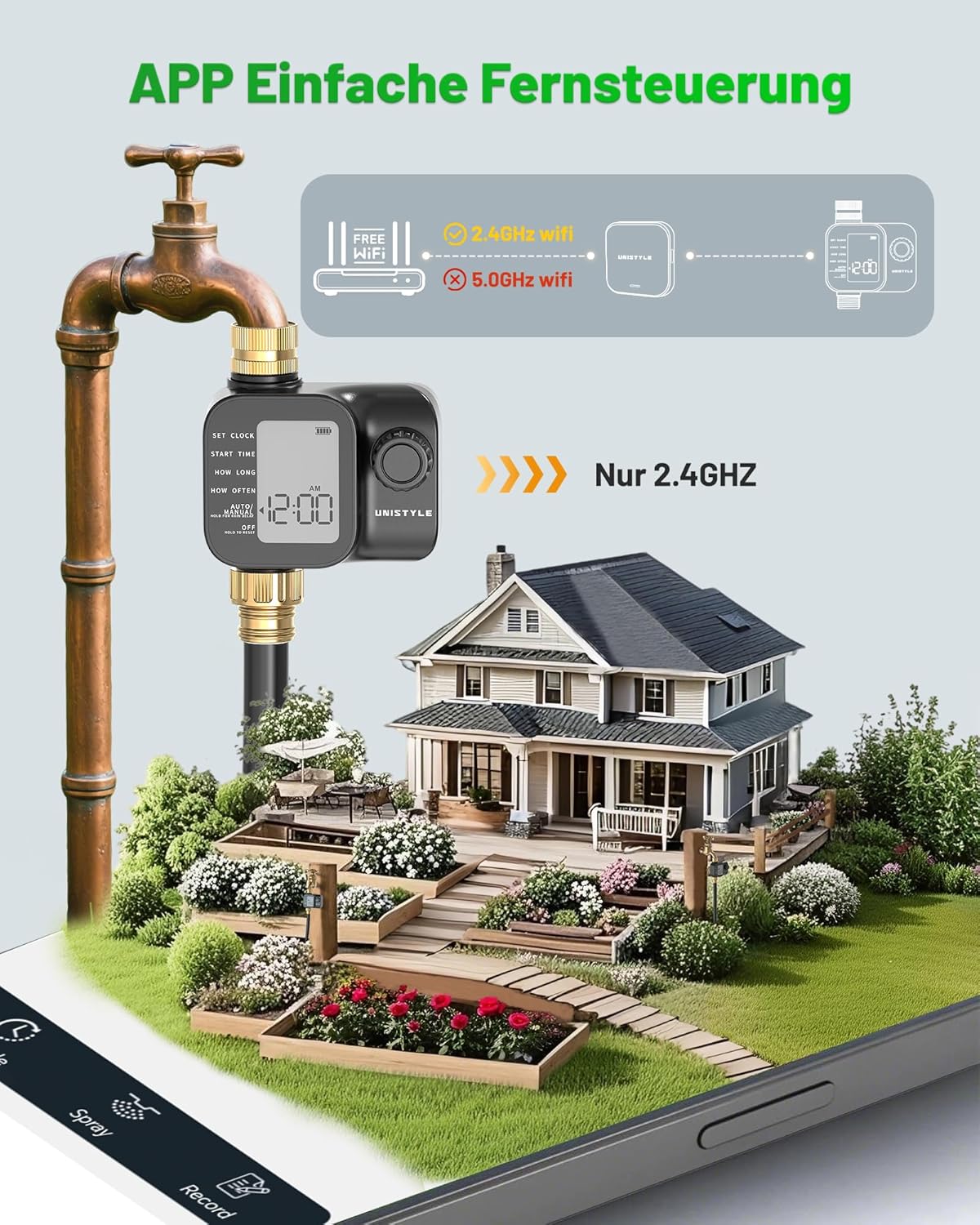
A visual representation of the Unistyle Irrigation Computer's remote control capability. The diagram shows the timer connecting to a 2.4GHz WiFi network through its gateway, enabling users to manage watering schedules from anywhere via the app. Note: 5.0GHz WiFi is not supported.
Operating the Unistyle Irrigation Computer
1. Scheduling Watering Plans
The Unistyle Irrigation Computer supports up to 5 conventional watering plans, allowing for precise and automated irrigation.
- Access Schedule: Open the SmartLife app and navigate to the device's main screen. Select the 'Schedule' option.
- Add New Plan: Tap 'Add' to create a new watering plan.
- Set Start Time: Define the desired start time for the watering cycle.
- Set Runtime: Specify the duration of the watering session (e.g., 10 minutes).
- Select Cycle Days: Choose the specific days of the week for this plan to activate.
- Confirm: Save the plan. The timer will now automatically follow this schedule.

The Unistyle Irrigation Computer connected to a garden faucet, demonstrating the setup of a conventional watering schedule via the mobile application. The app allows for easy configuration of start times, runtimes, and watering days.
2. Manual Watering
For immediate watering needs, you can activate manual mode.
- Via App: On the device's main screen in the SmartLife app, select 'Manual Watering' and set the desired duration (1-480 minutes).
- Via Device: Use the knob on the timer to select 'Manual' and adjust the duration.

The Unistyle Irrigation Computer supports manual watering, allowing users to temporarily water plants without altering the programmed schedule. The app provides a manual control option with adjustable duration from 1 to 480 minutes.
3. Intelligent Rain Delay
The system can automatically pause watering based on weather forecasts or be manually delayed.
- Automatic Delay: Enable 'Smart Weather' in the app. The system will automatically delay scheduled watering if rain is predicted within 24 hours.
- Manual Delay: In the app, select 'Rain Delay' and choose a delay period from 1 to 7 days.

This image highlights the intelligent rain delay function of the Unistyle Irrigation Computer. The system automatically delays watering based on local 24-hour weather forecasts, preventing overwatering and conserving water. Manual delay options from 1 to 7 days are also available.
4. Mist Irrigation Mode
This mode is suitable for specific applications like cooling or dust suppression.
- Access Mist Mode: In the SmartLife app, select the 'Spray' or 'Mist' option.
- Set Parameters: Configure the start time, end time, cycle duration (how long it sprays), and pause duration (how long it waits between sprays).
- Select Cycle Days: Choose the days for misting.

This image illustrates the mist irrigation mode of the Unistyle system, ideal for intermittent watering, outdoor cooling, and dust reduction. The app interface shows options for setting start/end times, cycle duration, and pause duration.
5. Voice Control Integration
Integrate your Unistyle Irrigation Computer with smart home assistants.
- Link Accounts: In your Amazon Alexa or Google Home app, search for the 'SmartLife' skill/service and link your SmartLife account.
- Discover Devices: Once linked, ask your smart assistant to discover new devices.
- Use Commands: You can now use voice commands to control your irrigation computer, such as "Alexa, turn on the garden watering" or "Hey Google, start irrigation for 10 minutes."

This image demonstrates the smart voice control feature of the Unistyle Irrigation Computer, compatible with Amazon Alexa and Google Assistant. Users can activate or manage watering schedules using simple voice commands.
Maintenance
- Battery Replacement: Replace the AA batteries in the irrigation computer when the low battery indicator appears on the display or in the app.
- Filter Cleaning: Periodically check and clean the built-in metal filter at the inlet to prevent debris from clogging the system and affecting water flow.
- Winterization: Before the first frost, disconnect the irrigation computer from the faucet and store it indoors in a dry, frost-free location to prevent damage from freezing water.
- General Cleaning: Wipe the exterior of the device with a damp cloth as needed. Do not use abrasive cleaners.
Troubleshooting
| Problem | Possible Cause | Solution |
|---|---|---|
| Device not connecting to app/Wi-Fi | Incorrect Wi-Fi frequency (5.0GHz), gateway too far, poor signal, incorrect pairing process. | Ensure your Wi-Fi is 2.4GHz. Move gateway closer to router and irrigation computer. Re-attempt pairing process as per app instructions. |
| No water flow | Faucet off, low water pressure, clogged filter, dead batteries, incorrect schedule. | Check faucet is fully open. Verify water pressure meets specifications. Clean the inlet filter. Replace batteries. Check app schedule for active watering times. |
| Water leakage from connections | Loose connection, damaged washer, improper installation. | Ensure all connections are tightened securely. Check rubber washers for damage and replace if necessary. Reinstall the device carefully. |
| Scheduled watering not starting | Rain delay active, incorrect schedule settings, low battery, device not paired. | Check if rain delay is active in the app. Review and correct schedule settings (start time, runtime, days). Replace batteries. Confirm device is properly paired with the gateway and app. |
Warranty and Support
Unistyle provides a one-year worry-free warranty for this product. For any support inquiries or warranty claims, please contact us using the details below. We aim to reply within 24 hours.
UK Representative
Company Name: XDH Tech
Address: 2 Rue Coysevox Bureau 3, 69001, Lyon, France
Tel: +44 7850 387628
EU Representative
Company Name: XDH Tech
Address: 2 Rue Coysevox Bureau 3, 69001, Lyon, France
Contact Person: Dinghao Xue
Email: xdh.tech@outlook.com
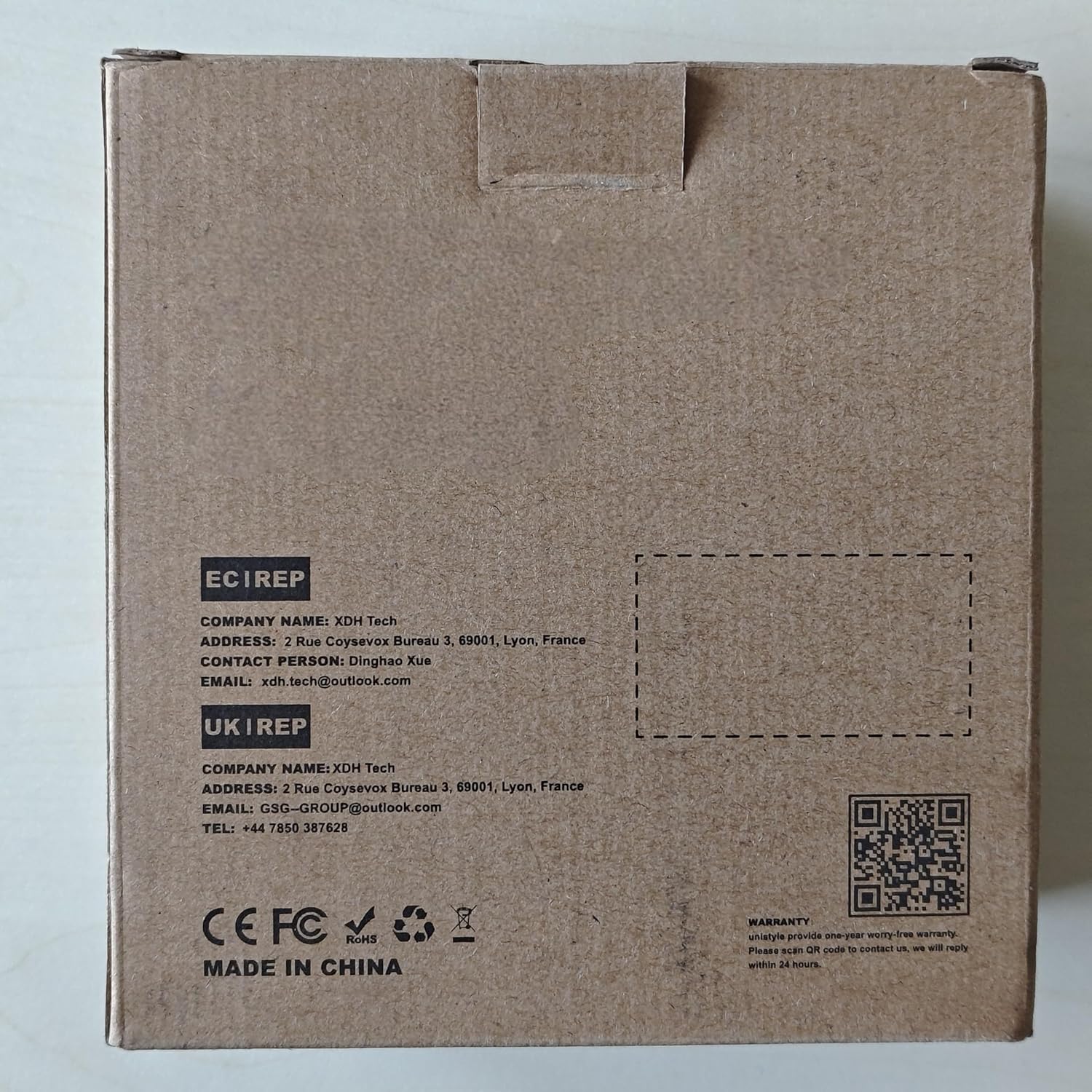
The back of the Unistyle Wireless Water Timer product box, displaying contact information for EC REP and UK REP, including company name, address, email, and phone number, along with CE FC RoHS marks and warranty details.
Related Documents - WT-03W
 |
Unistyle WG-01 Water Timer User Manual Comprehensive user manual for the Unistyle WG-01 Water Timer, covering installation, operation, smart mode settings, troubleshooting, and maintenance. Learn how to set up and use your water timer for efficient garden watering. |
 |
Smart Water Timer WT-04W RF Exposure Evaluation Report This report details the RF exposure evaluation for the UNISTYLE Smart Water Timer, Model WT-04W, conducted by Dongguan Yaxu (AiT) Technology Limited. It confirms compliance with FCC standards for mobile devices. |
 |
Smart Water Timer WT-04W Test Report This report details the FCC compliance testing for the UNISTYLE Smart Water Timer, Model WT-04W, WT-01D, WT-02D, WT-03W. It covers conducted output power, spectrum bandwidth, power spectral density, conducted spurious emissions, and radiated emissions. |
 |
HiSazo 4-Zone Digital Water Timer User Manual (Model ITV405) A comprehensive user manual for the HiSazo 4-Zone Digital Water Timer (Model ITV405). This guide covers installation, programming watering schedules, manual watering, rain delay features, troubleshooting, specifications, and important warnings for optimal use. |
 |
Diivoo WT-04 Dual Water Timer User Manual User manual for the Diivoo WT-04 Dual Water Timer, providing instructions on setting up automatic watering programs, manual operation, rain delay, child lock, and troubleshooting. |
 |
Diivoo WT-04 Dual Water Timer User Manual: Setup, Operation, and Troubleshooting Comprehensive user manual for the Diivoo WT-04 Dual Water Timer. Learn how to set up, program, operate, and maintain your automatic garden watering system, including features like rain delay and child lock. |
Ask a question about this manual
Ask about setup, troubleshooting, compatibility, parts, safety, or missing instructions. Manuals+ will review the question and use this page’s manual context to help answer it.