
1. Introduction
This manual provides detailed instructions for the operation and maintenance of your BAOFENG 5RH PRO GPS APRS 10W Ham Radio. Please read this manual thoroughly before using the device to ensure safe and optimal performance. The BAOFENG 5RH PRO is an advanced two-way radio featuring GPS, APRS, and a 10W high-power output, designed for reliable communication across various frequency bands.
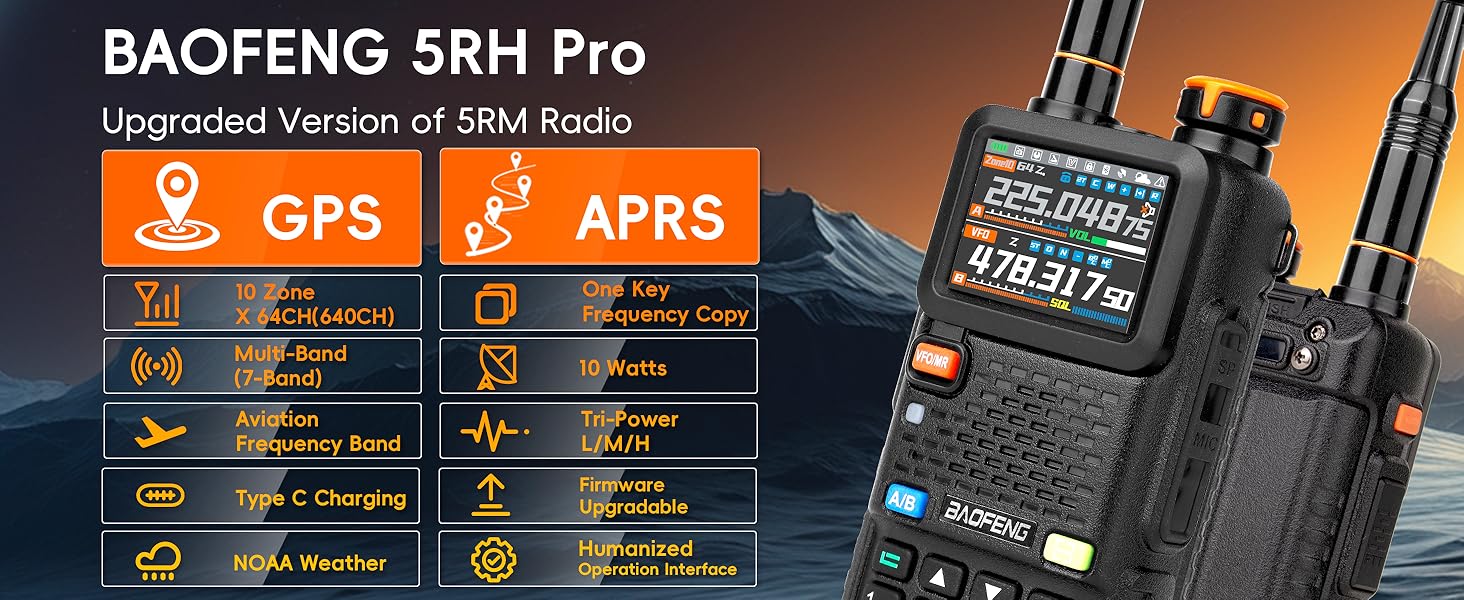
Image: Overview of BAOFENG 5RH Pro GPS features including GPS, APRS, 1.77-inch screen, multi-band, 10 watts, Type-C charging, NOAA weather, and humanized operation interface.
2. What's in the Box
Your BAOFENG 5RH PRO package includes the following items:
- 2x BAOFENG UV5RH Pro Radios
- 4x 2500mAh Batteries
- 2x 805S Antennas (Short)
- 2x 6.1" Antennas (Standard)
- 2x 15.12" 771 Antennas (Long)
- 2x 771 AM Antennas
- 2x Type-C Cables
- 2x Earpieces with Microphone
- 2x Belt Clips
- 2x Charging Base Stations
- 2x Hand Straps
- 1x User Manual (this document)
- 1x Programming Cable
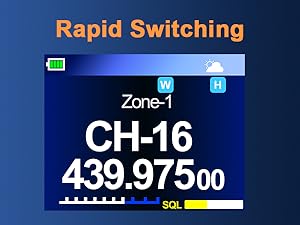
Image: The 2500mAh battery with Type-C charging options for PC, laptop, wall, and car.
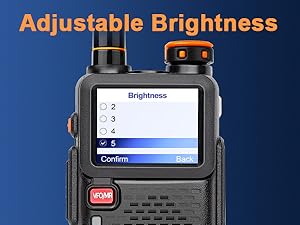
Image: Included earpiece with microphone and speaker microphone accessories.
3. Setup and Assembly
- Install the Battery: Align the battery with the grooves on the back of the radio and slide it upwards until it clicks into place. To remove, press the release button and slide the battery downwards.
- Attach the Antenna: Screw the desired antenna (805S, 6.1", 771, or 771 AM) clockwise into the connector on top of the radio until it is finger-tight. Do not overtighten.
- Attach the Belt Clip: Use the provided screws to attach the belt clip to the back of the radio.
- Charge the Battery: Place the radio with the battery installed into the charging base station. Connect the Type-C cable to the charging base and a power source. The indicator light on the charger will show charging status.
4. Basic Operation
4.1 Power On/Off and Volume
- Power On: Rotate the power/volume knob clockwise until you hear a click.
- Power Off: Rotate the power/volume knob counter-clockwise until you hear a click.
- Adjust Volume: Rotate the power/volume knob to adjust the audio level.
4.2 Menu Navigation
The BAOFENG 5RH PRO features a new, user-friendly UI. Use the arrow keys to navigate through menu options and the 'Confirm' or 'EXIT' button to select or go back.
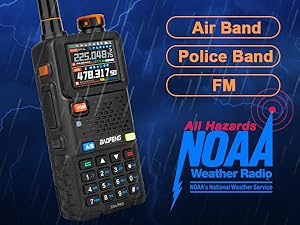
Image: The new menu interface of the BAOFENG 5RH Pro, showing options like Squelch, Power Save, VOX Level, and VOX Delay.
4.3 Channel and Frequency Modes
- VFO/MR Button: Short press to switch between Frequency (VFO) mode and Channel (MR) mode. Long press to switch channel display mode.
- A/B Button: Long press to switch between dual-band dual-watch and other modes.

Image: The radio display illustrating the 10 groups x 64 channels feature, offering 640 channel options.
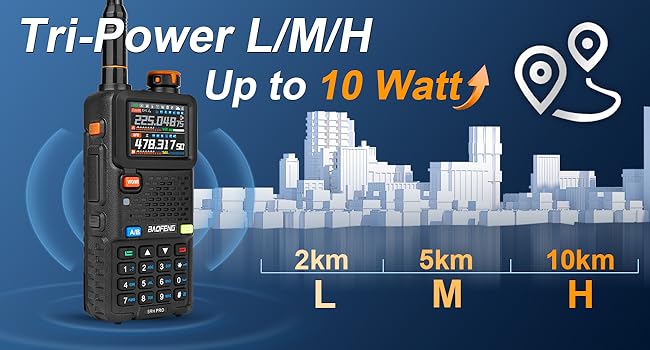
Image: The 1.77-inch color screen displaying various indicators such as VOX enabled, Man Down Enable, FM Radio Enable, Battery level, Zone, Watch Frequency, VFO Mode, Operating Frequency, Signal Wait, Volume level, and Squelch level.
5. Advanced Features
5.1 GPS Functionality
The 5RH PRO includes GPS for location tracking and sharing. Ensure you are in an open area for optimal GPS signal reception.
- Enable/Disable GPS: Long press Side Key 1 to toggle the GPS function on or off.
- View GPS Information: Long press the red 'Return' key to access the GPS information page (refer to pages 31-33 of the printed manual for detailed diagrams).
- Location Sharing: To share your GPS information with team members, press the PTT (Push-To-Talk) button while on the GPS information page.
- Request Location: You can request location, direction, and distance information from other team members. This function relies on DTMF and requires all radios to be on the same frequency and within communication range.
- Important Note: Communication is disabled while in the GPS information interface. Return to the main communication page to transmit voice.

Image: Visual guide on using the GPS function, including enabling/disabling via SK1 and accessing the information page via the RETURN button.
Image: Multiple BAOFENG 5RH Pro radios showcasing GPS and APRS functions, emphasizing location sharing and acquisition.
Video: A demonstration on how to retrieve GPS information from the BAOFENG 5RH Pro radio.
5.2 APRS Functionality
The Automatic Packet Reporting System (APRS) allows for real-time exchange of information, including location. When APRS is active, the radio will send information at set intervals, indicated by a "Bee" sound.
- APRS is compatible with YAESU (transmit only).
- Ensure radios are on the same frequency and main band for GPS location exchange via DTMF.
- Use CPS software to program DTMF IDs for your radio and team members. Each radio must have a unique self-ID.
5.3 Air Band Scanning & NOAA Weather Alarm
The radio supports Air Band (AM 108-136MHz) reception and NOAA weather alerts.
- Air Band Scanning: To scan the Air Band, navigate to Menu > Scan > Freq Range and set the scan range (e.g., 108-520MHz for Ver.2.0.9).
- NOAA Weather: Long press '0' to enter the weather channel. You can set Weather Alert Warnings from this menu.
Video: A guide on how to set up Air Band scanning on the BAOFENG 5RH Pro radio.

Image: The NOAA Weather Radio feature, indicating Air Band, Police Band, and FM reception capabilities.
5.4 DTMF Function
The radio supports DTMF (Dual-Tone Multi-Frequency) for various functions, including GPS location sharing and requesting. DTMF programming is done via CPS software.
5.5 Customizable Side Keys and Shortcuts
Side keys 1 and 2 can be customized via the radio menu or CPS software.
- Long press 8: Switch TX power (Low/Medium/High).
- Press #: Switch input method when entering text. Long press # during scanning to start or stop scanning.
- Long press Side Key 2: Activate the fall-down alarm. The alarm sounds if the radio is not lifted, and can be set to alert specific contacts.
- Long press 8 + Power On: View version information.
- In FM mode, press #: Search and auto-save FM stations.
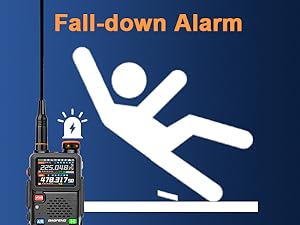
Image: Icon representing the fall-down alarm feature.
6. Programming
The BAOFENG 5RH PRO does NOT support CHIRP or Bluetooth programming. It requires specific CPS (Customer Programming Software) for advanced configuration and channel management.
- Software Download: Download the CPS from baofengradio.co.uk/software or walkietalkiesoftware.com.
- Programming Cable: Use the included programming cable to connect the radio to your computer.
- DTMF Programming: Use the CPS to program DTMF IDs for GPS location sharing and other functions.
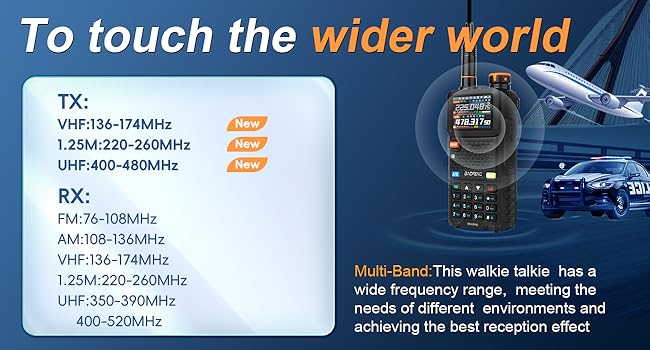
Image: A computer screen displaying the CPS software interface used for programming the BAOFENG 5RH Pro radio.

Image: The USB programming cable used to connect the radio to a computer for CPS programming.
7. Maintenance
- Cleaning: Wipe the radio with a soft, damp cloth. Do not use harsh chemicals or solvents.
- Battery Care: Charge batteries fully before first use. Avoid overcharging or completely draining the battery for extended periods. Store batteries in a cool, dry place.
- Antenna Care: Ensure antennas are securely attached. Avoid bending or stressing the antenna, as this can damage the connector.
- Water Resistance: The radio is water-resistant, but not waterproof. Avoid submerging it in water.
8. Troubleshooting
| Problem | Possible Cause | Solution |
|---|---|---|
| Radio does not power on | Battery is dead or not properly installed. | Charge the battery or re-install it correctly. |
| Cannot transmit or receive | Incorrect frequency/channel, low battery, antenna not connected, or out of range. | Verify frequency/channel settings, charge battery, check antenna connection, move closer to other radios. |
| GPS not acquiring signal | Operating indoors or in an area with poor satellite visibility. | Move to an open outdoor area with a clear view of the sky. |
| Programming software issues | Incorrect software version, driver issues, or using unsupported software (CHIRP/Bluetooth). | Ensure you are using the correct CPS from the recommended websites. Install necessary drivers for the programming cable. |
9. Specifications
- Brand: BAOFENG
- Model Number: 5RH Pro
- Number of Channels: 640 (10 Zones x 64 Channels)
- Special Features: GPS, APRS, 10W High Power, Tri-band TX, Partitionable channels, CPS Only Programming
- Frequency Range (TX): 136-174MHz, 220-260MHz, 400-480MHz
- Frequency Range (RX): FM 76-108 MHz; AM 108-136MHz; VHF 136-174MHz; 220-260MHz; UHF 350-390MHz, 400-520MHz
- Talking Range Maximum: 10 km (under optimal conditions)
- Water Resistance Level: Water Resistant
- Battery Capacity: 2500mAh Lithium Ion (4 included)
- Battery Average Life: 52 hours
- Connectivity Protocol: RF
- Tuner Type: VHF/1.25M/UHF
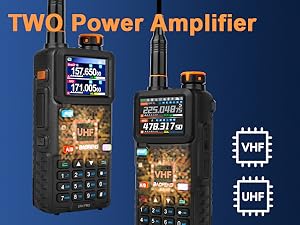
Image: The radio displaying its Tri-Power (Low/Medium/High) output, indicating up to 10 Watts of power and estimated range at different power levels (2km L, 5km M, 10km H).
Image: A visual representation of the radio's multi-band frequency capabilities, including TX (VHF, 1.25M, UHF) and RX (FM, AM, VHF, 1.25M, UHF).
10. Warranty and Support
For warranty information and technical support, please refer to the official BAOFENG website or contact your retailer. Keep your purchase receipt as proof of purchase.
For software and additional resources, visit:


