
Camcamp B0DTYYJBDY
CAMCAMP Solar Wireless Security Camera System User Manual
Model: B0DTYYJBDY
Product Overview
The CAMCAMP Solar Wireless Security Camera System provides comprehensive outdoor surveillance with its 10-inch 10CH NVR Monitor and 8-pack of 4MP solar security cameras. This system is designed for ease of use, offering a 100% wireless setup, solar power, and no monthly fees. It features high-definition video, color night vision, smart motion alerts, and two-way audio for enhanced security.
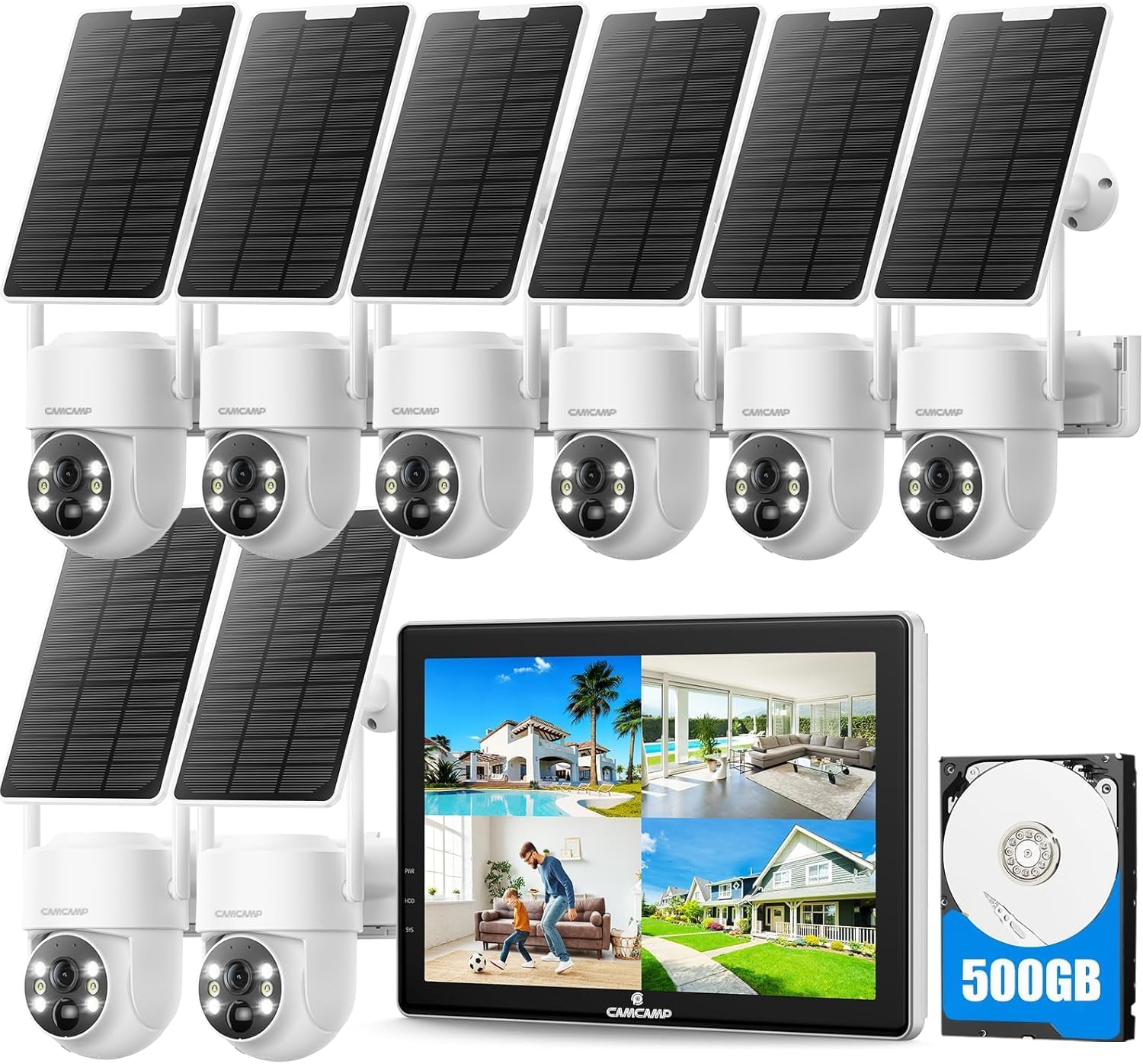
Image: Complete CAMCAMP Solar Wireless Security Camera System including the NVR monitor, 8 solar-powered cameras, and a 500GB HDD.
Setup Guide
1. Powering the Cameras
Each camera is equipped with a high-capacity rechargeable battery and a solar panel. The solar panel continuously charges the battery, allowing for 365 days of operation without manual charging. Ensure the solar panel is positioned to receive maximum sunlight.

Image: A single CAMCAMP solar camera connected to its solar panel, illustrating the 4W solar panel and 6000mAh battery for continuous power supply.
2. NVR Monitor Setup (Local Use)
The NVR monitor comes with a pre-installed 500GB HDD. All solar outdoor cameras are auto-paired to the NVR monitor from the factory, making setup truly plug and play. Simply plug the NVR screen into a power supply. No internet connection is required for local viewing and recording.

Image: Diagram showing the NVR monitor and camera system operating locally without a Wi-Fi connection, highlighting the auto-pairing feature.
3. Connecting to an External Display
The 10.1-inch NVR monitor includes an HDMI port, allowing you to connect it to a larger screen, smart TV, or PC for a more expansive view of your camera feeds.

Image: The NVR monitor connected via HDMI to a larger external display, showing multiple camera views.
4. App Remote Access (Optional)
For remote viewing and control via your smartphone, connect the NVR monitor to your router using an Ethernet cable. Download the CloudEye 365 app from your device's app store. This enables P2P remote access when you are away from home.

Image: Illustration of how to set up remote access using the CloudEye 365 app, showing the NVR connected to a router and a smartphone displaying camera feeds.
Operating Instructions
1. Viewing Live Feed and Playback
View live video feeds directly on the NVR monitor or a connected external display. The system supports up to 10 channels, allowing for expansion. Recorded footage can be reviewed via the NVR's interface, which includes a timeline for easy navigation.

Image: The 10-inch NVR monitor interface showing multiple camera views and a floor plan indicating camera placement for full coverage.

Image: Screenshot of the NVR playback interface, showing a calendar for date selection and checkboxes for individual camera channels.

Image: A video playback screen with a timeline indicating recorded events, allowing users to easily navigate through footage.
2. Night Vision Modes
The cameras provide 4MP (2560*1440P) ultra-clear images. They support two night vision modes:
- Color Night Vision: Activated when the spotlight is on, providing full-color images in low-light conditions.
- Crystal Night Vision (Infrared): Activated when the spotlight is off, providing clear black and white images using infrared technology.

Image: Split image demonstrating the difference between 4MP/2.5K Ultra HD Day Night Vision, showing a scene in full color with spotlight on and in crystal (infrared) mode with spotlight off.
3. Pan/Tilt/Zoom (PTZ) Control
The cameras offer a 340° horizontal pan and 90° vertical tilt, along with 5X digital zoom, ensuring a 360° monitoring area without blind spots. Control these movements via the NVR monitor or the mobile app.

Image: A CAMCAMP camera mounted on a pole, illustrating its 340-degree pan and 90-degree tilt capabilities for full angle coverage.
4. Smart Motion Detection and Alerts
The system utilizes smart PIR motion detection technology to reduce false alarms. When motion is detected, the cameras automatically record, and you will receive real-time alerts on the NVR monitor, your phone app, and via email. Features include siren alarm, spotlight alarm, and customizable detection zones.

Image: Visual representation of PIR motion detection features, including siren alarm, spotlight alarm, detection zone setup, and app push notifications.

Image: A scene depicting motion-activated recording with a spotlight, showing the NVR monitor displaying the event and a smartphone receiving an alert notification.
5. Two-Way Audio
Each camera has a built-in noise-canceling microphone and speaker, enabling high-fidelity two-way communication with individuals within the monitoring range. This is useful for speaking to visitors or deterring intruders.

Image: A person speaking through the camera's two-way audio feature to a delivery person, alongside an image highlighting the camera's IP66 waterproof rating.
6. Storage Options
The NVR comes with a pre-installed 500GB HDD, providing ample local storage without monthly fees. Additionally, the system supports optional storage methods:
- Micro SD Card: Supports up to 128GB (sold separately).
- Cloud Storage: An optional cloud service is available (subscription may be required).
Note: Only one storage method (HDD, Micro SD, or Cloud) can be active at the same time for recording.

Image: The NVR monitor with a visual representation of the built-in 500GB HDD, and separate images showing the Micro SD card slot and cloud storage option.
Maintenance
To ensure optimal performance and longevity of your CAMCAMP security system, follow these maintenance guidelines:
- Cleaning: Periodically wipe the camera lenses and solar panels with a soft, damp cloth to remove dust and debris. Avoid abrasive cleaners.
- Solar Panel Placement: Regularly check that solar panels are free from obstructions (e.g., leaves, snow) to ensure efficient charging.
- Weather Resistance: The cameras are IP66 waterproof, designed to withstand temperatures from -13°F to 122°F (-10°C to 50°C). While robust, avoid direct high-pressure water jets.
- Firmware Updates: Check for and install any available firmware updates for the NVR and cameras to ensure the latest features and security patches.

Image: A CAMCAMP camera and solar panel mounted on a wall, with a visual overlay indicating its IP66 waterproof rating and operating temperature range.
Troubleshooting
This section addresses common issues you might encounter with your CAMCAMP security system.
| Problem | Possible Cause | Solution |
|---|---|---|
| No image on NVR monitor. | NVR not powered; cameras not paired; camera battery low. | Ensure NVR is plugged in. Check camera power. Cameras are pre-paired, but if issues persist, refer to the NVR manual for re-pairing instructions. |
| Poor night vision quality. | Dirty lens; insufficient ambient light for color mode; IR illuminators blocked. | Clean the camera lens. Ensure spotlight is on for color night vision. Check for obstructions in front of the camera. |
| Motion alerts not received. | PIR sensitivity too low; app notifications disabled; NVR not connected to internet (for remote alerts). | Adjust PIR sensitivity in NVR settings. Enable notifications in your phone's app settings. Ensure NVR is connected to your router for remote alerts. |
| Two-way audio not working. | Microphone/speaker muted; volume too low; network issues. | Check audio settings on NVR/app. Increase volume. Ensure stable connection. |
| Camera battery drains quickly. | Solar panel not receiving enough sunlight; excessive motion events; extreme cold weather. | Relocate solar panel to a sunnier spot. Reduce PIR sensitivity if too many false alerts. Battery performance can be affected by extreme temperatures. |
Specifications
- Model: B0DTYYJBDY
- Camera Resolution: 4MP (2560*1440P)
- NVR Monitor Size: 10.1 inches
- NVR Channels: 10CH (expandable)
- Local Storage: 500GB HDD (pre-installed)
- Optional Storage: Max. 128GB Micro SD, Cloud Storage
- Connectivity: 100% Wireless (camera to NVR), Ethernet (NVR to router for remote access)
- Night Vision: Color Night Vision (with spotlight), Crystal Night Vision (Infrared)
- PTZ: 340° Pan, 90° Tilt, 5X Digital Zoom
- Audio: Two-Way Audio (built-in microphone and speaker)
- Motion Detection: Smart PIR Motion Detection
- Weather Resistance: IP66 Waterproof
- Operating Temperature: -13°F to 122°F (-10°C to 50°C)
- Power: Solar Panel Powered (4W solar panel), Built-in 6000mAh Rechargeable Battery
Warranty and Support
Camcamp is committed to providing high-quality security products and excellent customer service. If you have any after-sales questions or require technical assistance, please contact our support team:
- Phone Number: +1(626)-420-9375
- Operating Hours: GMT-8 9:00-17:00, Monday - Friday
- Email: Please refer to the product packaging or official website for the most current email address.
We value your feedback and continuously strive to innovate and improve our products based on user needs.
Related documentsB0DTYYJBDY

Ask a question about this manual
Ask about setup, troubleshooting, compatibility, parts, safety, or missing instructions. Manuals+ will review the question and use this page’s manual context to help answer it.