1. Introduction
This manual provides detailed instructions for the setup, operation, maintenance, and troubleshooting of your DAJUNGUO ZK-TB21 Bluetooth 5.1 2.1 Channel Power Amplifier Board. Please read this manual thoroughly before use to ensure proper functionality and safety.
2. Product Features
- TPA3116D2 Chip: Utilizes TPA3116D2 chips with anti-interference capabilities, ensuring excellent sound quality and low Total Harmonic Distortion (THD) even during prolonged high-power operation.
- Dual Input Modes: Supports both Bluetooth 5.1 and 3.5mm AUX audio inputs, offering broad compatibility with various devices such as smartphones, televisions, and laptops.
- External Bluetooth Antenna Support: Features a first-generation IPEX interface for connecting an external U.FL/IPEX 2.4G antenna, enhancing Bluetooth connection stability.
- Comprehensive Protection: Equipped with multiple safety mechanisms including short-circuit protection, over-current protection, over-heat protection, and anti-reverse protection for reliable operation.
- Adjustable Audio Controls: Independent adjustment for subwoofer volume and frequency, as well as R&L channel treble and bass.
3. Package Contents
The package includes:
- 1 x DAJUNGUO ZK-TB21 Power Amplifier Board
- (Additional accessories such as screwdriver, knobs, and power adapter may be included depending on the specific product variant or bundle.)
4. Setup Instructions
Follow these steps to set up your amplifier board:
4.1 Component Identification
Familiarize yourself with the various components and connection points on the amplifier board.

Image 1: Overview of the ZK-TB21 amplifier board, highlighting the 3.5mm AUX input, passive speaker and subwoofer terminals, DC power input, heat sink, volume, treble, bass, subwoofer volume, and subwoofer frequency controls, and the Bluetooth antenna base.
4.2 Power Supply Connection
Connect a DC 12-24V power supply to the DC input socket (5.5x2.1mm, spark-free). Ensure the power supply meets the voltage and current requirements (5A or above) for optimal performance. It is recommended to connect the power supply to the amplifier board first, then plug it into the AC outlet to avoid minor sparks.

Image 2: Detailed view showing the upgraded DC socket (5.5x2.1mm, compatible with 5.5x2.5mm) for power input, the TPA3116D2 chip, and the large heat sink.
4.3 Speaker Connections
Connect your passive speakers and passive subwoofer to the designated terminals. Ensure correct polarity (+ and -) for each connection. The amplifier supports 2.1 channels (stereo left/right and a subwoofer channel).
- Passive Speakers (R & L Channel): Connect your main stereo speakers.
- Passive Subwoofer (S Channel): Connect your passive subwoofer.
For speaker impedance, refer to the specifications section. If using 4-ohm speakers with a 24V input, it is recommended to use a 19V DC power supply to prevent potential issues.
4.4 Bluetooth Antenna (Optional)
For enhanced Bluetooth stability, an external U.FL/IPEX 2.4G antenna can be connected to the IPEX(MHF1) interface. This antenna needs to be purchased separately.

Image 3: Illustration of the correct IPEX(MHF1) antenna specification (3.22mm/0.127inch) for the Bluetooth antenna base, and an incorrect MHF4 antenna type.

Image 4: The amplifier board with a visual indicator for Bluetooth 5.1 and the IPEX interface for connecting an external 2.4G antenna.
5. Operating Instructions
5.1 Power On/Off
Once all connections are secure, turn on the power supply. The amplifier board will power on automatically. Use the main volume knob to turn the unit on or off (usually by rotating it fully counter-clockwise until a click is heard for off, and clockwise for on).
5.2 Input Selection
The ZK-TB21 supports two input modes: Bluetooth and AUX. The amplifier automatically detects the active input. If both are connected, Bluetooth usually takes priority.
5.2.1 Bluetooth Connection
- Ensure the amplifier board is powered on.
- On your device (e.g., smartphone, tablet), enable Bluetooth and search for available devices.
- Select "ZK-TB21" from the list to pair. A confirmation sound may indicate a successful connection.
- Start playing audio on your device.
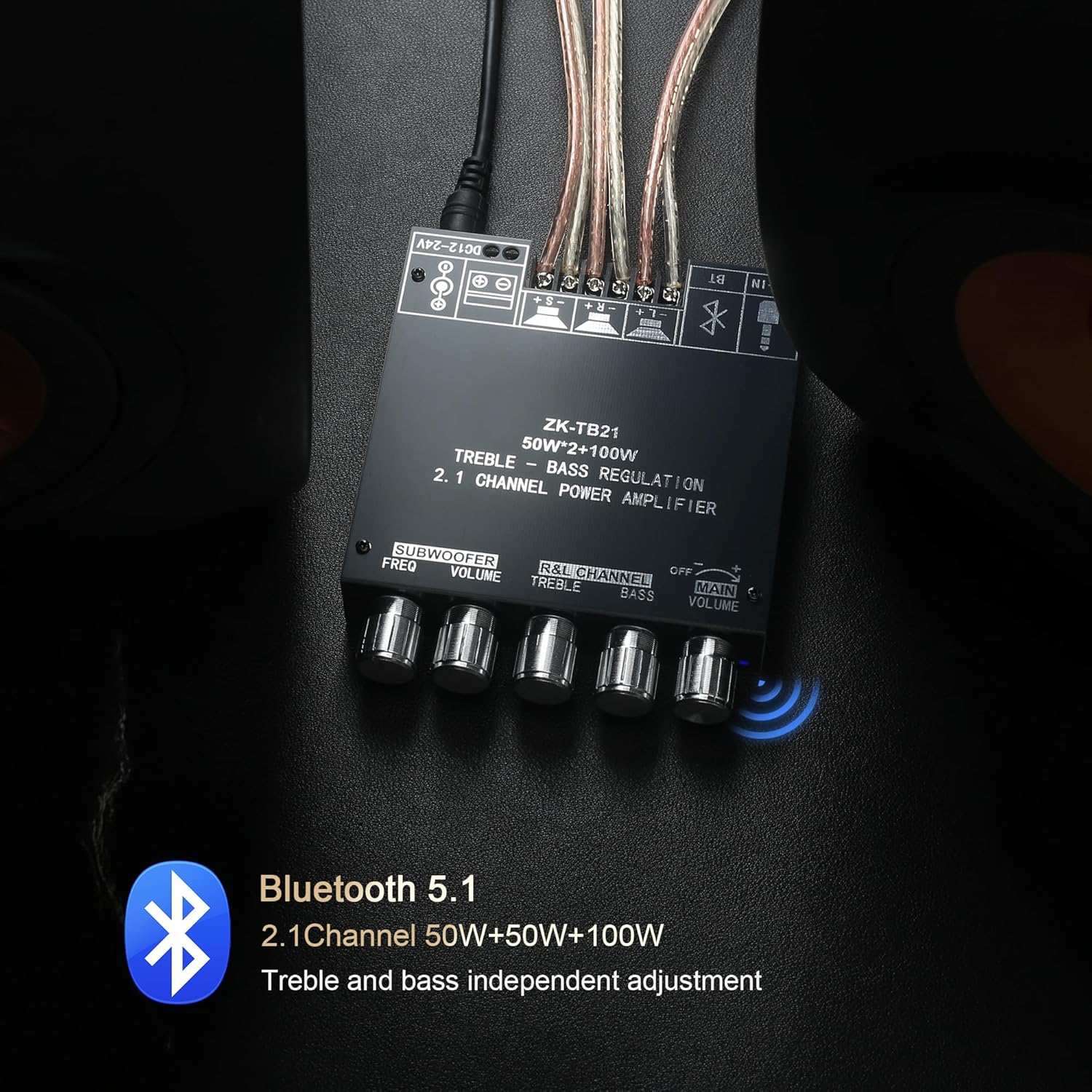
Image 5: The ZK-TB21 amplifier board receiving audio wirelessly via Bluetooth 5.1 from a smartphone, connected to speakers.
5.2.2 AUX Input Connection
- Connect your audio source (e.g., CD player, computer) to the 3.5mm AUX input jack on the amplifier board using a 3.5mm audio cable.
- Start playing audio on your device.

Image 6: The ZK-TB21 amplifier board connected to an audio device via its 3.5mm AUX input, providing a wired audio connection.
5.3 Audio Adjustments
Use the control knobs on the front panel to fine-tune your audio output:
- Main Volume: Adjusts the overall output volume.
- R&L Channel Treble: Adjusts the high-frequency response of the main stereo channels.
- R&L Channel Bass: Adjusts the low-frequency response of the main stereo channels.
- Subwoofer Volume: Adjusts the output level of the subwoofer channel.
- Subwoofer Freq (Frequency): Adjusts the crossover frequency for the subwoofer, determining which low frequencies are sent to the subwoofer.
6. Maintenance
- Cleaning: Use a soft, dry cloth to clean the amplifier board. Avoid using liquid cleaners or solvents.
- Ventilation: Ensure the amplifier board is placed in a well-ventilated area to prevent overheating. Do not obstruct the heat sink. Adequate airflow is crucial for long-term performance.
- Storage: When not in use for extended periods, store the amplifier in a cool, dry place away from direct sunlight and extreme temperatures.
7. Troubleshooting
If you encounter issues with your ZK-TB21 amplifier board, refer to the following common problems and solutions:
| Problem | Possible Cause | Solution |
|---|---|---|
| No sound output |
|
|
| Poor sound quality / Distortion |
|
|
| Bluetooth connection unstable or drops |
|
|
8. Specifications
Key technical specifications for the DAJUNGUO ZK-TB21 Power Amplifier Board:
| Feature | Specification |
|---|---|
| Model | ZK-TB21 |
| Audio Input | Bluetooth 5.1 + AUX (3.5mm) |
| Input Voltage | DC 12-24V |
| Chip | 2 x TPA3116D2 |
| Channel Configuration | 2.1 Channel (Stereo L/R + Subwoofer) |
| Output Power (Max) | 50W (L) + 50W (R) + 100W (Subwoofer) |
| Speaker Parameters | 20-100W (4-8Ω) |
| Product Dimensions (L x W x H) | 3.93 x 3.89 x 0.86 inches (9.9 x 9.9 x 2.2 cm) |
| Weight | 7.41 ounces |
8.1 Power Output Table
The following table details the approximate power output based on input voltage and speaker impedance:

Image 7: Detailed power output table for the ZK-TB21, illustrating the wattage for R&L channels and subwoofer at 12V, 21V, and 24V, across various speaker impedances.
Note: When the input voltage is 24V, the impedance of the speakers must be greater than 4 ohms. If the speaker impedance is equal to 4 ohms, it is recommended to use a 19V DC power supply.
9. Warranty and Support
DAJUNGUO is committed to customer satisfaction. If you have any questions about the product or encounter quality issues, please contact our customer service team. We offer 7x24 hours after-sales service to provide you with a satisfactory resolution.
For support, please refer to the contact information provided with your purchase or visit the official DAJUNGUO store on Amazon.
Manufacturer: DAJUNGUO