1. Introduction
This manual provides essential information for setting up, operating, and maintaining your new realme 14 Pro+ 5G Smartphone. Please read it carefully to ensure optimal performance and longevity of your device.
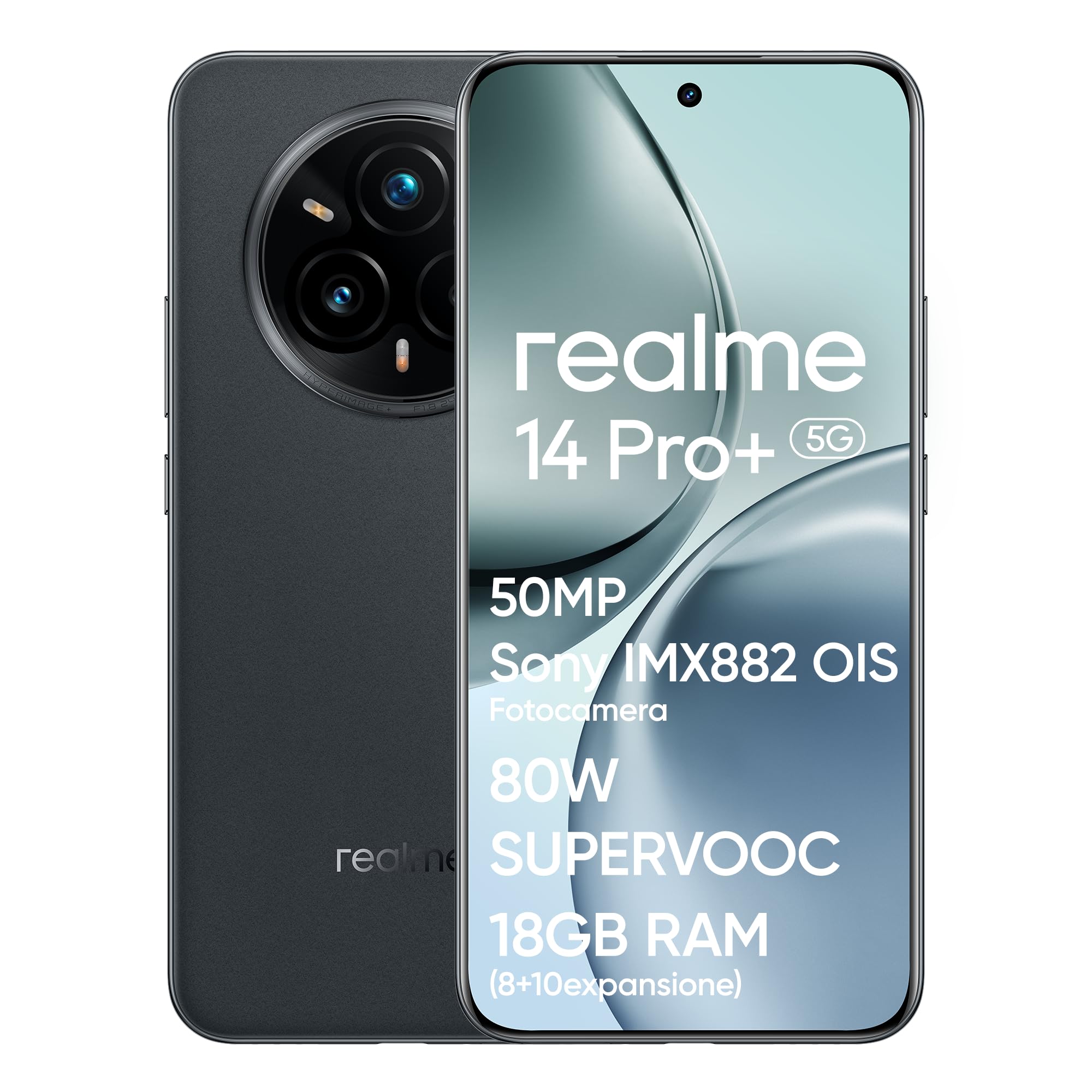
Image 1.1: Front view of the realme 14 Pro+ 5G Smartphone.
2. Device Overview
The realme 14 Pro+ 5G is a high-performance smartphone featuring a Snapdragon 7s Gen 3 5G chipset, a 50MP Sony IMX896 OIS camera, and a Quad-Curve display. It is designed for robust daily use with IP69, IP68, and IP66 water and dust resistance.
Key Features:
- Processor: Snapdragon 7s Gen 3 5G Chipset for fast and efficient performance.
- Camera System: 50MP Sony IMX896 OIS Main Camera, 3X Periscope Sony OIS Camera, 32MP Selfie Camera, 112° Ultra-Wide Camera, MagicGlow Triple Flash.
- Display: Immersive Quad-Curve AMOLED display with 120Hz refresh rate and AI Visual Protection.
- Battery: 5260mAh capacity with 80W SUPERVOOC fast charging.
- Durability: IP69, IP68, and IP66 water and dust resistance.
- Design: Unique Pearl White (color-changing) or Suede Grey finish.

Image 2.1: Overview of key features including processor, camera, display, battery, and water resistance.
3. Setup Guide
3.1 Unboxing and Initial Inspection
Carefully remove all components from the box. Verify that the smartphone and all accessories are present and undamaged. The box should contain the smartphone and a charger.
3.2 Inserting SIM Cards
- Locate the SIM card tray on the side of the device.
- Insert the SIM ejector tool into the small hole next to the tray and push gently until the tray pops out.
- Place your Nano-SIM cards into the designated slots on the tray. Ensure the gold contacts face downwards.
- Carefully reinsert the SIM tray into the phone.
3.3 Powering On and Initial Configuration
- Press and hold the Power button (located on the right side) until the realme logo appears.
- Follow the on-screen instructions to select your language, connect to a Wi-Fi network, and set up your Google account.
- You will be guided through setting up security features such as fingerprint unlock and facial recognition.

Image 3.1: Side profile of the realme 14 Pro+ 5G, illustrating button placement.
4. Operating Your Smartphone
4.1 Display Features
The realme 14 Pro+ 5G features an advanced Quad-Curve AMOLED display. This display offers a 120Hz refresh rate for smooth scrolling, a 1.5K resolution (1080x2400), 1.07 Billion True Colors, and a peak brightness of 1500 nits. AI Visual Protection with 3840Hz PWM dimming helps reduce eye strain.

Image 4.1: The Quad-Curve display of the realme 14 Pro+ 5G.
4.2 Camera System
Your device is equipped with a versatile camera system for capturing high-quality photos and videos:
- Main Camera: 50MP Sony IMX896 OIS sensor (f/1.8 aperture, 1/1.56" sensor size) for ultra-sharp portraits and 4K video recording.
- Periscope Telephoto Camera: 3X Sony OIS (IMX882, f/2.65 aperture) with up to 120X SuperZoom.
- Ultra-Wide Camera: 112° field of view.
- Selfie Camera: 32MP with AI Beauty algorithms.
- MagicGlow Triple Flash: Provides adjustable luminosity and color temperature for realistic portraits in various lighting conditions.
Advanced AI features include AI Ultra Clarity 2.0 for enhanced image sharpness, AI Snap for capturing fast-moving subjects, and AI Eraser 2.0 for removing unwanted objects from photos.

Image 4.2: Detailed view of the realme 14 Pro+ 5G camera system.
Video 4.1: Official product video showcasing the realme 14 Pro+ 5G smartphone's features and capabilities, including camera and durability.
4.3 Performance and Gaming
Powered by the Snapdragon 7s Gen 3 5G chipset, the realme 14 Pro+ 5G delivers fast and fluid performance. It supports 120 FPS gaming for an enhanced mobile gaming experience. The dedicated GT Mode further optimizes performance for demanding applications.
4.4 Battery and Charging
The device is equipped with a 5260mAh battery, providing extended usage. The 80W SUPERVOOC fast charging technology allows for rapid recharging, minimizing downtime.
5. Maintenance
5.1 Cleaning Your Device
- Use a soft, lint-free cloth to clean the screen and body of the phone.
- Avoid using harsh chemicals or abrasive materials, as these can damage the finish.
- For ports, use a soft brush or compressed air to gently remove dust and debris.
5.2 Software Updates
Regularly check for and install software updates to ensure your device has the latest features, security patches, and performance improvements. You can usually find this option in Settings > About phone > Software update.
5.3 Battery Care
- Avoid exposing the phone to extreme temperatures.
- Use only the official 80W SUPERVOOC charger and cable for optimal charging performance and battery health.
- For long-term storage, charge the battery to around 50% and power off the device.
6. Troubleshooting
6.1 Common Issues and Solutions
- Device not powering on: Ensure the battery is charged. Connect the charger and wait a few minutes before attempting to power on again.
- Charging issues: Check if the charger and cable are securely connected. Try a different power outlet or charger.
- Connectivity problems (Wi-Fi/Bluetooth/5G): Toggle airplane mode on and off. Restart the device. Check network settings.
- Camera not working: Restart the camera app or the device. Ensure no other app is using the camera.
- Apps crashing: Clear the cache of the problematic app (Settings > Apps > [App Name] > Storage > Clear cache). If the issue persists, reinstall the app.
6.2 Factory Reset
If you encounter persistent software issues, a factory reset may resolve them. Warning: This will erase all data on your phone. Back up important data before proceeding. Go to Settings > System > Reset options > Erase all data (factory reset).
7. Specifications
| Feature | Specification |
|---|---|
| Brand | realme |
| Model Name | realme 14 Pro+ 5G |
| Model Number | 6941764439740 |
| Processor | Snapdragon 7s Gen 3, 2.4 GHz |
| RAM | 8 GB |
| Internal Storage | 256 GB |
| Operating System | Android (realme UI 6.0) |
| Display Type | AMOLED Quad-Curve |
| Display Resolution | 1080 x 2400 |
| Main Camera | 50MP Sony IMX896 OIS |
| Video Resolution | 4K (3840 x 2160) |
| Battery Capacity | 5260 mAh (Lithium Polymer) |
| Connectivity | 5G, Bluetooth, Wi-Fi |
| Water/Dust Resistance | IP69, IP68, IP66 |
| Weight | 500 g |
| Included Components | Box (Smartphone and Charger) |
8. Warranty and Support
8.1 Product Warranty
Your realme 14 Pro+ 5G Smartphone is covered by a limited warranty. The terms and conditions of this warranty may vary based on your region and point of purchase. Please refer to the warranty card included with your product or contact your retailer for specific details regarding warranty duration and coverage.
8.2 Customer Support
For technical assistance, troubleshooting, or service inquiries, please visit the official realme support website or contact their customer service hotline. Contact information can typically be found on the realme official website or in the documentation provided with your device.


