
1. Important Safety Information
Please read and understand all instructions before assembly and use. Keep this manual for future reference.
- Warning: Always secure the unit to the wall when using the wall mount feature.
- Do not overload shelves as this may cause the unit to tip over.
- Always follow the assembly instructions for safe use.
- Ensure all connections for the power outlet are secure and follow electrical safety guidelines. Do not exceed the rated capacity of the power strip.
- Avoid using two high-power appliances simultaneously on the built-in power strip to prevent overload.
2. Package Contents
Before beginning assembly, ensure all parts are present and undamaged. If any parts are missing or damaged, please contact customer support.
- Metal Frame Components
- Engineered Wood Shelves and Cabinet Panels
- Cabinet Doors and Hinges
- Built-in Power Outlet Strip
- S Hooks
- Metal Grid
- Goblet Holder
- Wire Basket(s)
- Assembly Hardware (screws, bolts, nuts, Allen wrench)
- Anti-tip Kit
- Instruction Manual
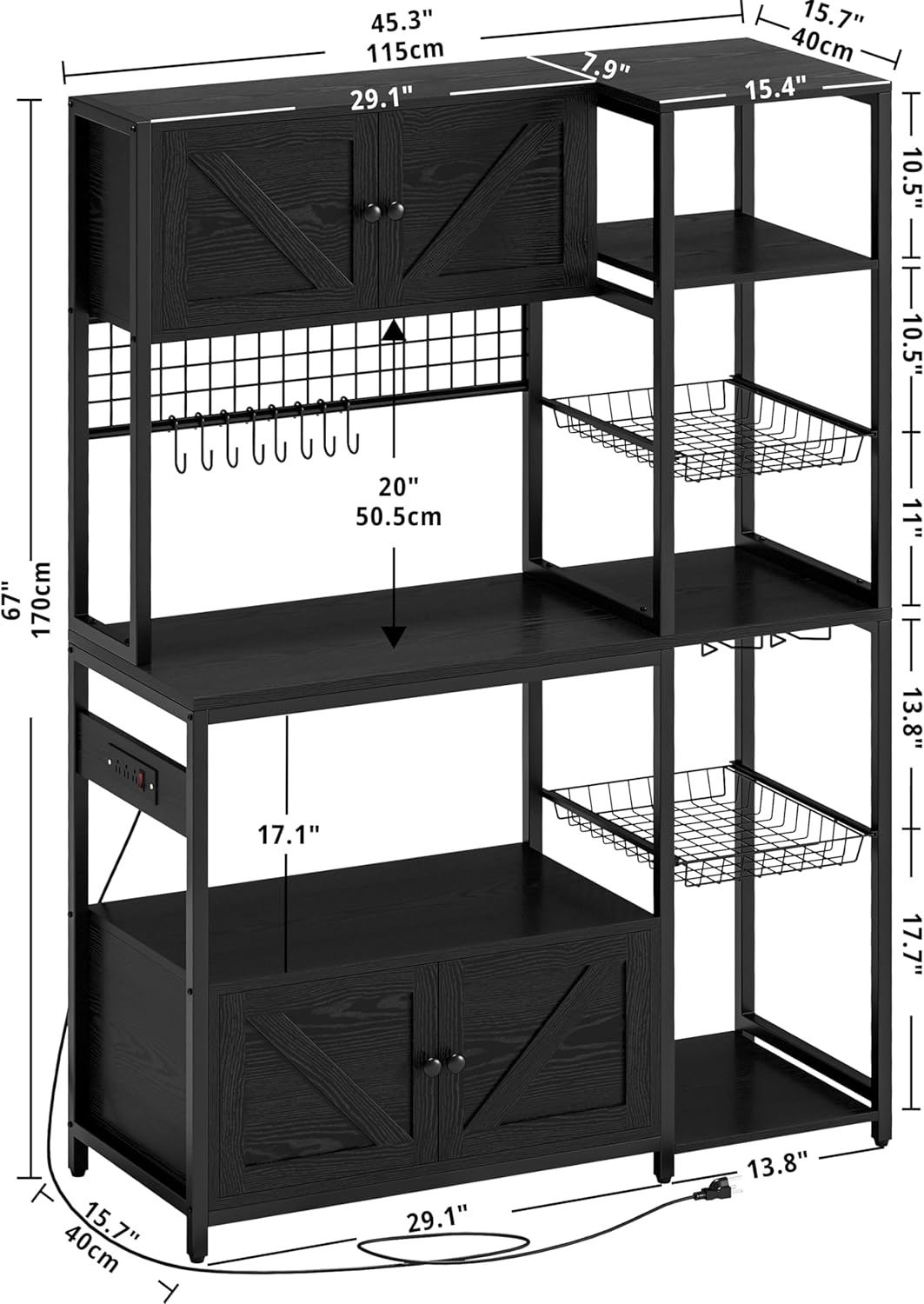
Figure 1: Overall dimensions of the IRONCK Bakers Rack. The rack measures 45.3 inches wide, 15.7 inches deep, and 67 inches high, providing ample storage and workspace.
3. Setup and Assembly
Assembly is required. It is recommended to have two people for easier and safer assembly. Please follow the step-by-step instructions provided in the separate assembly guide included in your package.
- Prepare Your Workspace: Clear a spacious area and lay out all components and hardware.
- Identify Parts: Match each part to the diagrams in the assembly guide. All accessories have clear labels.
- Assemble Frame: Begin by assembling the main metal frame structure according to the instructions. Do not fully tighten screws until all parts are loosely fitted.
- Attach Shelves and Panels: Secure the engineered wood shelves and cabinet panels to the frame.
- Install Cabinets: Assemble and attach the cabinet doors using the provided hinges.
- Install Accessories: Attach the metal grid, S hooks, goblet holder, and wire basket(s) to their designated locations.
- Install Power Outlet: Secure the built-in power strip to the designated section of the rack.
- Final Tightening: Once all components are in place, fully tighten all screws and bolts.
- Attach Anti-Tip Kit: For safety, always secure the unit to the wall using the provided anti-tip kit.
- Adjust Feet: Use the adjustable feet to ensure the rack is stable and level on any surface.
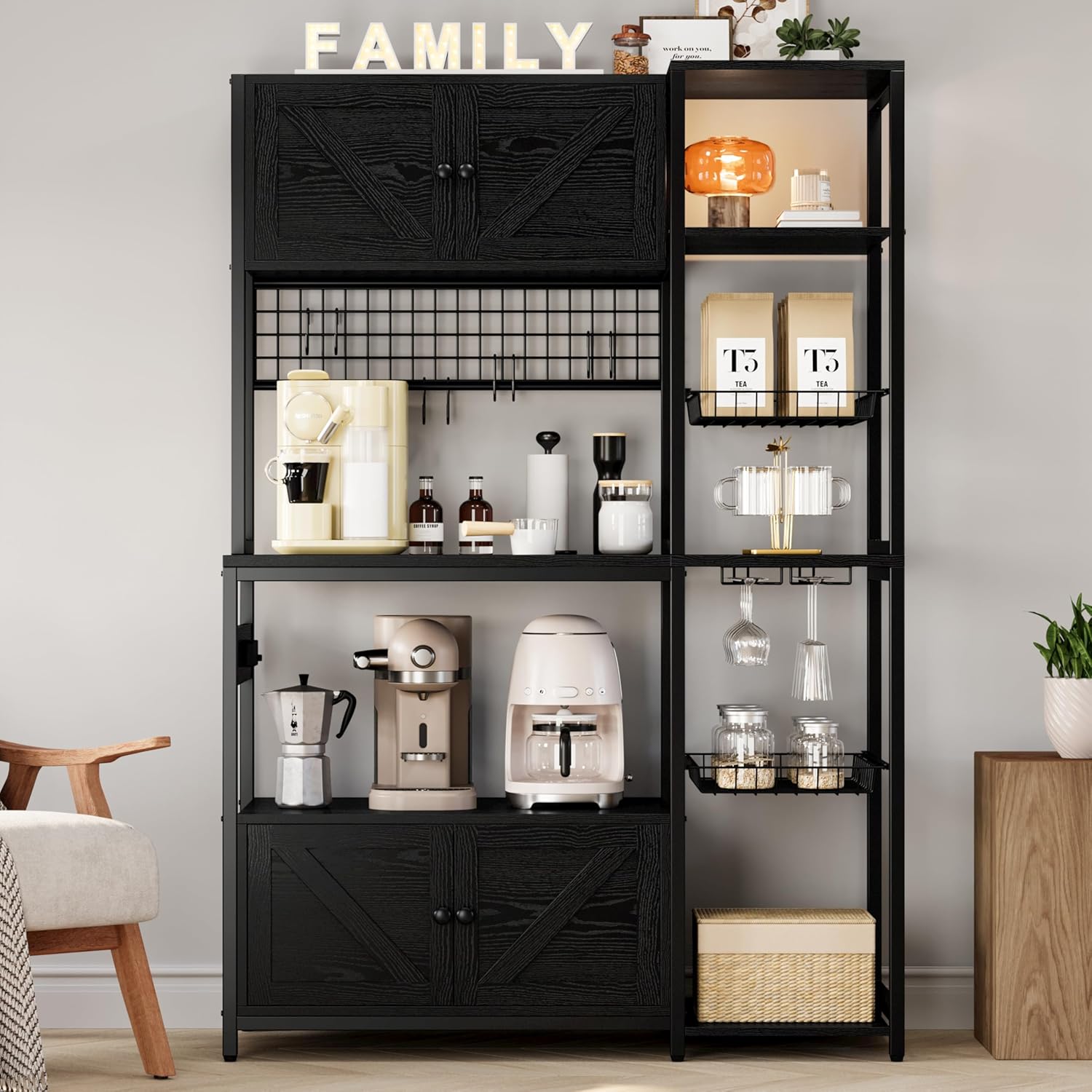
Figure 2: The fully assembled IRONCK Bakers Rack, showcasing its versatile storage capabilities in a kitchen or coffee bar setup.
4. Operating Instructions
4.1 Storage and Organization
- Open Shelves: Utilize the various open shelves for appliances such as microwaves, coffee makers, toasters, or for displaying decorative items.
- Storage Cabinets: The two enclosed cabinets provide discreet storage for kitchen essentials, pantry items, or office supplies.
- S Hooks and Metal Grid: Hang utensils, oven mitts, towels, or small kitchen tools on the S hooks attached to the metal grid.
- Wire Basket: The pull-out wire basket is ideal for storing fruits, vegetables, or other items requiring easy access.
- Goblet Holder: Safely store wine glasses or other stemmed glassware upside down in the integrated goblet holder.

Figure 3: Interior view of one of the storage cabinets, demonstrating space for various kitchen items.
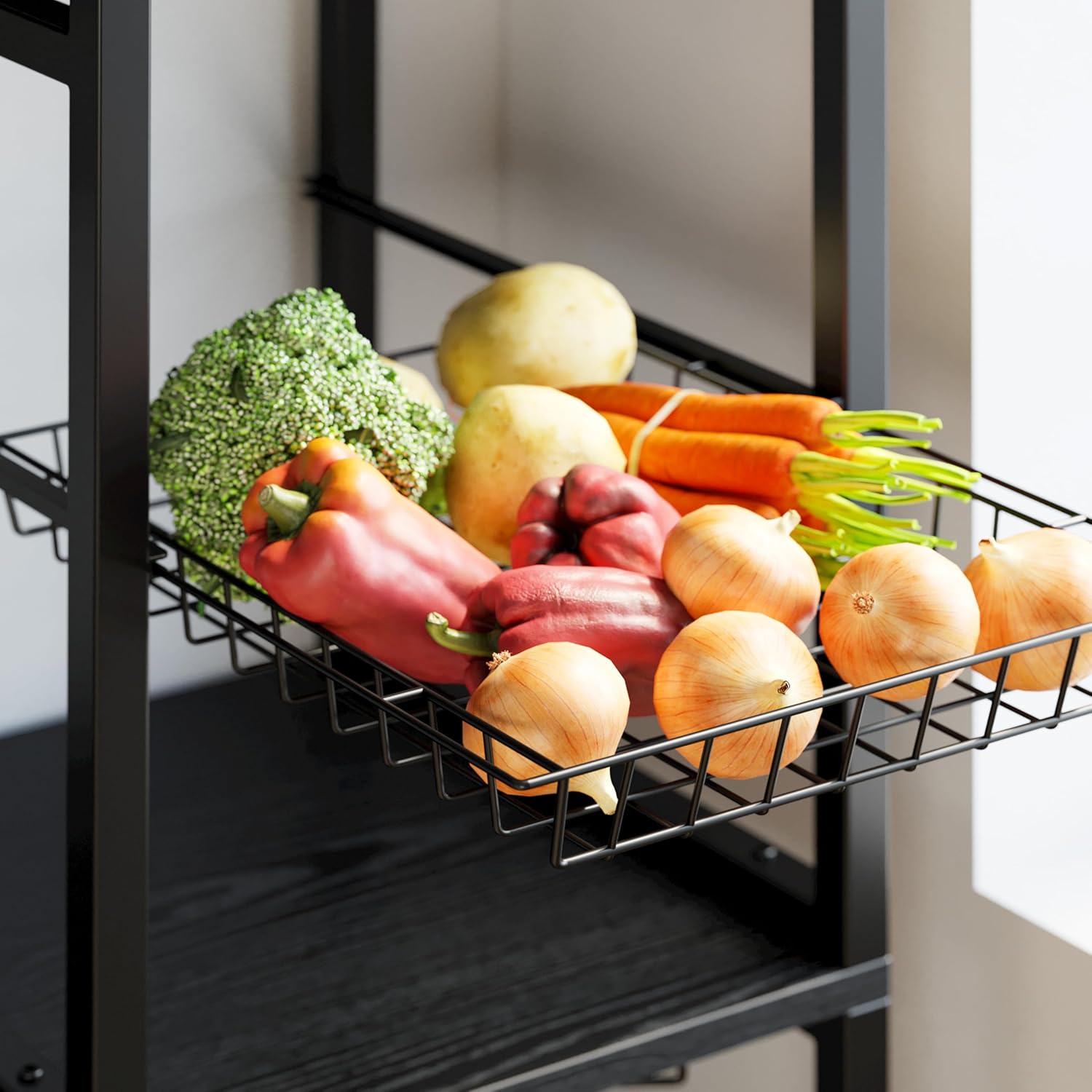
Figure 4: The pull-out wire basket, shown here holding fresh produce, offers convenient storage.

Figure 5: The integrated goblet holder securely stores stemmed glassware, keeping it organized and accessible.
4.2 Built-in Power Outlet
The bakers rack includes a built-in power strip with 3 AC outlets for convenient access to power for your kitchen appliances.
- Usage: Plug in appliances such as microwave ovens, bread machines, coffee machines, or charge mobile devices directly from the rack.
- Power Switch: Use the integrated power switch to turn the outlets on or off.
- Important Note: To prevent electrical overload, it is not suitable for using two high-power appliances at the same time. Distribute power usage or use high-power appliances one at a time.
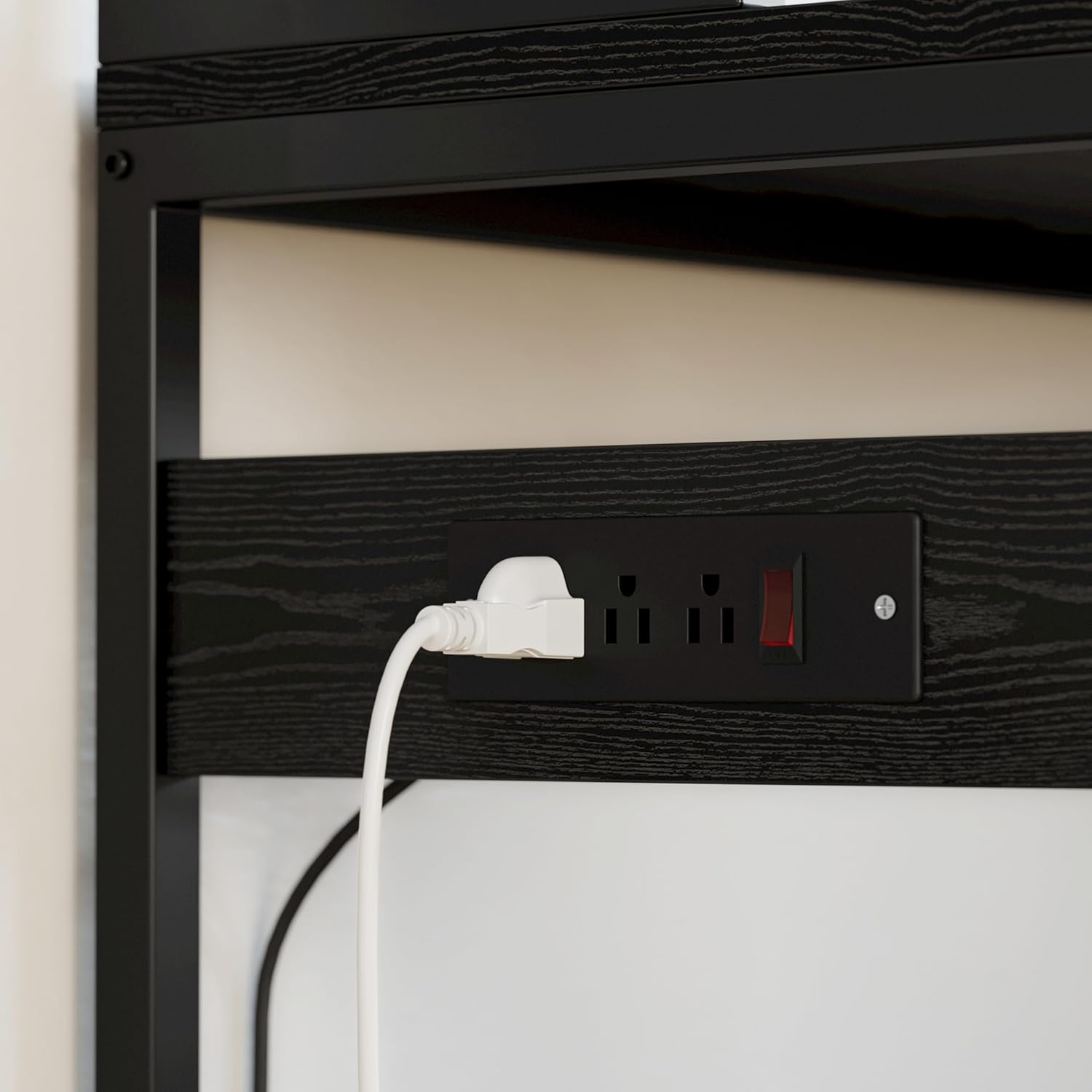
Figure 6: Detail of the built-in power strip, featuring three AC outlets and a power switch for convenient appliance use.

Video 1: This video demonstrates the storage capabilities of the IRONCK Bakers Rack, including the cabinets, open shelves, and the functionality of the built-in power outlet.
5. Maintenance and Care
- Cleaning: Wipe surfaces with a soft, damp cloth. Avoid using harsh chemicals or abrasive cleaners, as they may damage the finish.
- Spills: Clean up spills immediately to prevent staining or damage to the engineered wood.
- Hardware: Periodically check all screws and bolts to ensure they are tight. Retighten if necessary to maintain stability.
- Power Outlet: Ensure the power outlet area remains dry and free from debris. Do not immerse in water.
6. Troubleshooting
| Problem | Possible Cause | Solution |
|---|---|---|
| Rack is wobbly or unstable. | Uneven floor; loose hardware; not secured to wall. | Adjust the leveling feet; tighten all screws and bolts; ensure anti-tip kit is properly installed and secured to the wall. |
| Power outlets are not working. | Power switch is off; power cord not plugged in; circuit overload. | Ensure the power switch on the strip is ON; check that the main power cord is securely plugged into a wall outlet; unplug some devices to reduce load, then try again. If problem persists, contact support. |
| Cabinet doors do not align properly. | Hinges are not adjusted correctly; frame is not square. | Adjust the screws on the hinges to align the doors; ensure the main frame is assembled squarely and all screws are tightened. |
7. Specifications
| Model Number | 1063372 |
| Brand | IRONCK |
| Material | Engineered Wood, Metal Frame |
| Color | Vintage Black |
| Product Dimensions (D x W x H) | 15.7"D x 45.3"W x 67"H (40cm D x 115cm W x 170cm H) |
| Item Weight | 70.4 pounds (31.9 kg) |
| Number of Shelves | 6 (including cabinet bases) |
| Power Outlet | 3 AC Outlets |
| Mounting Type | Freestanding (with anti-tip kit for wall attachment) |
| Included Components | S hooks, metal grid, goblet holder, wire basket |
8. Warranty and Support
IRONCK products are designed for quality and durability. For specific warranty information, please refer to the documentation included with your purchase or visit the official IRONCK website.
If you have any questions, require assistance with assembly, or need to report missing/damaged parts, please contact IRONCK customer support:
- Online Support: Visit the IRONCK Store on Amazon for product information and contact options.
- Please have your model number (1063372) and purchase details ready when contacting support.