
T POWER TP- iSinwheel FY0634201500 Fuyuandian
Contents
T POWER 42V Battery Charger User Manual
Model: TP- iSinwheel FY0634201500 Fuyuandian
Product Overview
This T POWER 42V Battery Charger is designed to provide efficient and safe charging for compatible electric bikes and scooters. It features multiple safety protections and an LED indicator for charging status.

Image: The T POWER 42V Battery Charger with its attached power cord, showcasing the compact design and standard US plug.
Safety Information
Always read and understand all safety instructions before using the charger. Failure to follow these instructions may result in electric shock, fire, or serious injury.
- Use only with compatible devices as specified in this manual.
- Do not expose the charger to rain or wet conditions.
- Do not operate the charger if it has received a sharp blow, been dropped, or otherwise damaged.
- Keep the charger away from heat sources and direct sunlight.
- Unplug the charger from the power outlet when not in use and before cleaning.
- This charger is UL CE RoHS Certified for Safety, providing Over Voltage Protection, Over Current Protection, and Short-circuit Protection.

Image: An illustration highlighting the safety features of the T POWER charger, including over-current, over-temp, over-voltage, and short-circuit protection, along with quality certifications.
Setup and Connection
- Verify Compatibility: Ensure your device's voltage is 36V. This charger outputs 42V, which is the correct charging voltage for 36V battery systems. Confirm the charging port type matches the charger's barrel connector (5.5x2.5/2.1mm).

Image: A diagram illustrating the 5.5x2.5/2.1mm barrel connector type with its polarity markings.
- Connect to Device: Plug the charger's barrel connector into the charging port of your electric bike or scooter.
- Connect to Power: Plug the AC power cord into a standard AC 100V - 240V wall outlet.
Operating Instructions
The charger features an LED indicator to display the charging status:
- RED Light: Charging in progress.
- GREEN Light: Charge full or disconnected.

Image: A close-up of the T POWER charger showing the LED indicator and explaining its different states: charging (red), fully charged (green solid), defective (red fast flash), and temperature anomaly (red flash slow & fast).
Once the LED indicator turns green, the battery is fully charged. Disconnect the charger from the device and then from the power outlet.
Compatible Devices
This T POWER 42V charger is compatible with various electric bikes and scooters that utilize a 36V battery system and a matching charging port. Confirmed compatible models include:
- iSinwheel M10 Commuting Electric Mountain Bike Electric Bicycle
- iSinwheel Model i9 Pro i9Pro Model FY0634201500 Shenzhen Fuyuandian
- iSinwheel S Series S9, S9 Pro, S9 MAX, E9, E9T Model FY0634201500
- iSinwheel U1 Electric Bike 750W
- Gambit H1-GAM, Highlander H1-HLNR, H1-HLNR-BLK, H1GAM, HI-GAM, HIGAM, H1-GAM-BLK, H1HLNR, H1HLNR-BLK, HI-HLNR, HI-HLNR-BLK DGL Group, Ltd. Model CP4215 CD COMING DATA CO LTD
- Model XHK-800-4215, XHK-8004215, XHK800-4215, XHK8004215 Shenzhen Xin Heng Tyco Electronics Co., Ltd
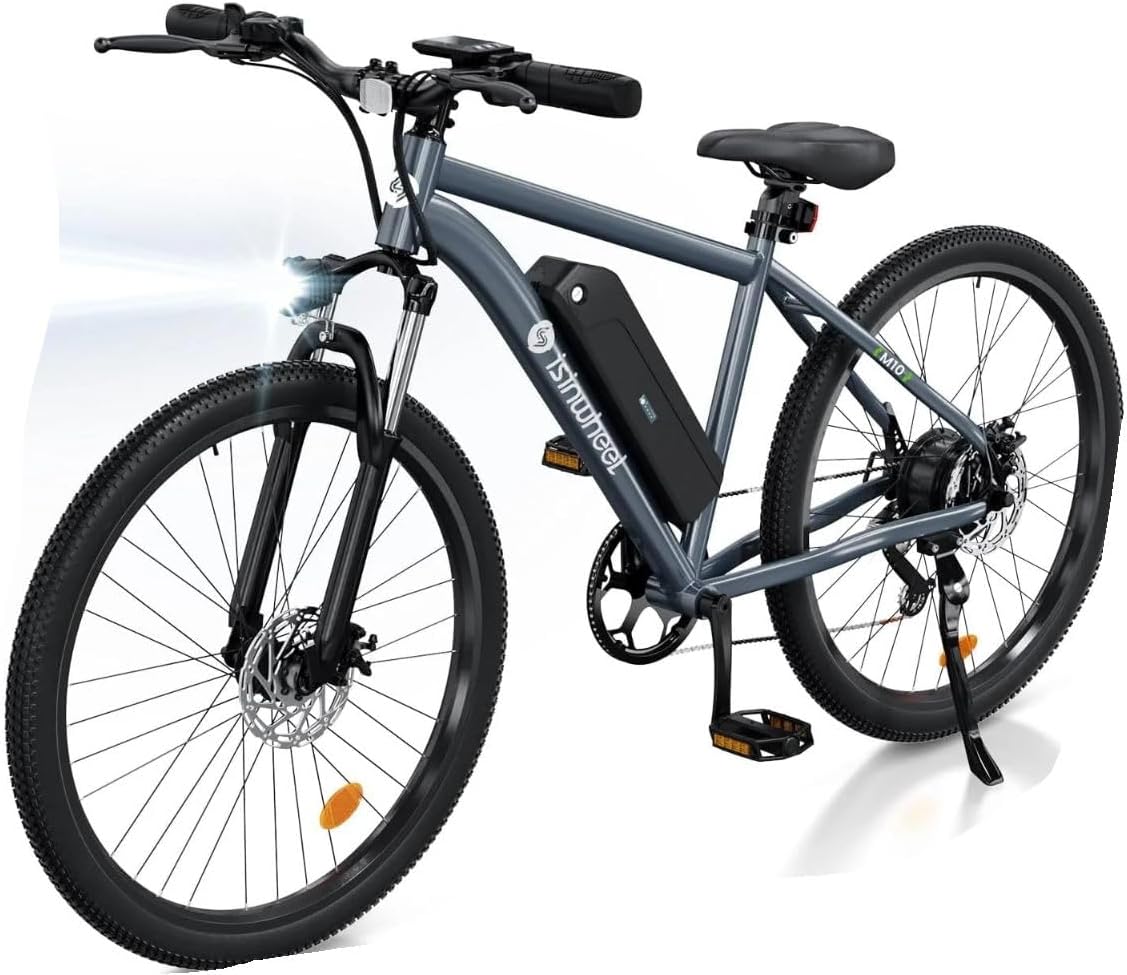
Image: An iSinwheel M10 Electric Mountain Bike, a compatible device for this charger.

Image: An iSinwheel U1 Electric Bike, another compatible device.

Image: A generic electric scooter, representative of other compatible scooter models.
Maintenance
- Keep the charger clean and dry. Wipe with a soft, dry cloth.
- Store the charger in a cool, dry place when not in use.
- Do not attempt to open or repair the charger. Refer all servicing to qualified personnel.
- Regularly inspect the power cord and connector for any signs of damage. Discontinue use if damage is found.
Troubleshooting
| Problem | Possible Cause | Solution |
|---|---|---|
| Charger LED not lighting up. | No power from outlet; charger not properly connected; charger malfunction. | Check wall outlet with another device. Ensure charger is fully plugged into both the device and the wall. If problem persists, contact support. |
| LED remains RED after extended charging. | Battery not fully charged; battery issue; charger malfunction. | Allow more time for charging. Verify battery health. If issue persists, contact support. |
| LED flashes RED (as per image description). | Defective charger or temperature anomaly. | Disconnect charger and allow it to cool down. Reconnect. If flashing persists, the charger may be defective. Contact support. |
| Device not charging. | Incompatible device; faulty charging port on device; charger malfunction. | Confirm device compatibility (voltage and connector type). Test charger with another compatible device if possible. Inspect device's charging port for damage. |
Specifications
| Feature | Detail |
|---|---|
| Input Voltage Range | AC 100V - 240V |
| Output Voltage | DC 42V |
| Output Current | 1.5A - 2A Compatible |
| Power Output | 80 Watts |
| Connector Type | Barrel Connector (5.5x2.5/2.1mm) |
| Safety Certifications | UL, CE, RoHS |
| Protection Features | Over Voltage Protection, Over Current Protection, Short-circuit Protection |
| LED Indicator | Red (Charging), Green (Full/Disconnected) |
| Product Dimensions | 4.5 x 2 x 1.25 inches |
| Item Weight | 8 ounces |
Warranty and Support
T POWER stands behind the quality of its products.
- 1-Year Limited Manufacturer Warranty: This product is covered by a 1-year limited manufacturer warranty, addressing quality-related issues.
- 30-Day Return Policy: You may return your undamaged product and packaging within 30 days of purchase for a full refund for any reason.
- Technical Support: For any inquiries, compatibility checks, or assistance with your charger, please contact T POWER customer support.
For further assistance, please visit the T POWER Store on Amazon or refer to the contact information provided with your purchase.
Documents and downloads
Ask a question about this manual
Ask about setup, troubleshooting, compatibility, parts, safety, or missing instructions. Manuals+ will review the question and use this page’s manual context to help answer it.