
Retevis FA9104JX20
Retevis H777H Two Way Radios User Manual
Model: FA9104JX20
Introduction
Thank you for choosing the Retevis H777H Two Way Radios. These compact, rechargeable walkie-talkies are designed for reliable communication in various professional environments, including manufacturing, healthcare, and education. Featuring a hidden display, USB-C charging, and hands-free VOX operation, the H777H provides intuitive and efficient communication. This manual will guide you through the setup, operation, maintenance, and troubleshooting of your new radios.

Image: A comprehensive view of twenty Retevis H777H two-way radios, each placed in its individual charging base, illustrating the complete package.
Setup
1. Charging the Battery
Before first use, fully charge the radio's battery. The Retevis H777H is equipped with a 1000mAh Lithium-Ion battery and supports convenient USB-C charging. A full charge typically takes approximately 3 hours.
- Connect the USB-C charging cable to the radio's charging port.
- Plug the adapter into a standard power outlet.
- The charging indicator on the radio will show charging status (refer to radio's specific LED behavior for details).

Image: A close-up of the Retevis H777H radio highlighting its 1000mAh battery capacity, along with icons indicating 12 hours of working time, 55 hours of standby time, and 3 hours of charging time.
2. Attaching the Belt Clip
For convenient carrying, attach the provided belt clip to the back of the radio. Align the clip with the designated slots and slide it into place until it clicks securely.

Image: A person wearing the Retevis H777H radio with its belt clip, demonstrating its portability. An inset shows a close-up of the belt clip mechanism, and text indicates the radio's weight (116g) and dimensions (102*56*34mm excluding antenna).
Operating Instructions
1. Power On/Off and Volume Control
- To power on the radio, rotate the top-left knob clockwise until you hear a click.
- Continue rotating the same knob to adjust the volume.
- To power off, rotate the knob counter-clockwise until it clicks off.
2. Channel Selection
The H777H radios feature 16 channels. To select a channel, rotate the top-right knob. The hidden display will show the current channel number.
3. Push-to-Talk (PTT) Button
To transmit, press and hold the large button on the side of the radio (PTT button). Speak clearly into the microphone. Release the button to listen.
4. VOX Hands-Free Operation
The VOX (Voice Operated Exchange) feature allows for hands-free transmission. When activated, the radio will automatically transmit when it detects your voice, eliminating the need to press the PTT button.
- Refer to the specific programming software or user guide for your radio model to enable and adjust VOX sensitivity.
- This feature is ideal for situations where your hands are occupied, such as in construction or manufacturing environments.

Image: A Retevis H777H radio on a desk with a security guard in the background, illustrating the VOX hands-free feature where voice is automatically transmitted without pressing the PTT key.
5. Emergency Alarm
The radio is equipped with an emergency alarm function to alert team members in critical situations. Press the designated emergency alarm button (refer to your radio's button layout) to activate it.

Image: A Retevis H777H radio with an orange emergency alarm icon and a scene of a person in distress, indicating the radio's emergency alarm function to alert team members.
6. Hidden Display
The H777H features a hidden display that shows essential information such as battery level and current channel number, ensuring readability without being overtly visible.

Image: A close-up of the Retevis H777H radio highlighting its hidden display, which clearly shows battery and channel information.
7. One-Key Pairing
The one-key pairing feature simplifies the setup of your radio set, allowing for quick and seamless communication between devices. This increases teamwork and cooperation ability.

Image: Two Retevis H777H radios with a wavy line between them, illustrating the one-key pairing feature that increases teamwork and cooperation ability.
8. Strong Compatibility
The Retevis H777H radios are designed to be compatible with older H777 two-way radio models. This allows users to integrate new units with existing equipment, making operations more convenient.
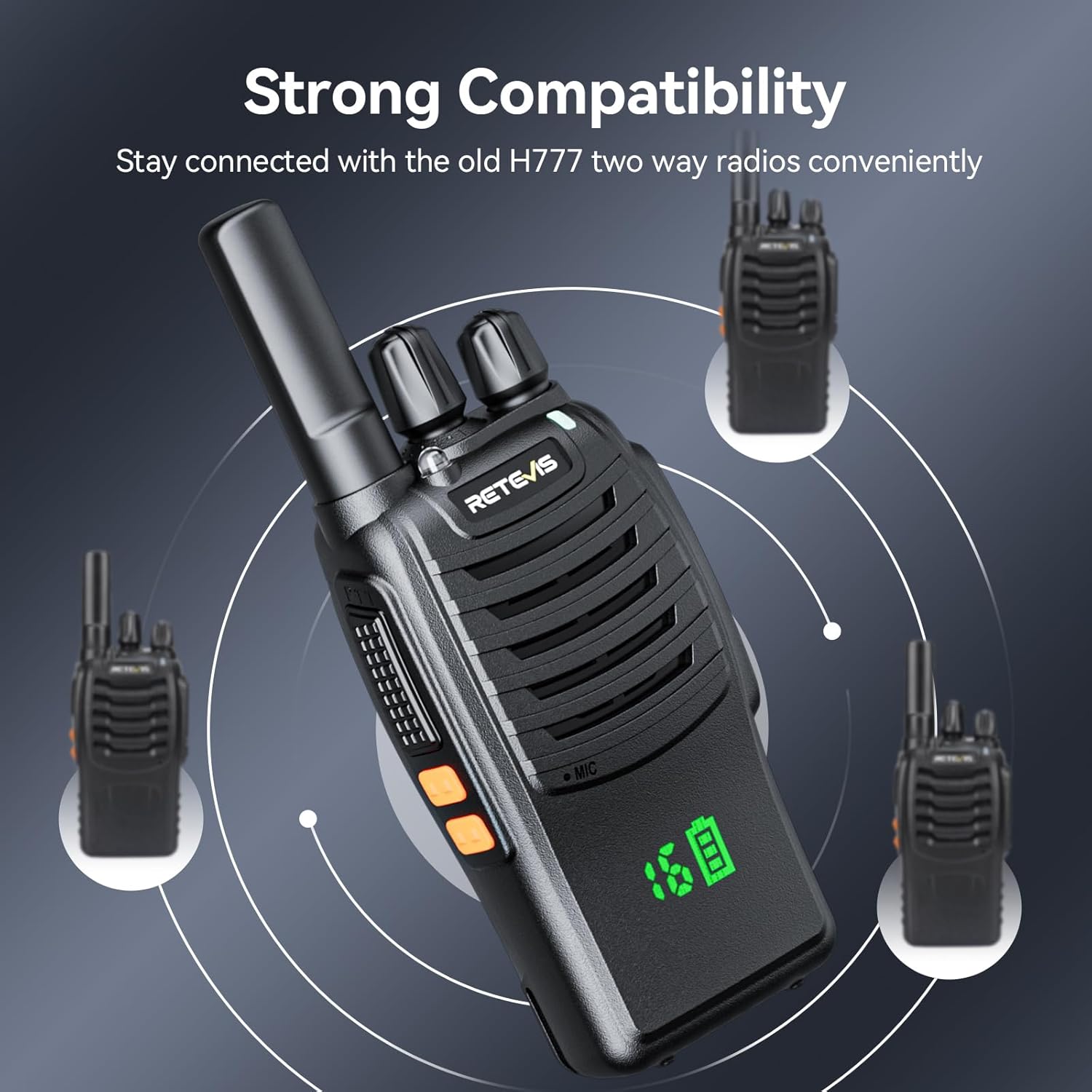
Image: A central Retevis H777H radio surrounded by three older H777 models, connected by circular waves, demonstrating strong compatibility to stay connected conveniently.
Maintenance
Cleaning
Wipe the radio's surface with a soft, damp cloth. Do not use harsh chemicals or abrasive cleaners. Ensure the charging port is free of dust and debris.
Battery Care
To maximize battery life, avoid fully discharging the battery frequently. Recharge the radios regularly. If storing for extended periods, charge the battery to about 50% and store in a cool, dry place.
Troubleshooting
| Problem | Possible Cause | Solution |
|---|---|---|
| Radio does not power on | Low or dead battery; Incorrect battery installation | Charge the battery; Reinstall battery correctly |
| No sound or low volume | Volume too low; Incorrect channel; Speaker obstructed | Increase volume; Select correct channel; Clear speaker area |
| Short communication range | Obstructions (buildings, terrain); Low battery; Interference | Move to open area; Recharge battery; Change channel |
| Cannot communicate with other radios | Different channels; Different privacy codes (CTCSS/DCS); Radios not compatible | Ensure all radios are on the same channel and privacy code; Verify compatibility |
Specifications
| Feature | Detail |
|---|---|
| Model Number | FA9104JX20 |
| Brand | Retevis |
| Color | Black |
| Item Weight (20 Pack) | 14.72 pounds |
| Product Dimensions (per radio) | 1.25 x 2.34 x 4.49 inches |
| Number of Channels | 16 |
| Battery Type | Lithium Ion (1000mAh) |
| Voltage | 3.7 Volts |
| Working Time | Up to 12 hours |
| Standby Time | Up to 55 hours |
| Charging Time | Approximately 3 hours |
| Frequency Range | FRS |
| Water Resistance Level | Not Water Resistant |
| Special Features | Rechargeable, Lightweight, Emergency Alarm, Hidden Display, USB-C Charging, VOX Hands-Free, One-Key Pairing, Strong Compatibility |
| Country of Origin | China |
Package Contents
The Retevis H777H Two Way Radios package includes the following items:
- 20 x H777H Two Way Radios
- 20 x Batteries
- 20 x Belt Clips
- 20 x Charging Bases
- 20 x Type-C Charging Cables
- 20 x Adapters
- 20 x User Manuals
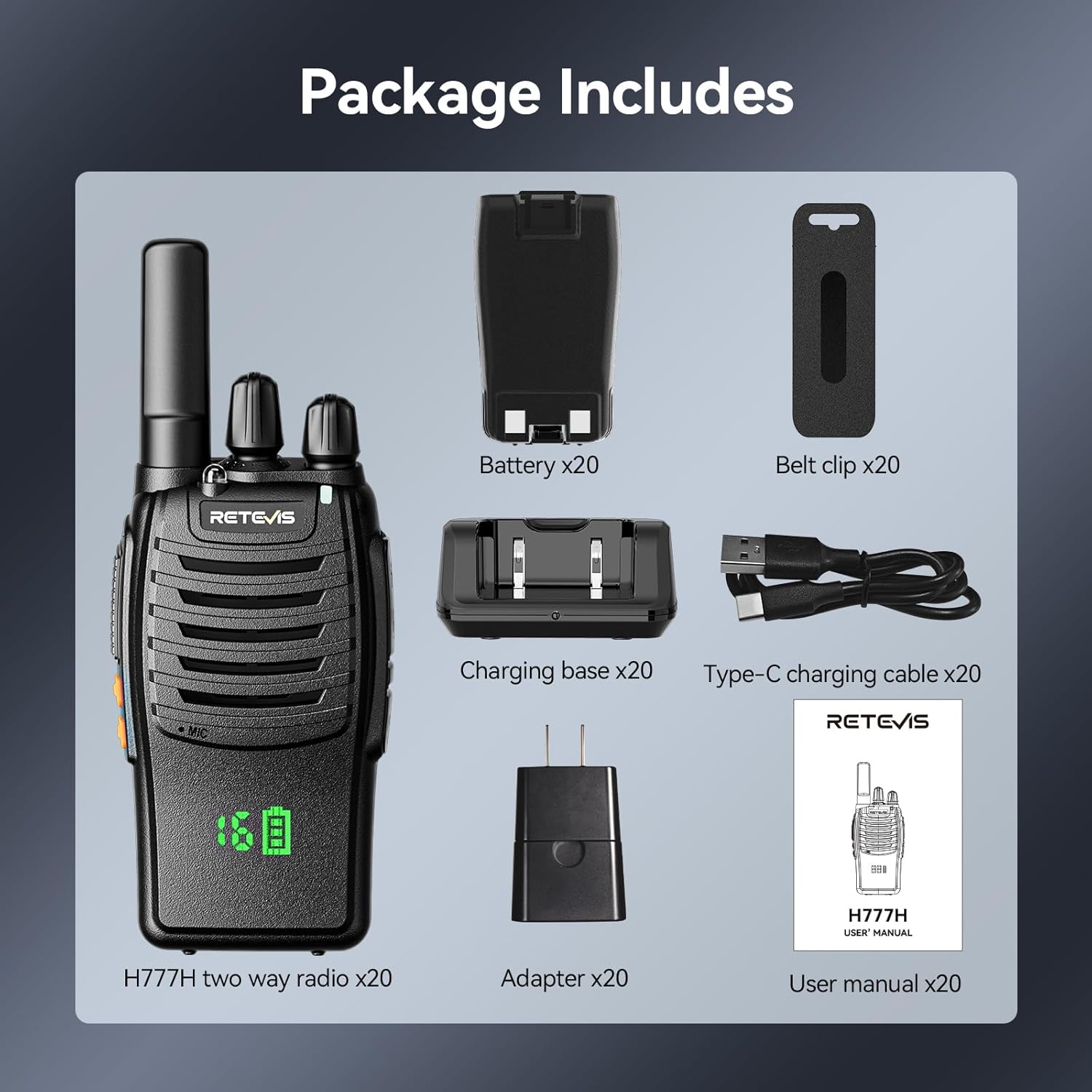
Image: An organized display of all items included in the Retevis H777H package, featuring the radio, battery, belt clip, charging base, Type-C charging cable, adapter, and user manual.
Warranty and Support
Retevis provides comprehensive customer support for the H777H Two Way Radios.
- Warranty: A 2-year warranty is provided for the radio body and a 1-year warranty for accessories.
- Returns: Enjoy a 30-day no-reason return policy.
- Customer Service: For any inquiries or issues, please contact Retevis customer support on Amazon. Responses are typically provided within 12 hours.
- Post-Warranty Service: Maintenance services are available beyond the warranty period; corresponding costs may apply.
Related documentsFA9104JX20


Ask a question about this manual
Ask about setup, troubleshooting, compatibility, parts, safety, or missing instructions. Manuals+ will review the question and use this page’s manual context to help answer it.