
Sightmark SM18040
Sightmark Wraith Digital Night Vision Riflescope 4K 4-32x40 User Manual
Model: SM18040
Introduction
This manual provides comprehensive instructions for the proper use, setup, operation, and maintenance of your Sightmark Wraith Digital Night Vision Riflescope 4K 4-32x40. Please read this manual thoroughly before using the device to ensure optimal performance and safety.

Image: The Sightmark Wraith 4K Digital Night Vision Riflescope, a versatile optic for day and night use.
Product Overview and Key Features
The Sightmark Wraith 4K 4-32x40 is a high-performance digital riflescope designed for both daytime and nighttime observation and hunting. It integrates advanced digital imaging technology to provide clear visuals in various lighting conditions.
- Full-Color HD Imaging: Features a 4K (3840x2160) CMOS sensor for high-resolution full-color HD imaging during the day.
- Seamless Night Vision Transition: Easily switches to digital night vision mode with a detection range of 274 meters (300 yards).
- Crystal-Clear Display: Equipped with a 1280x720 display for sharp imaging in both day and night modes.
- Variable Magnification: Offers 4-32x digital magnification for versatile target acquisition at various ranges.
- Robust Construction: Recoil-rated up to .308 caliber with solid aluminum construction, IP55 water-resistant protection, and an operating temperature range of 20°F to 122°F.

Image: Digital Night Vision display showing sensor and display resolution.

Image: Visual representation of 4x and 32x magnification and 300-yard detection range.
Package Contents
Upon opening the package, please verify that all the following components are included:
- IR flashlight
- Objective lens cover
- Fixed Picatinny mount
- User manual (this document)
- 4x AA Batteries (for the scope)

Image: All components included in the Sightmark Wraith 4K package.
Setup
1. Battery Installation
The Wraith 4K requires 4x AA batteries for operation. Locate the battery compartment, typically on the side or bottom of the scope. Insert the batteries according to the polarity indicators (+/-) inside the compartment. Close the battery cover securely.
Note: Battery life can vary. For extended use, consider an external power bank connected via the scope's power port.

Image: Illustration of battery type (4x AA) and approximate battery life.
2. Mounting the Riflescope
Attach the Wraith 4K to your rifle's Picatinny rail using the included fixed Picatinny mount. Ensure the mount is securely fastened to prevent movement during recoil. Proper eye relief (69mm) is crucial for comfortable and safe viewing; adjust the scope's position on the rail as needed.
Note: The scope is designed for integral mounting. If your rifle uses a different rail system, an adapter may be required (not included).
3. Initial Power On and Focus Adjustment
Press and hold the power button to turn on the device. Adjust the diopter ring (eyepiece focus) until the on-screen display and reticle are sharp. Then, adjust the objective lens focus ring to bring the target image into clear focus. This manual focus ensures optimal image clarity for varying distances.
Operating Instructions
1. Day and Night Mode Transition
The Wraith 4K can seamlessly switch between full-color daytime mode and digital night vision mode. Refer to the device's controls (buttons/menu) for the specific action to toggle between these modes. In night vision mode, the integrated IR flashlight can be activated to enhance visibility in low-light or complete darkness.
2. Magnification Adjustment
Use the digital magnification controls to adjust the zoom level from 4x to 32x. This allows for precise targeting at different ranges. Be aware that higher digital magnification may introduce some pixelation.
3. Reticle Selection and Customization
The scope offers 10 distinct reticle patterns and 9 color options to suit various preferences and shooting scenarios. Navigate through the menu to select your desired reticle and color. This customization allows for improved target acquisition and personal comfort.

Image: Various reticle patterns and color options available for customization.
4. Recording and Picture Capture
The Wraith 4K supports video recording in 4K or 1080p resolution and 4K still image capture. Ensure a compatible microSD card (not included) is inserted into the designated slot. Refer to the device's menu for controls to start/stop recording and capture photos.
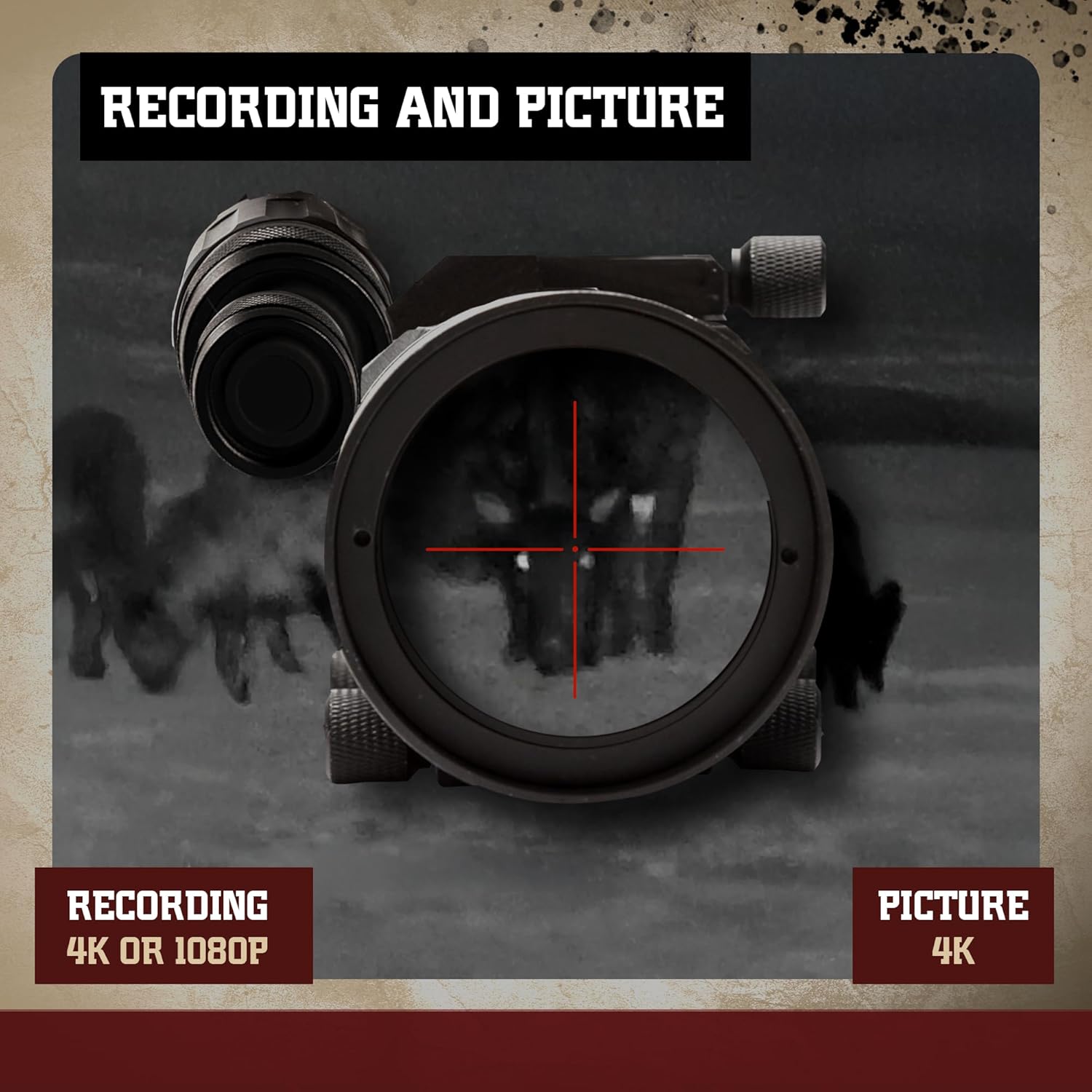
Image: Details on video recording (4K or 1080p) and picture capture (4K).
5. Zeroing the Riflescope
Zeroing is essential for accurate shooting. The Wraith 4K features a digital zeroing function. Typically, this involves firing a shot, then using the scope's menu to adjust the reticle to the point of impact relative to the point of aim. Consult the on-screen prompts or the device's specific zeroing guide for detailed steps. The one-shot zero feature can significantly simplify this process.
Maintenance
1. Cleaning
Use a soft, lint-free cloth to clean the exterior of the scope. For lenses, use a specialized lens cleaning solution and cloth to avoid scratching. Do not use abrasive materials or harsh chemicals.
2. Battery Care
Remove batteries if the device will not be used for an extended period to prevent leakage. When using an external power source, ensure the connection is secure and protected from accidental bumps to prevent damage to the power port.
3. Storage
Store the riflescope in a cool, dry place, away from direct sunlight and extreme temperatures. Use the objective lens cover when not in use to protect the lens.
4. Water Resistance
The Wraith 4K is IP55 water-resistant, meaning it is protected against dust ingress and low-pressure water jets from any direction. It is not designed for submersion. Avoid exposing the device to heavy rain or prolonged wet conditions.

Image: The scope demonstrating its IP55 water and dust resistance.
Troubleshooting
| Problem | Possible Cause | Solution |
|---|---|---|
| Blurry image in day mode (especially indoors) | Environmental factors (e.g., heat haze), improper focus. | Adjust objective lens focus. Test in different environments. Ensure proper diopter adjustment. |
| Short battery life | High power consumption, old/low-quality batteries. | Use fresh, high-quality AA batteries. Consider using a compatible external power bank for extended operation. |
| Reticle not centered on screen after zeroing | Mounting height/angle. | This is a characteristic of some digital scopes where the reticle moves digitally. If it significantly impacts usability, consider adjusting the scope's physical height or angle on the rail (e.g., with a riser or shims) to bring the reticle closer to the optical center. |
| External power port issues | Physical damage from bumps or improper connection. | Ensure careful handling when connecting/disconnecting external power. Secure the cable to prevent strain or accidental dislodgement. |
| No image/power | Dead batteries, incorrect battery insertion, device malfunction. | Replace batteries. Check battery polarity. Ensure battery compartment is closed. If problem persists, contact support. |
Specifications
| Feature | Detail |
|---|---|
| Model Name | Wraith |
| Model Number | SM18040 |
| Sensor Resolution | 4K (3840x2160) CMOS |
| Display Resolution | 1280x720 |
| Magnification | 4-32x |
| Objective Lens Diameter | 50 mm |
| Eye Relief | 69 mm |
| Field of View | 31.5 Feet |
| Night Vision | Yes |
| IR Emitter | LED |
| IR Wavelength | 850 nm |
| NV Detection Range | 300 yards (274 meters) |
| Battery Type | 4x AA |
| Battery Life (approx.) | 4.4 hours (general use) |
| Material | Aluminum |
| Weight | 2.35 Pounds (1.06 kg) |
| Product Dimensions (LxWxH) | 10.5" x 1.88" x 3" (26.7cm x 4.8cm x 7.6cm) |
| Water Resistance | IP55 Certified |
| Compatible Devices | Rifle |
| Mounting Type | Integral Mount (Picatinny) |
Warranty and Support
Warranty Information
The Sightmark Wraith Digital Night Vision Riflescope 4K 4-32x40 comes with a 3 Year Limited Warranty. This warranty covers defects in materials and workmanship under normal use. Please retain your proof of purchase for warranty claims.
For detailed warranty terms and conditions, please refer to the official Sightmark website or contact their customer service.
Customer Support
If you encounter any issues not covered in the troubleshooting section, or require further assistance, please contact Sightmark customer support. Contact information can typically be found on the manufacturer's official website or on the product packaging.
You can also visit the official Sightmark Store for more information and resources: Sightmark Store on Amazon
Related documentsSM18040


Ask a question about this manual
Ask about setup, troubleshooting, compatibility, parts, safety, or missing instructions. Manuals+ will review the question and use this page’s manual context to help answer it.